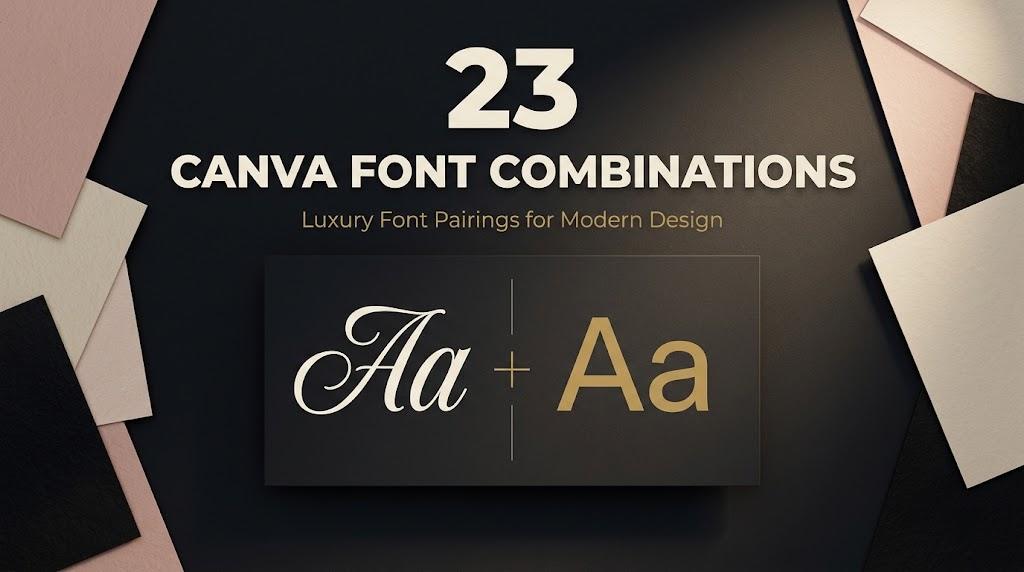
Canva Font Combinations: 23 Elegant, Wedding, Logo and Retro Font Pairs for Creators, Small Brands and Party Hosts
Every pair in this list follows one simple formula: a statement headline font from Creative Fabrica plus a free built-in Canva font for everything else. The second half of each pair is already in Canva, so you only need to add one font to your designs.
This post contains affiliate links. If you buy through them, I may earn a small commission at no extra cost to you.
To use the headline font in Canva, you upload it to your Brand Kit. According to Canva’s help center, font uploads are available on Canva Pro, Teams, Business, Education and Nonprofits plans, and Canva accepts OTF, TTF and WOFF files. Canva does not support variable fonts.
All fonts in this list are on Creative Fabrica, and a single All Access subscription unlocks every one of them, so you can try several styles before committing to one.
More font pairing ideas:
Script and Serif Font Pairing Ideas
Font Pairings for Logos
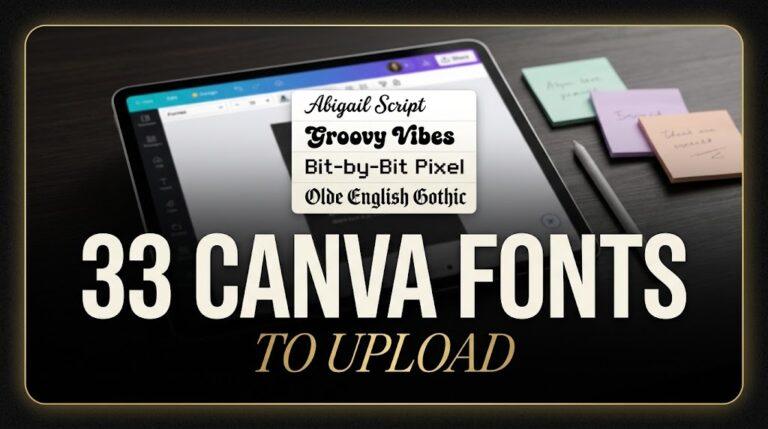
33 Canva Fonts to Upload
Contents
- Elegant & Luxury Canva Font Combinations
- Wedding Canva Font Combinations
- Canva Font Combinations for Logo & Business
- Professional Canva Font Combinations
- Aesthetic Canva Font Combinations
- Bold, Retro, Cute & Y2K Canva Font Combinations
- How to Pair Fonts in Canva
- FAQ
Elegant & Luxury Canva Font Combinations
These pairs lean on contrast: a dramatic serif or script for the name, and a quiet Canva font that keeps prices, dates and contacts easy to read.
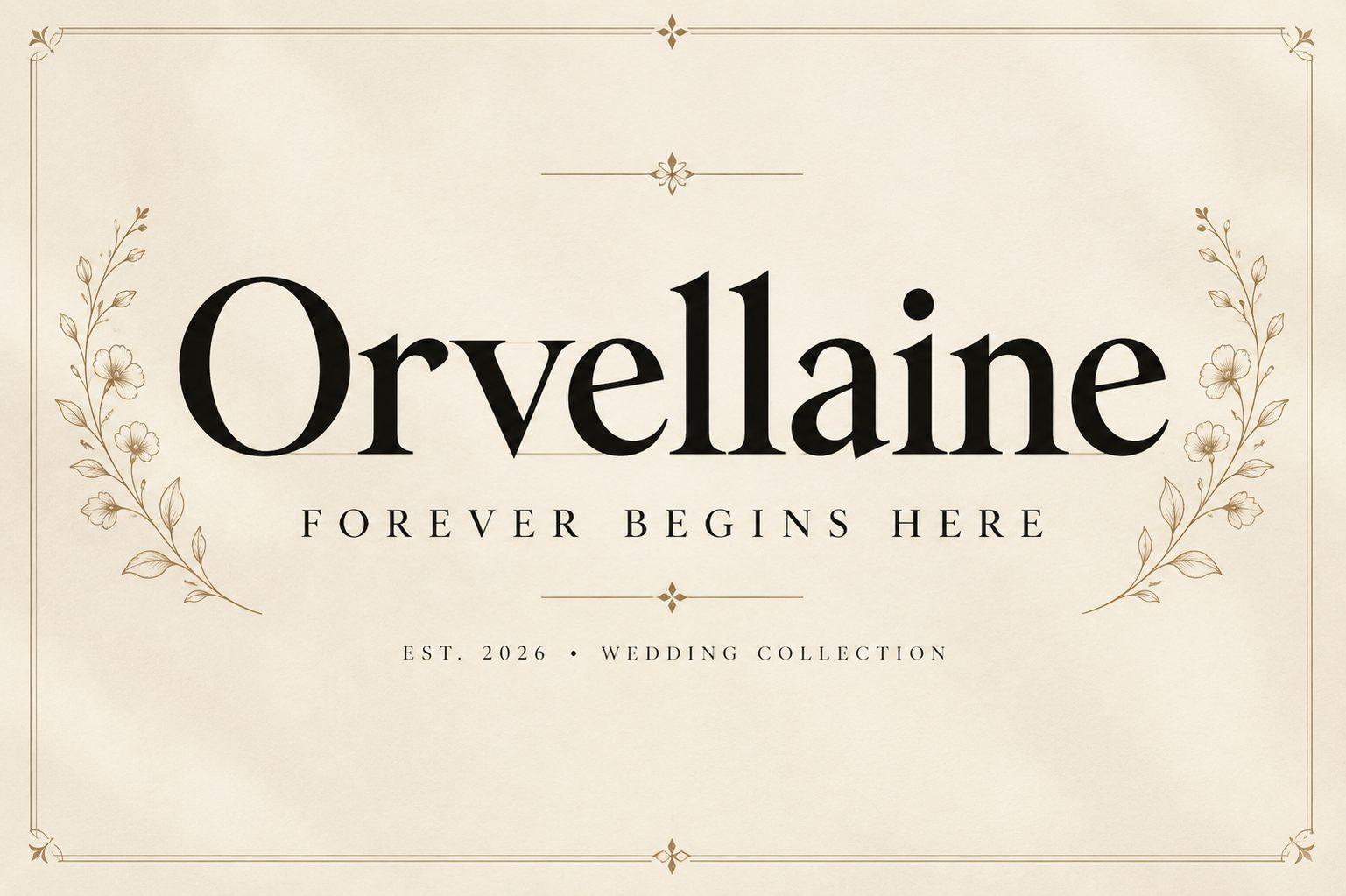
1. Orvellaine Font by Retro + Montserrat
Best For: Boutique logos, business cards, wedding monograms
Free Canva pair: Montserrat
A classic high-contrast roman with calm, sharp serifs and even spacing. The preview sets the name over a small tagline between thin rules, and the letters hold their shape even at a modest size.
Use Orvellaine for the brand or couple name and set Montserrat Light in capitals with wide letter spacing for the line underneath. Keep both in one color so the contrast comes from the shapes, not the palette.
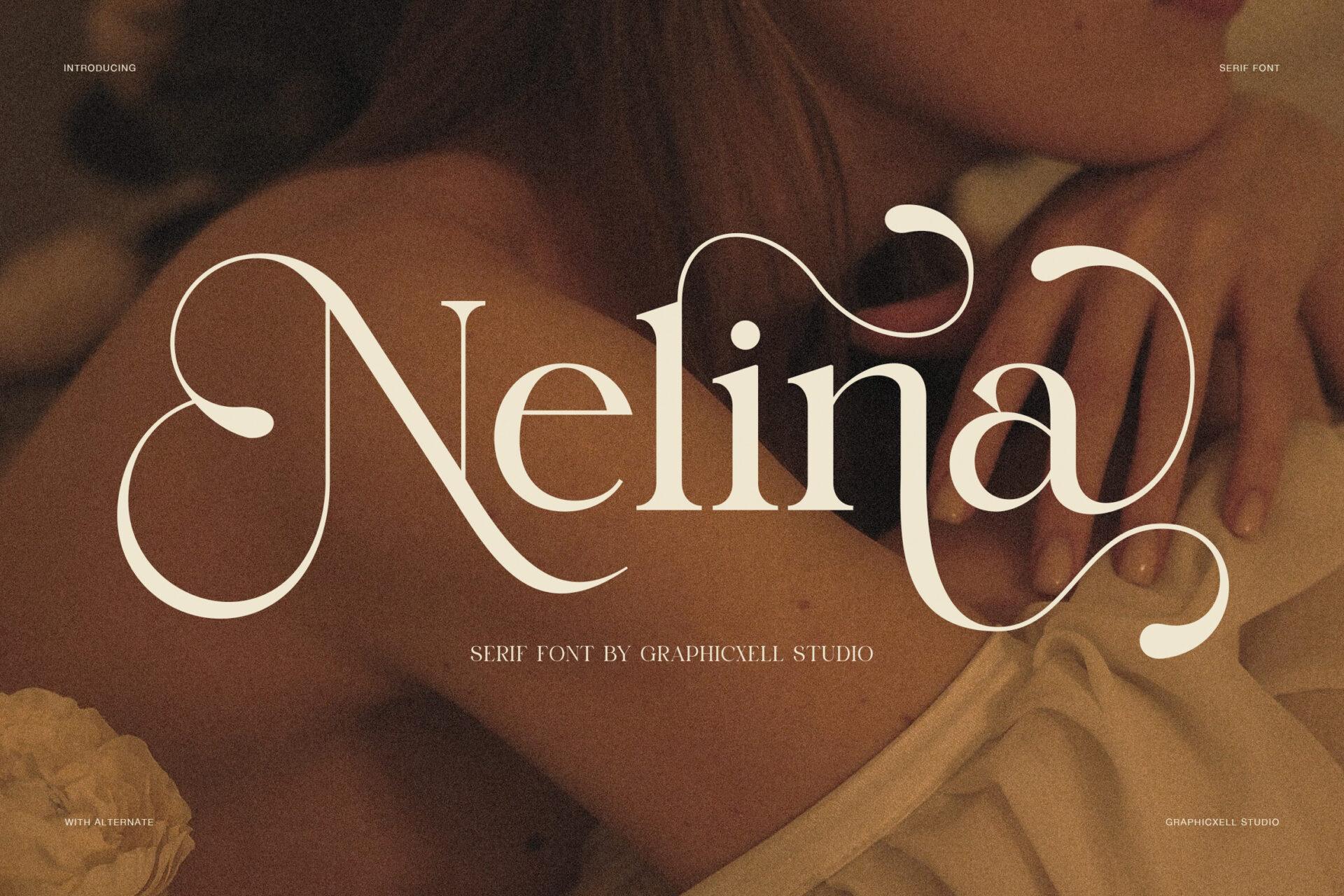
2. Nelina Font by Graphicxell + Lato
Best For: Highlight covers, salon price lists, beauty posts
Free Canva pair: Lato
A display serif with long swash strokes on the N and a, so a single word already looks styled. On the preview it sits large in cream over a warm, dark photo.
Save Nelina for one word at a time. Long lines make the swashes collide. Lato handles everything small, from service names to booking details, and its open shapes keep the layout from feeling heavy.
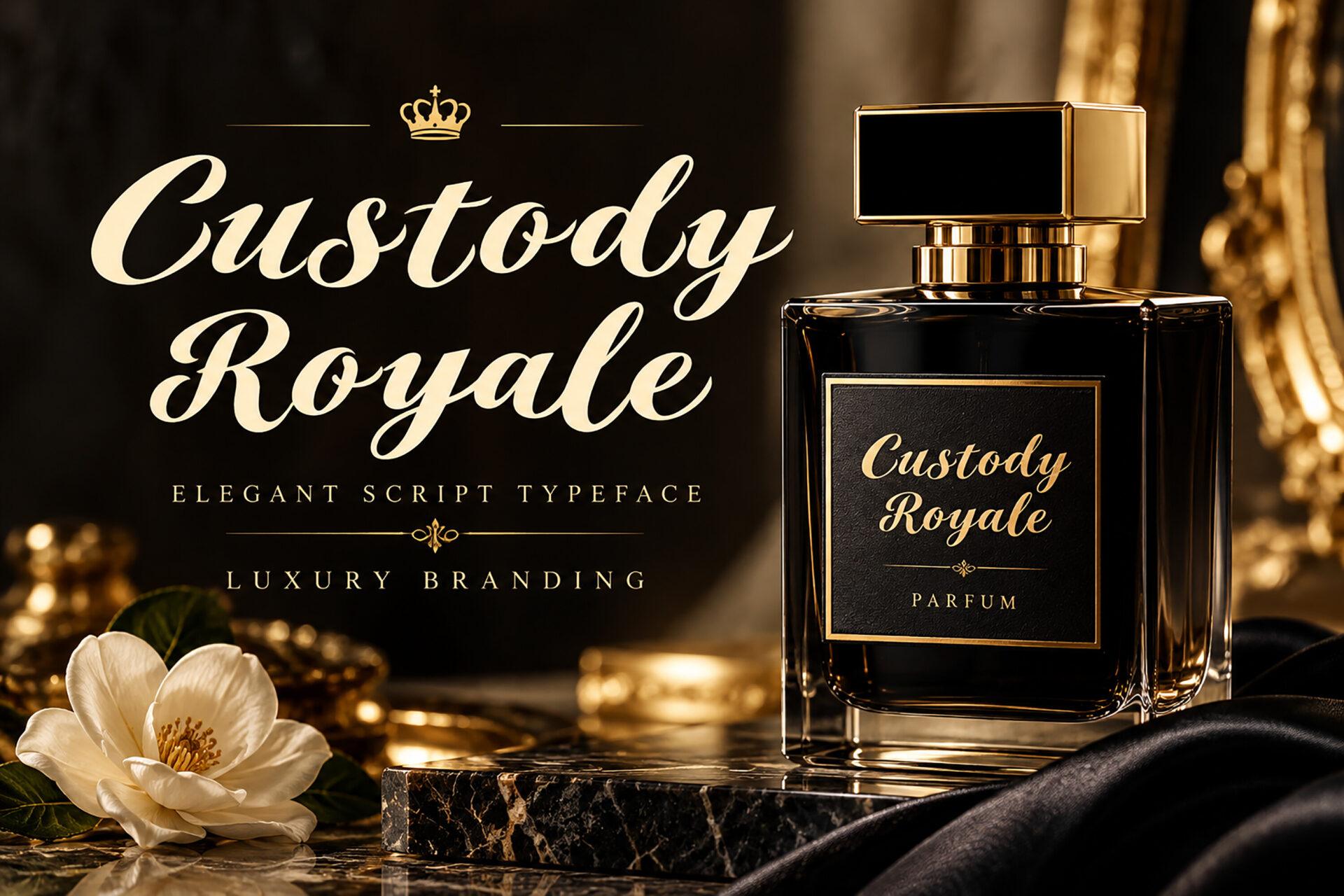
3. Custody Royale Font by BILLI + Cormorant Garamond
Best For: Perfume labels, candle jars, skincare packaging
Free Canva pair: Cormorant Garamond
A heavy, slanted script with looped capitals. The preview places it on a black perfume bottle with gold accents, which shows how well it holds up as a product name.
Set the product name in Custody Royale and the scent notes or ingredients in Cormorant Garamond. Both share a refined, slightly old-world feel, so the label reads as one family.
4. Kinaya Font by Graphicxell + Glacial Indifference
Best For: Lookbook slides, magazine-style covers, shop banners
Free Canva pair: Glacial Indifference
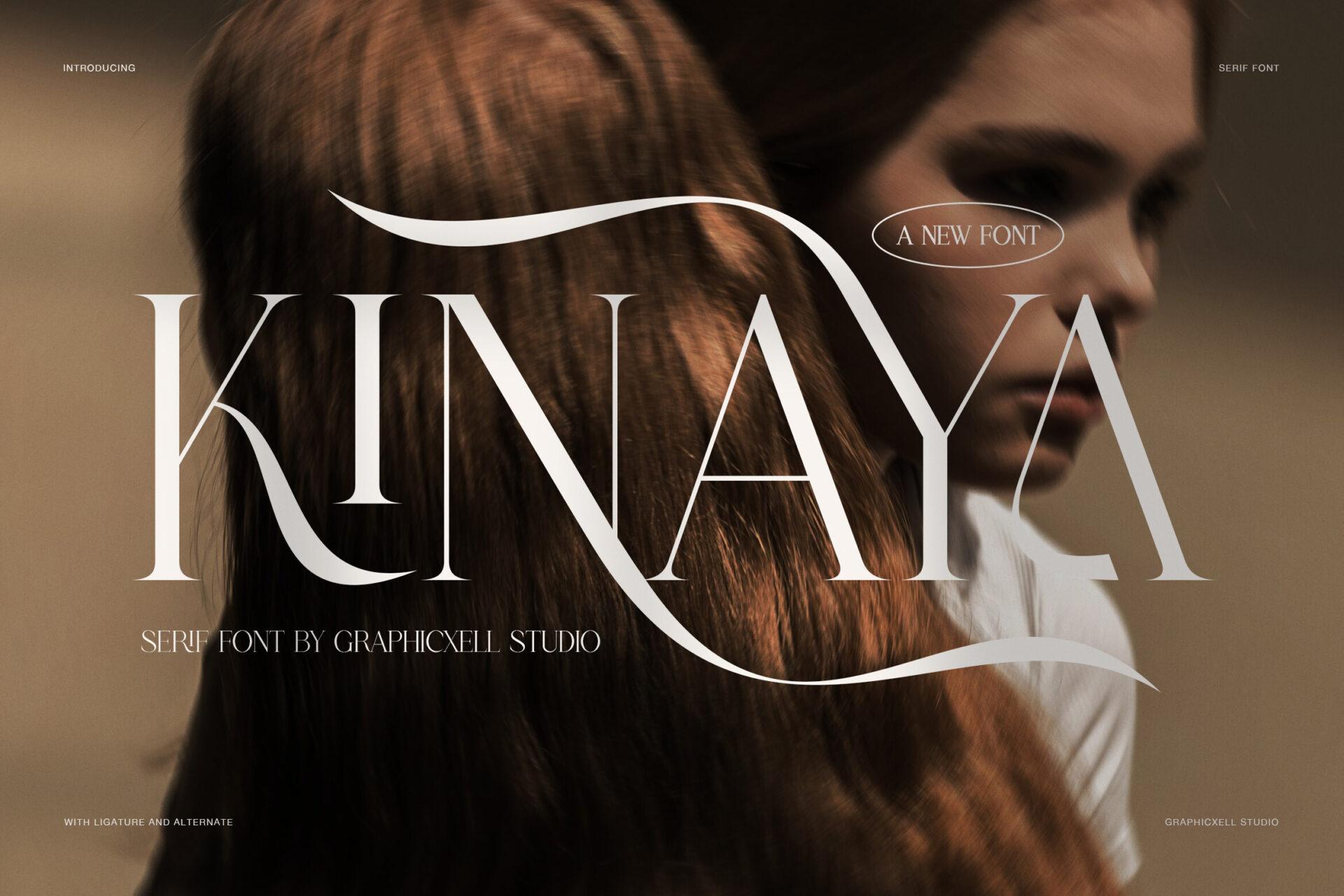
A narrow serif with long tails on the K and Y. Set in capitals over a portrait photo, it reads like a fashion masthead.
Run Kinaya across the top of a cover and put the subtitle and credits in Glacial Indifference. The geometric sans gives the tall serif room to breathe.
5. Handmade Velvet Font by Infinity Design + EB Garamond
Best For: Invitations, dinner menus, thank-you cards
Free Canva pair: EB Garamond
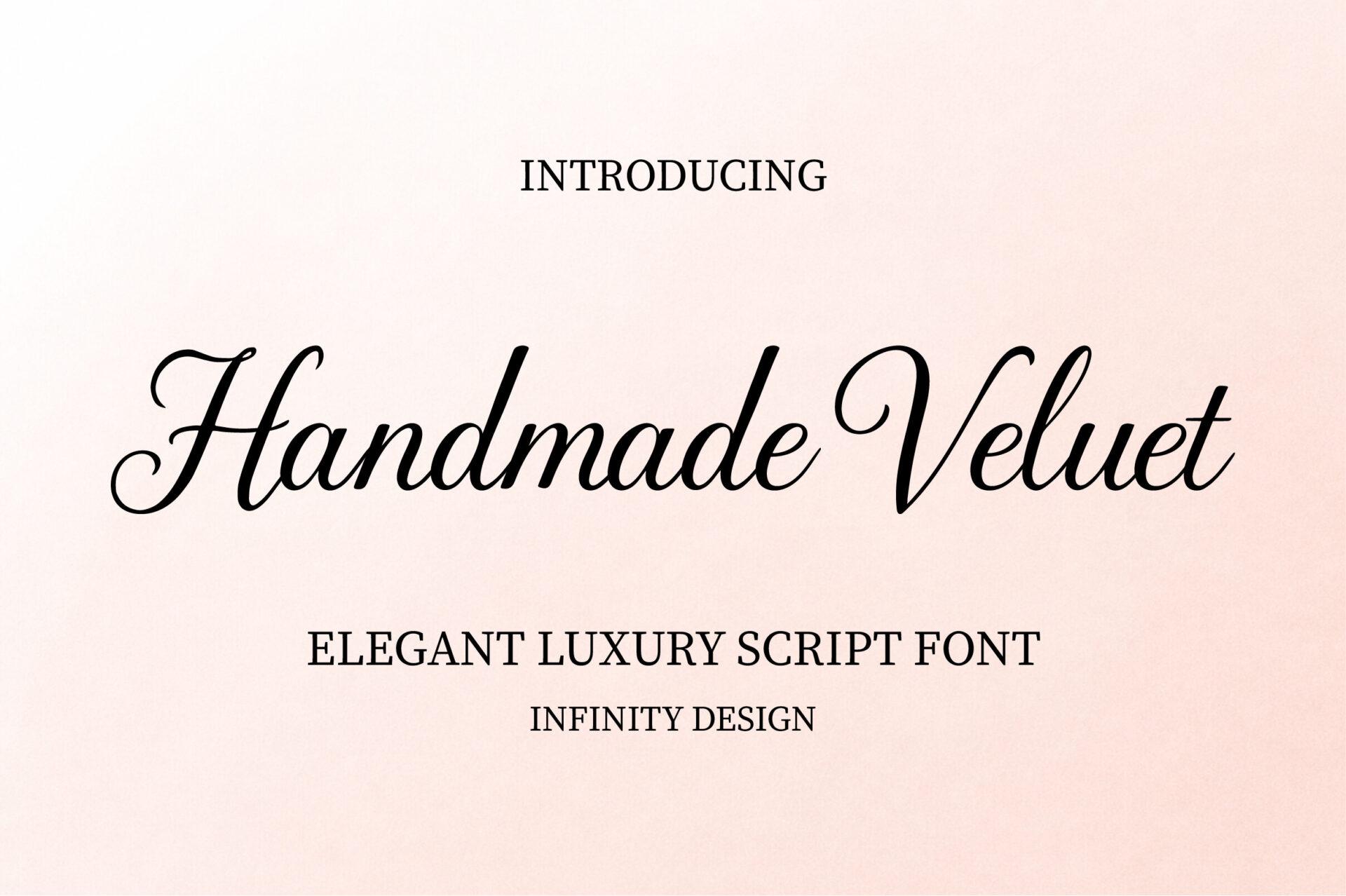
A thin calligraphic script with a moderate slant and readable letterforms. On a soft blush background it looks hand-written but never messy.
Use Handmade Velvet for names and short phrases, and EB Garamond for the body text. The bookish serif gives the card a classic finish without competing with the script.
Wedding Canva Font Combinations
Wedding stationery needs one romantic font and one that guests can actually read. Each script below gets a free Canva serif or sans for dates, venues and RSVP details.
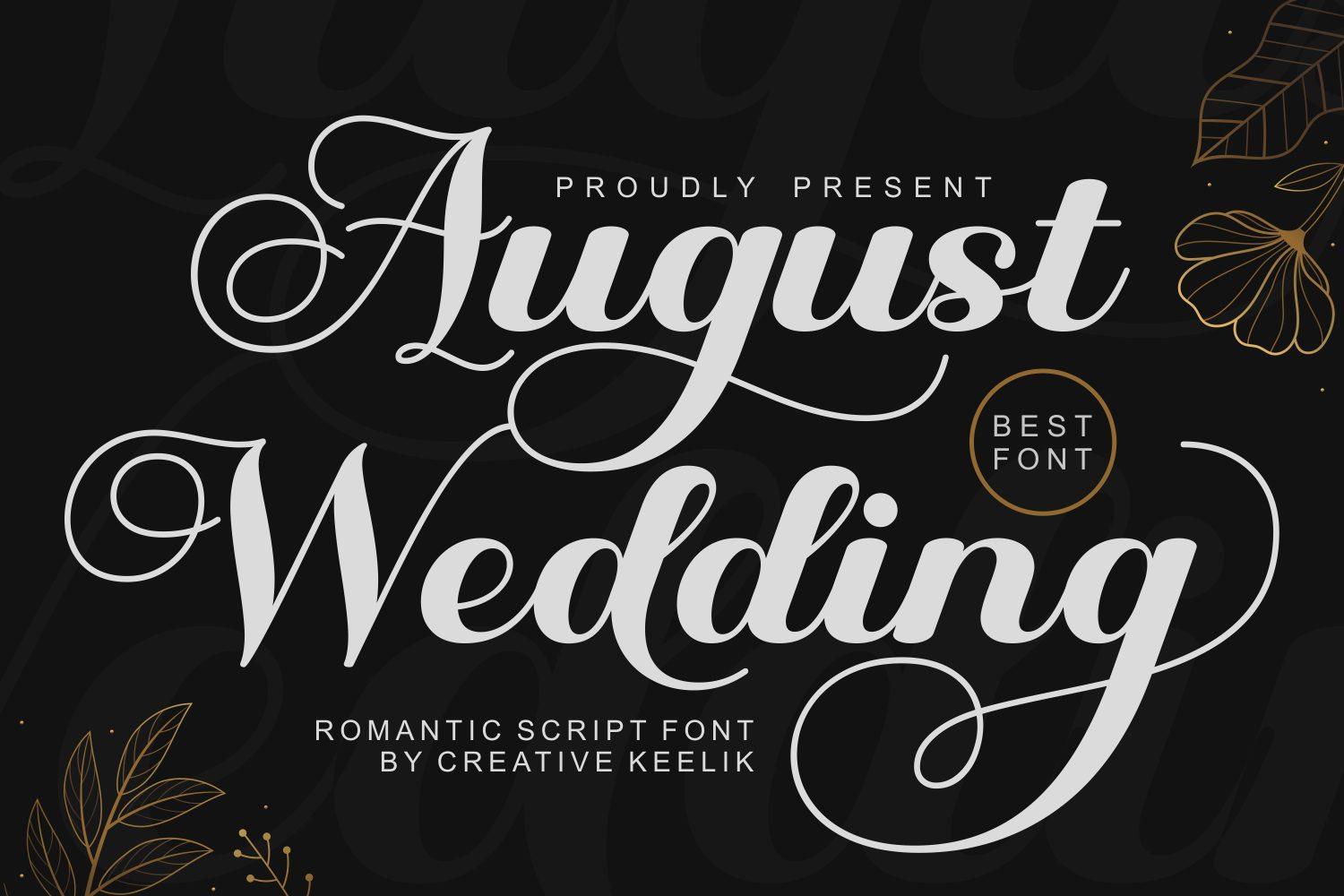
6. August Wedding Font by Creative Keelik + Playfair Display
Best For: Invitations, welcome signs, save the dates
Free Canva pair: Playfair Display
A romantic script with big loops on the A and W. The preview sets it in light lettering on black, where the flourishes stand out clearly.
Write the couple names in August Wedding and set the date and venue in Playfair Display. The serif carries the same formal mood while staying legible on a printed sign.
7. Nikahan Script Font by Universitype + Libre Baskerville
Best For: Save the dates, album covers, vow books
Free Canva pair: Libre Baskerville
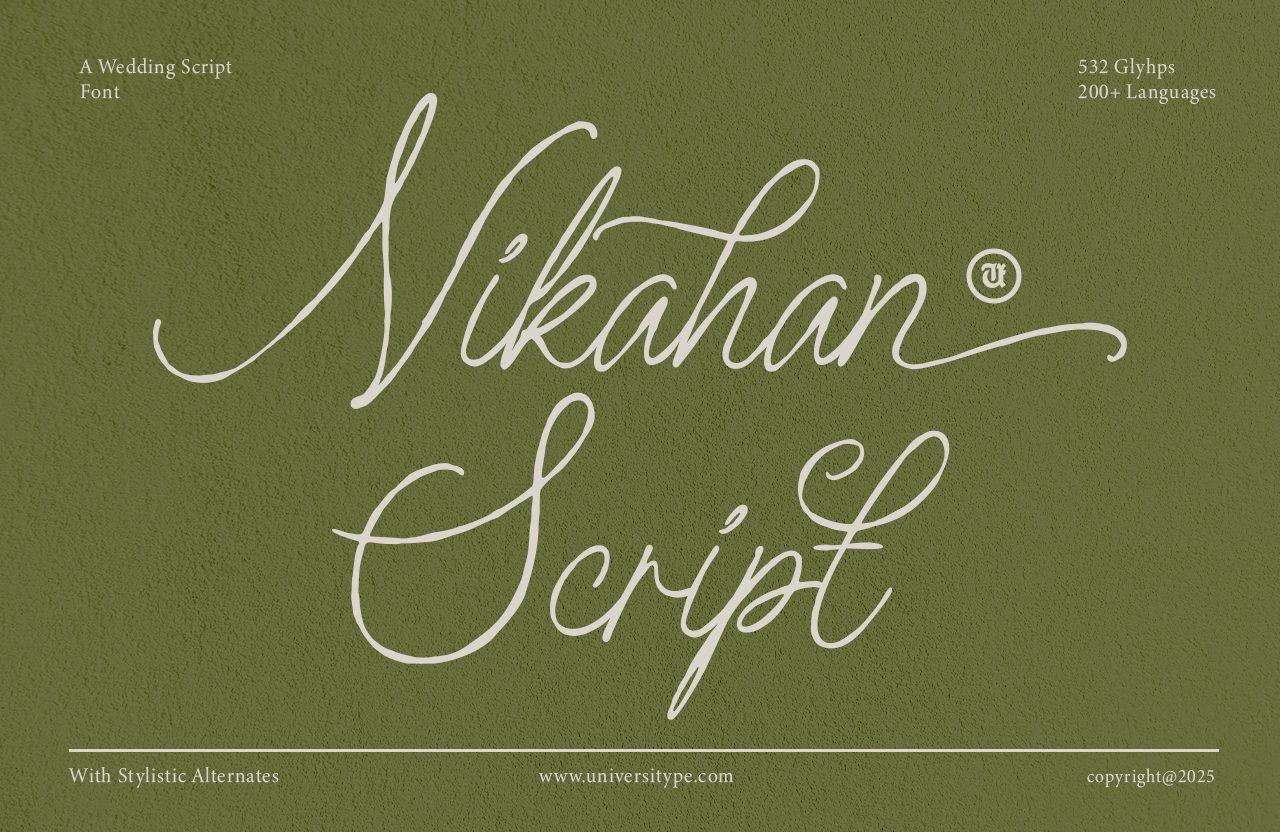
A fine monoline script with long ascenders and descenders. It is delicate, so it needs size to shine: small text loses its thin strokes.
Keep Nikahan Script large and set all supporting lines in Libre Baskerville. On a dark green or deep color background, both fonts print cleanly.
8. Alegarde Font by typealiens + Raleway
Best For: Menus, place cards, seating charts
Free Canva pair: Raleway
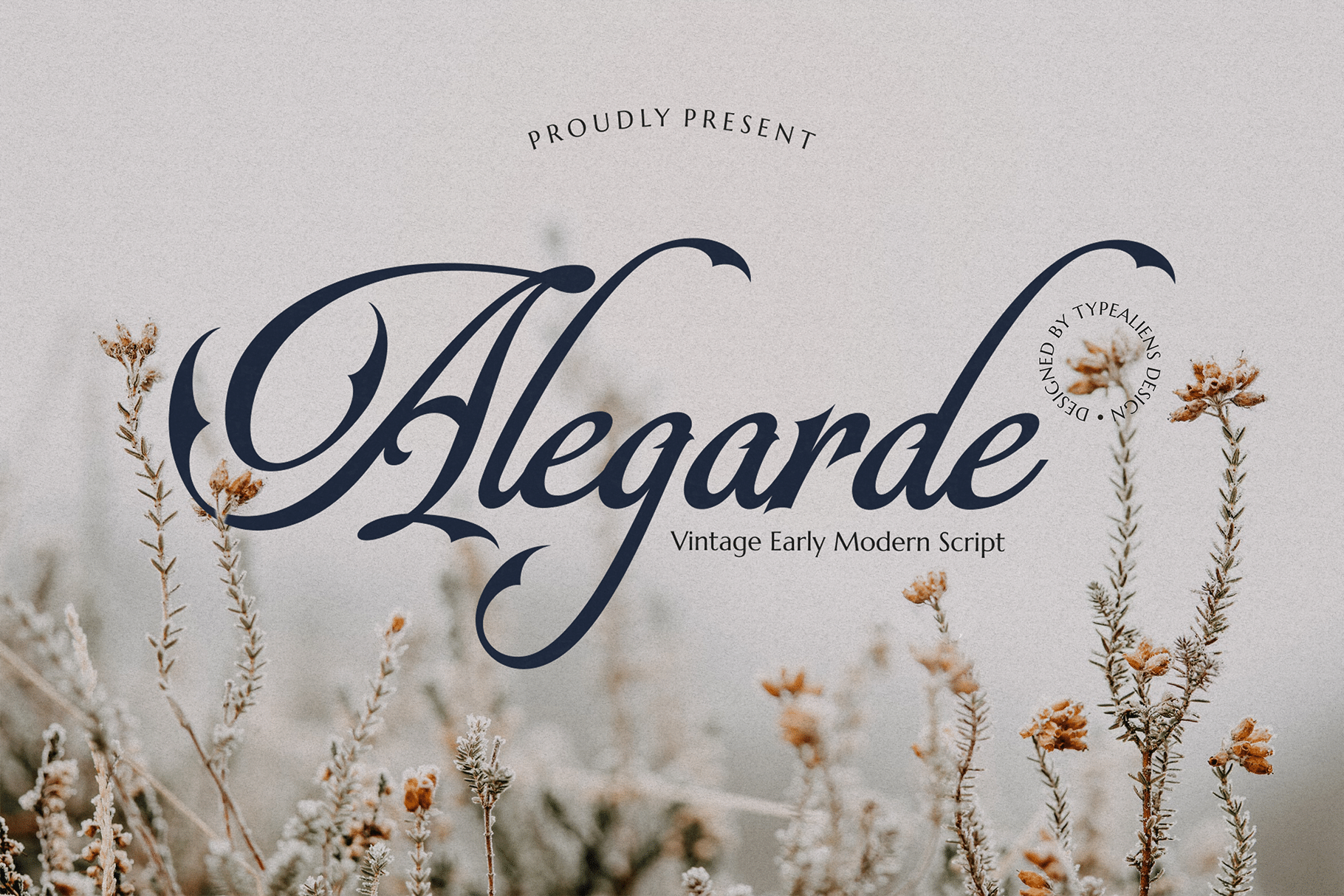
A vintage script with sharp contrast strokes and a wide capital A. Over a soft floral photo it looks like classic calligraphy.
Use Alegarde for guest names or menu headings, then set course descriptions in Raleway Light. The airy sans keeps a busy menu from looking crowded.
9. Romance Utille Font by Artiveko + Josefin Sans
Best For: Minimalist stationery, table numbers, signage
Free Canva pair: Josefin Sans
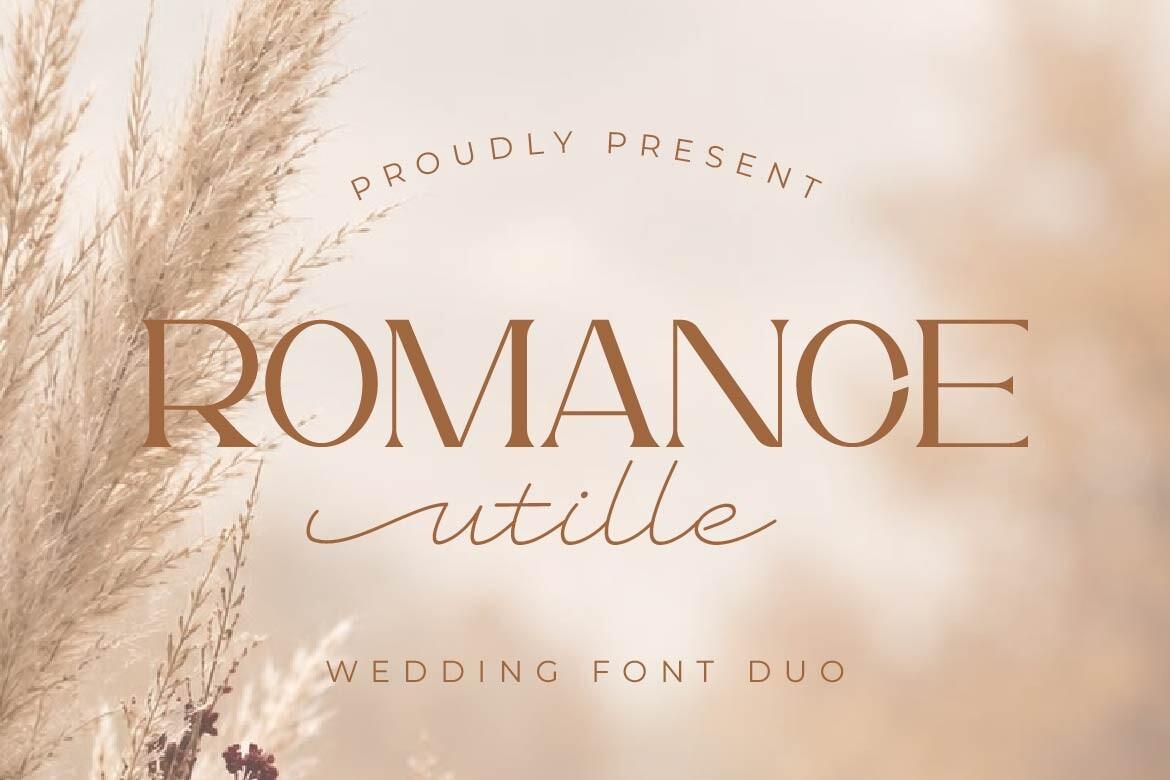
A font duo: an elegant serif set in capitals with a script underneath. For this pairing, the serif part works as the headline.
Set the headline in the Romance Utille serif and the details in Josefin Sans. The pairing stays clean and modern, good for couples who want less flourish.
Canva Font Combinations for Logo & Business
For a logo, the headline font is the brand. The Canva half handles the slogan, contact line and everything that has to stay readable on a business card.
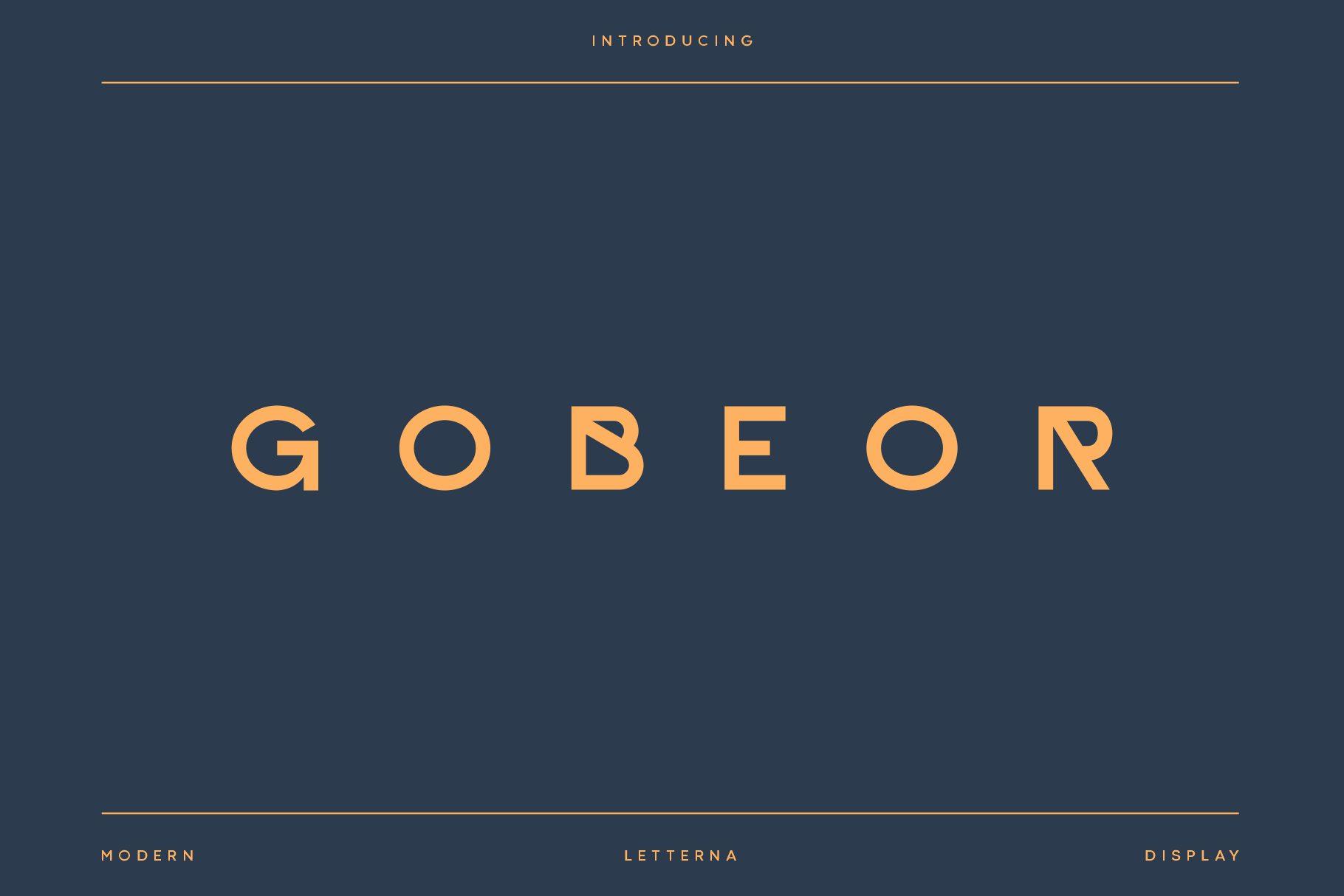
10. Gobeor Font by Letterna + Poppins
Best For: Studio wordmarks, agency branding, architecture firms
Free Canva pair: Poppins
A wide sans in spaced-out capitals. The preview sets it in orange on dark navy between two thin rules, which already looks like a finished wordmark.
Keep Gobeor short, one name, and put the slogan and contacts in Poppins. Match the letter spacing loosely so both lines feel aligned.
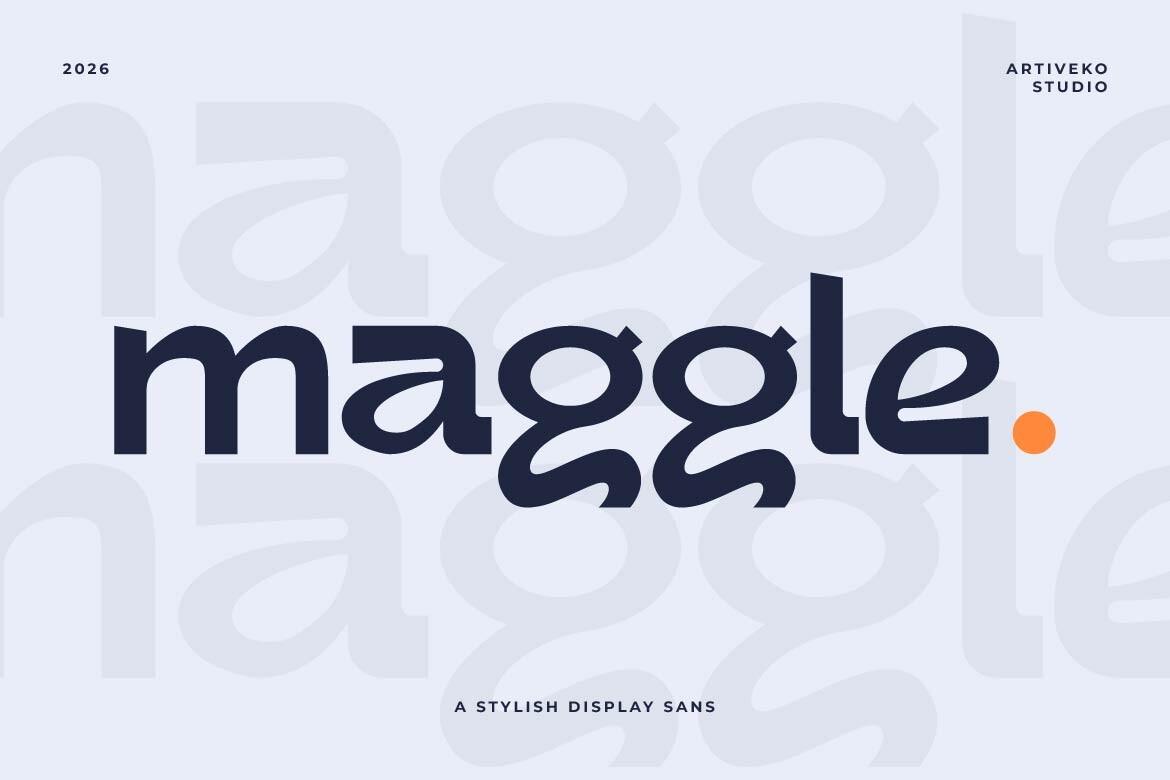
11. Maggle Font by Artiveko + Nunito
Best For: Cafe logos, app names, kids’ brands
Free Canva pair: Nunito
A rounded lowercase sans with curled endings on the g and e. Friendly without looking childish.
Pair Maggle with Nunito: both are round, so the brand feels soft and consistent from the logo down to the menu.
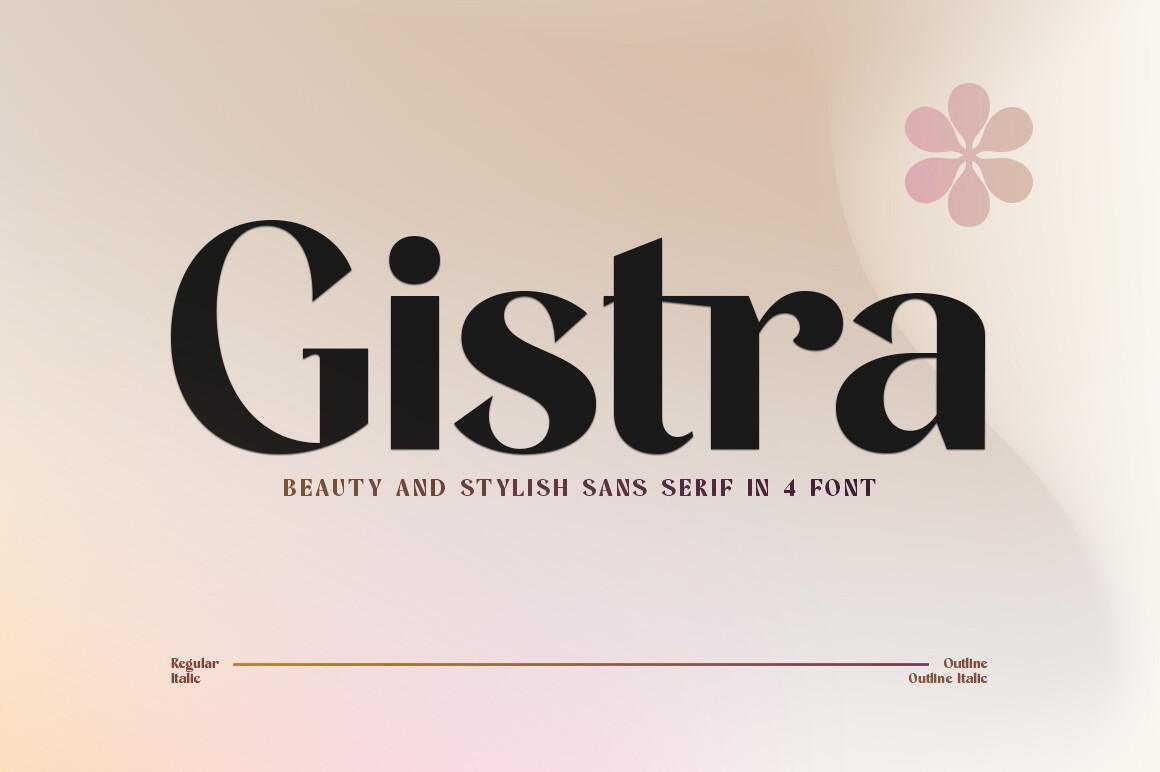
12. Gistra Font by Zane Studio + Lora
Best For: Beauty brands, Etsy shop banners, product labels
Free Canva pair: Lora
A dense sans with stroke contrast that gives it almost a serif character. Set large on a soft pink background, it looks bold but polished.
Set the shop name in Gistra and the description or tagline in Lora. The serif adds warmth next to the strong headline.
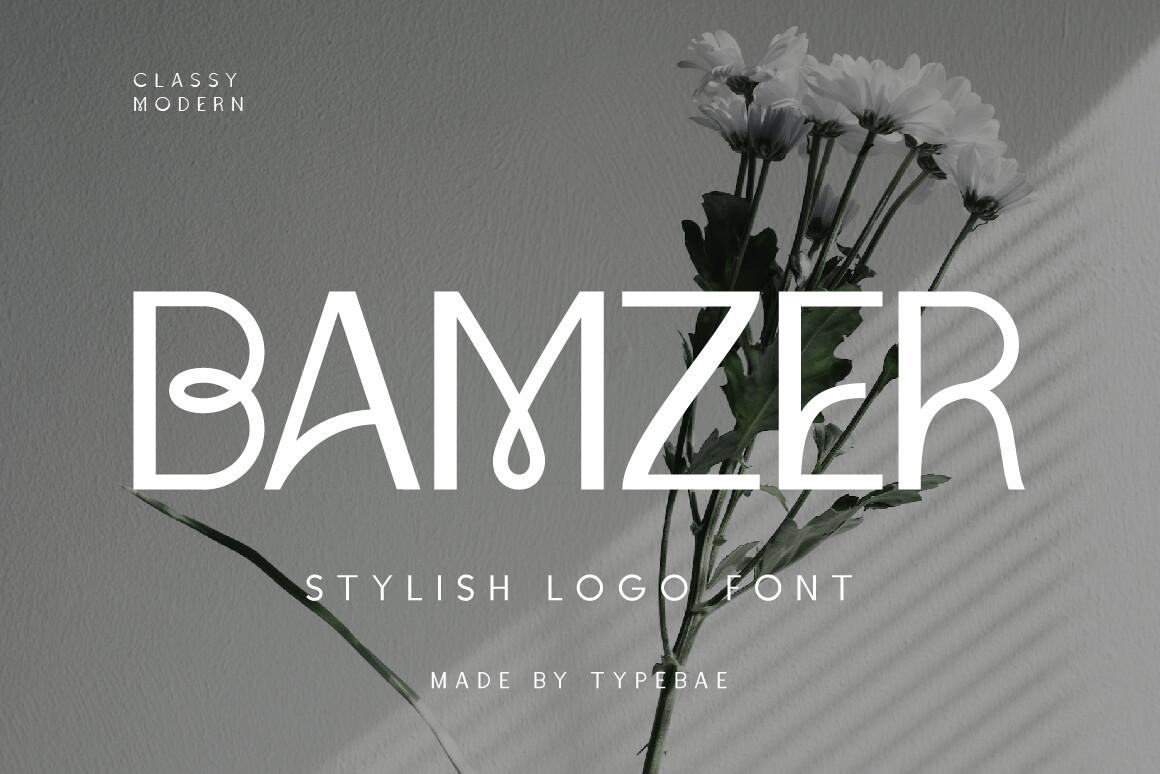
13. Bamzer Font by Typebae + Open Sans
Best For: Fashion labels, interior studios, boutique signs
Free Canva pair: Open Sans
A narrow, thin capital font with loops in the crossbars. It looks stylish in black and white, as the preview with flowers shows.
Bamzer gives the character, Open Sans keeps the rest readable. Use the sans for the address, hours and small print.
Professional Canva Font Combinations
These pairs work where clarity matters more than decoration: presentations, reports, resumes and service websites.
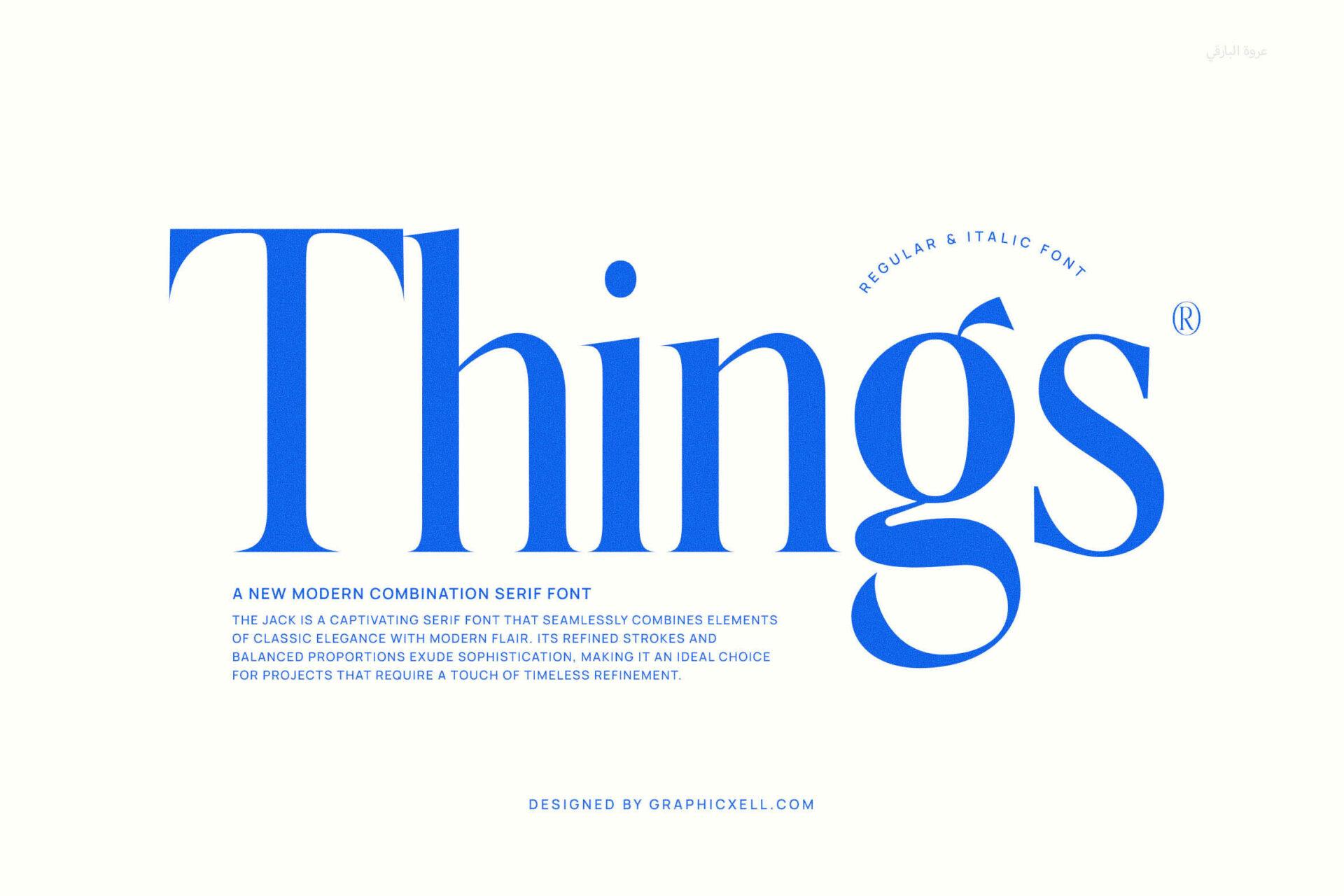
14. Things Font by Graphicxell + Inter
Best For: Presentations, reports, media kits
Free Canva pair: Inter
An editorial serif with firm serifs, set in bright blue on white on the preview. It reads like a magazine headline.
Use Things for slide titles and section headings, and Inter for the body. Inter stays readable on screens even at small sizes.
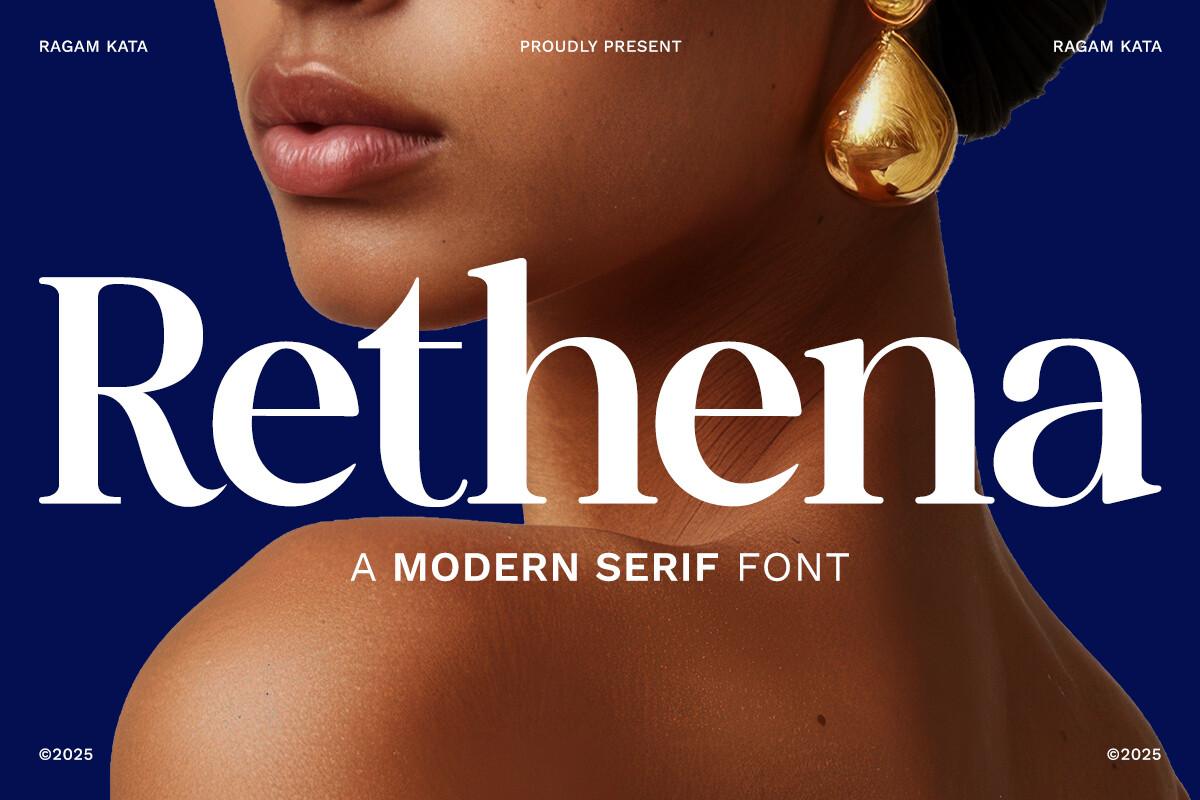
15. Rethena Font by RagamKata Studio + DM Sans
Best For: Coach and consultant websites, legal services, workbooks
Free Canva pair: DM Sans
A sturdy modern serif with moderate contrast, white on deep blue in the preview. It handles long headlines without losing its shape.
Set headings in Rethena and paragraphs in DM Sans. This duo works for websites and printed workbooks alike.
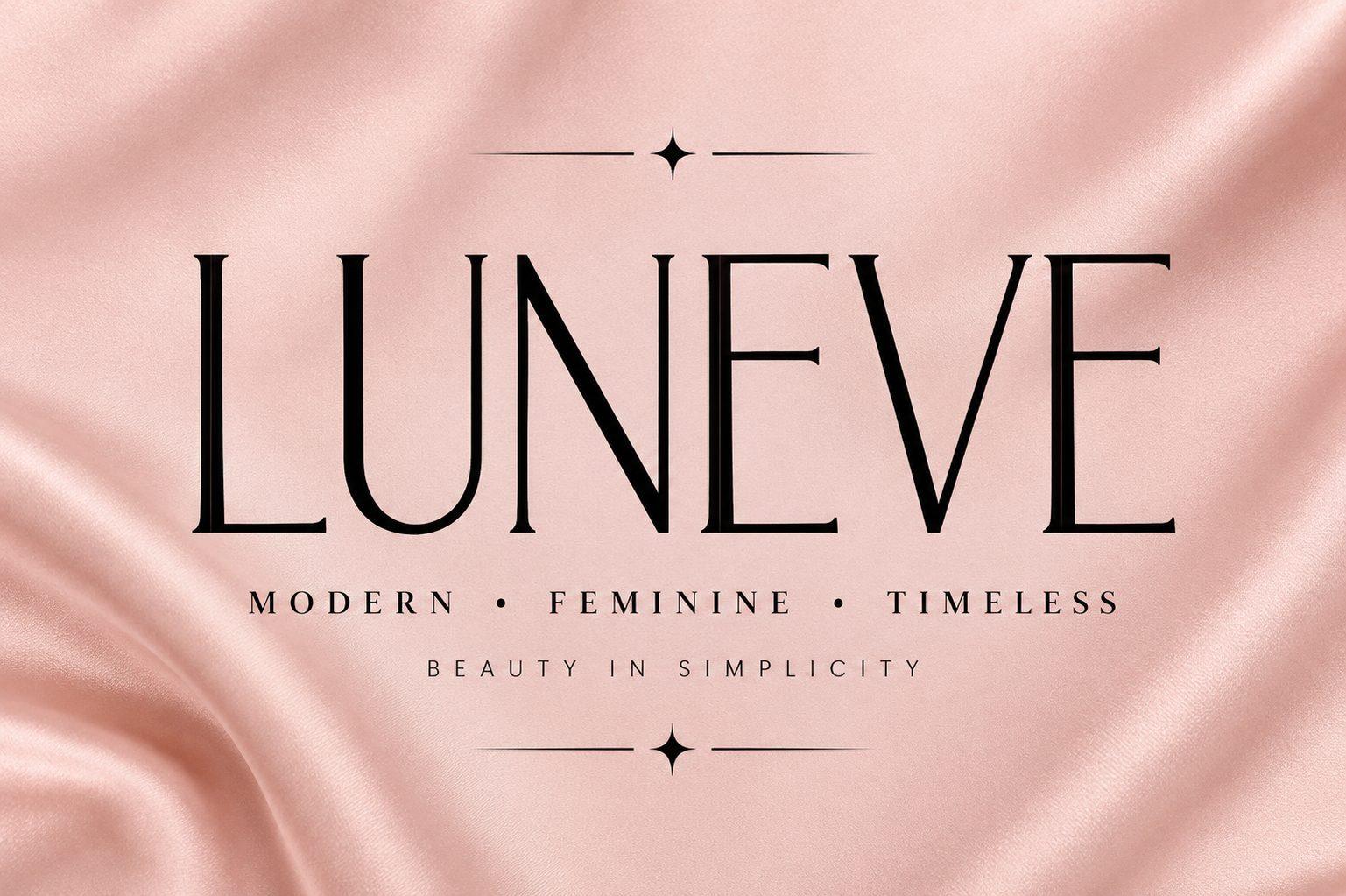
16. Luneve Font by Colourful + Montserrat
Best For: Business cards, price sheets, letterheads
Free Canva pair: Montserrat
A tall, thin serif in capitals with a tagline about modern, feminine and timeless style on the preview. Light and elegant.
Luneve leads with the name, Montserrat takes the contacts and details. Keep plenty of white space around both.
Aesthetic Canva Font Combinations
Soft, editorial and a little personal: these pairs suit Instagram, Pinterest and blog graphics.
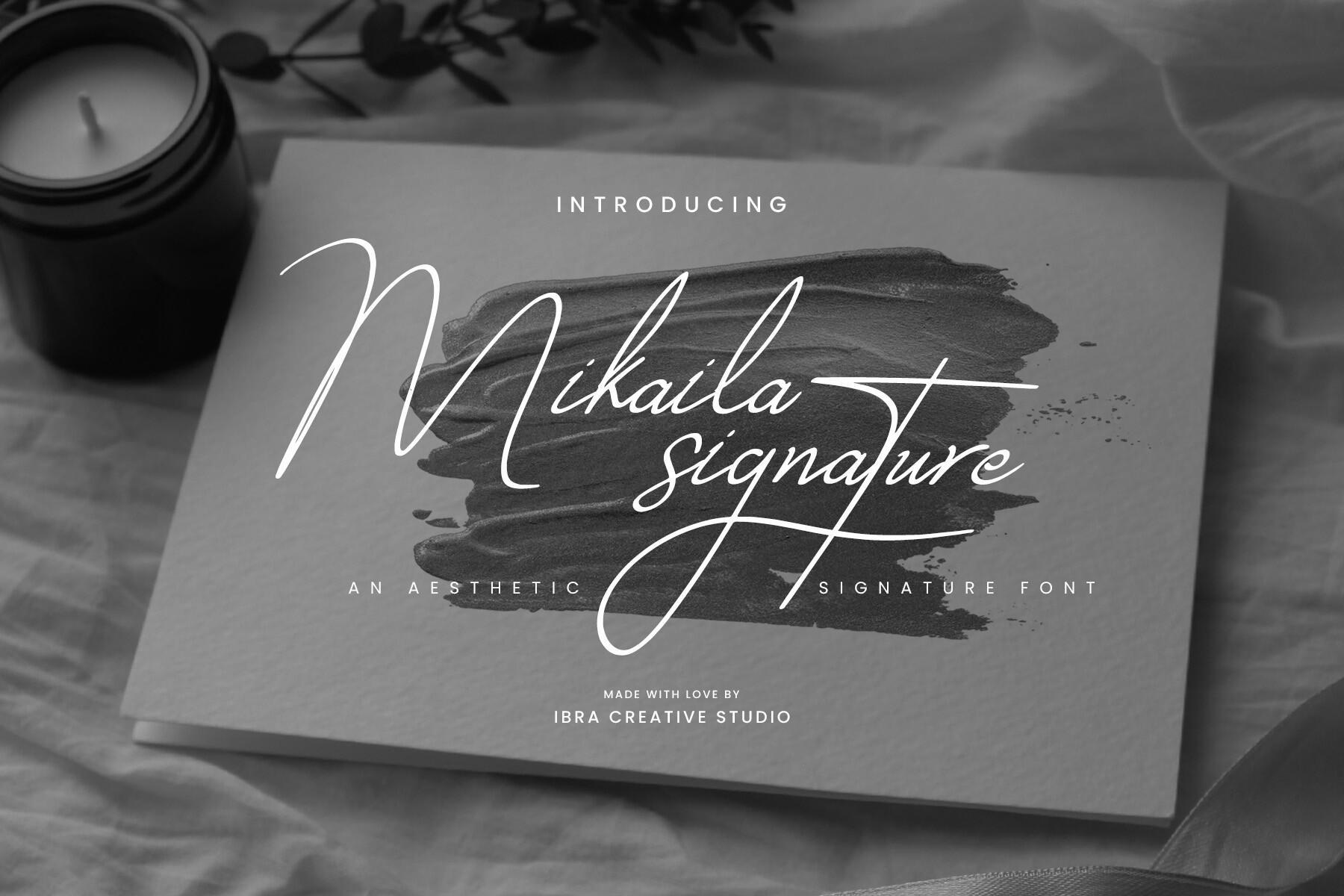
17. Mikaila Signature Font by ibracreative + Quicksand
Best For: Instagram stories, highlight covers, photo captions
Free Canva pair: Quicksand
A fast signature script with long swashes, white over a dark photo with a candle on the preview.
Put one or two words in Mikaila Signature and the rest in Quicksand. The rounded sans is light enough not to fight the script.
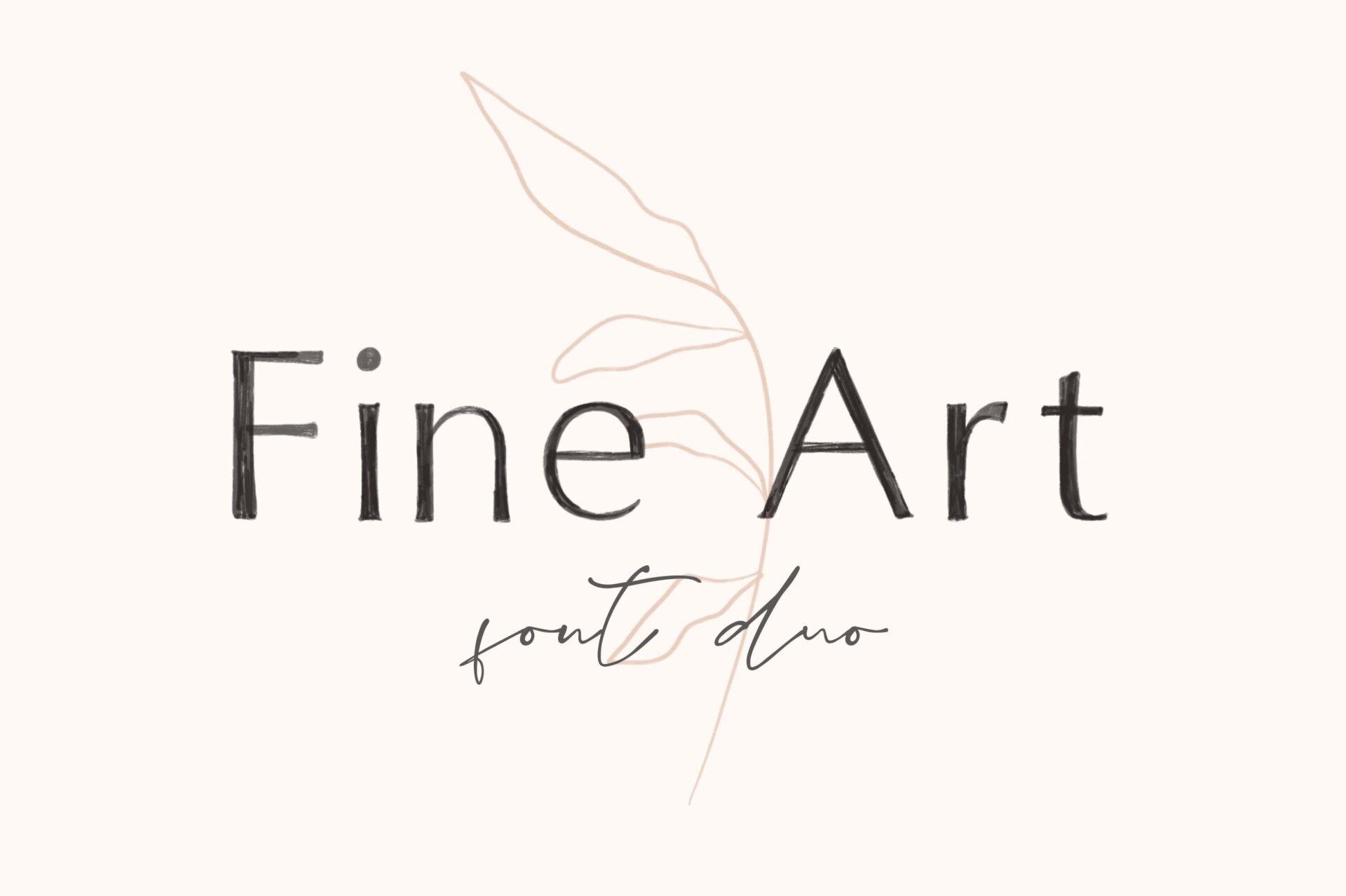
18. Fine Art Duo Font by elvinova + DM Sans
Best For: Minimal posts, portfolios, price lists
Free Canva pair: DM Sans
On the preview, a thin sans spells Fine Art with a small script underneath, on a light background with a line drawing of a branch.
Use the thin sans from the duo for the headline and DM Sans for the text. The result is calm and gallery-like.
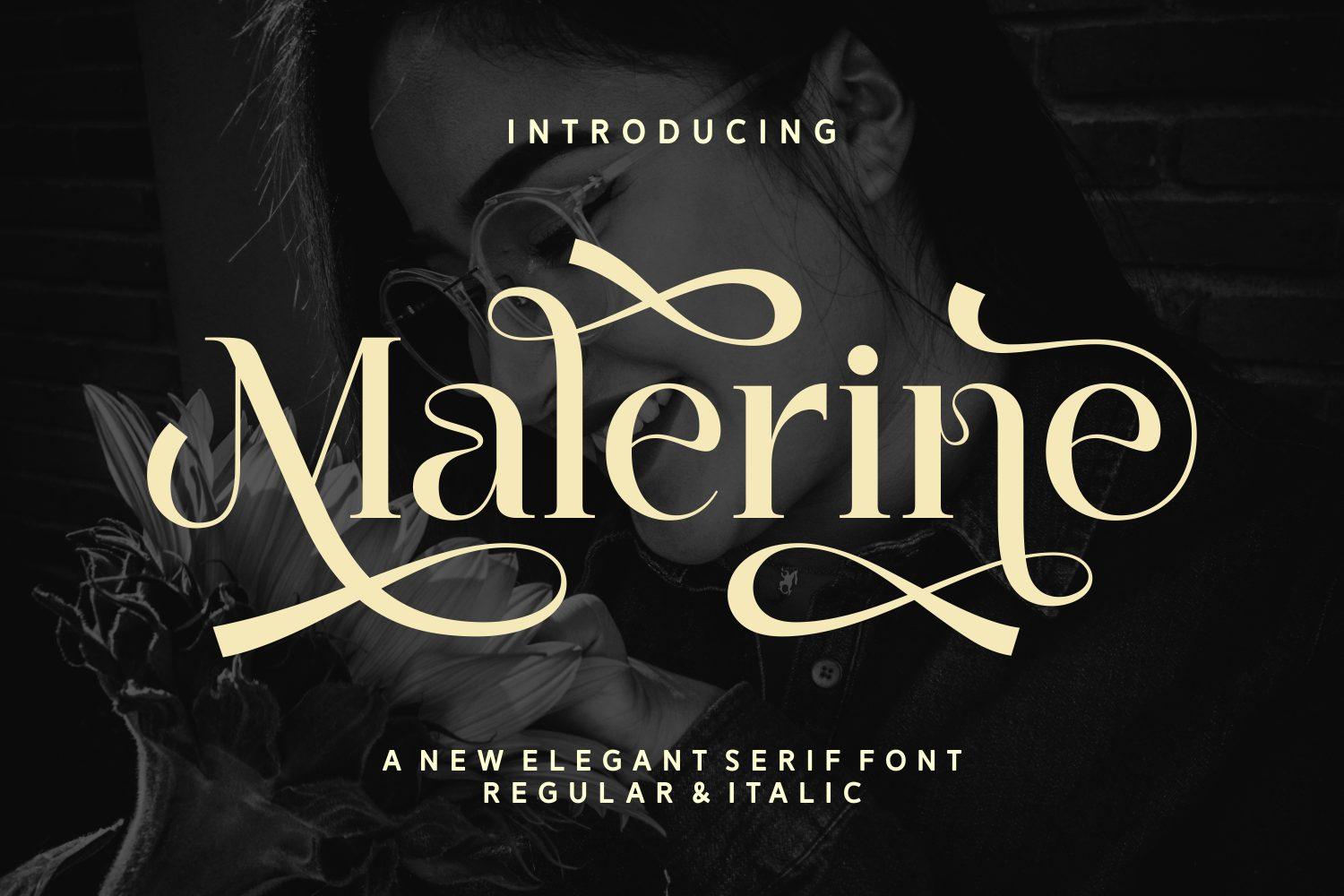
19. Malerine Font by Yarman (7NTypes) + Lora
Best For: Blog covers, quote graphics, Pinterest pins
Free Canva pair: Lora
An elegant serif with flourishes on the M and e, cream on black in the preview. It includes regular and italic styles.
Set titles in Malerine and supporting text in Lora. Both feel bookish, so quote cards and blog covers look cohesive.
Bold, Retro, Cute & Y2K Canva Font Combinations
One pair for each louder style: a poster font, a retro display, a cute party font and a Y2K bubble font.
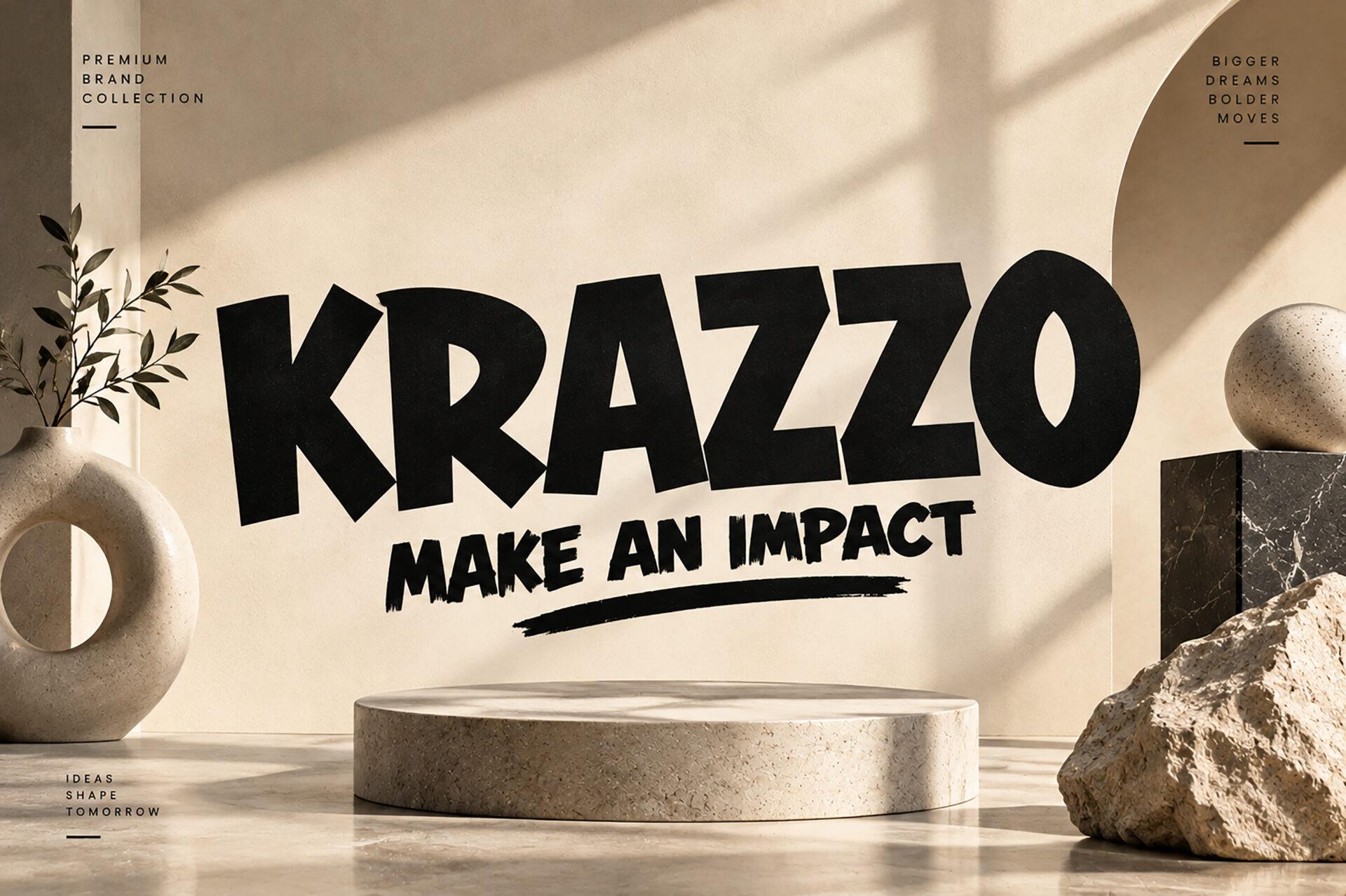
20. Krazzo Font by Colourful + Oswald
Best For: Event posters, sale banners, flyers
Free Canva pair: Oswald
A very heavy sans in capitals, shown with the slogan Make an Impact on the preview. It fills space confidently.
Krazzo takes the headline, Oswald takes the dates and details. Oswald’s narrow letters fit a lot of information under a big title.
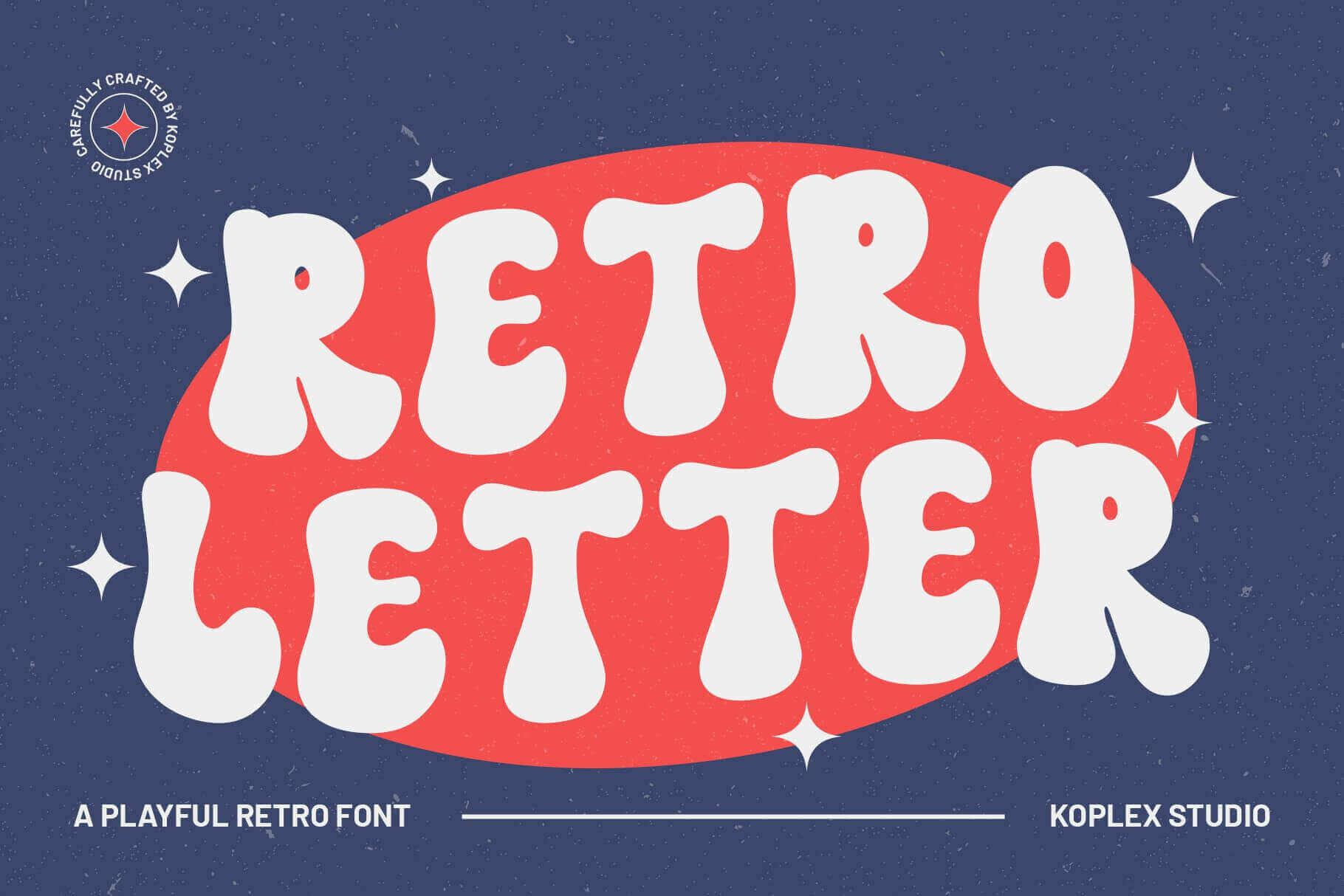
21. Retro Letter Font by Koplexs Studio + League Spartan
Best For: Retro posters, T-shirts, cover graphics
Free Canva pair: League Spartan
A puffy retro font with a dimensional shadow, white on a red oval over navy in the preview.
Use Retro Letter for the main word and League Spartan for everything else. The geometric sans keeps the retro look tidy.
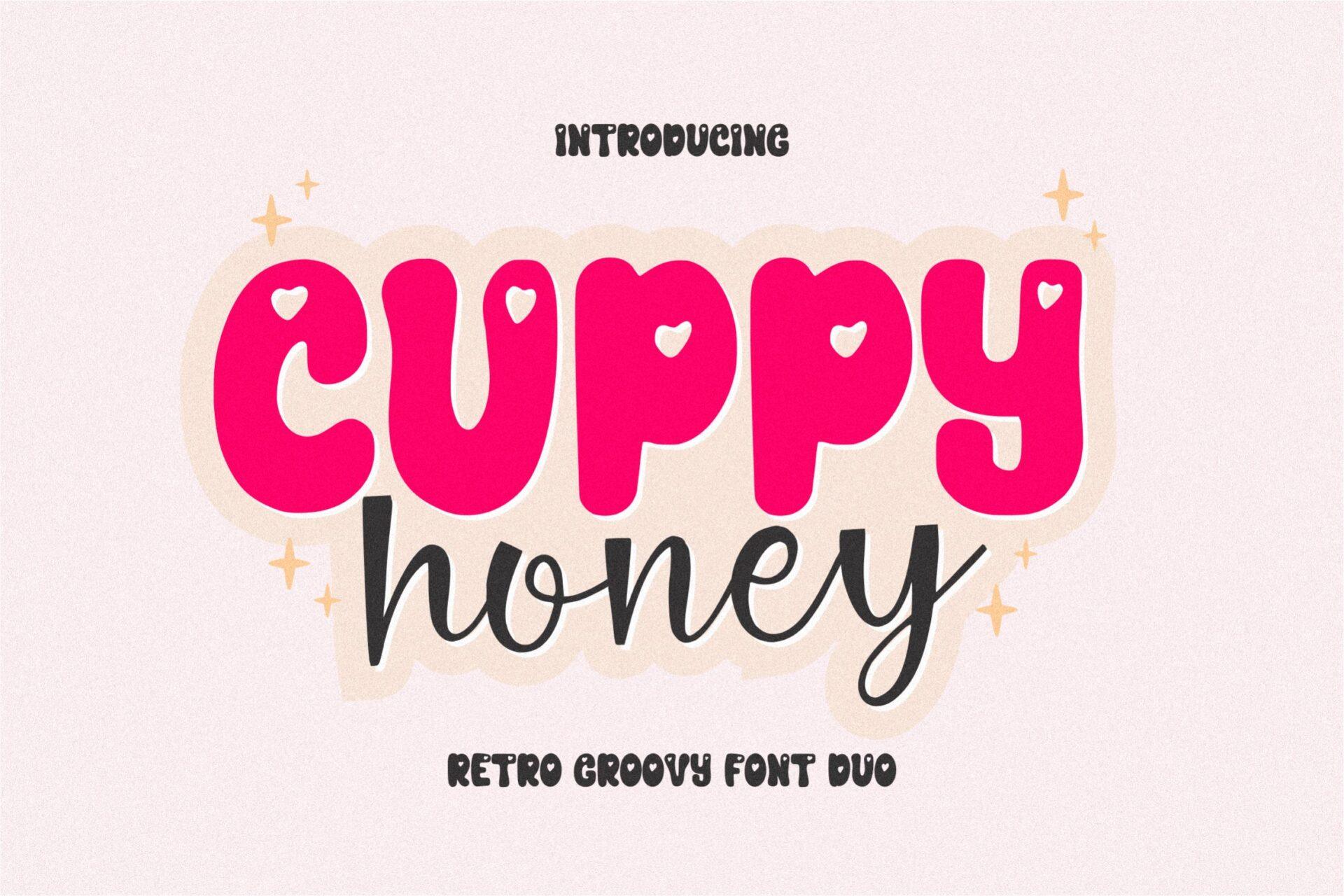
22. Cuppy Honey Font by qwrtypefoundry + Nunito
Best For: Kids’ party invites, planners, stickers
Free Canva pair: Nunito
A duo: a bold pink Cuppy font and a script honey underneath. For this pair, the bold part works as the headline.
Set the headline in the bold Cuppy Honey style and the details in Nunito. The rounded sans keeps the playful mood.
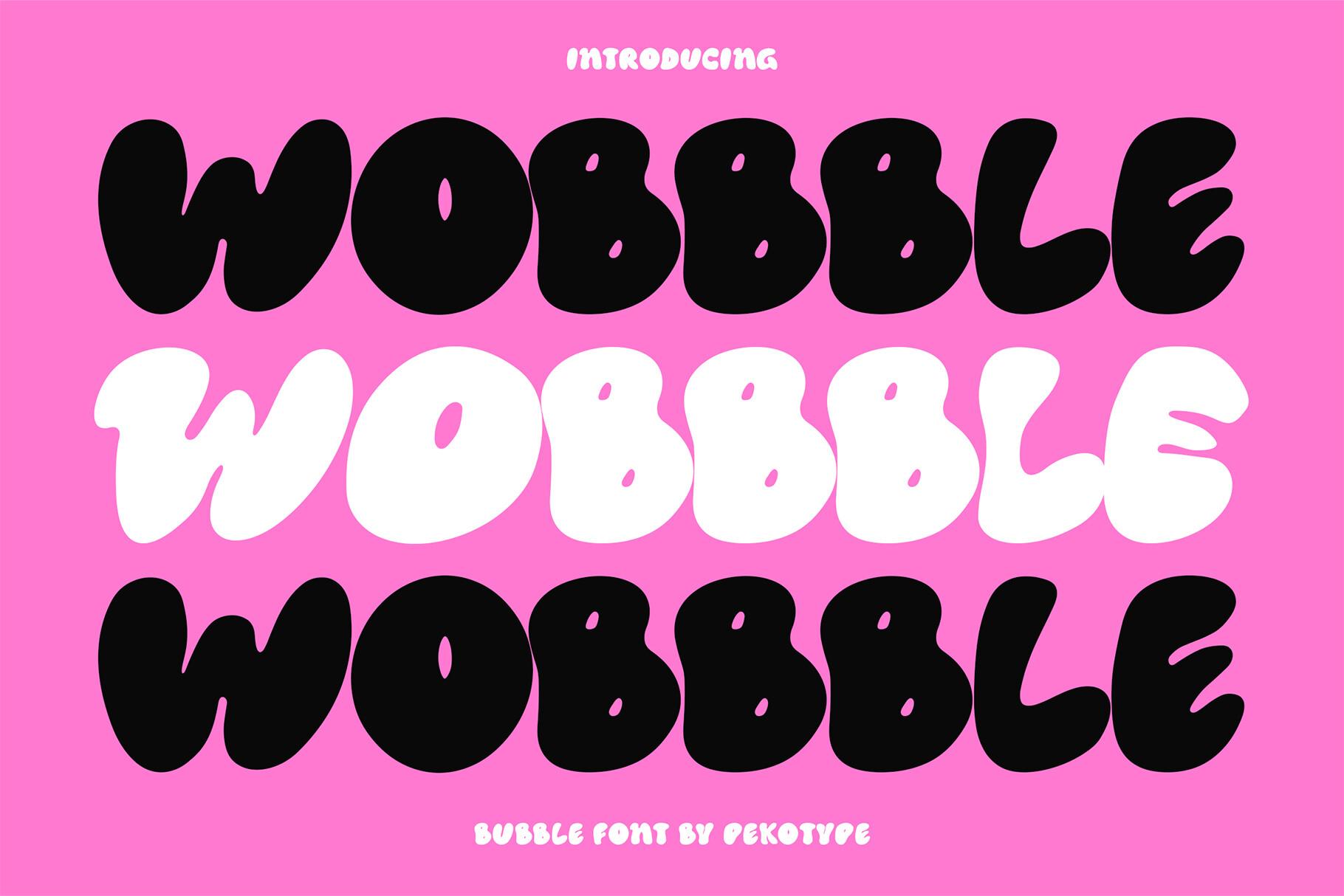
23. Wobbble Font by pekotype + Bebas Neue
Best For: Y2K stories, party graphics, merch
Free Canva pair: Bebas Neue
Fully inflated bubble letters, stacked in black and white on hot pink on the preview.
Use Wobbble for one to three words and Bebas Neue for the rest. The sharp capitals contrast with the soft bubbles.
How to Pair Fonts in Canva
Give each font one job. The Creative Fabrica font carries the name, title or one key phrase; the Canva font carries everything people need to read, from dates to prices. If both fonts start to compete, shorten the headline instead of shrinking it.
Contrast the shapes, not just the sizes. A swashy script sits best next to a calm serif or a simple sans, and a heavy poster font needs a narrow or light partner. Two fonts with the same personality, such as two scripts, usually blur together.
Save the pair in your Brand Kit. Once the headline font is uploaded, set it as the heading font and the Canva font as body text, and every new design starts with the pairing ready to go.
FAQ
Can I upload fonts to Canva for free?
Canva’s help center lists font uploads for Canva Pro, Teams, Business, Education and Nonprofits accounts. The second font in every pair here is built into Canva, so that half works on any plan.
Which file formats does Canva accept?
Canva accepts OTF, TTF and WOFF files. Variable fonts are not supported, and if you want bold or italic styles, upload those files separately.
How many fonts should a design use?
Two is the safe number for most designs: one headline font and one text font. That is exactly what every pair in this list gives you.