Canva Cursive Fonts: 26 Handwritten, Signature, Calligraphy and Retro Script Styles for Planner Makers, Small Brands and Shirt Designers (2 Free)
Canva’s own font library is huge, but its cursive section repeats the same handful of scripts you see on every template. Uploading your own cursive font is the quickest way to make a planner page, a logo or a shirt design look like yours and not like the next person’s.
This post contains affiliate links. If you buy through them, I may earn a small commission at no extra cost to you.
This list covers 26 cursive and script fonts that work well once they are uploaded to Canva, split into four groups: everyday handwriting for planners and captions, signature scripts for logos and watermarks, elegant calligraphy for wedding designs, and bold retro scripts for shirts and banners. Two of them are free.
All fonts in this list are on Creative Fabrica, and a single All Access subscription unlocks every one of them, so you can try several styles before committing to one.
More Canva font collections:
33 Canva Fonts to Upload
Cute Canva Fonts
Canva Christmas Fonts
Table of Contents
Everyday Handwritten Cursive Fonts for Planners and Captions
- 1. Cursive Amber Font
- 2. Easy Handwriting Font
- 3. Lecture Font
- 4. Mickylet Font
- 5. Vignette Cursive Font
- 6. Winky Swing Font
Signature Script Fonts for Logos, Watermarks and Small Brands
- 7. Asiatic Signature Script Font
- 8. Joseph Watson Font
- 9. Restday Font
- 10. Skylounge Font
- 11. Twicelights Font
- 12. Regalyn Font
- 13. Ravel Font
Elegant Calligraphy Cursive Fonts for Wedding and Event Designs
- 14. Dellatino Font
- 15. Veyona Font
- 16. Yestyna Font
- 17. Violetta Frosteil Font
- 18. Cedrika Font
- 19. Bettrisia Script Font
Bold Retro Script Fonts for Shirts, Banners and Cricut Cuts
- 20. Starlake Font
- 21. Thick Font
- 22. Standley Font
- 23. Thiquila Font
- 24. Brighton Avenue Font
- 25. Sunday Chillin Font
- 26. Native Natural Font
How to Upload Cursive Fonts to Canva
How to Use Swashes and Extra Glyphs in Canva
How to Choose a Canva Cursive Font
FAQ
How to Upload Cursive Fonts to Canva
Canva lets you upload fonts to a Brand Kit on Canva Pro, Teams, Business, Education and Nonprofits accounts. The supported formats are OTF, TTF and WOFF, a single Brand Kit holds up to 500 fonts, and variable fonts are not supported.
- Download the font from Creative Fabrica and unzip the folder.
- In Canva, open Brand from the side panel on the homepage and choose Upload a font.
- Drag in the OTF or TTF file. If a font comes in several styles, such as a regular and an extrude layer, upload each file.
- Open any design, select a text box and find the font under Uploaded fonts in the font menu.
Canva also asks you to upload only fonts you are licensed to use. Every font below has its license terms on its Creative Fabrica page.
Everyday Handwritten Cursive Fonts for Planners and Captions
These are the cursive fonts you can actually read at small sizes. The strokes stay even, the joins are simple, and the letters behave like real pen writing, which is what you want for planner pages, captions, recipe cards and labels.
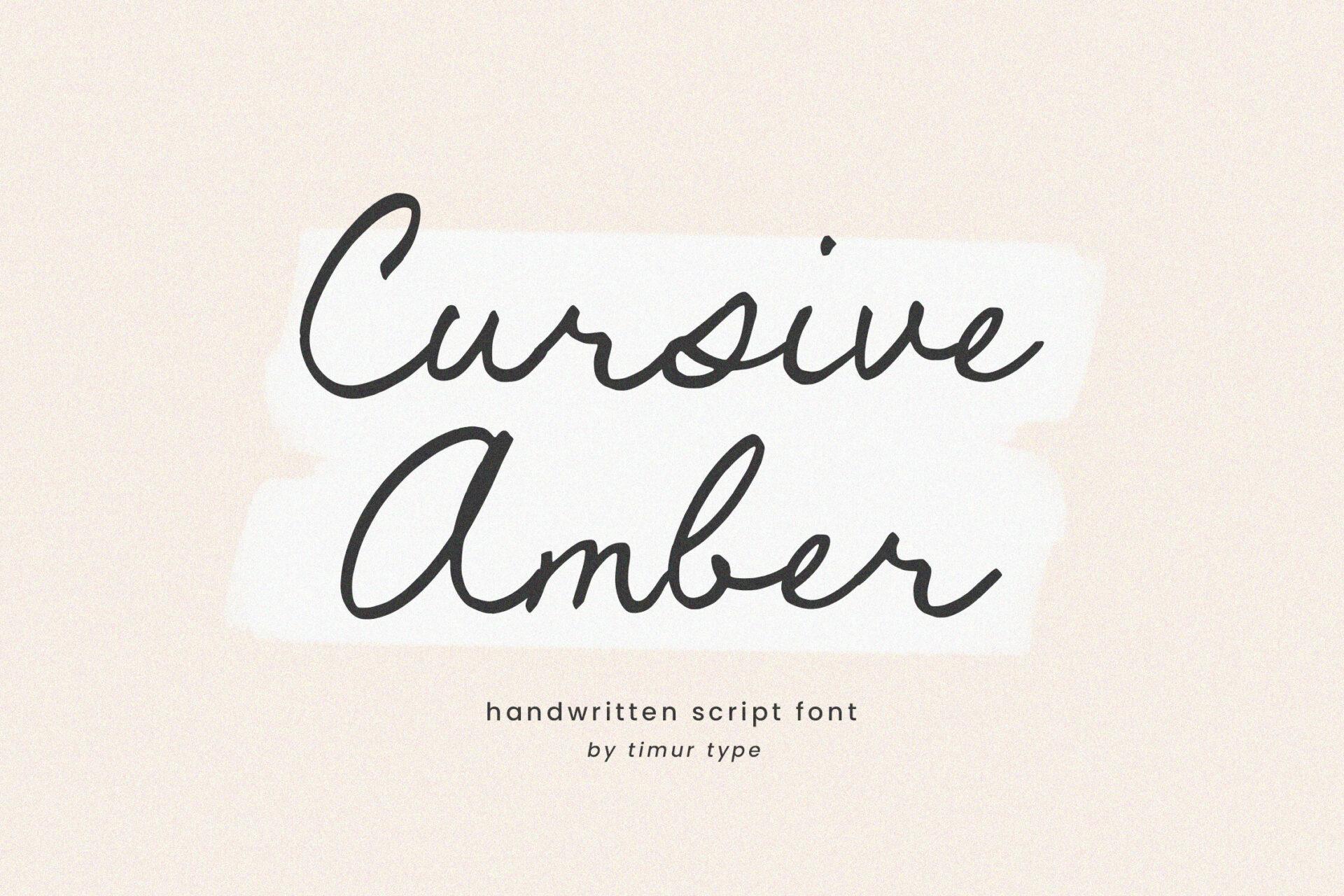
1. Cursive Amber Font
by Timur type
Best For: planner headers, recipe cards, Instagram captions
Cursive Amber looks like neat ballpoint writing: a thin monoline stroke, a gentle slant and joins that stay simple instead of looping back on themselves. Nothing about it is decorated, and that is the reason it reads clearly even in a short sentence.
Use it for a full line of text where a fancier script would turn into a tangle, such as a planner header, a quote under a photo or the ingredients line on a recipe card. The author lists OTF, TTF and WOFF files and multilingual support, so it is ready for Canva upload without conversion.
2. Easy Handwriting Font
by Artisan Vibes
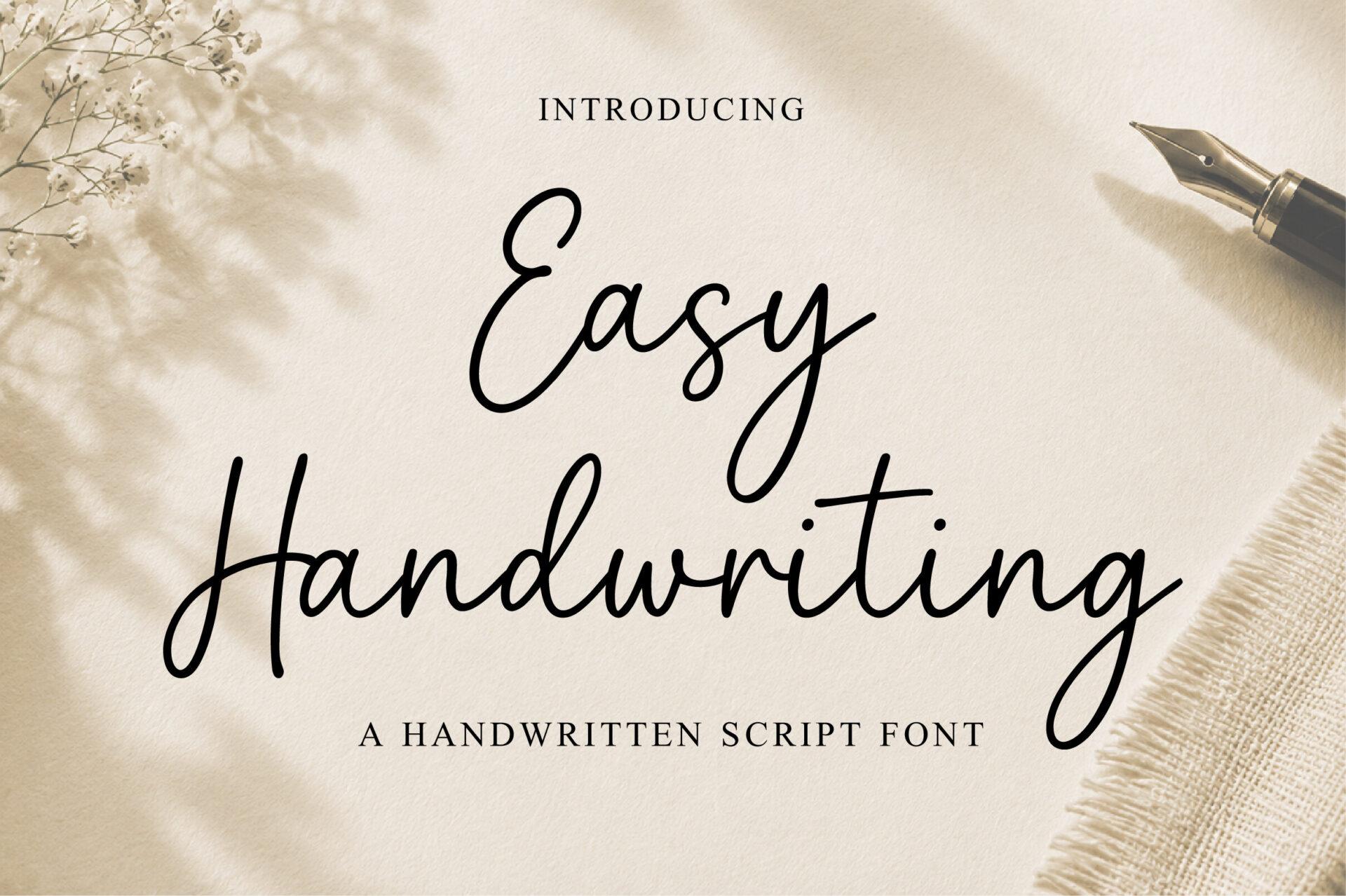
Best For: handwritten quotes, product labels, greeting cards
Easy Handwriting has the loose, quick rhythm of a note written with a fine pen. Letters lean forward, words connect in one motion, and the capitals carry a small looped entry stroke that gives the line a personal start.
It sits between everyday notes and signature lettering, so it fits a quote graphic or a thank-you card insert as well as a small label. The font includes uppercase, lowercase, numbers and punctuation, which matters when you need prices or dates in the same style.
3. Lecture Font
by AnningArts
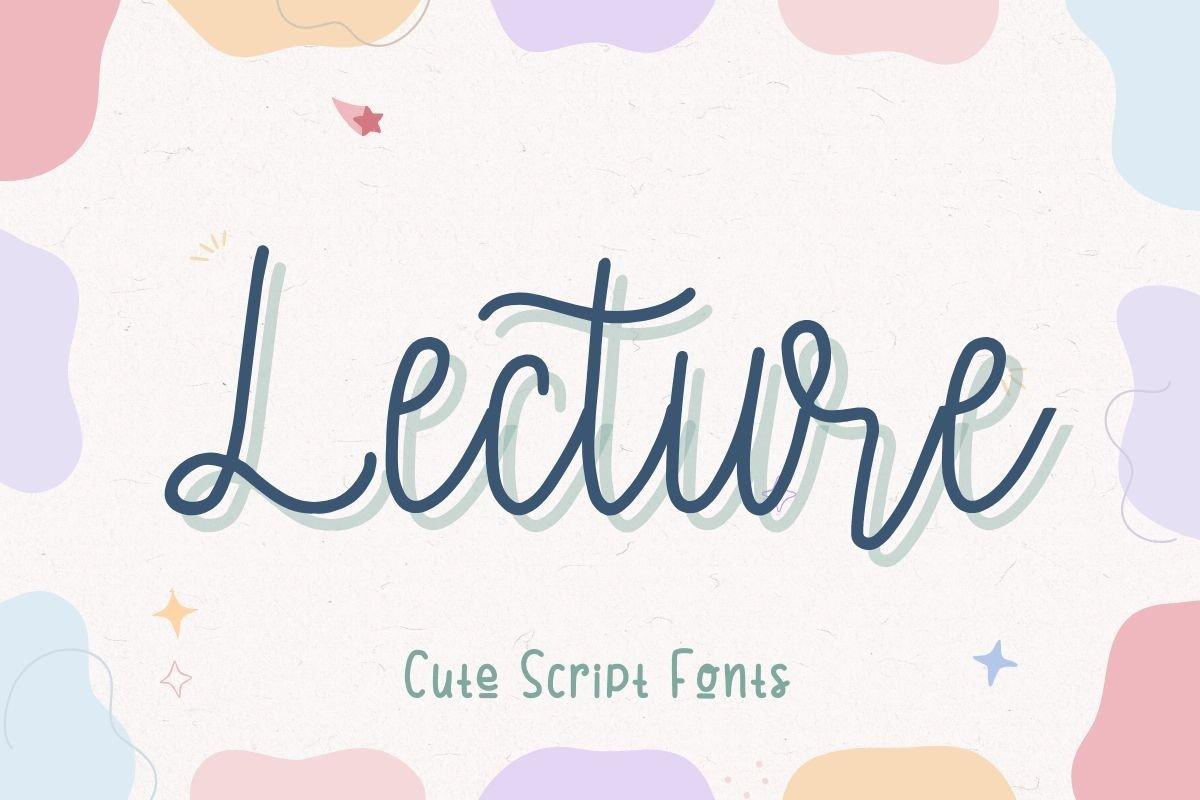
Best For: cute social posts, birthday cards, kids’ printables
Lecture is thin, italic and continuous, with rounded letters that feel friendly rather than formal. On the preview it sits on pastel blobs with a soft offset color behind the letters, and that layered look is easy to rebuild in Canva by stacking two text boxes in different colors.
The light stroke wants a size of at least 30 to 40 points on a social graphic, so treat it as a title font rather than body text. Lecture is part of Creative Fabrica’s free font collection, so it is one of the two free picks in this list.
4. Mickylet Font
by Kong Font
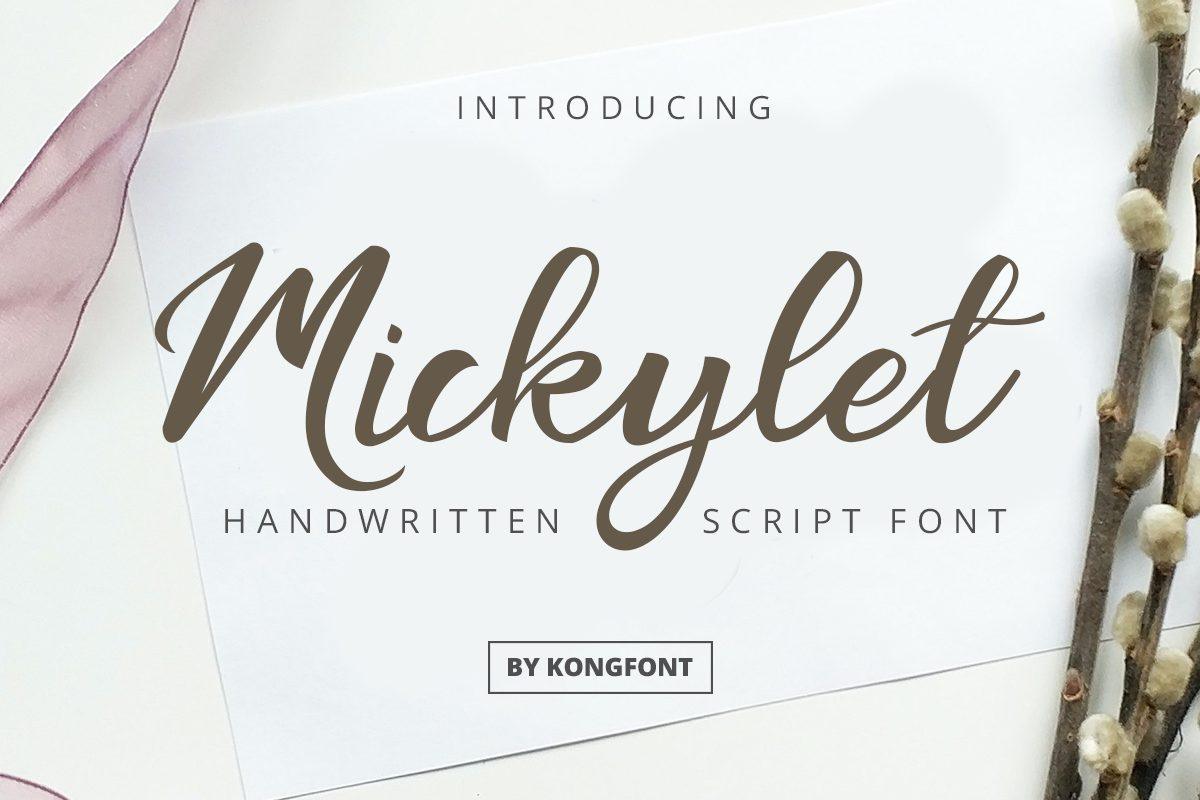
Best For: handmade shop tags, craft signs, story highlights
Mickylet is a brush-pen handwriting with a bouncy baseline: some letters dip, others jump, and the long tails on letters like t give each word a little flourish at the end. The stroke is medium weight, so it holds up better than thin scripts on a busy background.
It suits craft-fair signs, shop tags and Instagram story covers where the text should feel handmade. Mickylet is the second free font here, listed in Creative Fabrica’s free font collection.
5. Vignette Cursive Font
by jackgridden
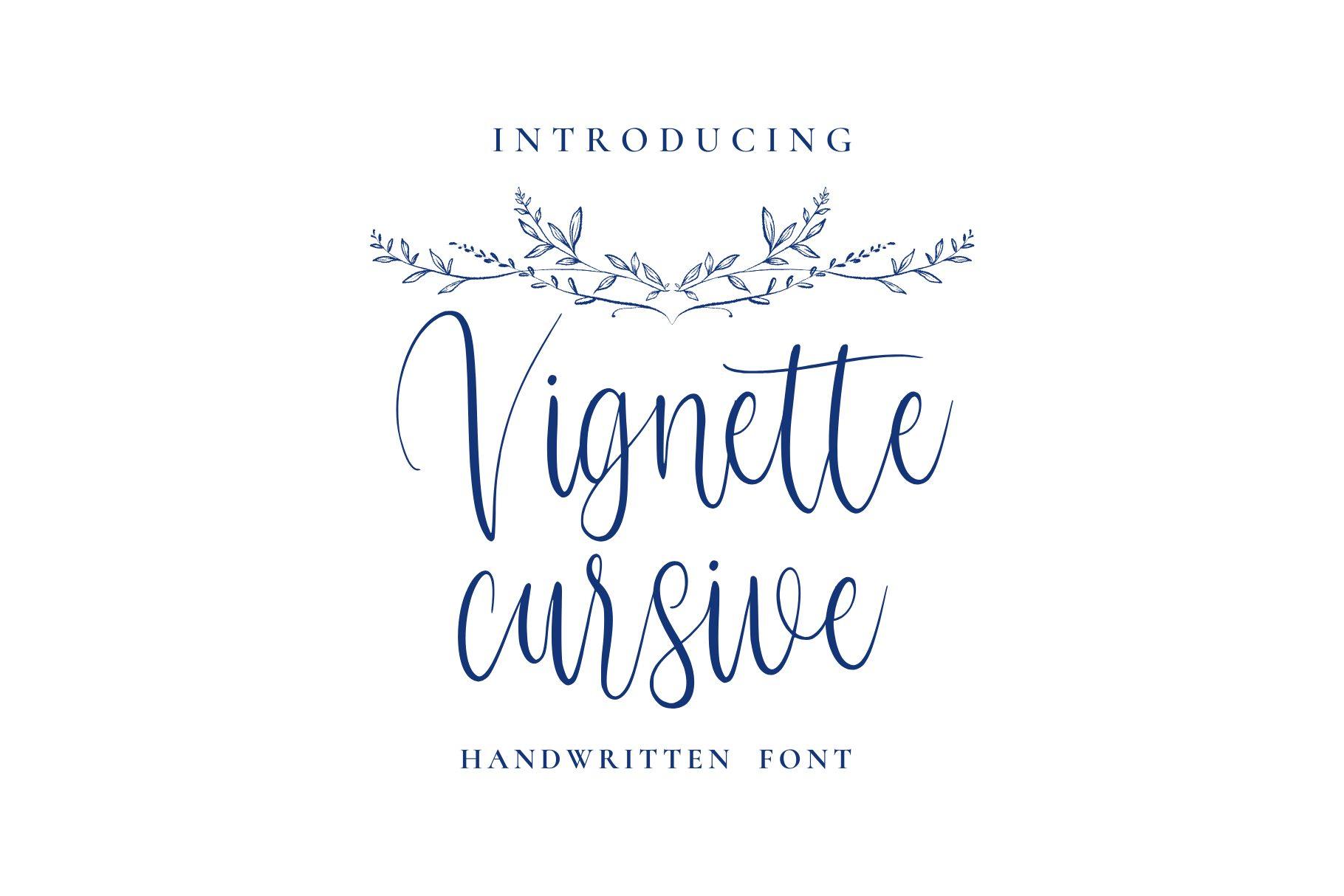
Best For: journal pages, minimal invitations, editorial captions
Vignette Cursive is tall, narrow and very light, with a monoline stroke and small loops that keep the word compact. The preview pairs it with a thin leaf flourish, and the overall feel is quiet and delicate rather than showy.
Because the stroke is so thin, give it plenty of contrast: dark ink on a pale background, or white on deep navy. It works for a journal title, a minimal save-the-date or a caption under an editorial photo.
6. Winky Swing Font
by FVBFontArt
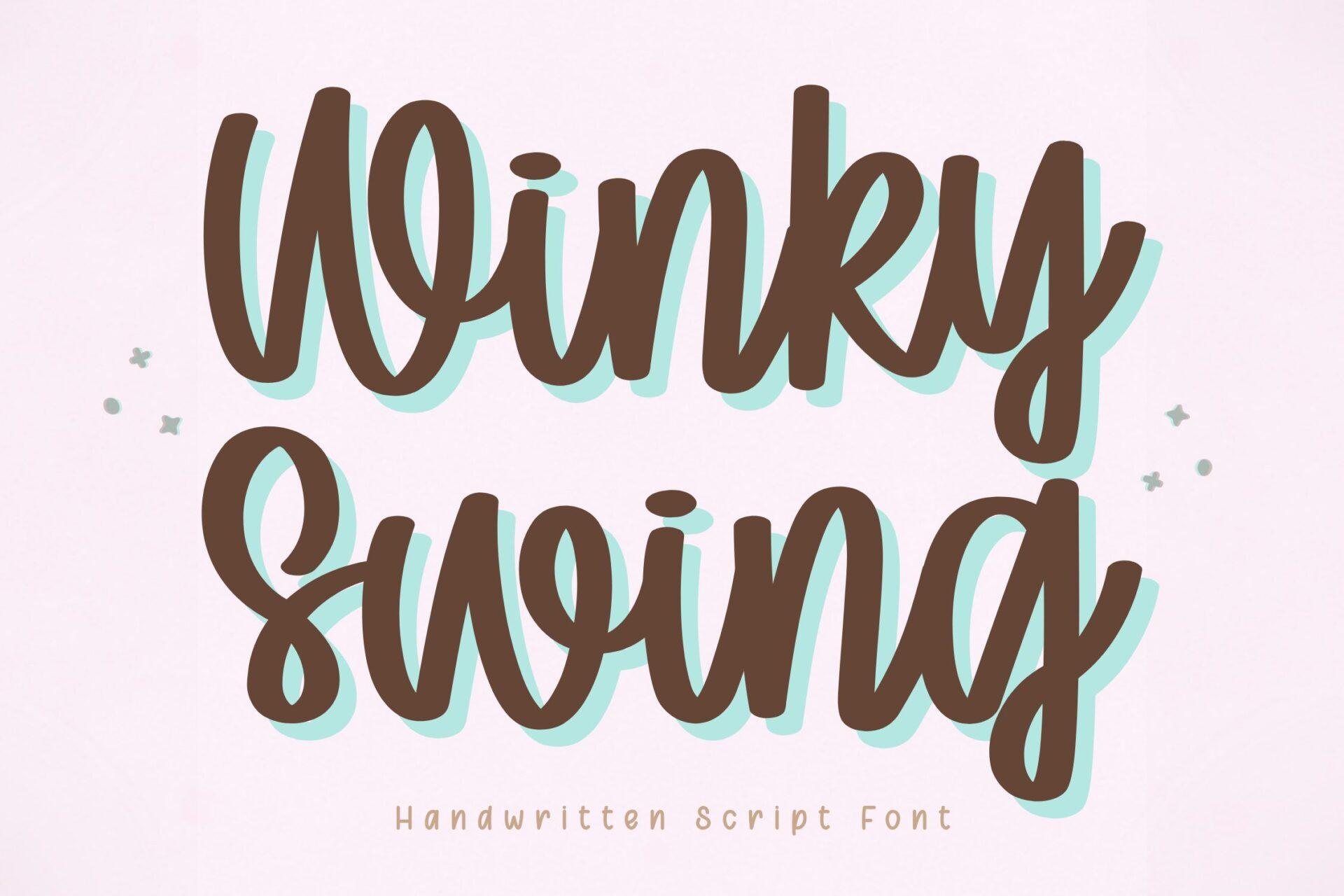
Best For: digital planners, Cricut decals, teacher printables
Winky Swing is the chunkiest font in this group: rounded, bouncy letters with a thick, even stroke and connections that stay readable. On the preview a mint shadow sits behind brown letters, which shows how well it takes a simple duplicate-and-offset effect.
The author built it for both writing and cutting, mentioning Cricut projects and digital planners, and the solid joins support that. Pick it when a cursive word has to survive a small sticker, a vinyl cut or a classroom printable.
More cursive collections:
Cursive Fonts
Cursive Handwriting Fonts
Signature Script Fonts for Logos, Watermarks and Small Brands
Signature scripts imitate a fast, confident autograph: tall ascenders, long exit strokes and very little contrast. In Canva they work best as one short word over a lot of empty space, so they suit logos, photo watermarks and the name line on a business card.
7. Asiatic Signature Script Font
by 24Design Studios
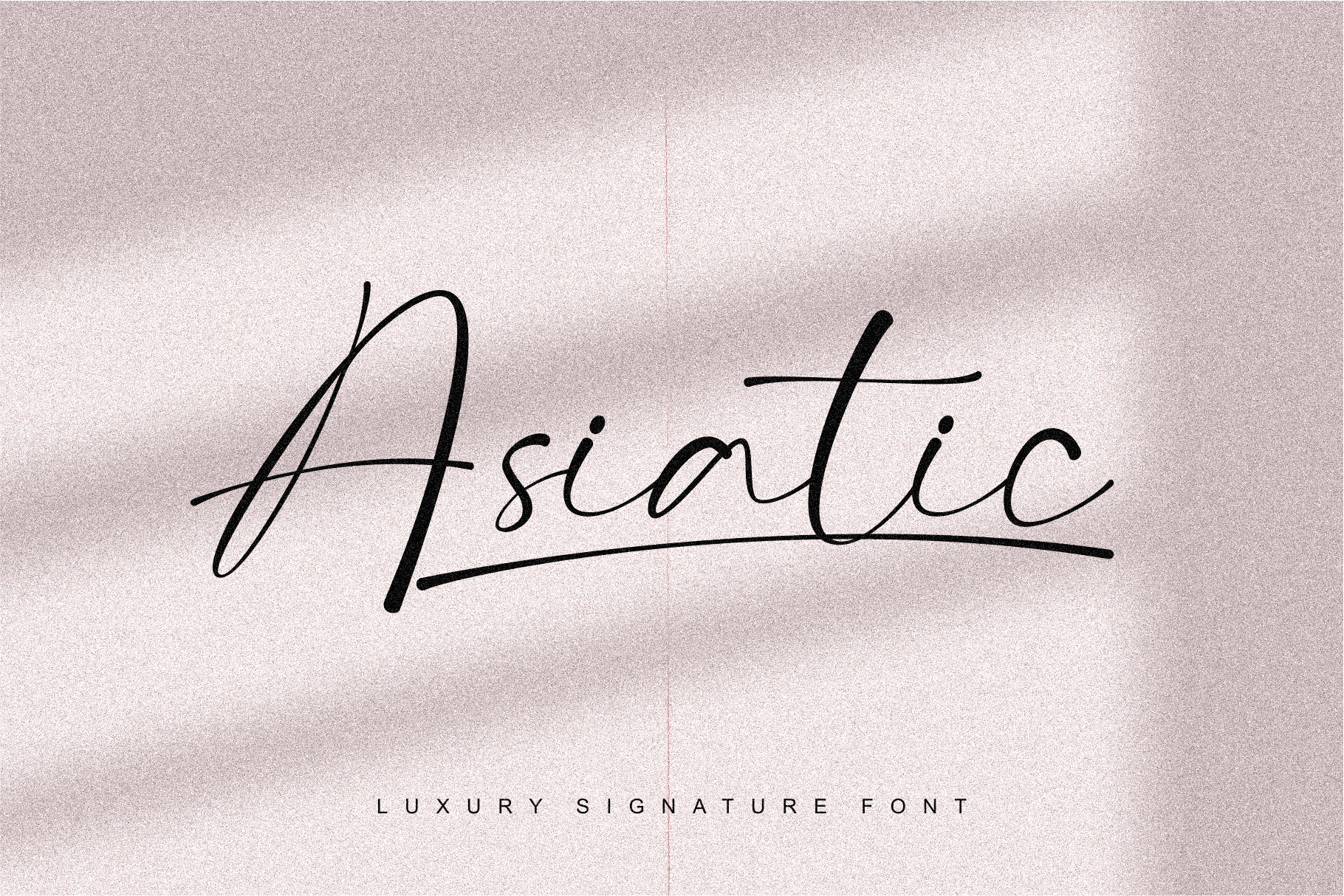
Best For: photography watermarks, business cards, personal logos
Asiatic Signature Script is a fast, thin autograph with tall ascenders and a long horizontal stroke that runs out of the last letter. The letters are narrow and slightly uneven, the way a real signature looks when it is written in one go.
Set a single name in it and leave white space around it; that is where it looks like a signed mark. It is a good match for a photographer’s watermark or the name on a minimal business card, paired with a simple sans serif for the details.
View Asiatic Signature Script Font
8. Joseph Watson Font
by baletype
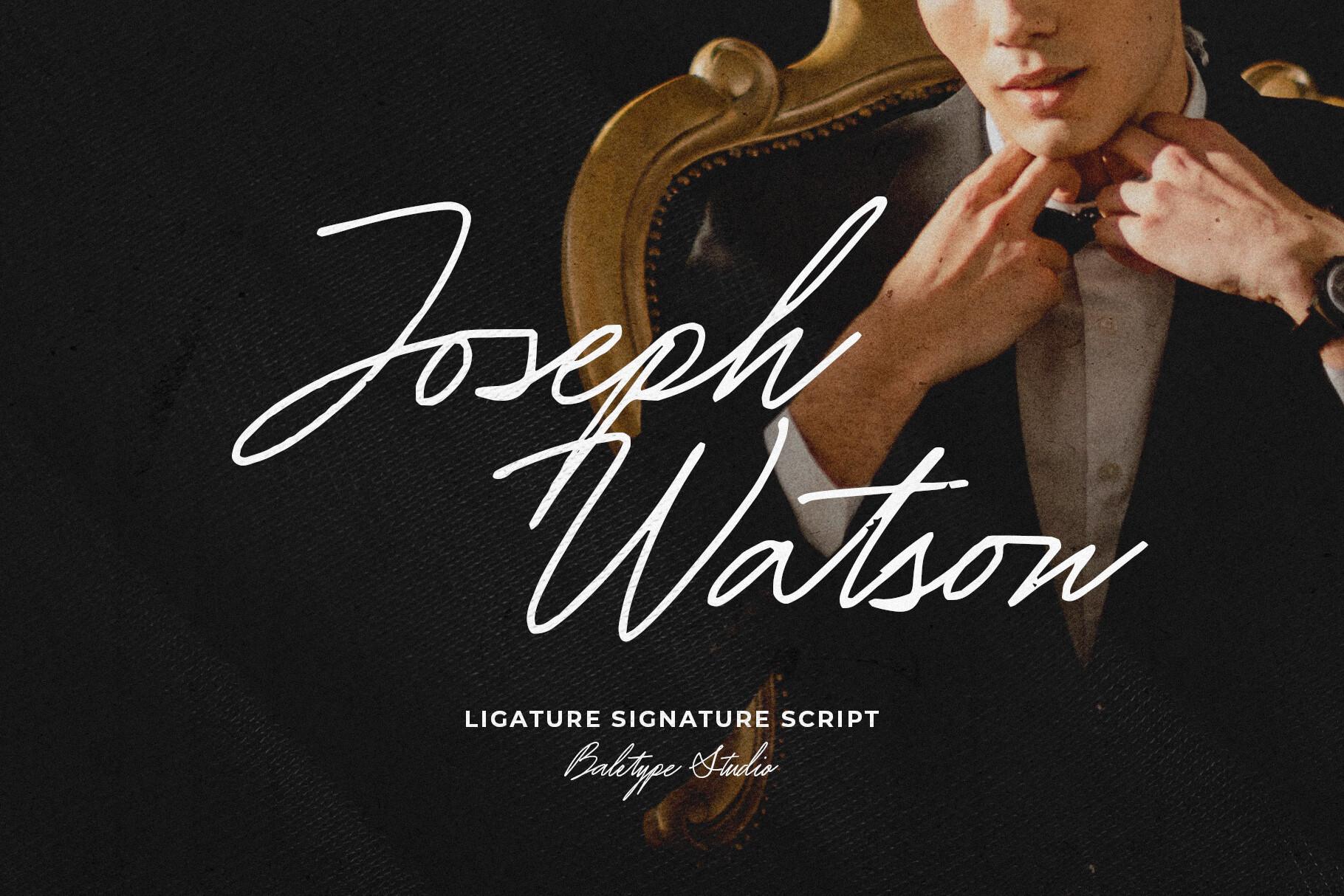
Best For: hand signatures, quote graphics, brand names
Joseph Watson writes with a thin pen and lots of motion: tall capitals, open loops and words that run into each other. The author added a set of ligatures so common letter pairs connect the way real handwriting does.
The font is PUA encoded and supports multiple languages, according to its page. In Canva, the standard letters cover a name or a short quote; the extra glyphs need the copy-and-paste trick from the tips section below.
9. Restday Font
by Weape Design
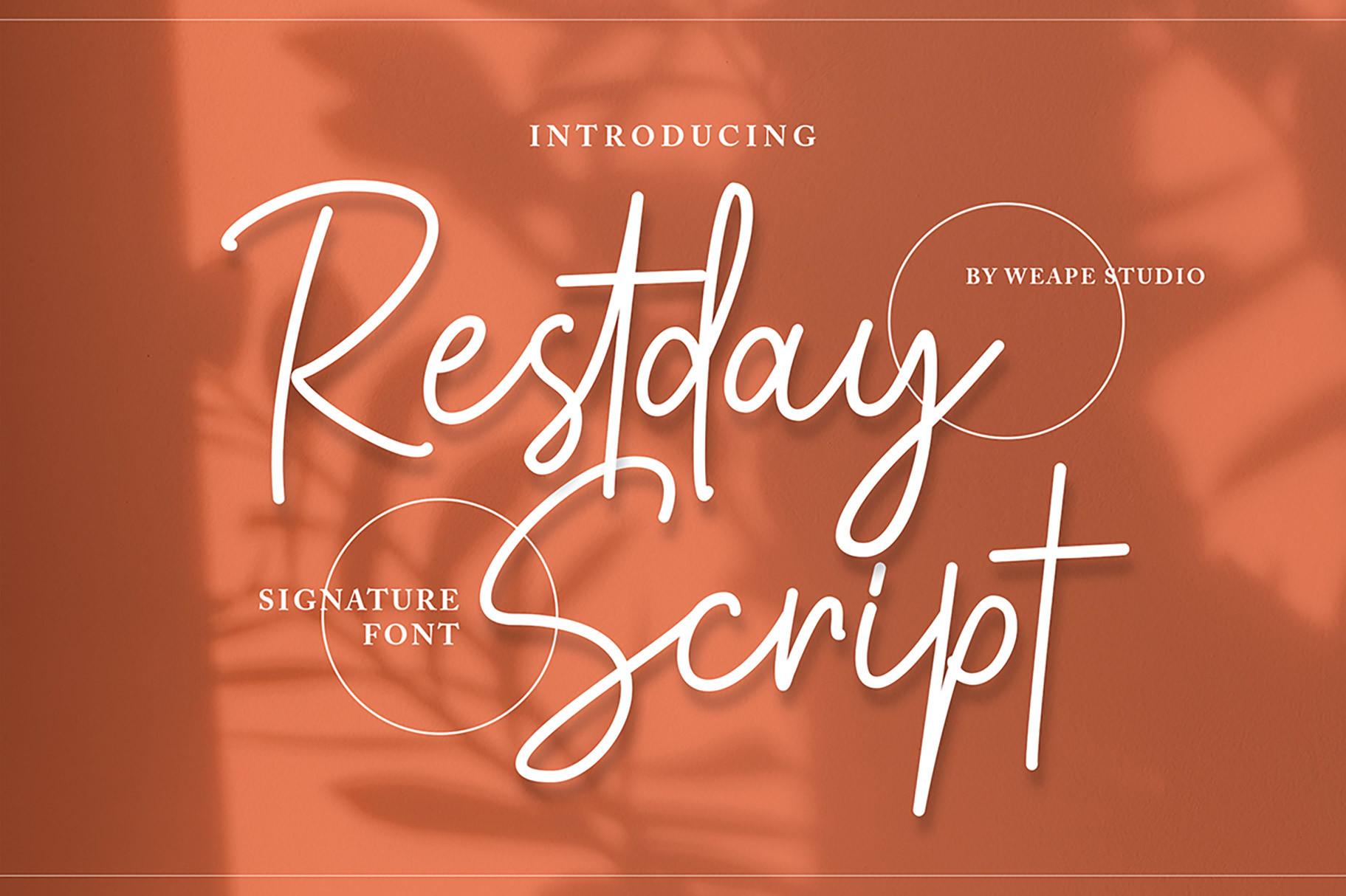
Best For: fashion labels, apparel logos, photo watermarks
Restday has the monoline, fast-sweep look of a signature written with a marker: big loops on the capitals, a strong forward slant and long swashes that can underline the whole word. On the terracotta preview the white letters read clearly even at a glance.
The author lists logo, fashion, apparel and watermark uses, and the font is PUA encoded so the swashes are easier to reach. For a clothing tag or a logo, set the brand name in Restday and add one underline swash, not several.
10. Skylounge Font
by Maulana Creative
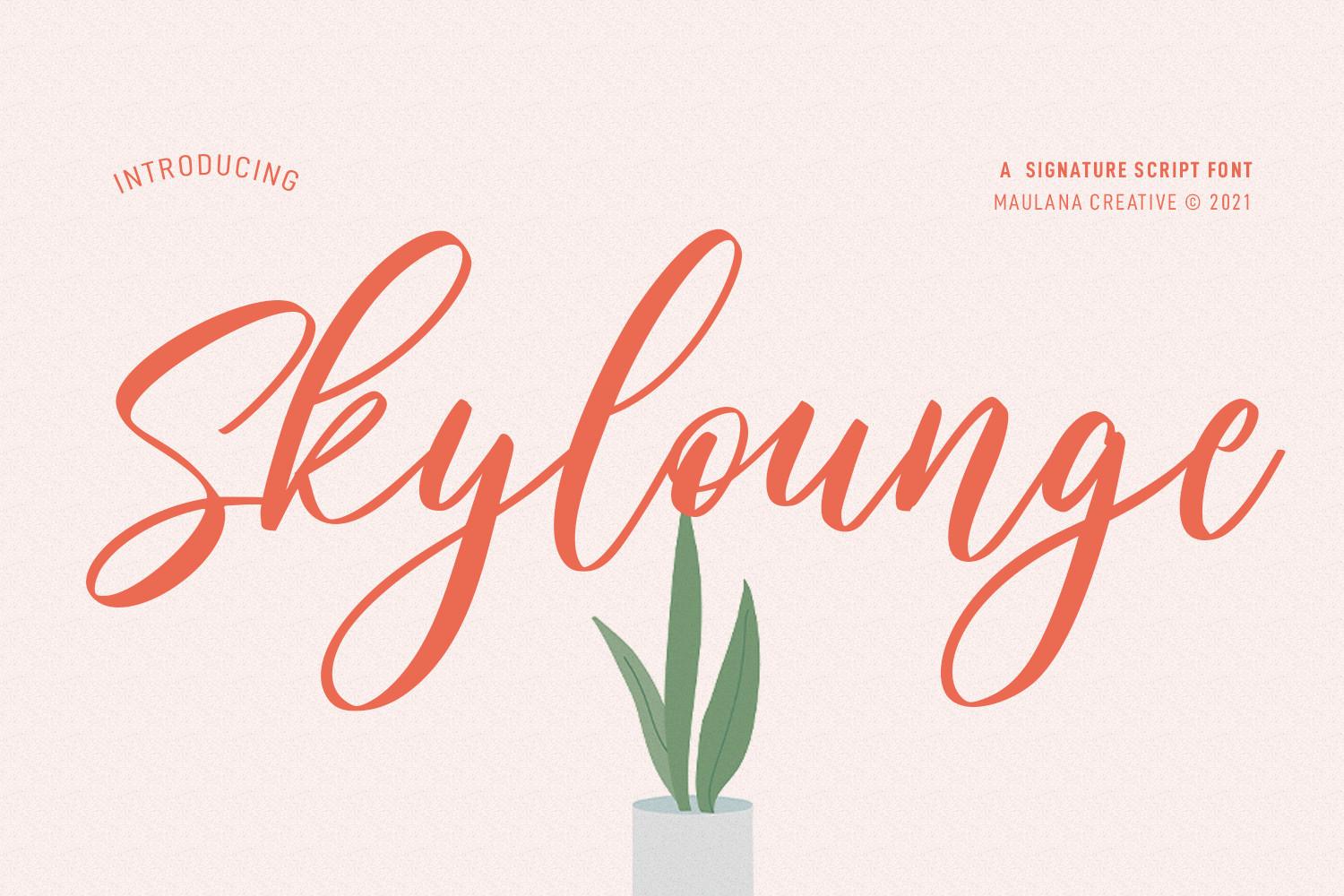
Best For: greeting cards, social headlines, café menus
Skylounge is a brush-marker signature with dry, tapered ends and a medium stroke. It is more readable than most signature fonts because the letters keep their shapes instead of collapsing into lines.
That readability makes it useful for a headline on a social post or a greeting card front, where people need to read the word in a second. The coral-on-blush preview also shows that it holds up in a mid-tone color, not only in black.
11. Twicelights Font
by Maulana Creative
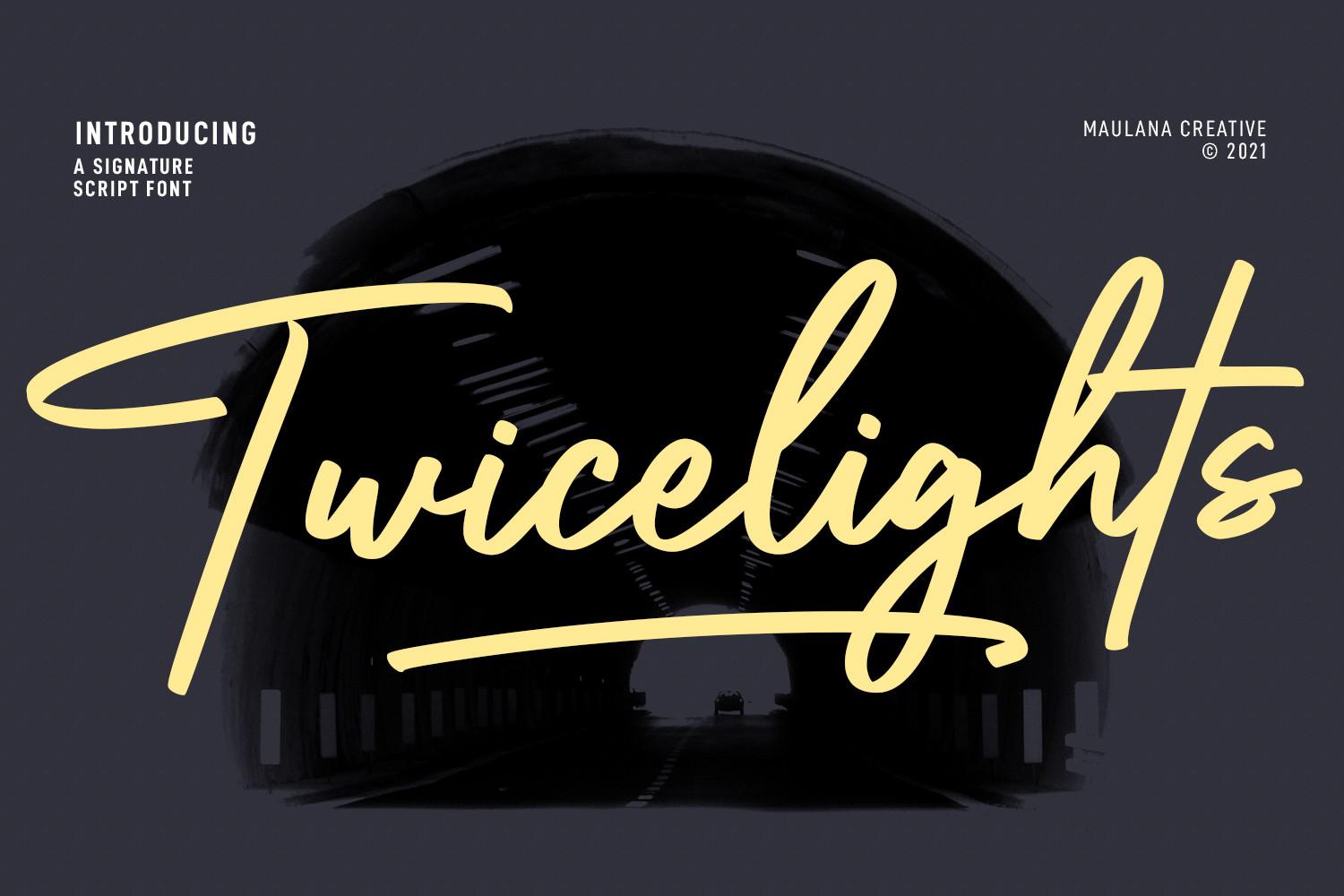
Best For: YouTube thumbnails, book titles, bold logos
Twicelights is a heavy dry-brush signature: thick strokes with rough edges and a long swash that cuts under the word. On the dark preview the yellow letters look painted on, which gives it more punch than a thin autograph.
The author names logos, social media, movie titles and book titles, and the weight supports that list. In Canva, it works as the big word on a thumbnail or a cover, with the rest of the text kept small and simple.
12. Regalyn Font
by basyar
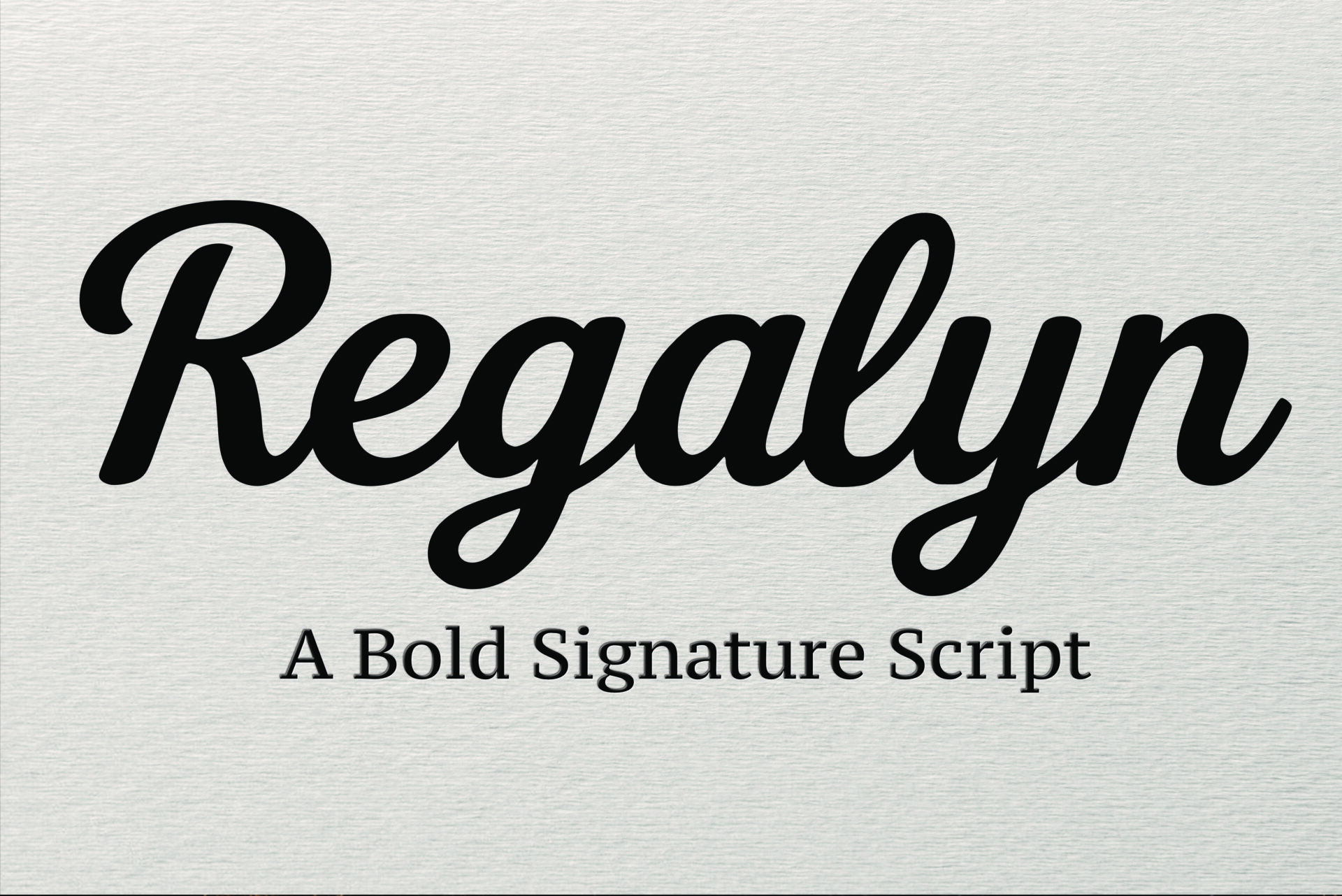
Best For: bold brand names, packaging, social headlines
Regalyn is a bold signature script: the same flowing autograph shapes, but with a heavy stroke that makes every letter stand out. The preview calls it a bold signature script, and the black word on white paper shows how solid it is.
Choose it when a thin signature would disappear, such as a product label, a sticker or a headline over a photo. It is one of the easiest fonts in this list to read from a distance.
13. Ravel Font
by vladfedotovv
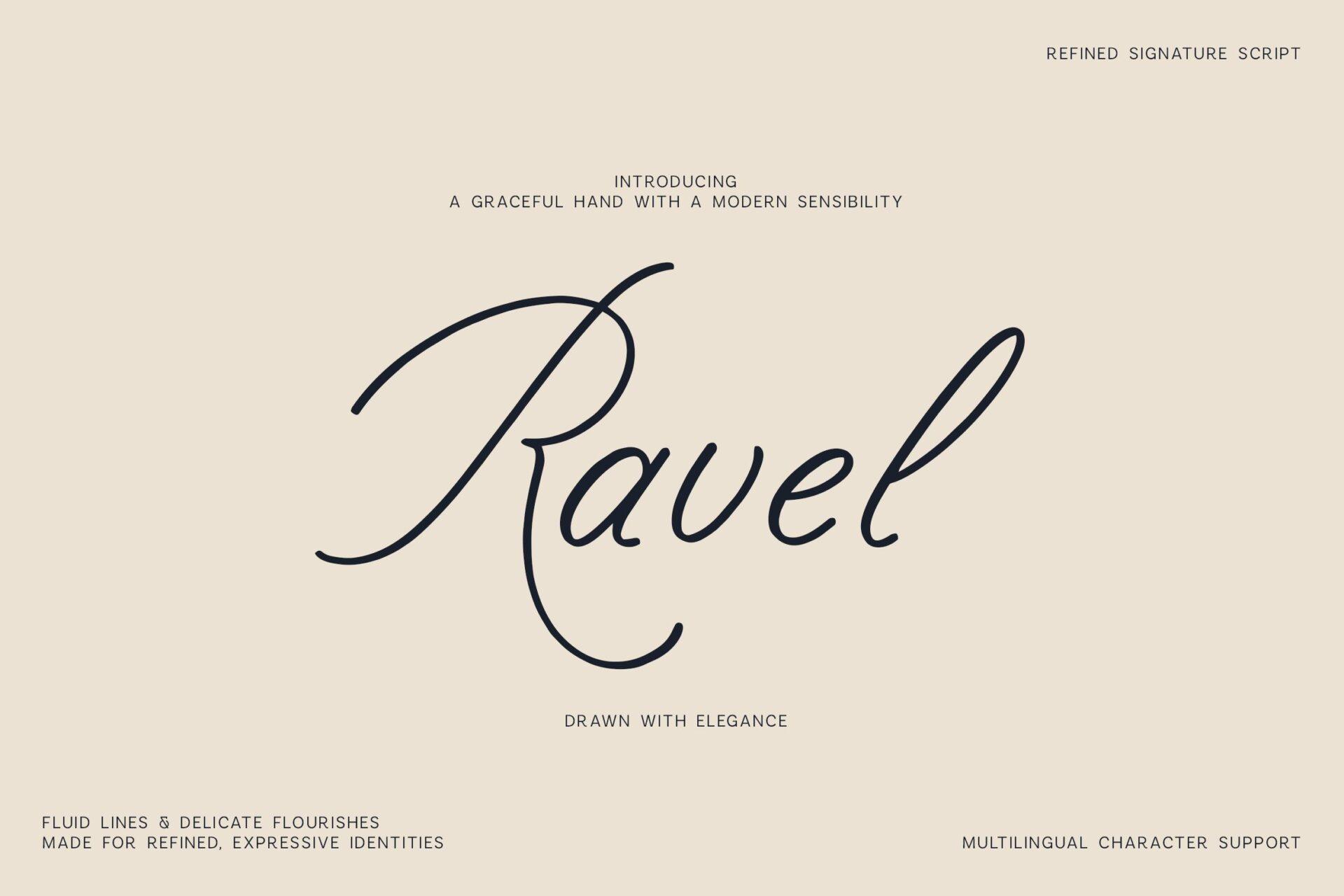
Best For: luxury branding, beauty logos, boutique signage
Ravel is a refined, airy signature with a thin stroke, wide spacing and a tall, sweeping capital R. The preview leaves most of the space empty, and that is the right way to use it: one word with room to breathe.
The author lists luxury branding, beauty projects, fashion and boutique identities. Pair it with a light serif or a thin sans serif in Canva so the script stays the only decorative element.
Elegant Calligraphy Cursive Fonts for Wedding and Event Designs
This group is about contrast and swashes. Thick downstrokes, hairline upstrokes and looping capitals make these fonts look formal, so they belong on names, headings and monograms rather than long text.
14. Dellatino Font
by jinanstd
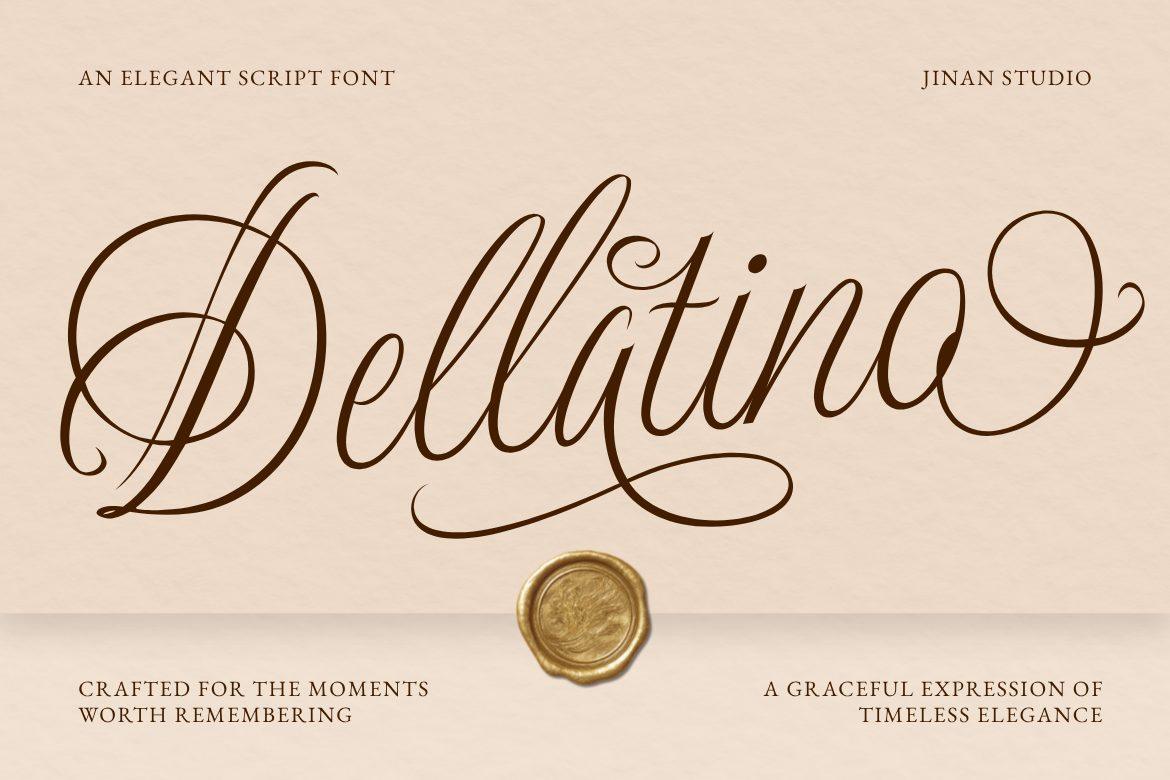
Best For: wedding names, monograms, wax-seal style stationery
Dellatino is a high-contrast copperplate-style script with a huge looping D and long, curling swashes. The preview pairs it with a wax seal on cream paper, which fits its formal, old-world mood.
The capitals are very ornate, so never set a word in all caps; on the type tester they become hard to read. Use mixed case for names and headings, and keep the swashes for the first or last letter. The font is marked PUA encoded on Creative Fabrica.
15. Veyona Font
by Twistystd
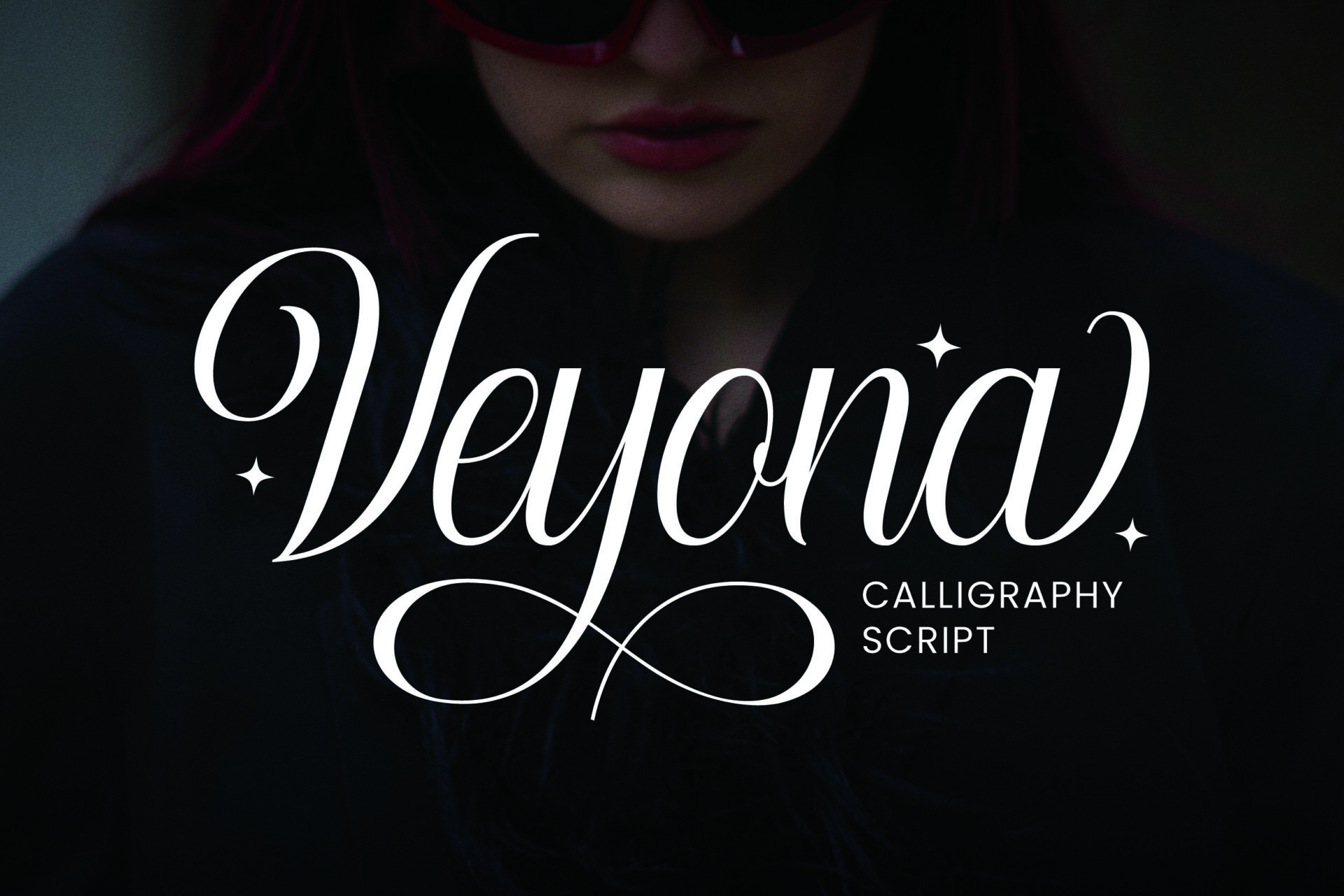
Best For: beauty brands, wedding invitations, high-end packaging
Veyona is dramatic calligraphy: sharp contrast, a tall swashed V and terminals that curl back in long loops. White on black, as on the preview, it looks like a fashion or perfume label.
The author lists wedding invitations, packaging, fashion and beauty logos, and editorial headlines. It is PUA encoded, so the extra swashes can be pasted into Canva separately; the base letters already carry plenty of flourish for a single word.
16. Yestyna Font
by Creative Fabrica Fonts
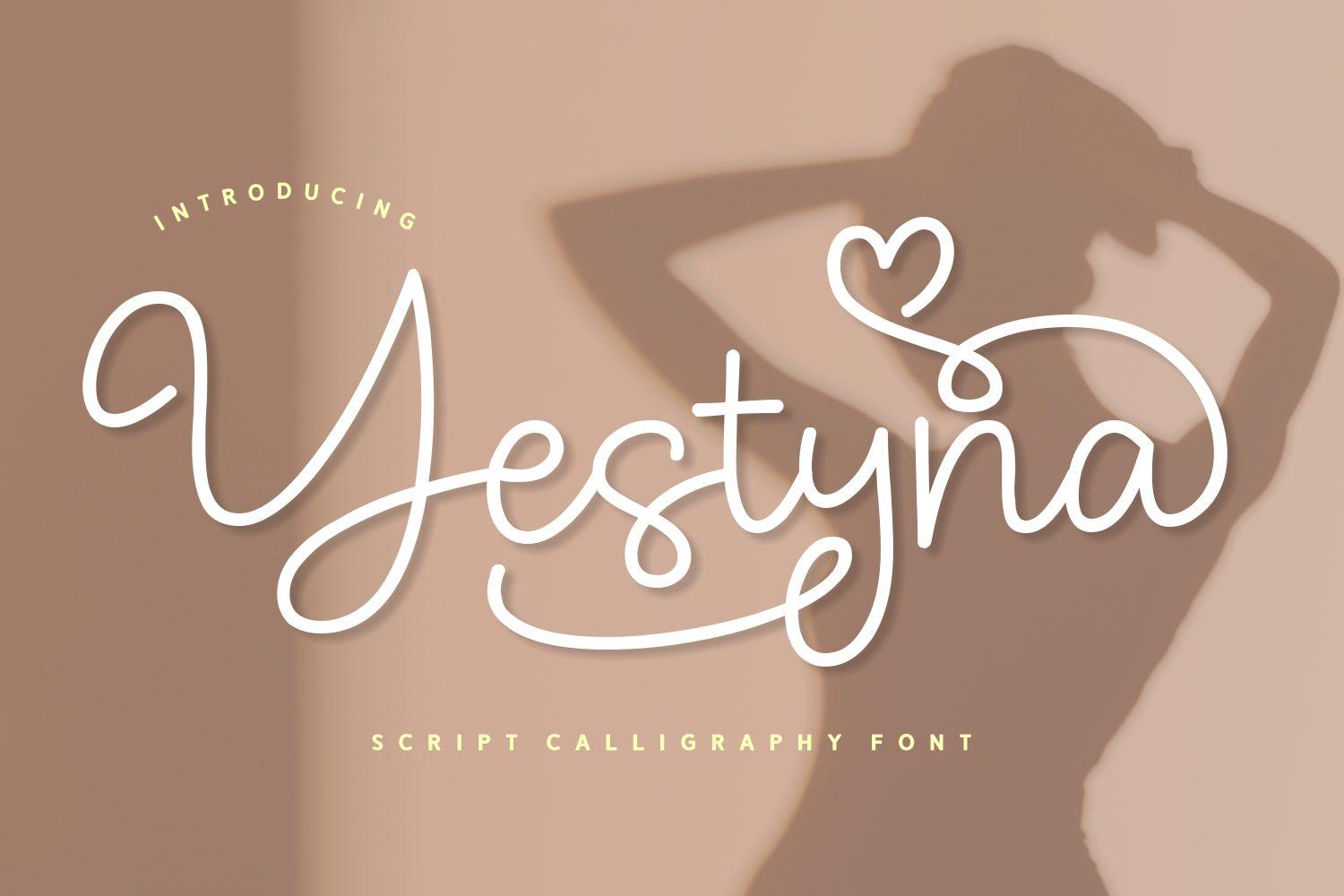
Best For: wedding suites, love notes, Valentine designs
Yestyna is a soft, rounded calligraphy with a heart-shaped loop built into the swash on the Y. The stroke has less contrast than classic copperplate, which makes it gentler and slightly more playful.
The heart detail makes it an easy pick for anniversary cards, love letters and Valentine’s Day graphics as well as wedding suites. It is PUA encoded, so more heart swashes are available as extra glyphs.
17. Violetta Frosteil Font
by Goresan Studio
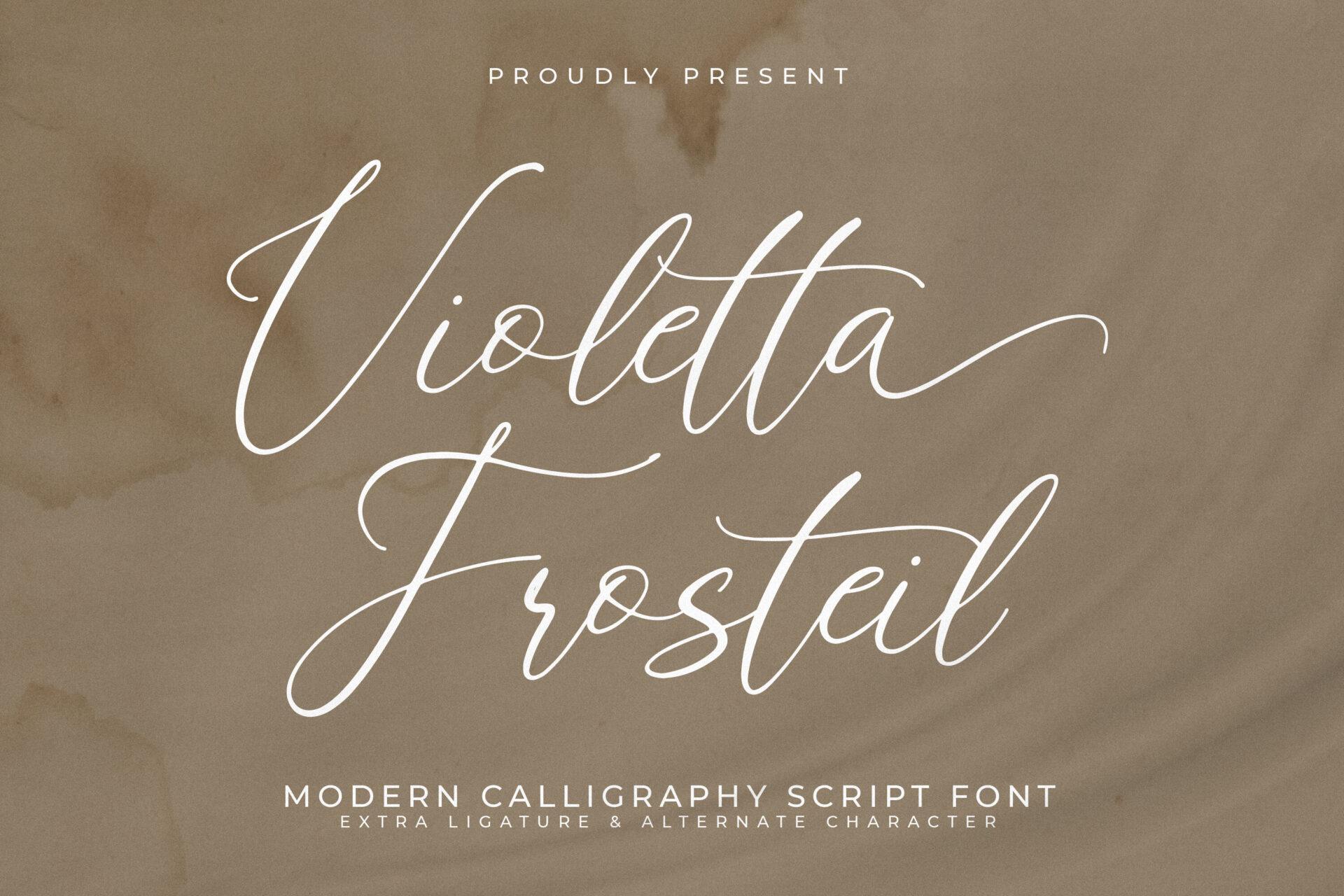
Best For: wedding invitations, bridal shower signs, elegant logos
Violetta Frosteil is a light, slanted calligraphy with tall looped capitals and long entry strokes. It looks elegant without heavy contrast, so it keeps its shape on a soft taupe or blush background.
The thin stroke needs size: use it for a couple’s names, a shower welcome sign or a logo word, and keep details in a separate font. It is PUA encoded on Creative Fabrica.
18. Cedrika Font
by Tabita’s shop
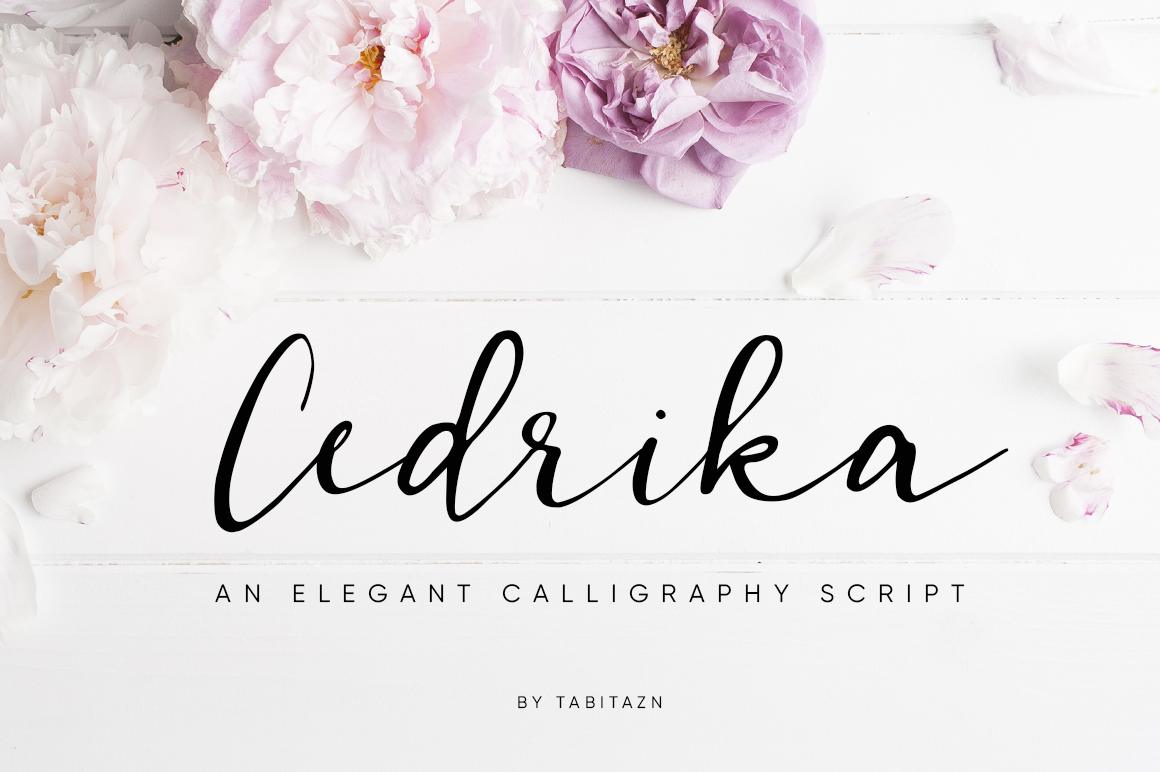
Best For: wedding signs, florist branding, greeting cards
Cedrika is a brush calligraphy with moderate contrast and a natural, hand-inked edge. It is less formal than copperplate scripts; the letters look painted with a pointed brush rather than drawn with a nib.
It sits well next to floral artwork, which the preview shows, so it is a natural fit for a florist logo, a welcome sign or a card front. Mixed case is the way to set it, with a clean serif for any supporting text.
19. Bettrisia Script Font
by Great Studio
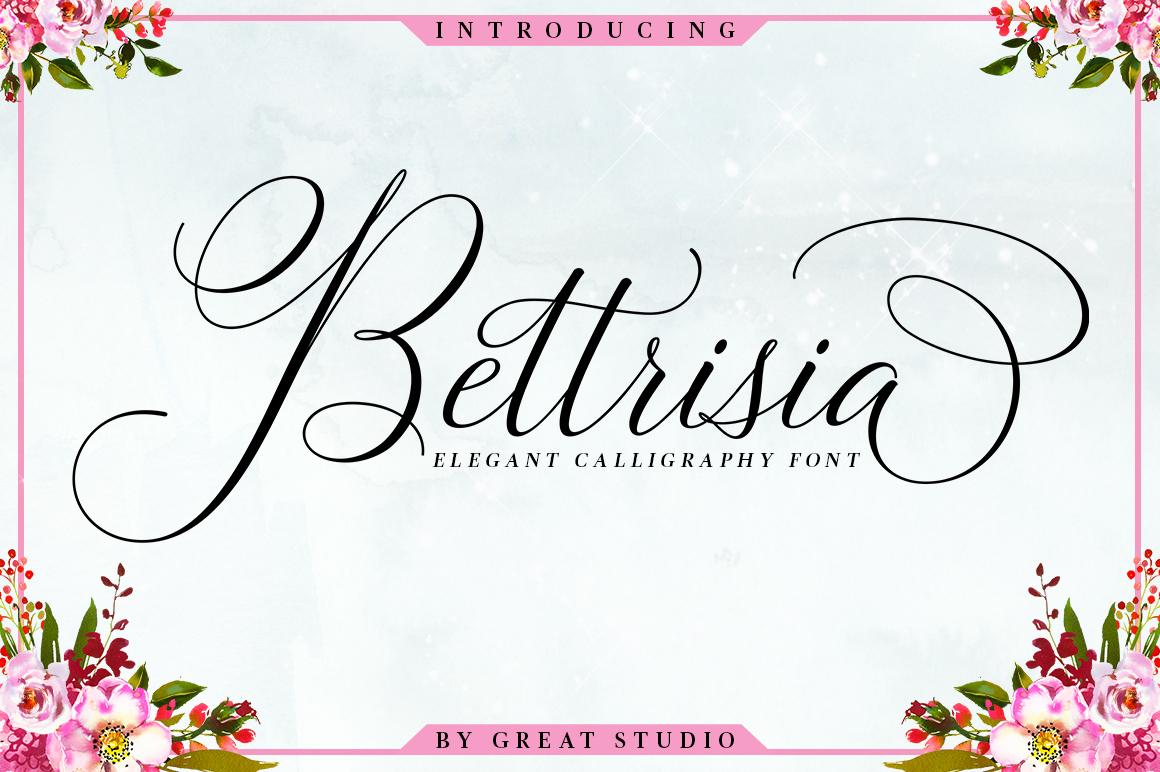
Best For: wedding invitations, menu covers, glamorous logos
Bettrisia Script is a classic copperplate with a modern touch: high contrast, a swirling capital B and smooth connections between letters. Despite the flourishes, the lowercase stays fairly easy to read.
The author mentions many letter connections for logos, invitations and menu covers, and the font is PUA encoded. For a menu cover or a place card it gives a formal look without needing any extra decoration.
More elegant scripts:
Calligraphy Fonts
Wedding Fonts
Bold Retro Script Fonts for Shirts, Banners and Cricut Cuts
Retro scripts are heavy, rounded and built to be seen from a distance. Thick strokes survive printing, vinyl cutting and small phone screens, which makes this group the practical choice for shirts, sale banners and stickers.
20. Starlake Font
by baletype
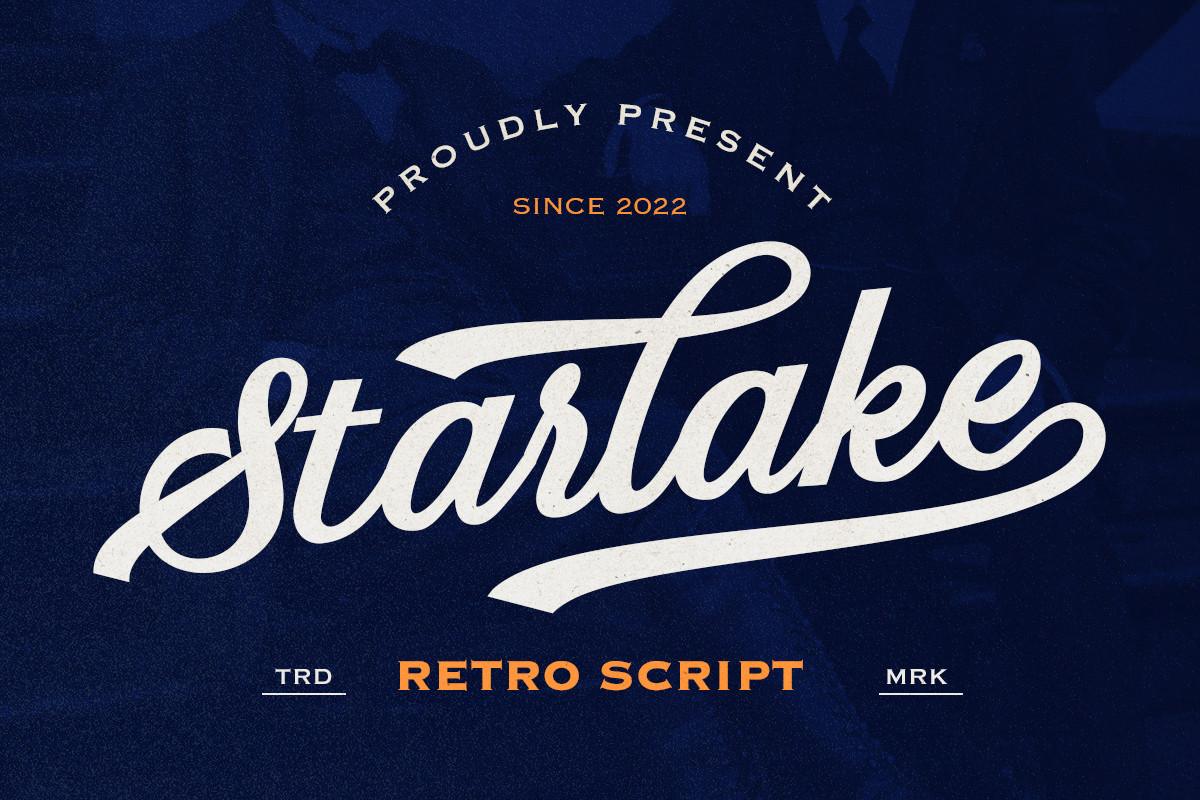
Best For: team shirts, apparel logos, merch
Starlake is a heavy retro script with a long tail swash that sweeps back under the word, the classic look of a vintage team jersey or a diner sign. The white letters on navy show how well it works in reverse.
The author mentions plenty of alternates and multilingual support, and lists logo, apparel and merchandise uses. On a shirt or a hoodie, add an outline or a drop shadow in Canva and let the tail swash carry a second word.
21. Thick Font
by Craft Artist
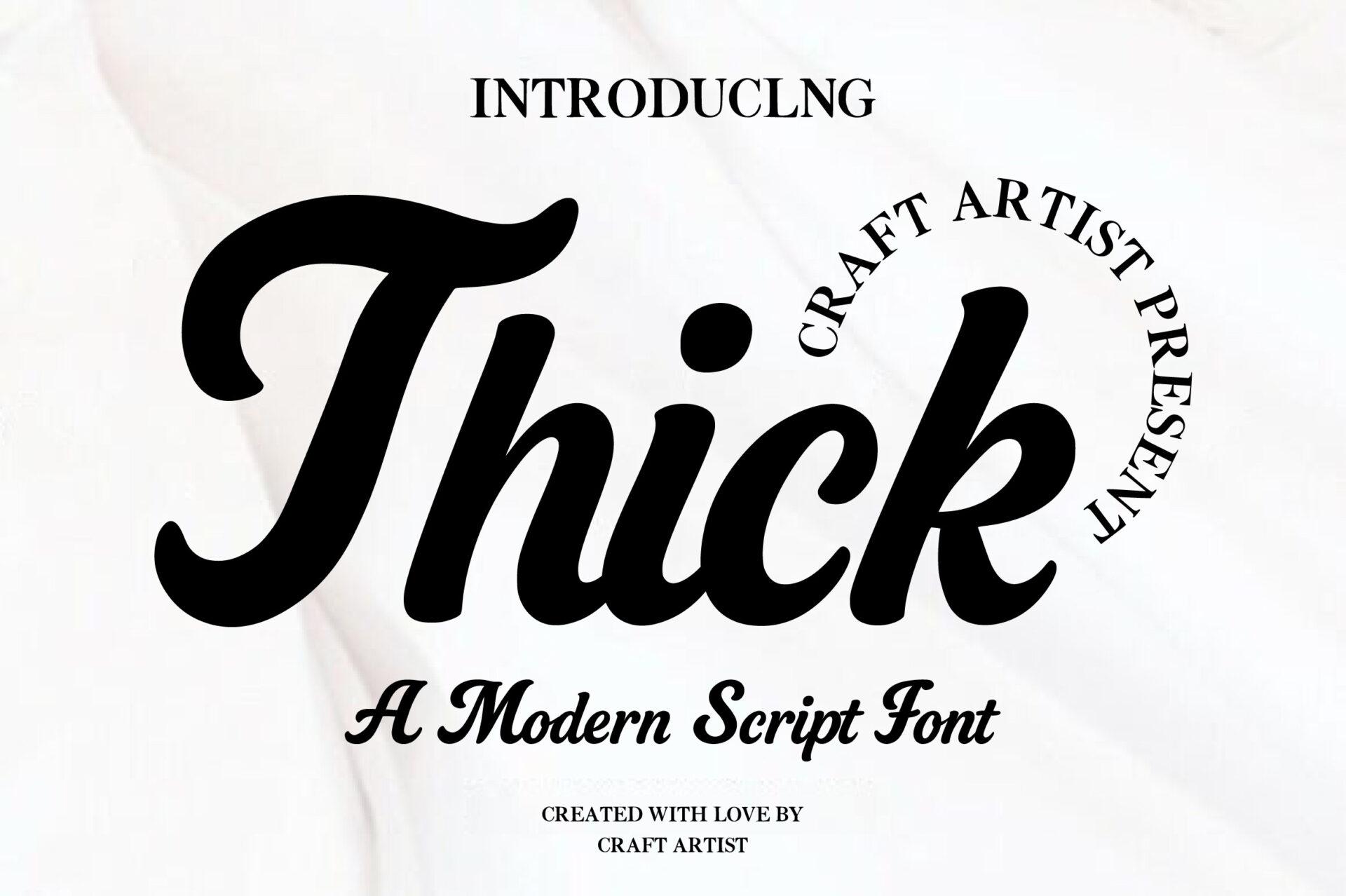
Best For: T-shirts, product labels, vintage posters
Thick is exactly what the name says: a chunky retro script with rounded, soft letters and a cute flow. Counters stay open even at this weight, so words do not turn into dark blobs.
The author lists T-shirts, logos, vintage posters and product labels. It is a safe choice for a Cricut shirt because the strokes are wide and the joins are solid.
22. Standley Font
by Natural Ink
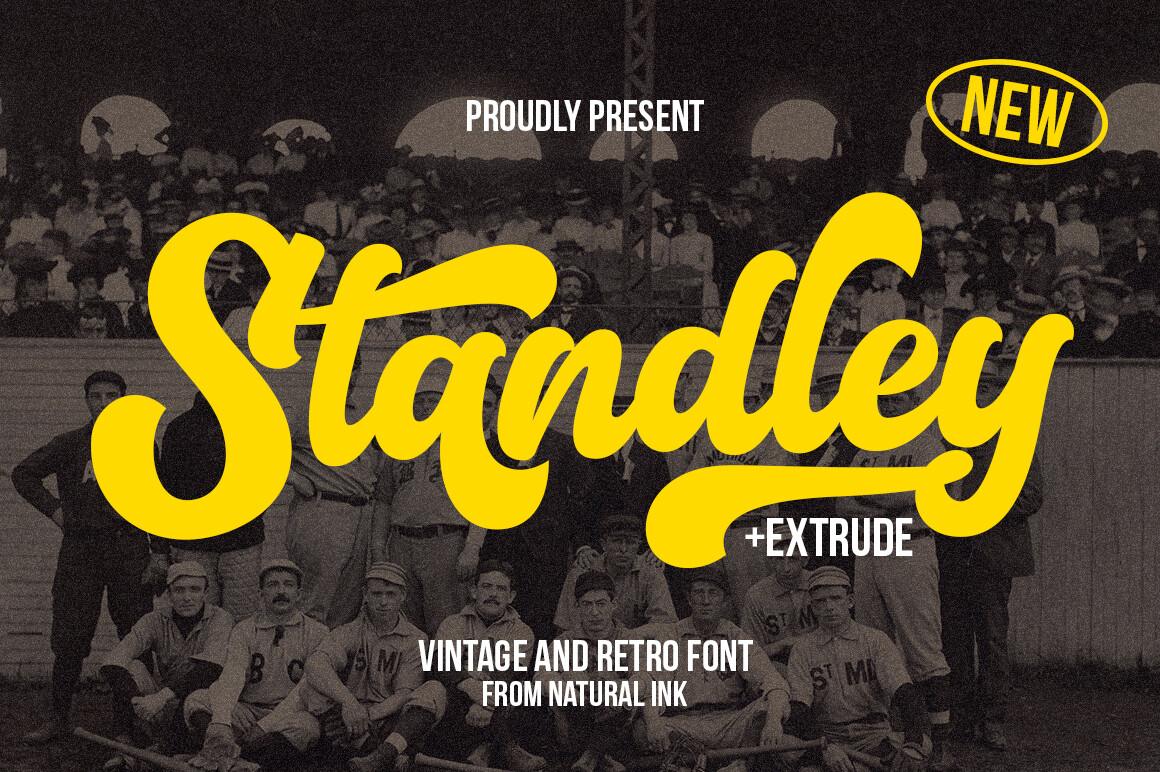
Best For: stickers, sublimation, vintage logos
Standley is a playful retro script with bouncy, whimsical letters and lots of extra glyphs. It comes with an extrude style, a separate layer that sits behind the regular letters to create a 3D shadow.
In Canva, set the same word twice, once in the regular style and once in the extrude style, and stack the two text boxes in different colors. That gives a layered sticker or shirt design without any extra graphics.
23. Thiquila Font
by abbasystudio
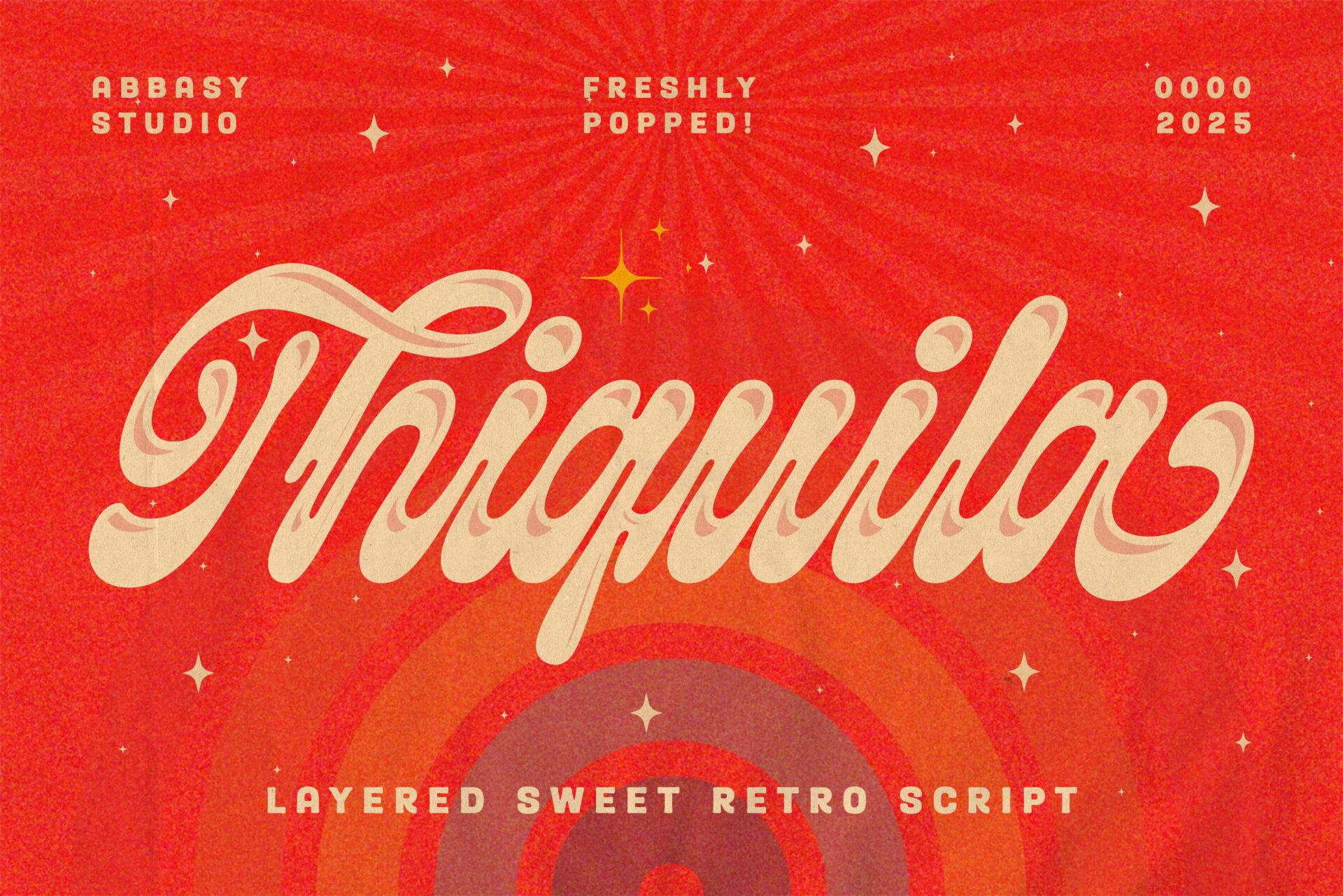
Best For: food branding, drink packaging, retro event posters
Thiquila is a layered retro script inspired by the ’70s and ’80s, with soft connected letters, dramatic swashes and an inline layer that adds a second color. On the red preview it looks like a vintage soda label.
The author suggests food branding, retro concert posters and drink packaging. Like Standley, the layers are separate fonts, so you stack them as two text boxes in Canva and color each one.
24. Brighton Avenue Font
by Whymore
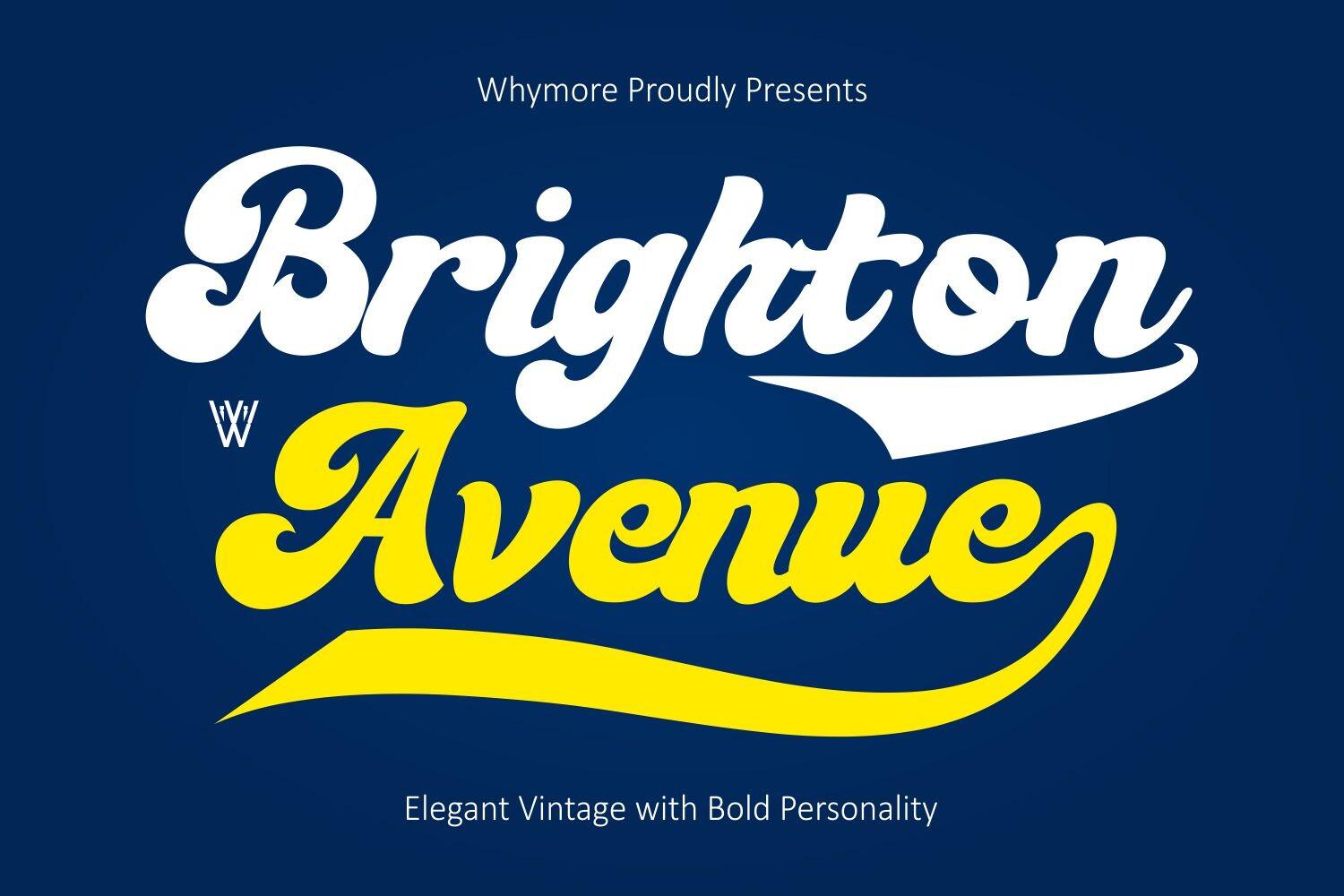
Best For: baseball graphics, restaurant logos, café packaging
Brighton Avenue is a bold retro script modeled on American signage and vintage sports branding: chunky letters, smooth strokes and a big swash under the word. The white-and-yellow preview looks like a classic ballpark logo.
The author lists sports branding, baseball graphics, restaurant identities and badges. Use it for a team name across a shirt or a café logo, with a block sans serif for the small text.
25. Sunday Chillin Font
by Hoperative Design
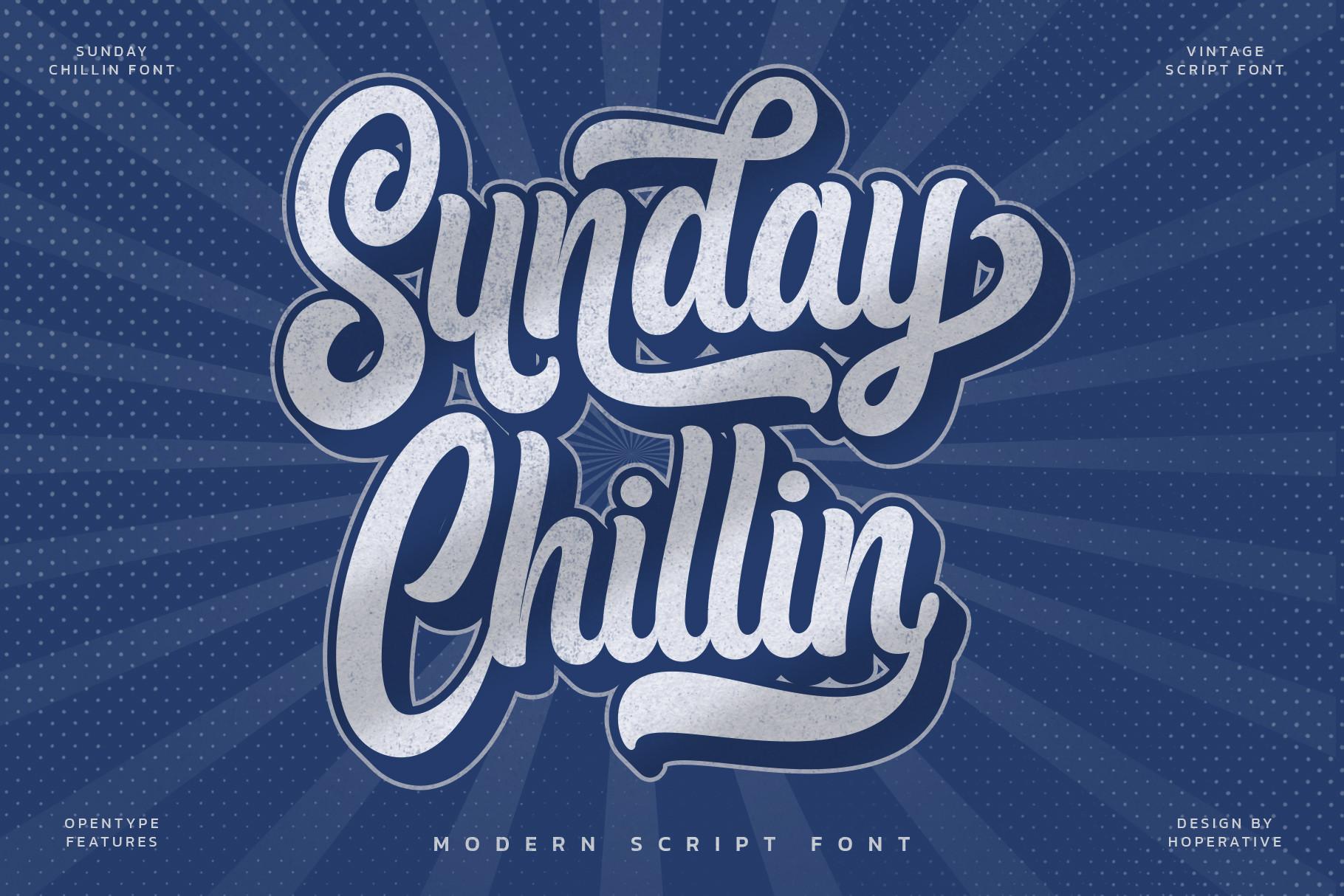
Best For: weekend sale banners, social posts, stationery
Sunday Chillin is a heavy, relaxed retro script with long tails and a slightly squashed, friendly shape. The preview adds a blue shadow behind white letters, an effect that is easy to copy with two offset text boxes.
The author lists logos, invitations, stationery and social posts, and the font is PUA encoded so its swashes are easier to reach. It is a good headline font for a weekend sale banner or a laid-back event poster.
26. Native Natural Font
by Craft Artist
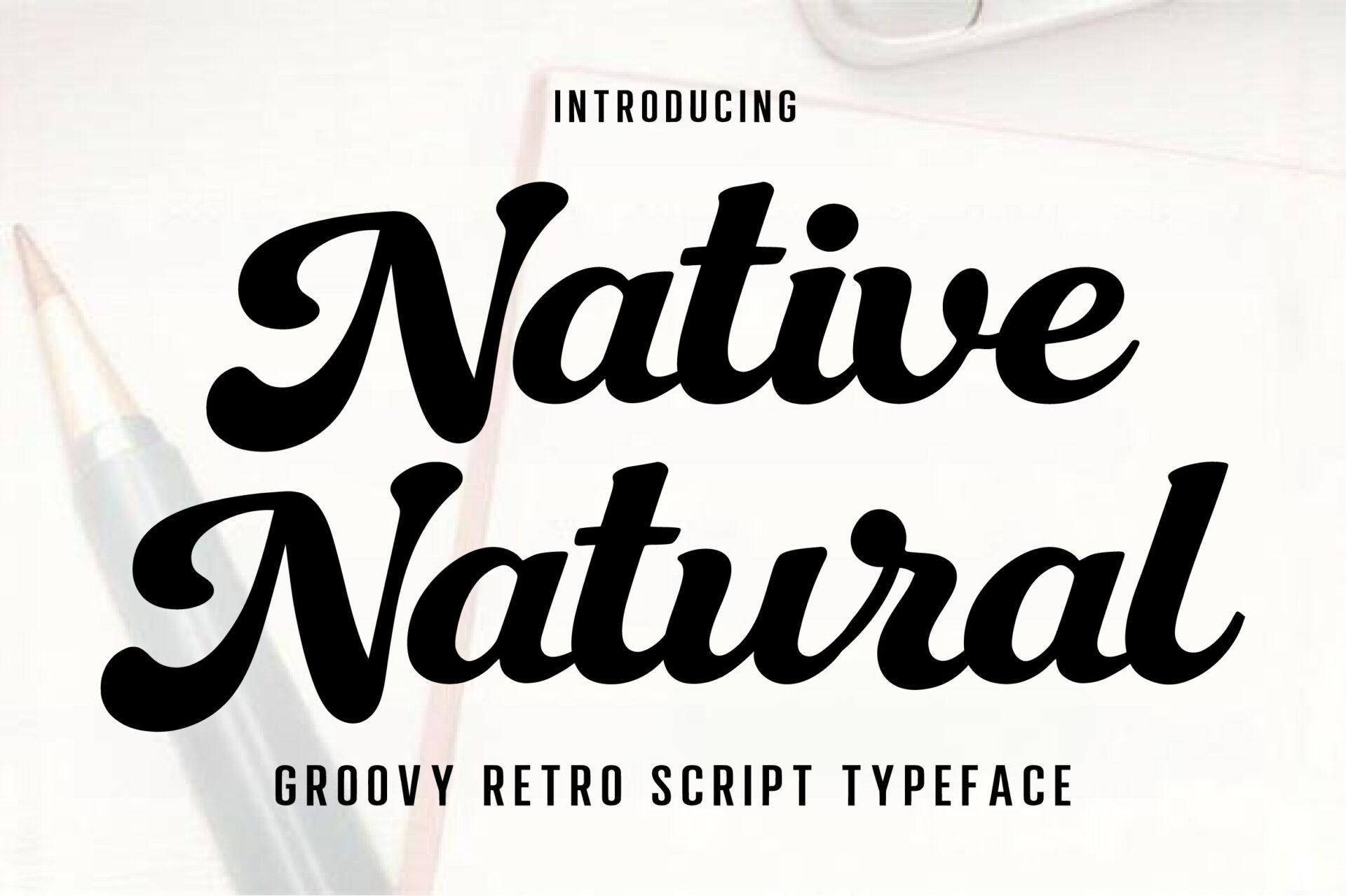
Best For: groovy shirts, packaging, quote posters
Native Natural is a groovy retro script with thick strokes, soft rounded shapes and generous curves. It looks hand-drawn but stays clean, so a full phrase is still readable.
The author names logos, packaging, T-shirt designs, posters and quotes. Set a two- or three-word phrase in it for a shirt or a quote poster, and keep everything else on the design plain.
More retro styles:
Vintage Fonts
How to Use Swashes and Extra Glyphs in Canva
Canva has no glyph panel, so stylistic alternates and swashes inside a font are not available from the font menu. With PUA-encoded fonts there is a workaround: each extra glyph has its own character code, so you can copy it and paste it into a Canva text box.
- Install the font on your computer and open Character Map on Windows or Font Book on a Mac.
- Find the swash or alternate letter you want and copy it.
- Paste it into your Canva text box. Once the uploaded font is applied, the pasted character shows as the swash.
- Use one or two swashes per word. A swash on the first or last letter looks designed; one on every letter looks messy.
In this list, Joseph Watson, Restday, Dellatino, Veyona, Yestyna, Violetta Frosteil, Bettrisia Script and Sunday Chillin are marked PUA encoded on their Creative Fabrica pages.
How to Choose a Canva Cursive Font
- Check the size you will use. Thin scripts like Vignette Cursive or Ravel need a large size and a clean background. For small text on a phone screen, pick Cursive Amber, Skylounge or Winky Swing.
- Match the stroke to the output. For a Cricut cut or a printed shirt, choose heavy fonts with solid joins, such as Thick, Regalyn or Native Natural. Hairline calligraphy is for print and screens, not vinyl.
- Avoid all caps. Script capitals are built to start a word, not to stand next to each other. On Dellatino, for example, a word in all caps turns into a row of overlapping loops.
- Pair with a plain font. One cursive per design is enough. Put names and headings in the script and the details in a simple serif or sans serif.
- Look for layered styles. Standley and Thiquila come with extra layers for shadows and inline color, which saves you from building those effects by hand.
FAQ
Can I upload cursive fonts to Canva for free?
No. Font upload is available on Canva Pro, Teams, Business, Education and Nonprofits accounts, not on the free plan. The fonts themselves can be free: Lecture and Mickylet in this list are in Creative Fabrica’s free font collection.
Which file should I upload to Canva, OTF or TTF?
Canva supports OTF, TTF and WOFF, so either OTF or TTF works. Upload one format per font to avoid duplicates in your font list.
Why don’t the swashes show up in Canva?
Canva has no way to switch to alternate glyphs from the font menu. If the font is PUA encoded, copy the swash from Character Map or Font Book and paste it into the text box.
Which cursive font is the easiest to read in Canva?
Cursive Amber, Easy Handwriting and Skylounge keep clear letter shapes at small sizes. Among the bold options, Regalyn and Thick are the most readable from a distance.
Final Thoughts
A good Canva cursive font depends on where the word will end up. For planners and captions, start with Cursive Amber or Winky Swing. For a logo or watermark, try Restday or Regalyn. For wedding designs, Veyona or Bettrisia Script set the tone. For shirts and banners, Starlake or Standley will hold up best. Upload one or two to your Brand Kit, test them on a real design, and keep the one that still looks good at the size you actually use.