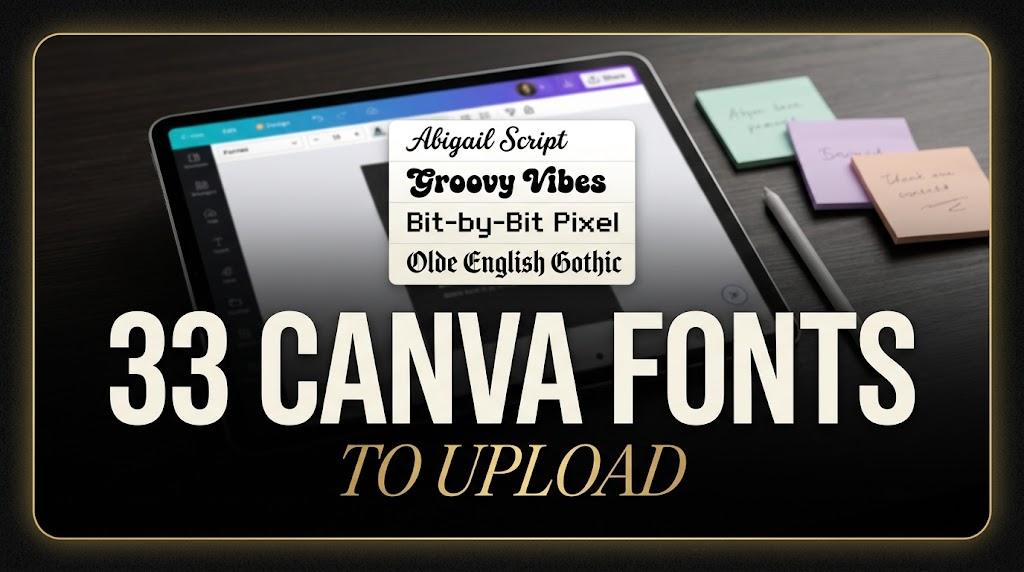
33 Canva Fonts to Upload: Aesthetic, Cursive, Y2K and Gothic Styles for Creators, Planner Makers and Small Shops
Canva fonts are the first thing most people change when a template starts to look like everyone else’s. The built-in library is huge, but the same few scripts and sans serifs show up on thousands of posts, planners and shop banners. Uploading your own font is the fastest way to make a Canva design look like yours.
This post contains affiliate links. If you buy through them, I may earn a small commission at no extra cost to you.
This list gathers 33 fonts you can upload to Canva, sorted into eight groups: clean sans, elegant serif, cursive and handwritten, cute, whimsical, retro and groovy, Y2K and gothic. These are not Canva’s built-in fonts: uploading requires Canva Pro, Teams, Business, Education or Nonprofits. The notes describe what each font looks like in its preview and how it behaves in typical Canva projects. All fonts in this list are on Creative Fabrica, and a single All Access subscription unlocks every one of them, so you can try several styles before committing to one.
More font collections:
30 Aesthetic Fonts
31 Cute Fonts
23 Whimsical Fonts
30 Cool Fonts
30 Gothic Fonts
29 Cute Canva Fonts
Table of Contents
- Clean and Minimal Sans for Posts, Planners and Shop Graphics
- Elegant Serif Fonts for Beauty, Wedding and Boutique Designs
- Cursive and Handwritten Canva Fonts
- Cute Canva Fonts for Planners, Stickers and Kids’ Designs
- Whimsical Canva Fonts
- Retro and Groovy Fonts for Canva
- Y2K Canva Fonts
- Canva Gothic Fonts
- How to Upload a Font to Canva
- Why a Font Won’t Upload to Canva
- Using These Fonts in Canva: License Notes
- Canva Font Combinations from This List
- FAQ
- Where to Start
Clean and Minimal Sans for Posts, Planners and Shop Graphics
Sans serifs do the quiet work in Canva: headlines on carousels, prices on product cards, labels in a digital planner. These three cover a light rounded look, a heavy confident one and a slim fashion style.
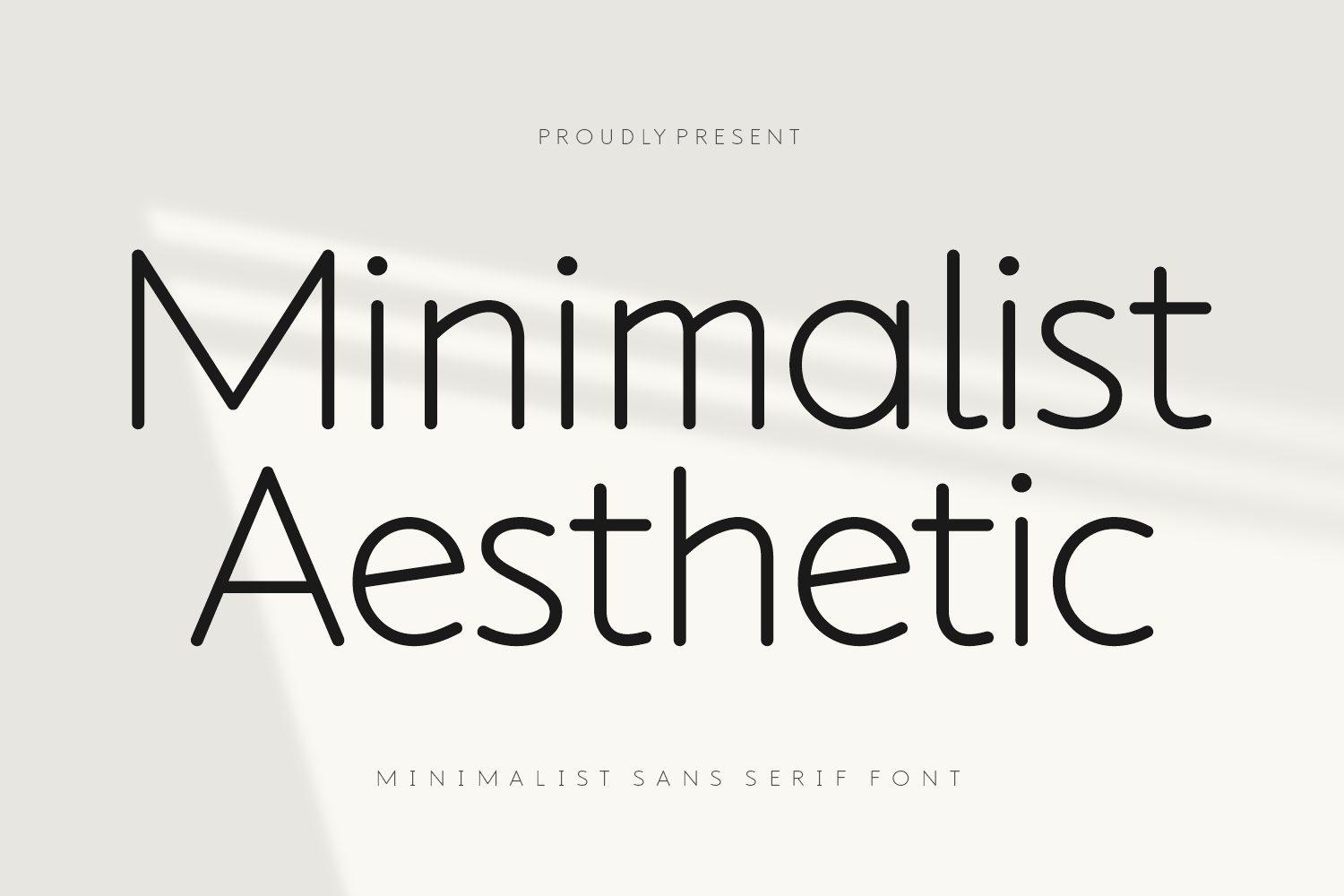
1. Minimalist Aesthetic Font by Creative Fabrica Fonts
Best For: Instagram carousels, planner headers, minimalist shop banners
A light monoline sans with round, open shapes. The O and the a are close to perfect circles, the strokes have the same thin weight everywhere, and the whole word looks calm and airy on the pale preview.
This is a font for lots of white space. Set a short headline large, keep the background soft, and let a script from the cursive section below add the personality. On Creative Fabrica it is available only through the subscription, not as a single purchase.
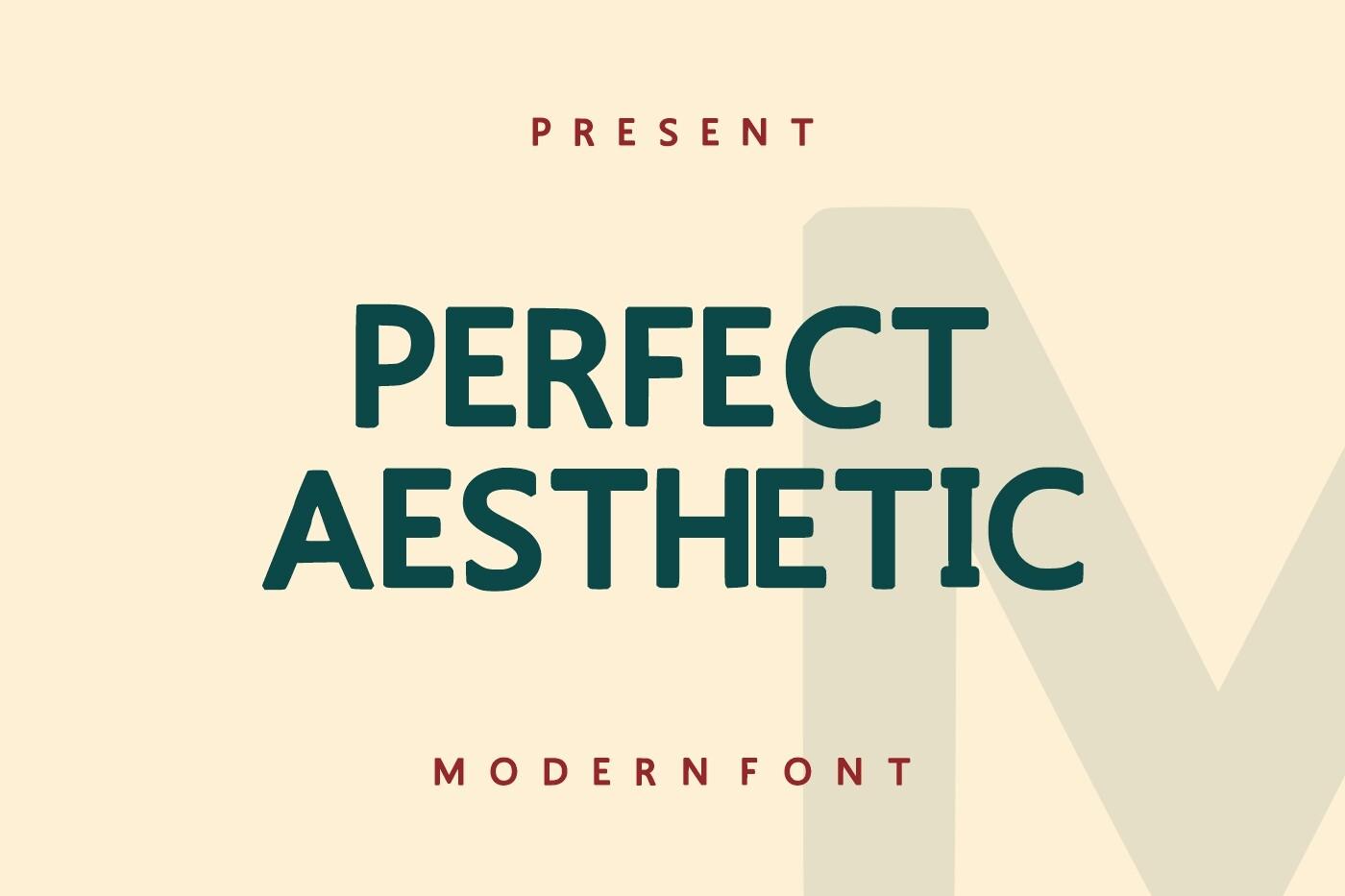
2. Perfect Aesthetic Font by Infinity art Studio
Best For: Bold quote posts, YouTube thumbnails, sale graphics
A heavy, slightly narrow sans in capitals with softened corners. The preview sets it in deep green on cream, and the letters stay compact, so a two-line title fits without feeling cramped.
Use it when the words have to be seen from across the feed: a sale banner, a thumbnail title, a quote in four or five words. It carries color well, so try it in one strong brand color on a light background.
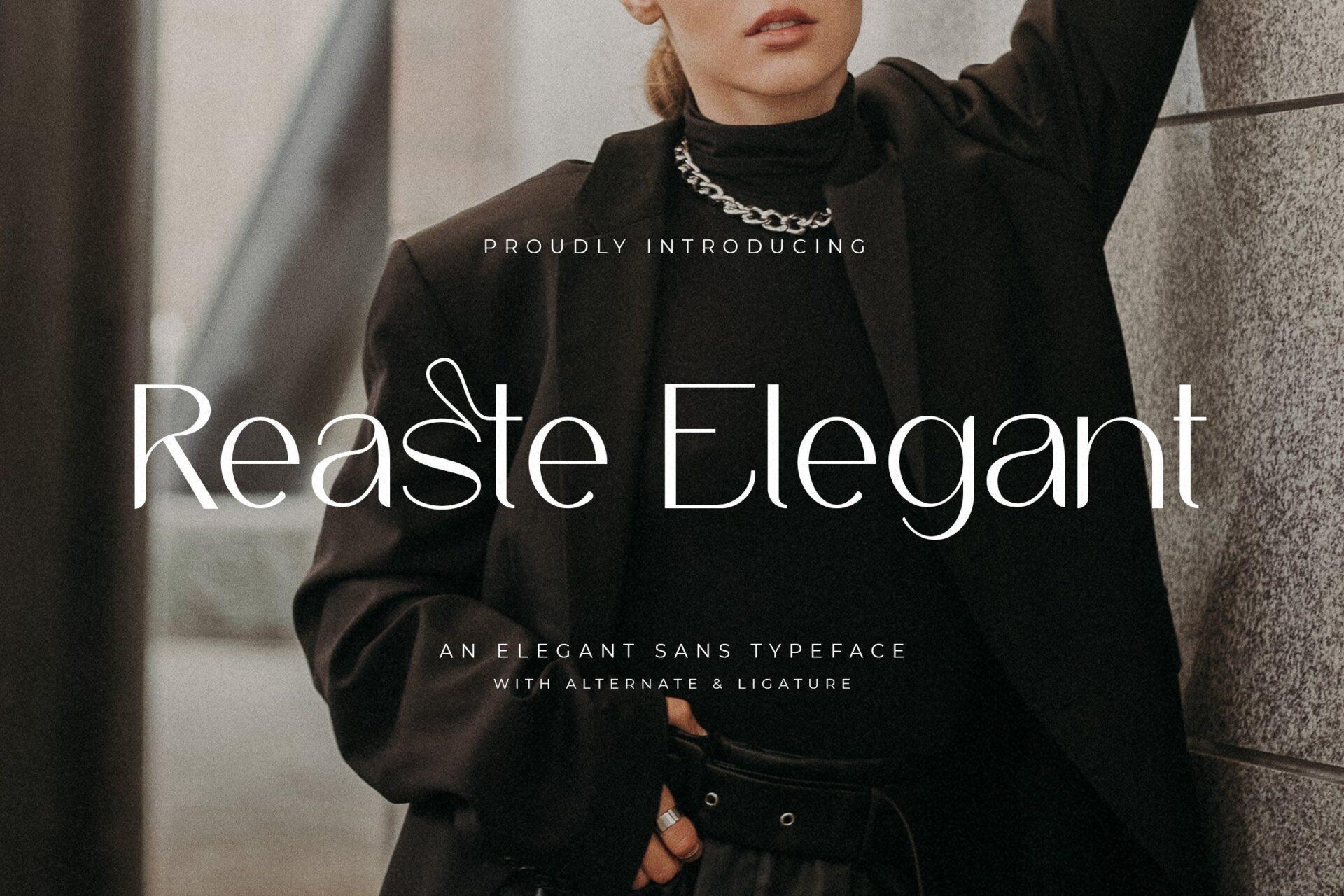
3. Reaste Elegant Font by TypeFactory
Best For: Beauty brand posts, boutique logos, fashion lookbooks
A slim, high-waisted sans with fashion manners. The preview shows a looping st ligature and a few alternate letters, and introduces it as an elegant sans typeface with alternates and ligatures.
The plain letters are already elegant, so it works for a boutique name, a price list or story text. The ligatures and alternates shown in the preview are a separate question in Canva: test them on your own account before you build a logo around one.
Elegant Serif Fonts for Beauty, Wedding and Boutique Designs
High-contrast serifs with swashes and ligatures are the most saved look in aesthetic Canva templates. All five below have thin hairlines, so give them size and room.
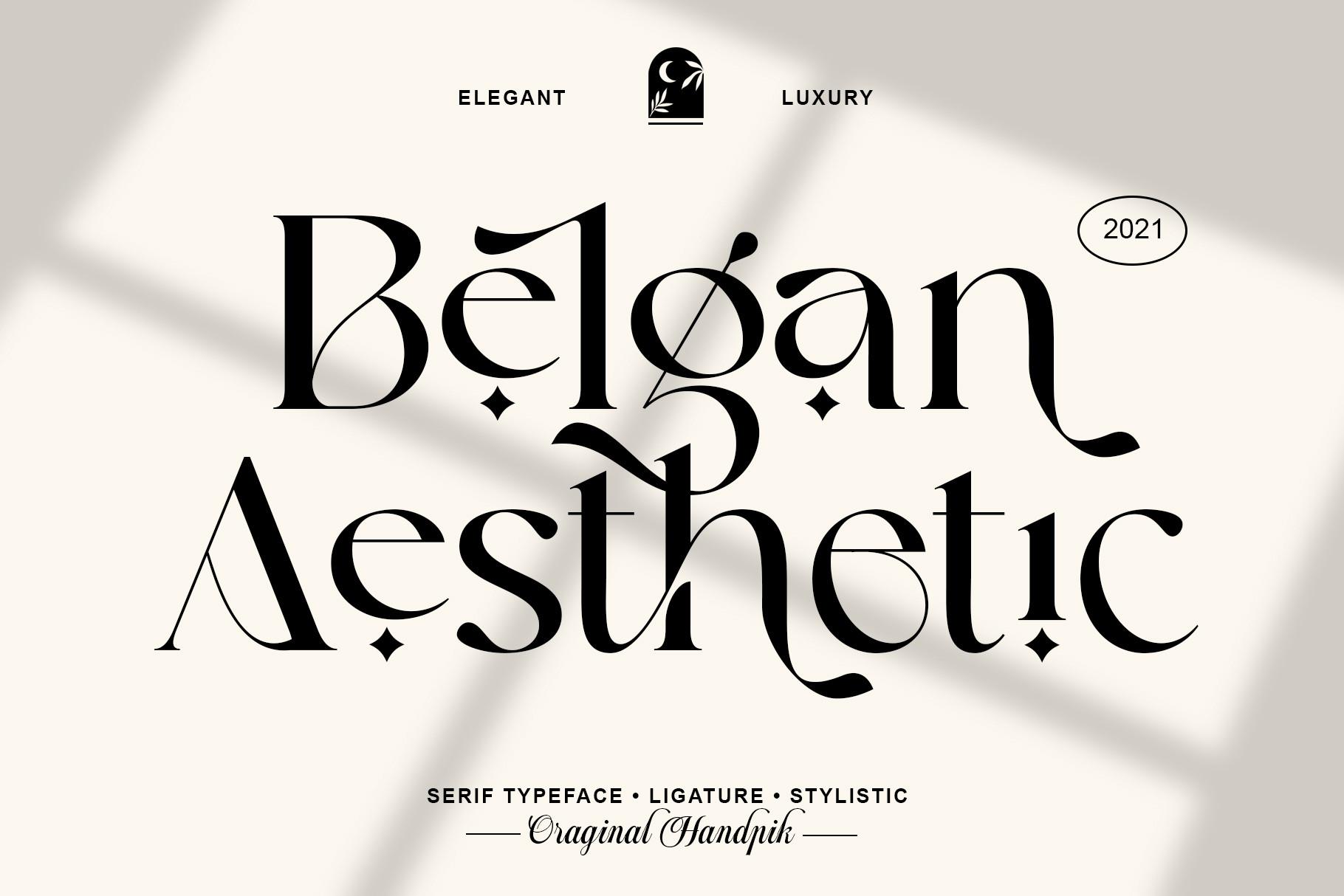
4. Belgan Aesthetic Font by handpik
Best For: Beauty salon branding, wedding signs, luxury product labels
A sharp, high-contrast serif with dramatic tails and little four-point stars as ornaments. The preview labels it serif typeface, ligature and stylistic, and you can see an extended g and swashy A on the title.
It looks best as a name or a two-word headline on a plain, light background. Pair it with Minimalist Aesthetic Font for small text, and leave plenty of space around the ornaments so they read as decoration and not as clutter.
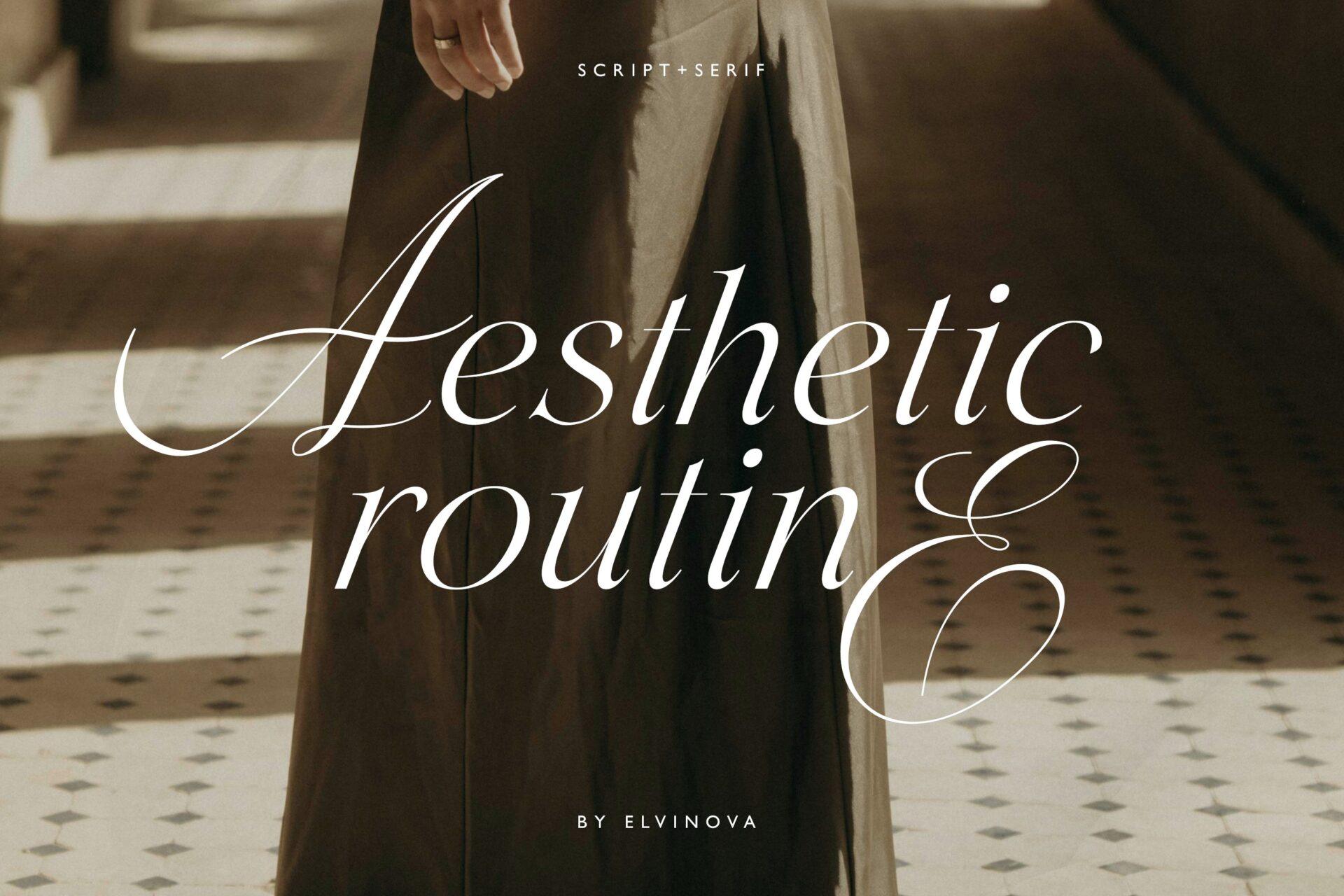
5. Aesthetic Routine Font by elvinova
Best For: Lifestyle blog headers, fashion stories, perfume and candle labels
A script and serif mix: the title in the preview opens with a tall calligraphic A, continues in a light italic serif and ends with a large looped E. The preview names the style script plus serif.
It brings a soft editorial feel to a story or a blog header. Keep the line short, set it big over a photo with calm areas, and avoid stacking it in long paragraphs, where the swashes start to collide.
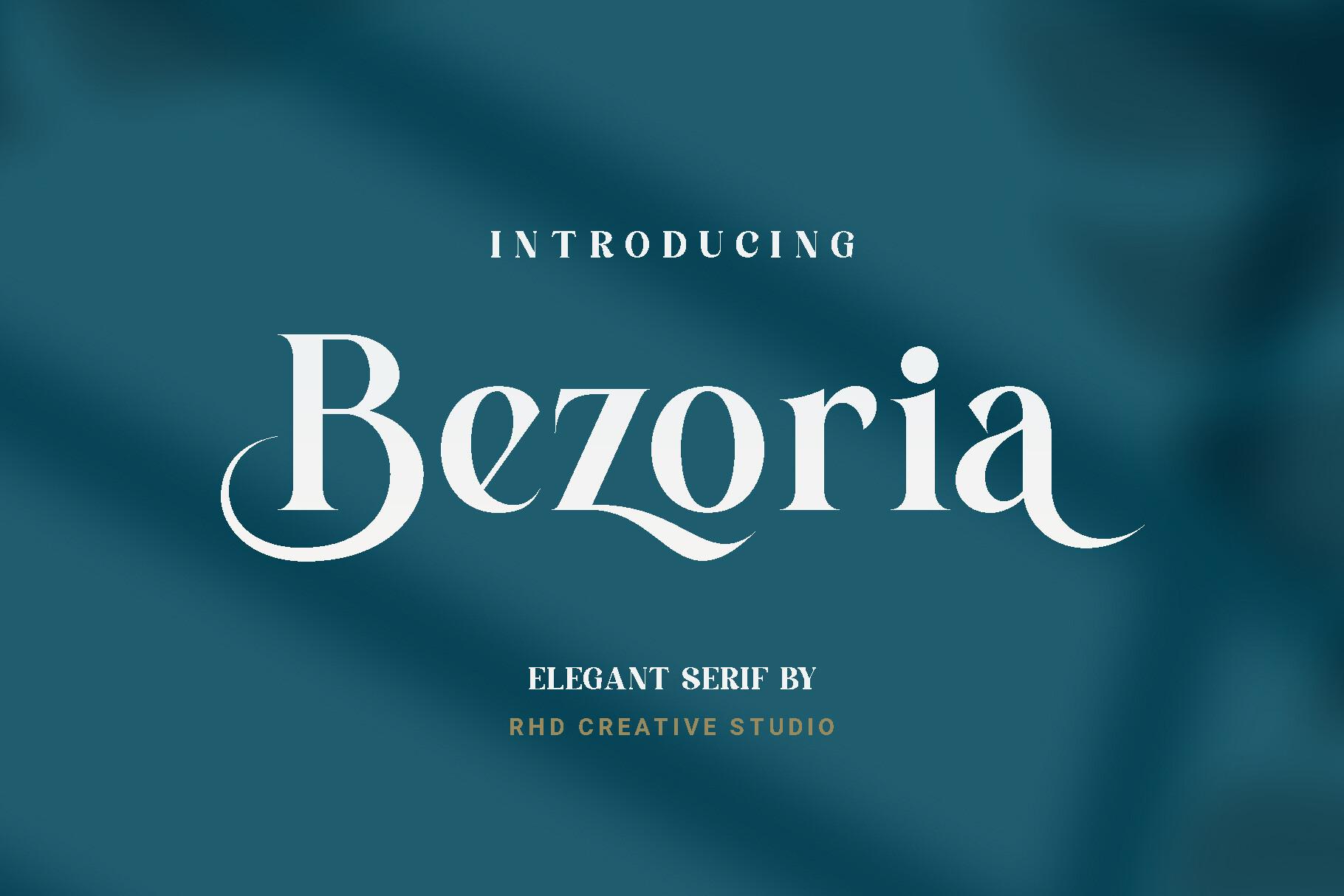
6. Bezoria Font by RHD Creative Studio
Best For: Boutique logos, book covers, elegant event flyers
A bold elegant serif with curled terminals. The B, the r and the final a end in small soft curls, and the contrast is strong but the letters stay wide and easy to read.
Because it is heavier than most luxury serifs, it holds up in small sizes too, on a business card or a price tag. Set it in white on a dark teal or navy, as in the preview, for a calm premium look.
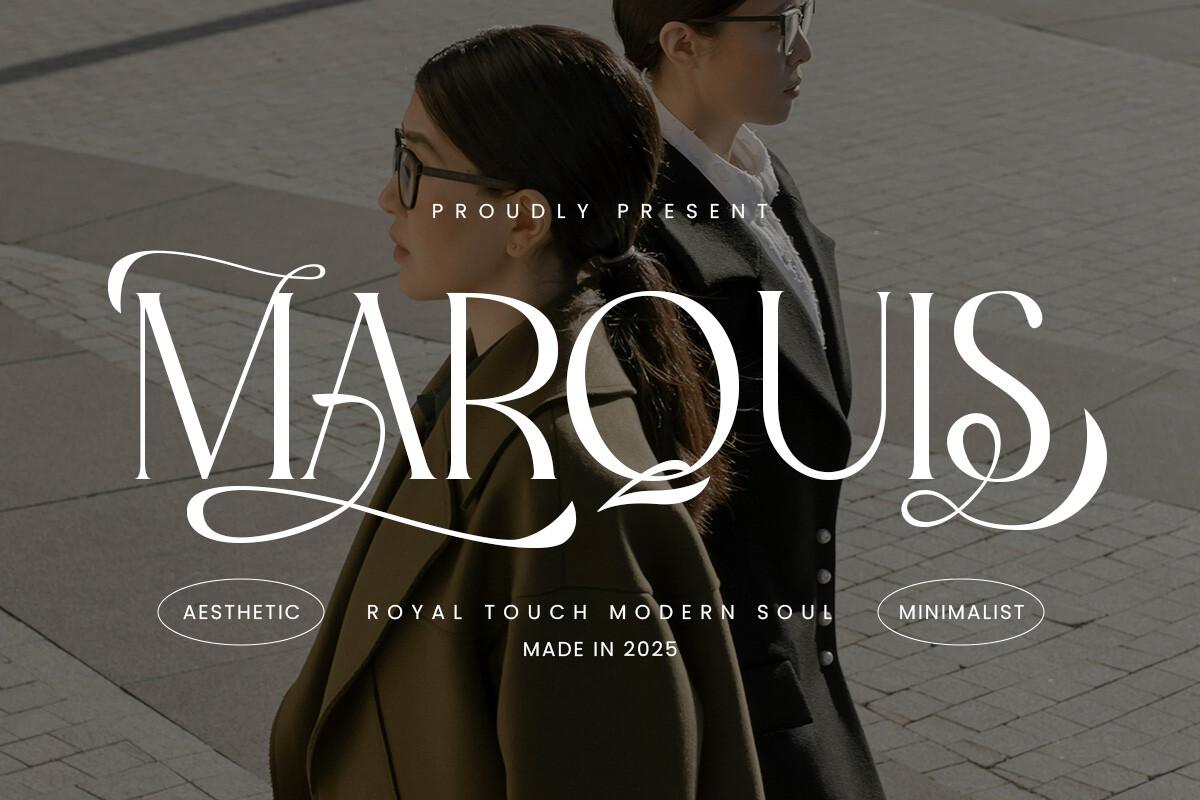
7. Marquis Font by roomspace
Best For: Fashion brand names, magazine-style covers, wedding monograms
A tall modern serif with long swashes that sweep under the letters: the M opens with a wide curl, the Q and S have flowing tails. The preview pairs it with the words royal touch, modern soul and minimalist.
Use it in capitals for a brand name or a cover title and keep the rest of the design simple. Swashes like these need empty space below the word, so leave a gap before the next line.
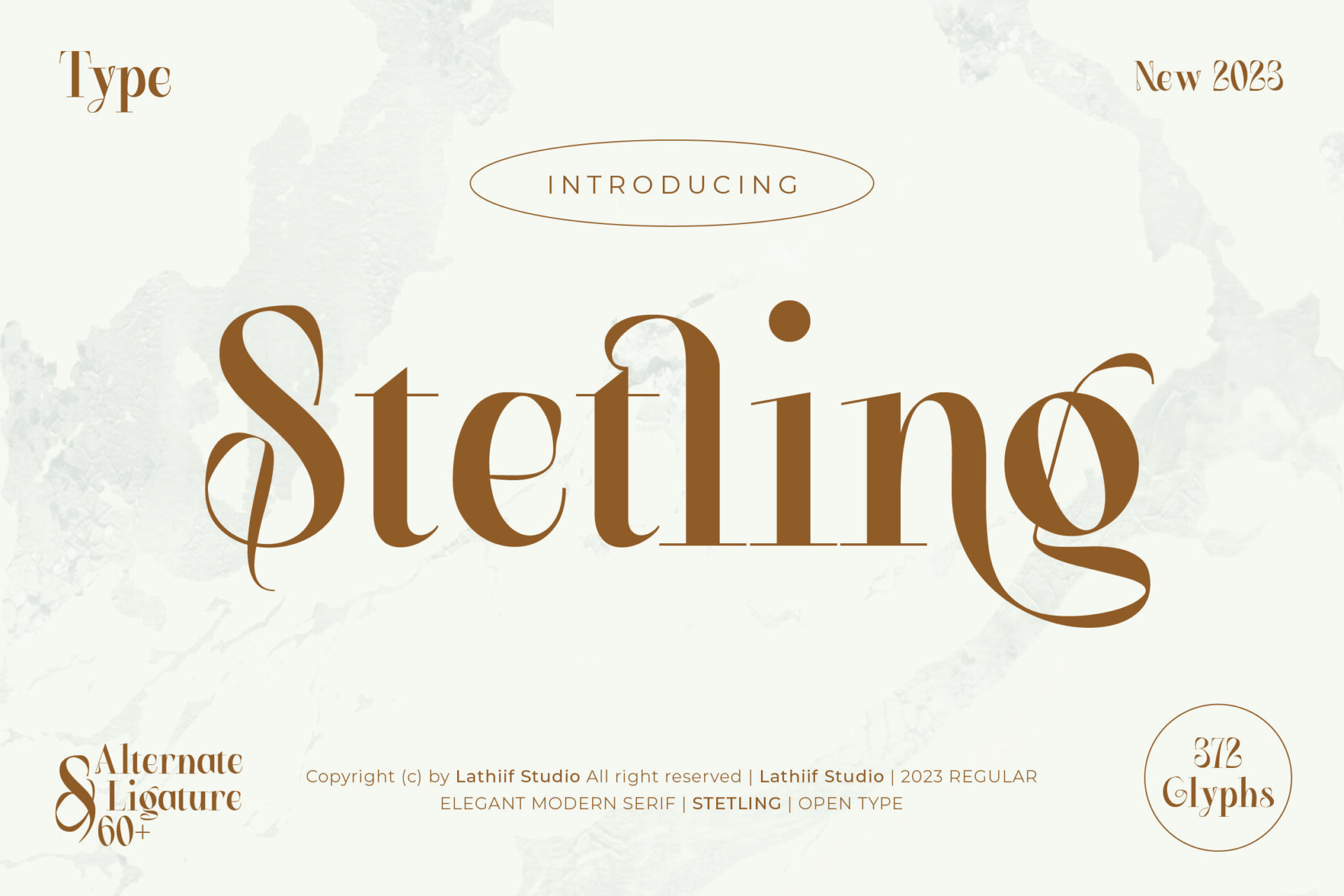
8. Stetling Font by Zeatype
Best For: Coffee shop menus, boutique packaging, wedding stationery
A warm modern serif with a curly S and a looped g. The preview lists 312 glyphs and more than 60 alternates and ligatures, and calls it an elegant modern serif in OpenType format.
The basic letters already have the curly character, so it is a safe choice for a menu title or a label even if you never touch the alternates. Brown or caramel on cream, as in the preview, suits coffee and bakery brands.
Cursive and Handwritten Canva Fonts
Handwriting makes a Canva design feel personal: a signature on a quote, a name on a planner page, a caption on a photo. These four go from a thin signature to a thick marker.
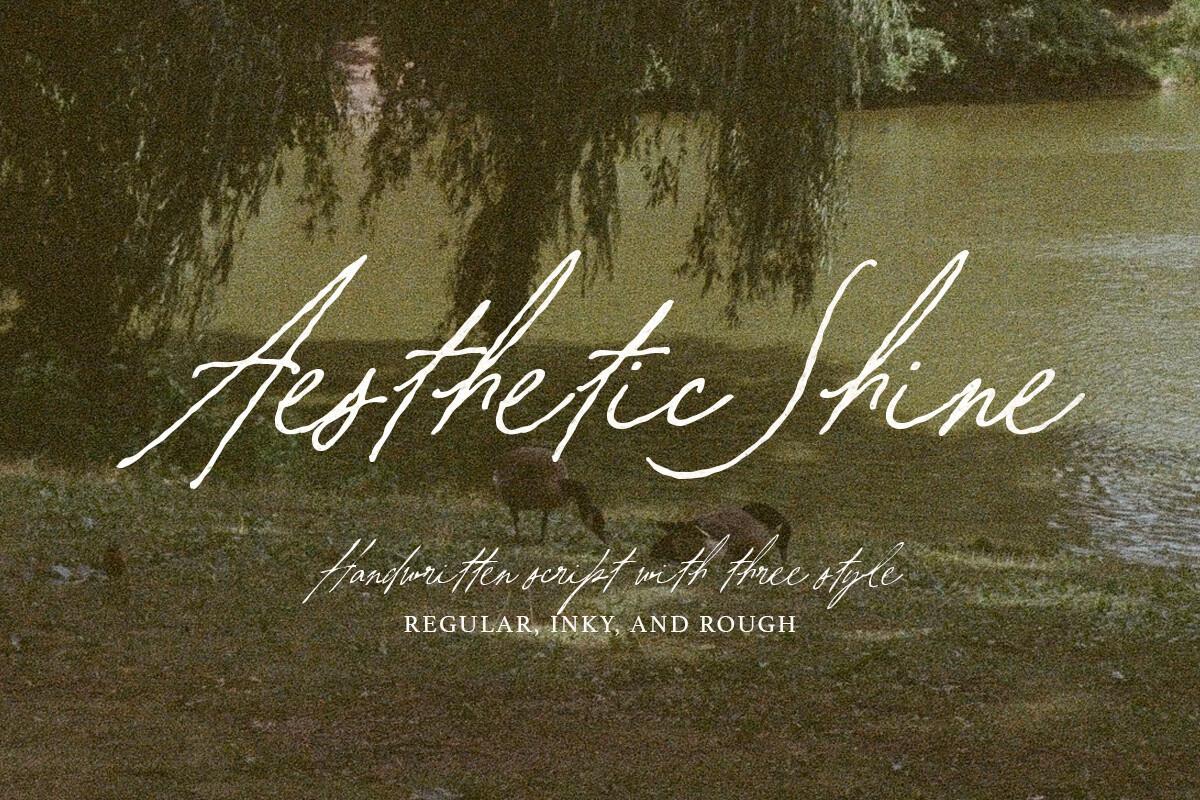
9. Aesthetic Shine Font by letterhend
Best For: Signature logos, quote posts, photography watermarks
A fast, thin signature script with long connecting strokes and tall loops. The preview says it comes in three styles, regular, inky and rough, so you can switch between a clean line and a more pen-like texture.
It shines on photos: a name in the corner, a short quote over a landscape. Use it large, because the hairline strokes disappear at small sizes, and keep it to a few words.
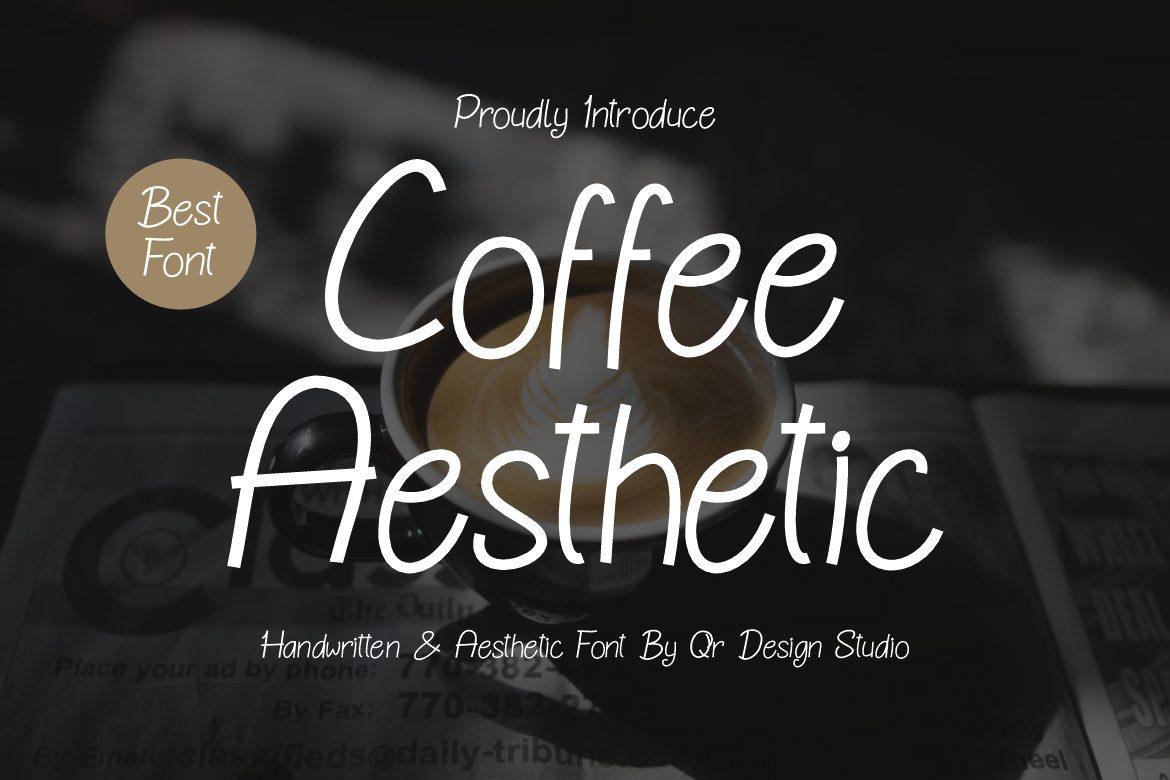
10. Coffee Aesthetic Font by qrdesignstd
Best For: Cafe menus, planner pages, cozy social posts
An upright, thin handwritten print with tall letters and small loops on the C and A. The strokes are even, like a fine felt pen, and the preview calls it a handwritten and aesthetic font.
It reads well in longer lines, so you can use it for a menu, a to-do list or a caption, not only a title. Pair it with a bold serif such as Qontra Groovy Font or Bezoria Font for the headline.
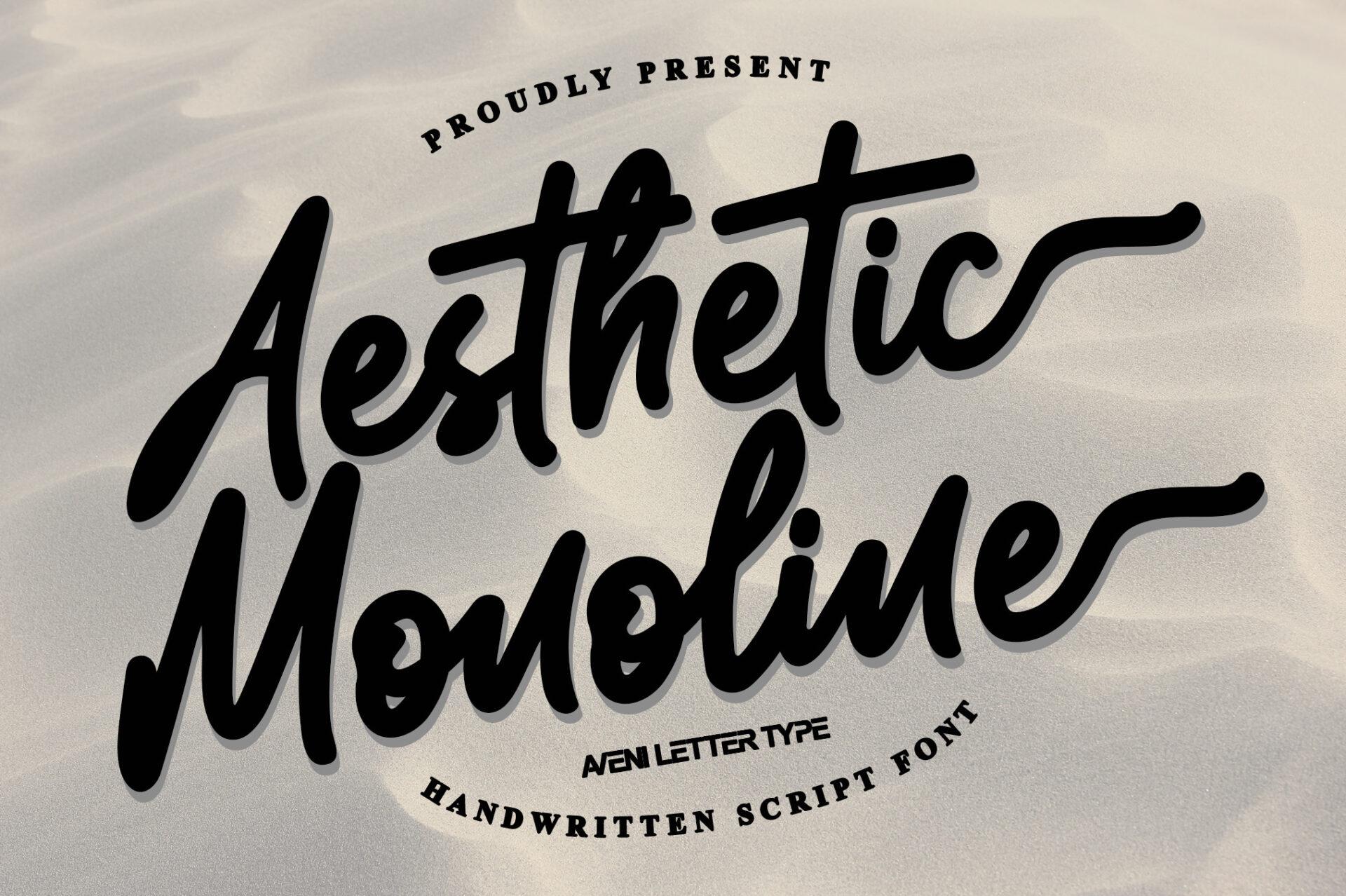
11. Aesthetic Monoline Font by Aveni Letter Type
Best For: T-shirt quotes, bold Instagram titles, sticker designs
A thick monoline script with a casual slant and long swash tails at the ends of the words. The strokes have no thin parts, so the letters look like they were written with a marker pen.
Thanks to the even weight it stays readable on busy backgrounds and small screens. Use it for a punchy two-word title, and let the end swash run under the word, as the preview does.
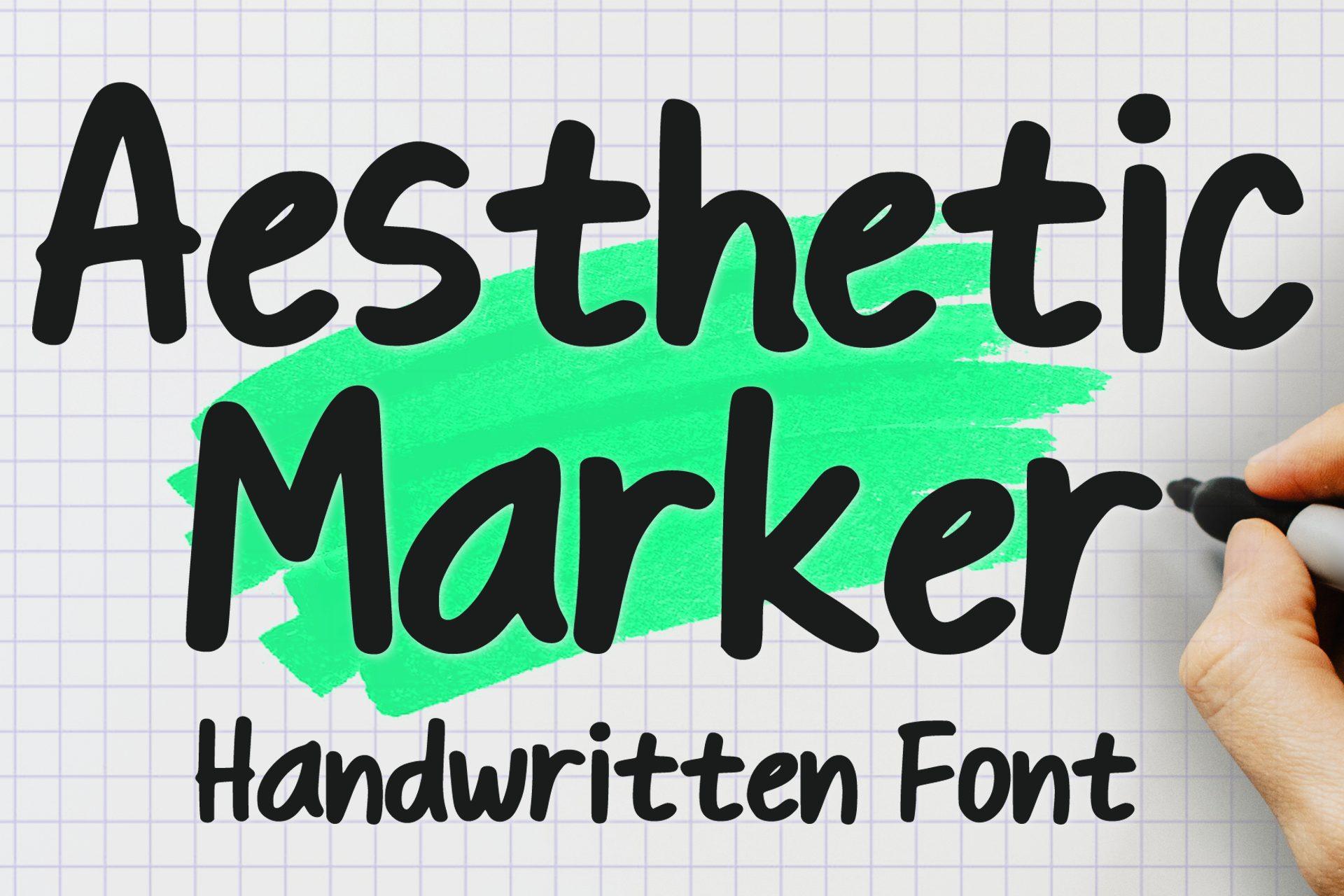
12. Aesthetic Marker Font by MVMET
Best For: Study notes, teacher resources, planner stickers
A bold marker print with slightly uneven letters, like neat handwriting on grid paper. The preview shows it with a green highlighter stroke behind the words and calls it a handwritten font.
This is the font for notes-style posts and printables: study tips, checklists, worksheets. Add a highlighter-style shape behind a key word in Canva to copy the look from the preview.
Cute Canva Fonts for Planners, Stickers and Kids’ Designs
Cute fonts are rounded, friendly and a little imperfect. These five cover bubbly capitals, soft handwriting and tall playful prints.
More cute styles:
29 Cute Canva Fonts
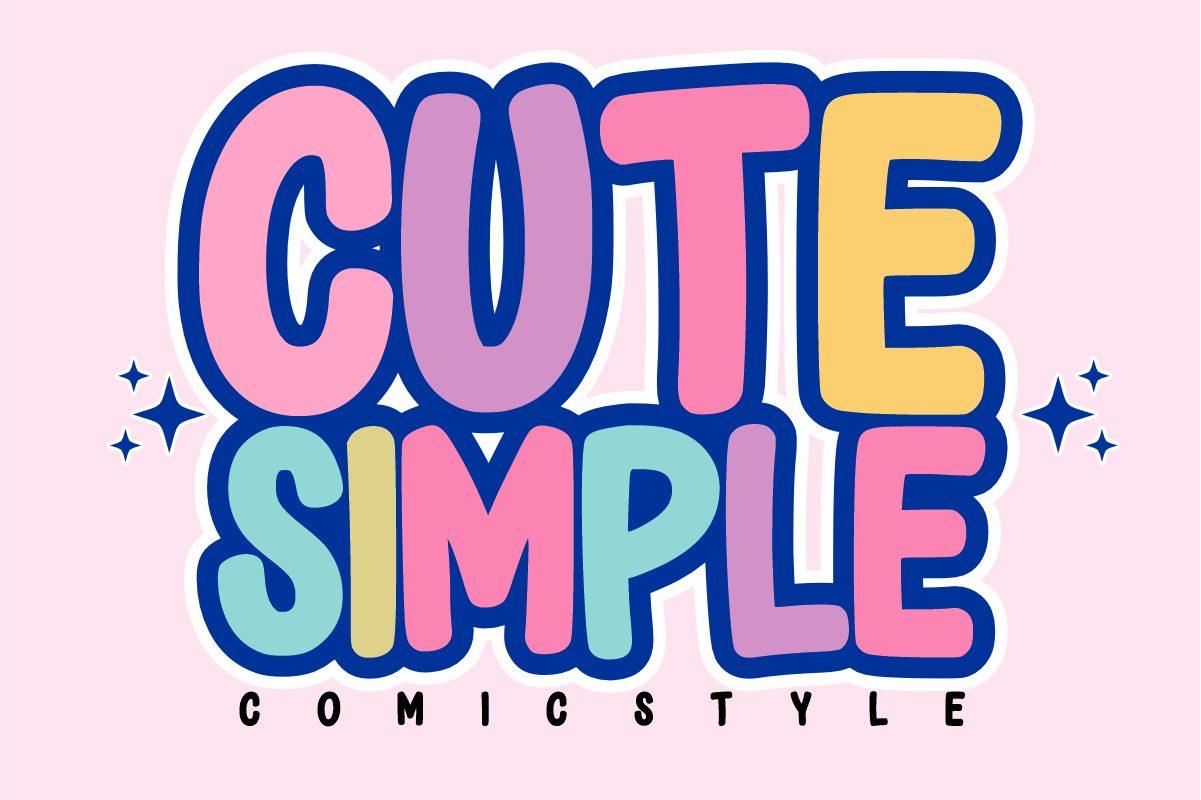
13. Cute Simple Font by Sahira Studio
Best For: Kids’ party invites, sticker sheets, YouTube thumbnails
Chunky, rounded capitals with a comic style, as the preview calls it. In the preview every letter is filled with a different pastel and wrapped in a thick navy outline, which makes the word look like a sticker.
In Canva you can rebuild a similar look with your own text colors and an outline effect. The letters are thick enough to stay clear on a thumbnail or a small sticker.
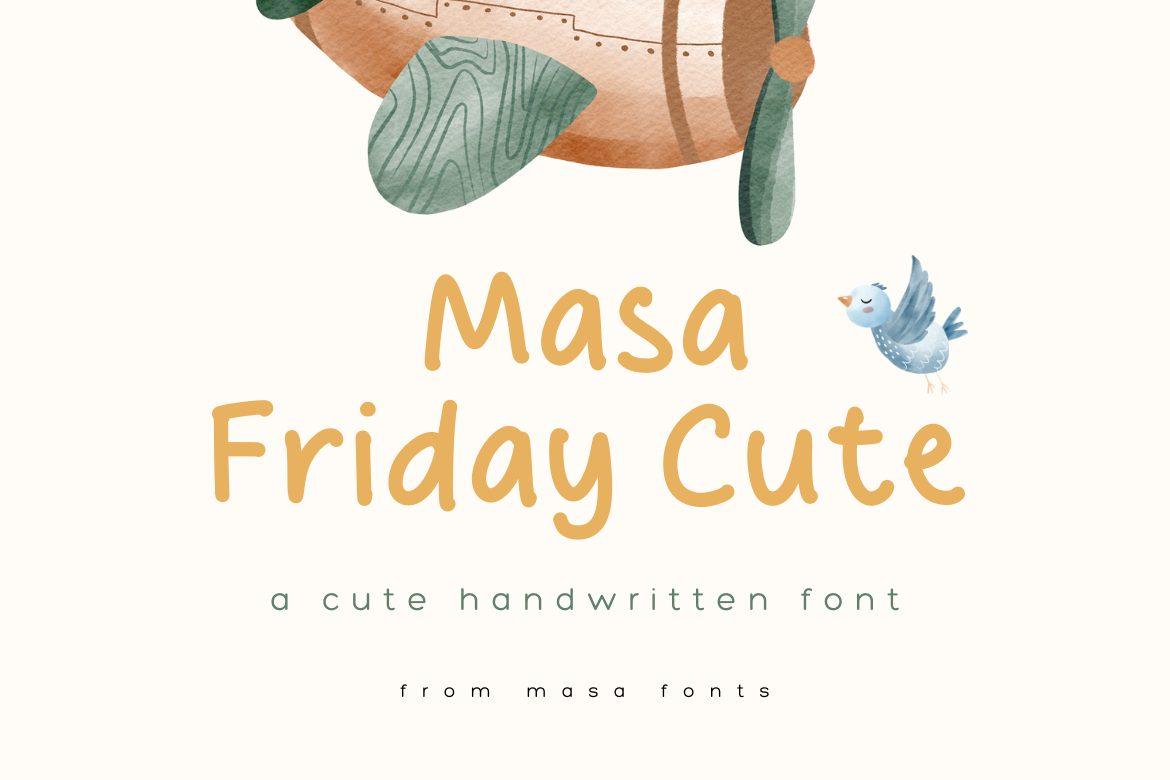
14. Masa Friday Cute Font by Masa Aska Sanurumi
Best For: Nursery printables, baby shower cards, children’s book pages
A soft, rounded handwritten font with relaxed letters and a friendly lowercase. The preview sets it in warm mustard next to a watercolor illustration and calls it a cute handwritten font.
It suits gentle, cozy designs where the text should feel kind rather than loud. Use it for a short title and a few lines of text on a baby shower card or a nursery print.
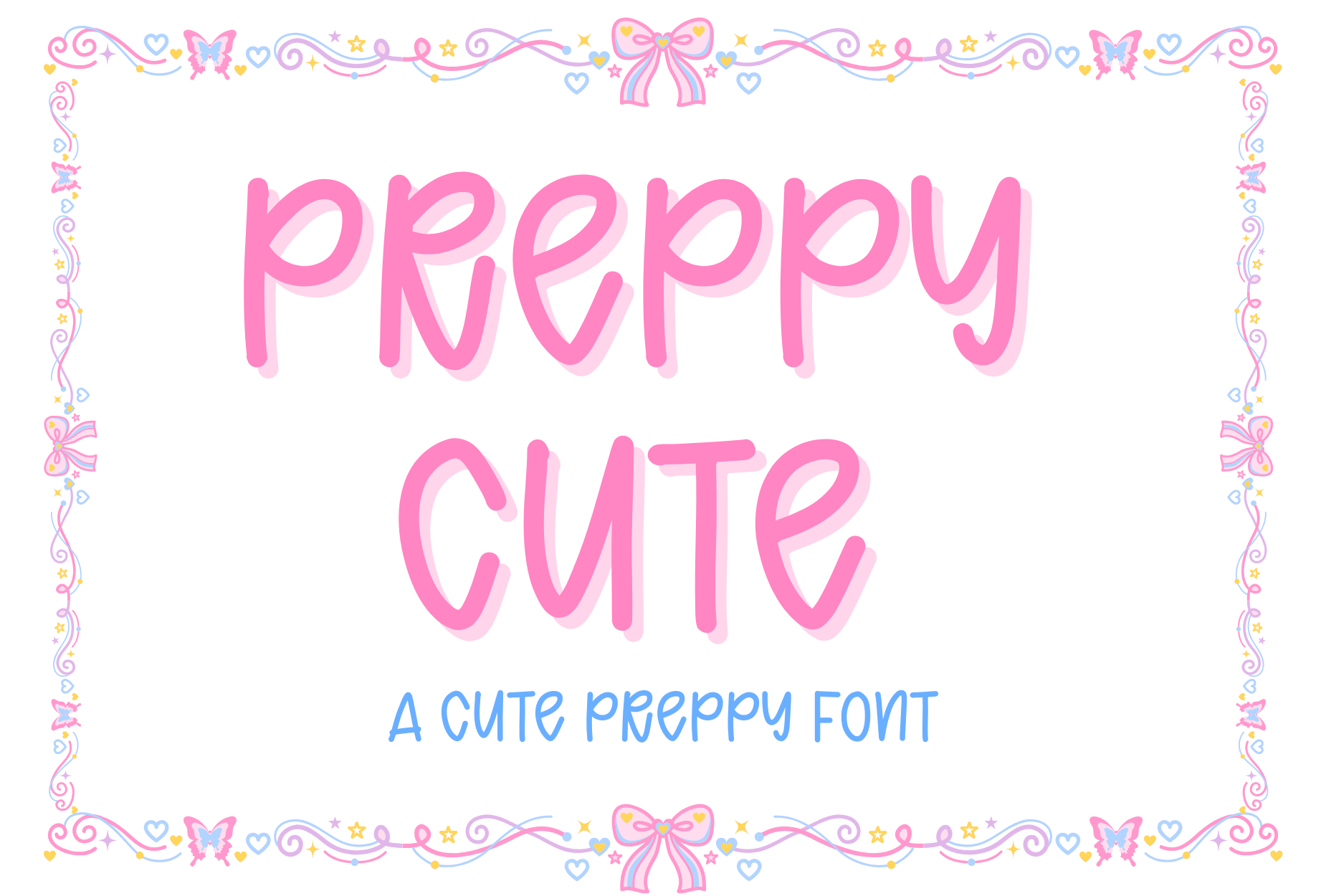
15. Preppy Cute Font by Bassoonartwork
Best For: Preppy-style posters, girls’ party invites, planner covers
A tall, bouncy handwritten print with long stems and a slightly uneven baseline. The preview shows it in pink with a light drop shadow inside a frame of bows and butterflies, as a cute preppy font.
It matches the preppy trend in pink, light blue and glitter. In Canva, add a soft shadow effect and a pastel frame to get close to the preview look.
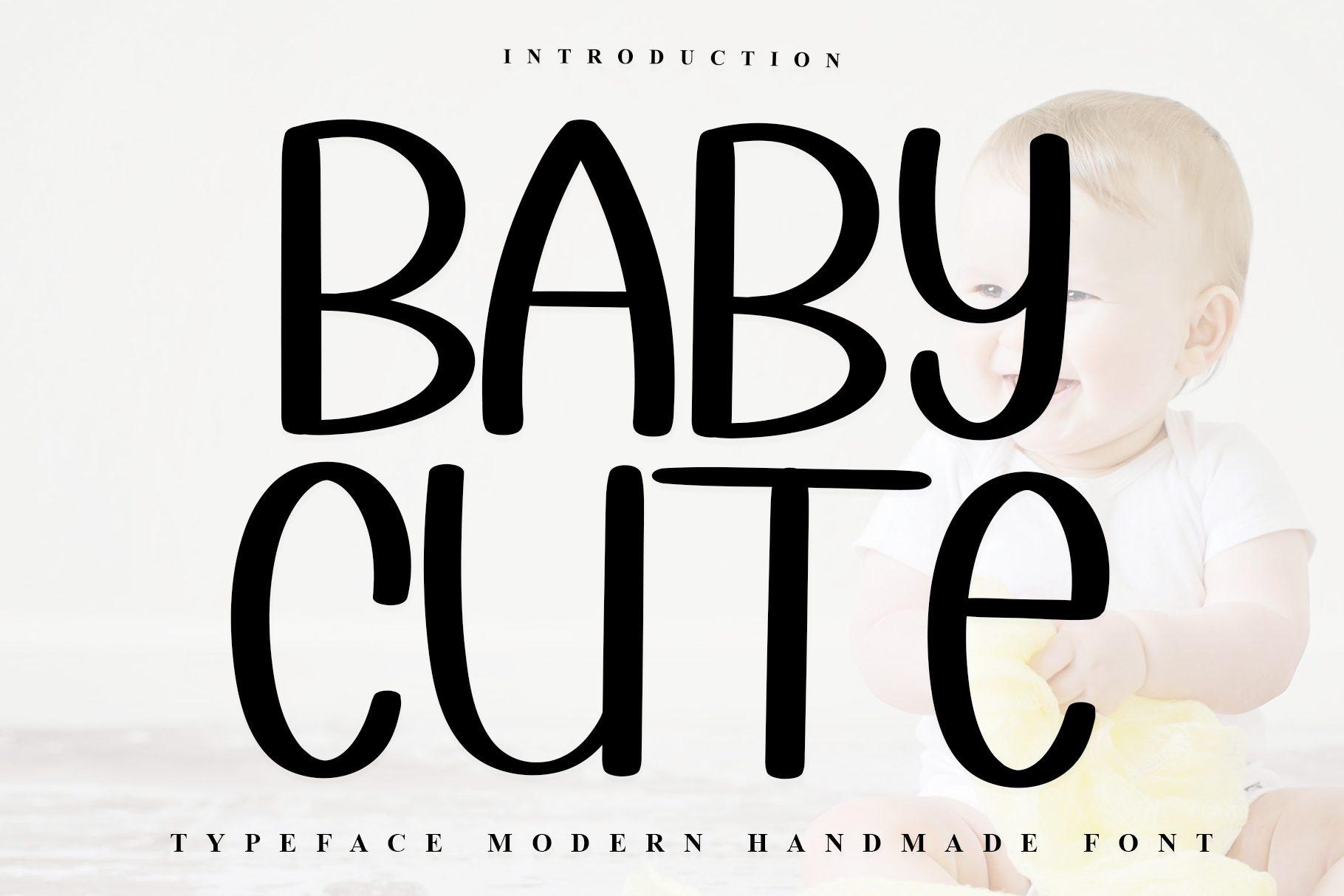
16. Baby Cute Font by Inermedia STUDIO
Best For: Baby announcements, milestone cards, kids’ room signs
Tall, narrow handmade capitals with a single even stroke and slightly rounded ends. The preview names it a modern handmade font, and the letters look clean, almost like a hand-drawn sans.
It is calmer than most cute fonts, so it works for a baby’s name in large letters on a milestone card or a nursery print. Black on white looks modern; pastel colors make it softer.
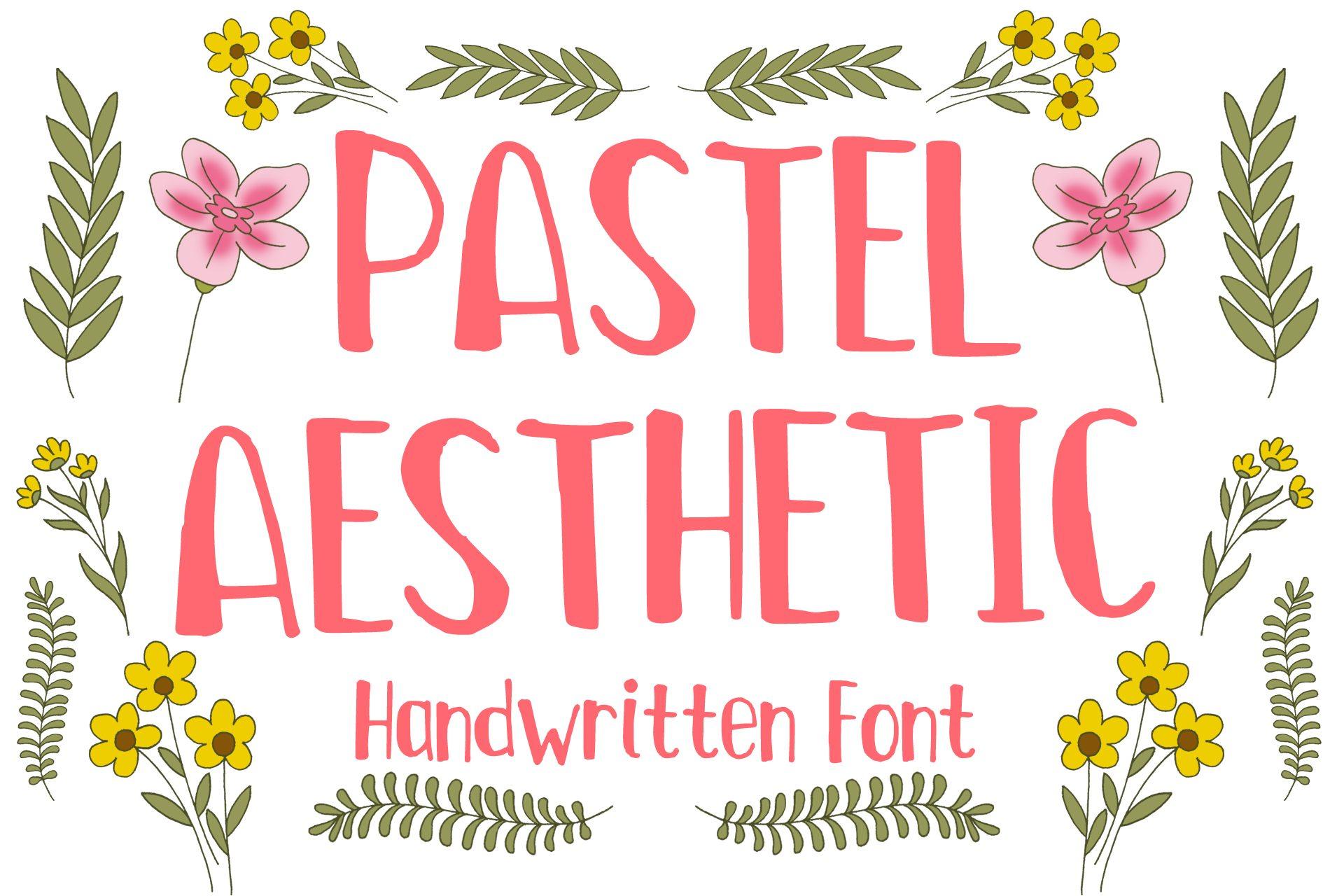
17. Pastel Aesthetic Font by MVMET
Best For: Spring posters, floral planner stickers, bakery signs
A tall, narrow handwritten font with a brush-like texture in the strokes. The preview sets it in coral among yellow and pink flowers and calls it a handwritten font.
Its narrow shape lets you fit longer words in a small space, which is handy on stickers and labels. Use it in a pastel color with floral elements, like the preview, for spring and Easter designs.
Whimsical Canva Fonts
Whimsical fonts add curls, bounce and a storybook feel. This is a growing search on Pinterest, and these four range from curly handwriting to a playful serif.
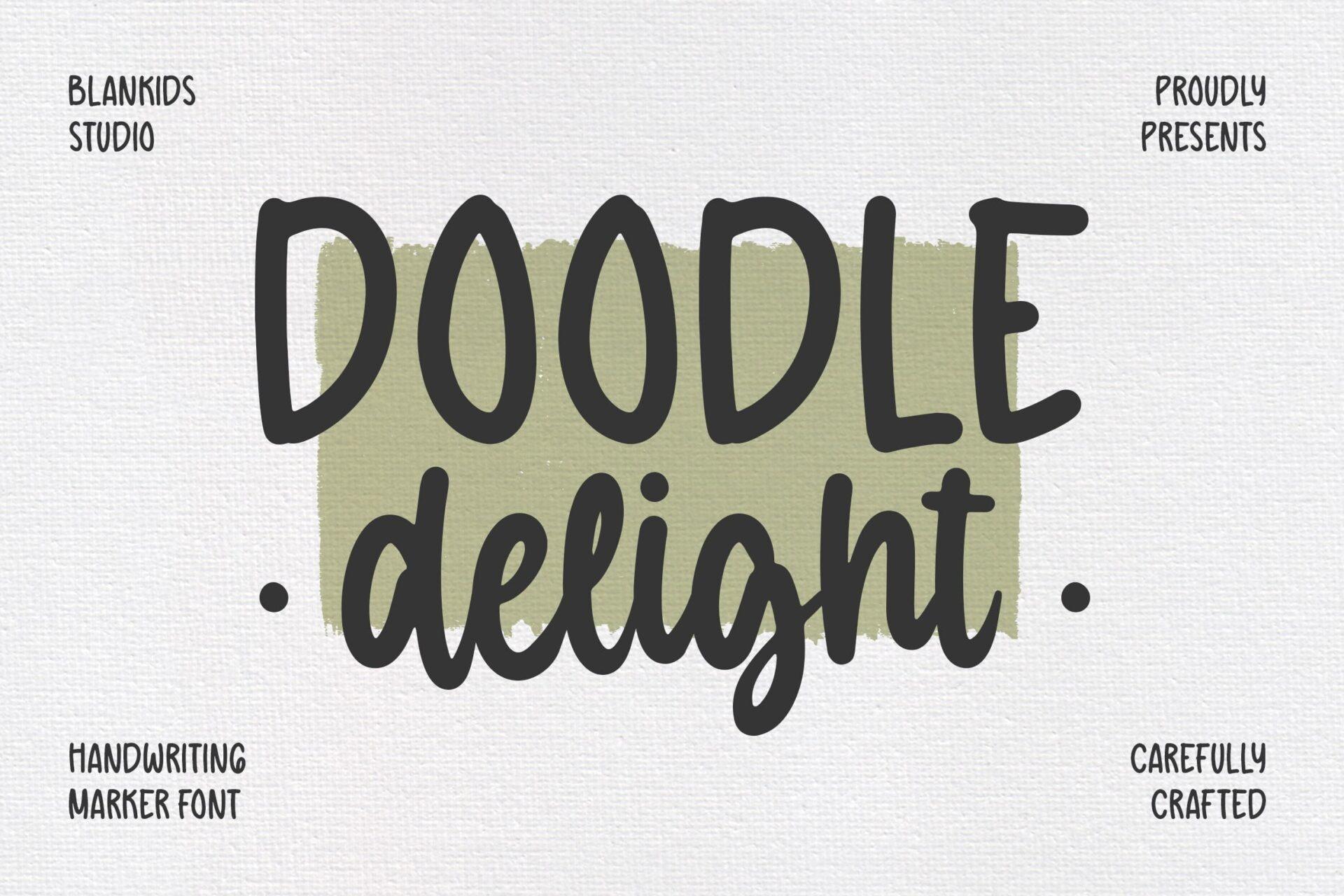
18. Doodle Delight Font by Blankids Studio
Best For: Classroom printables, doodle-style posts, journal pages
A handwriting marker font with bold, slightly wobbly capitals and a casual lowercase. The preview shows it on a textured paper background with an olive marker stroke behind the words.
It pairs naturally with hand-drawn doodles and icons. Use the capitals for a title and the lowercase for short notes in a planner or a teaching resource.
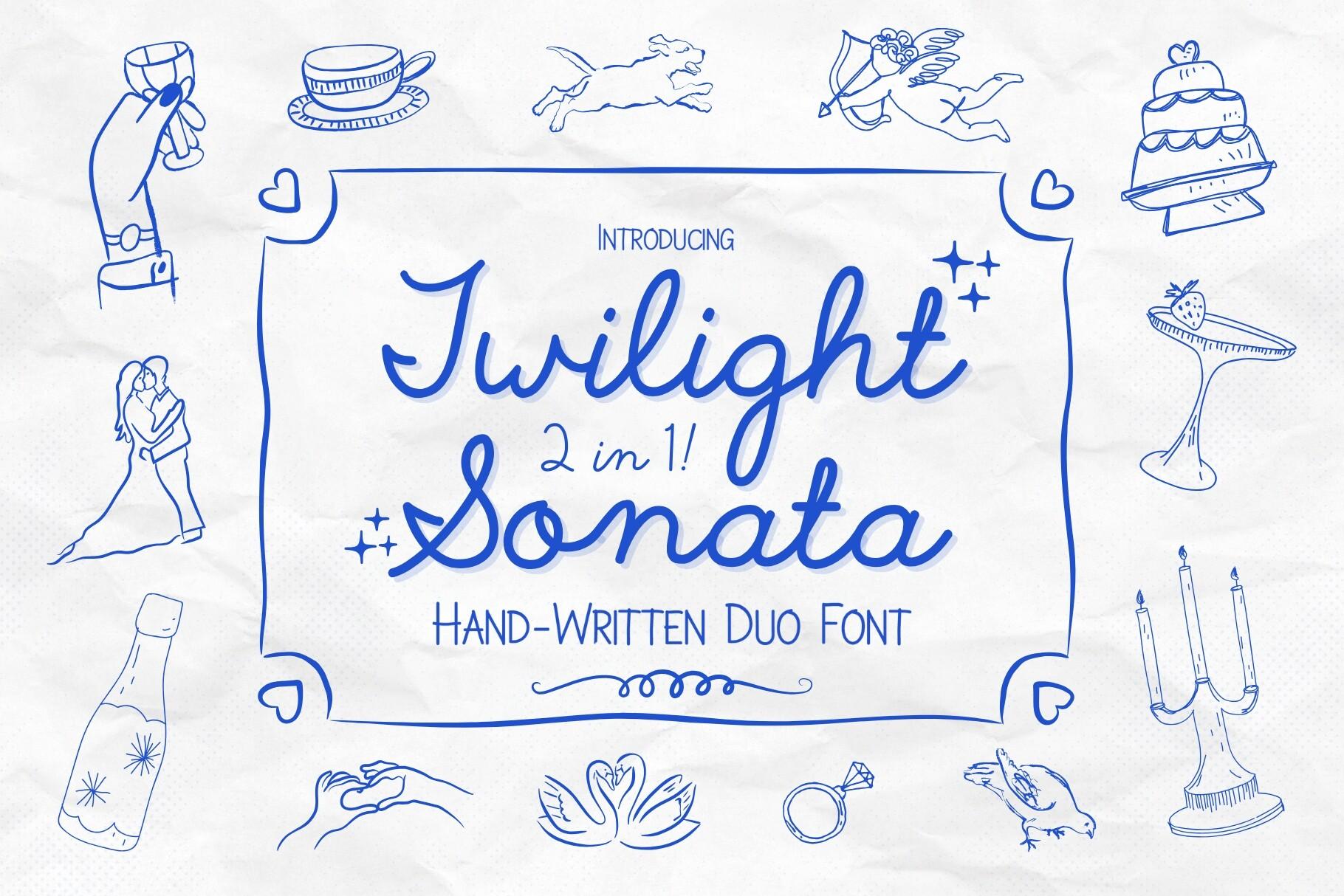
19. Twilight Sonata Font by HipFonts
Best For: Wedding welcome signs, romantic menus, love-themed posts
A hand-written duo font, 2 in 1, as the preview says: a light monoline script and a handwritten print in capitals. The blue line drawings around it, a cake, a ring, swans, set a romantic, sketchbook mood.
The two styles are made to work together, so the script can carry names and the print can carry the details. In Canva, a single ink color like the blue in the preview keeps the pair looking hand-drawn.
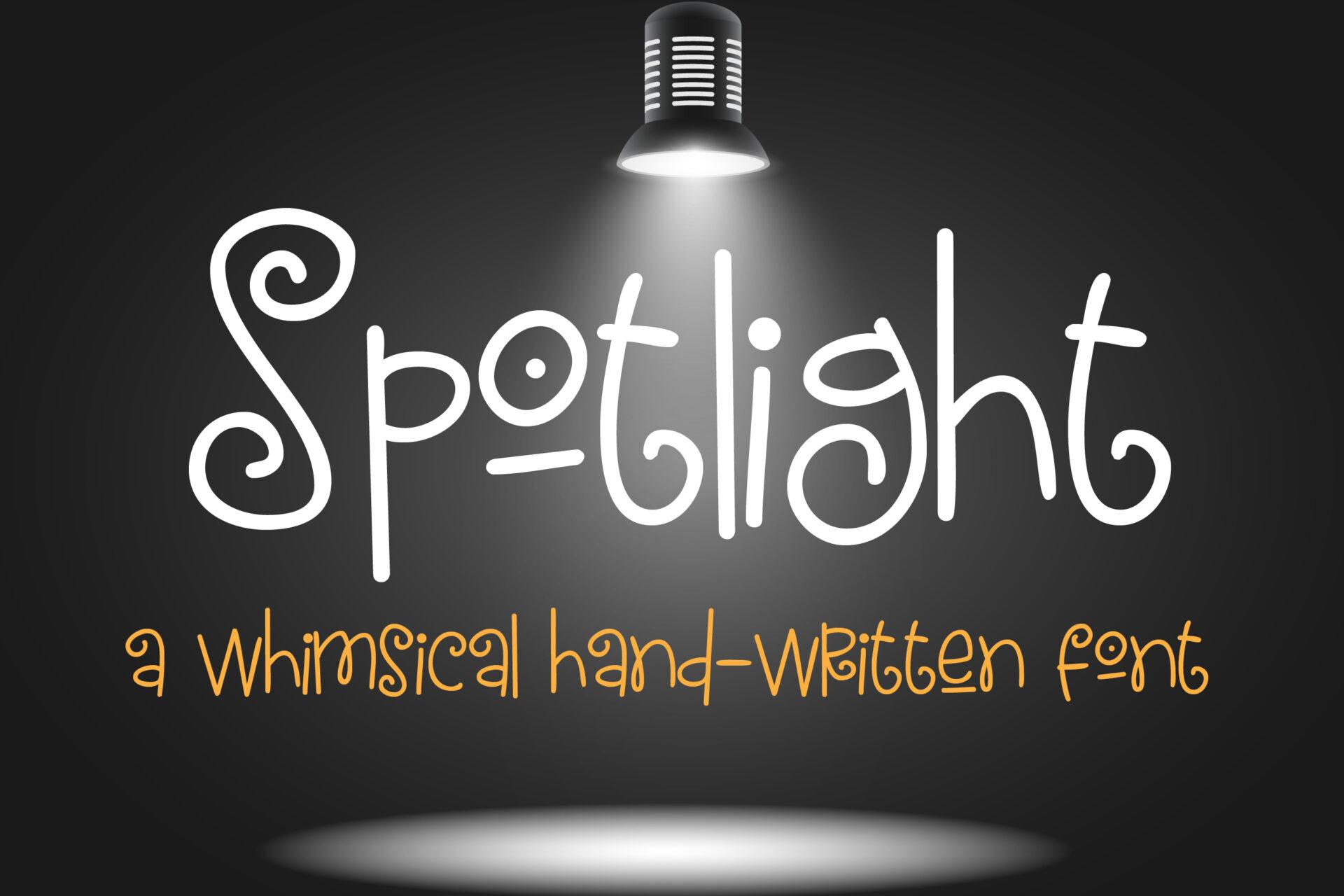
20. Spotlight Font by Illustration Ink
Best For: Talent show flyers, kids’ party signs, playful logos
A whimsical hand-written font, as the preview calls it, with curly spirals at the ends of letters: the S starts with a loop and the t and h finish in small curls. The strokes are thin and even.
The curls are the whole charm, so use it big for a title or a name. On a dark background, as in the preview, white or light yellow makes the spirals stand out.
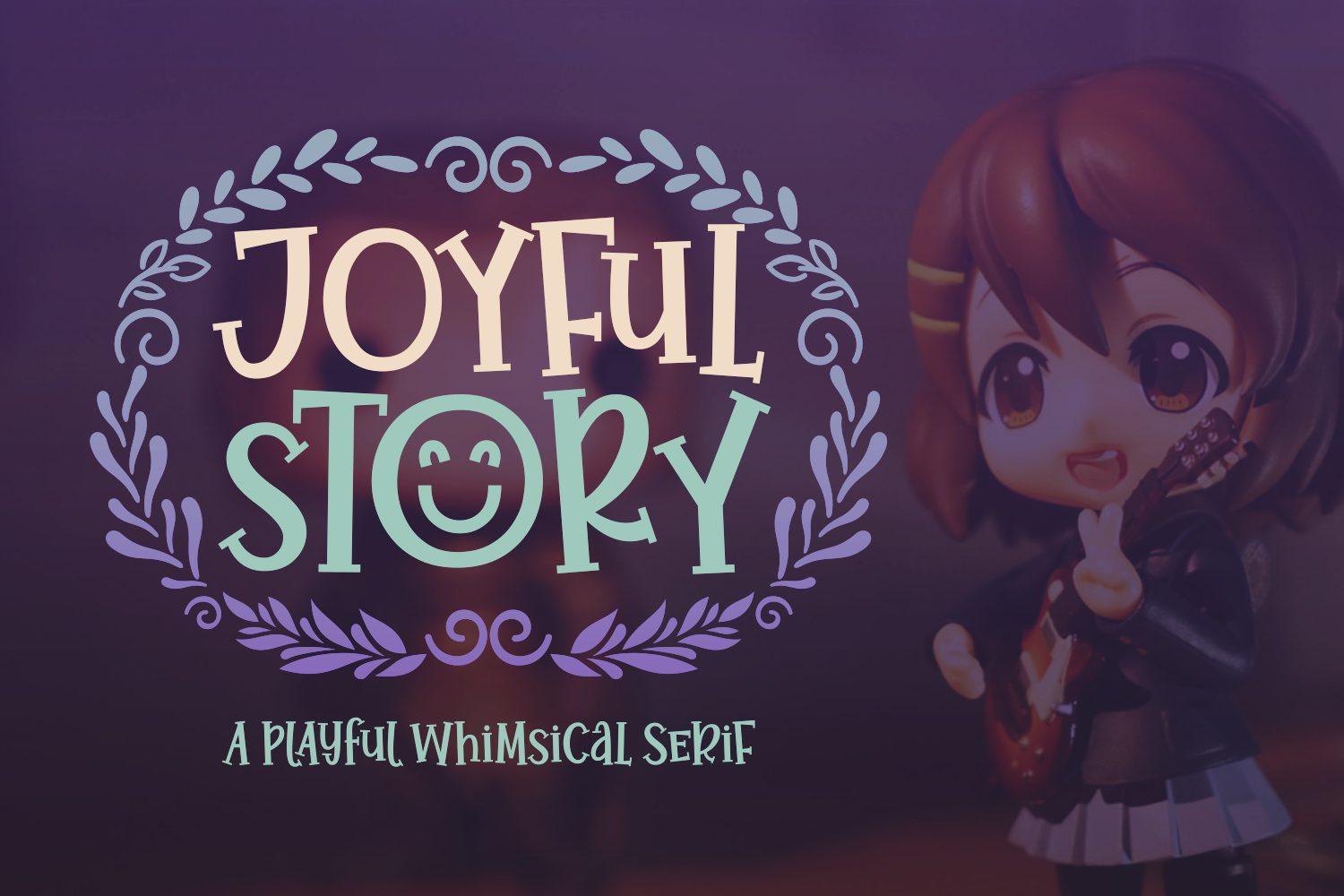
21. Joyful Story Font by Situjuh
Best For: Children’s book covers, storytime posters, game titles
A playful whimsical serif, according to the preview, with bouncy capitals that sit at slightly different heights. The serifs are soft and round, and the preview frames the title with a leafy wreath.
It gives a book or a game title a cheerful, fairy-tale feeling. Keep the text short and in capitals, and add a simple wreath or frame in Canva to echo the preview.
Retro and Groovy Fonts for Canva
Seventies curves and art deco lines are back in shop graphics and merch. Three of these are groovy, the fourth is a slim art deco hand.
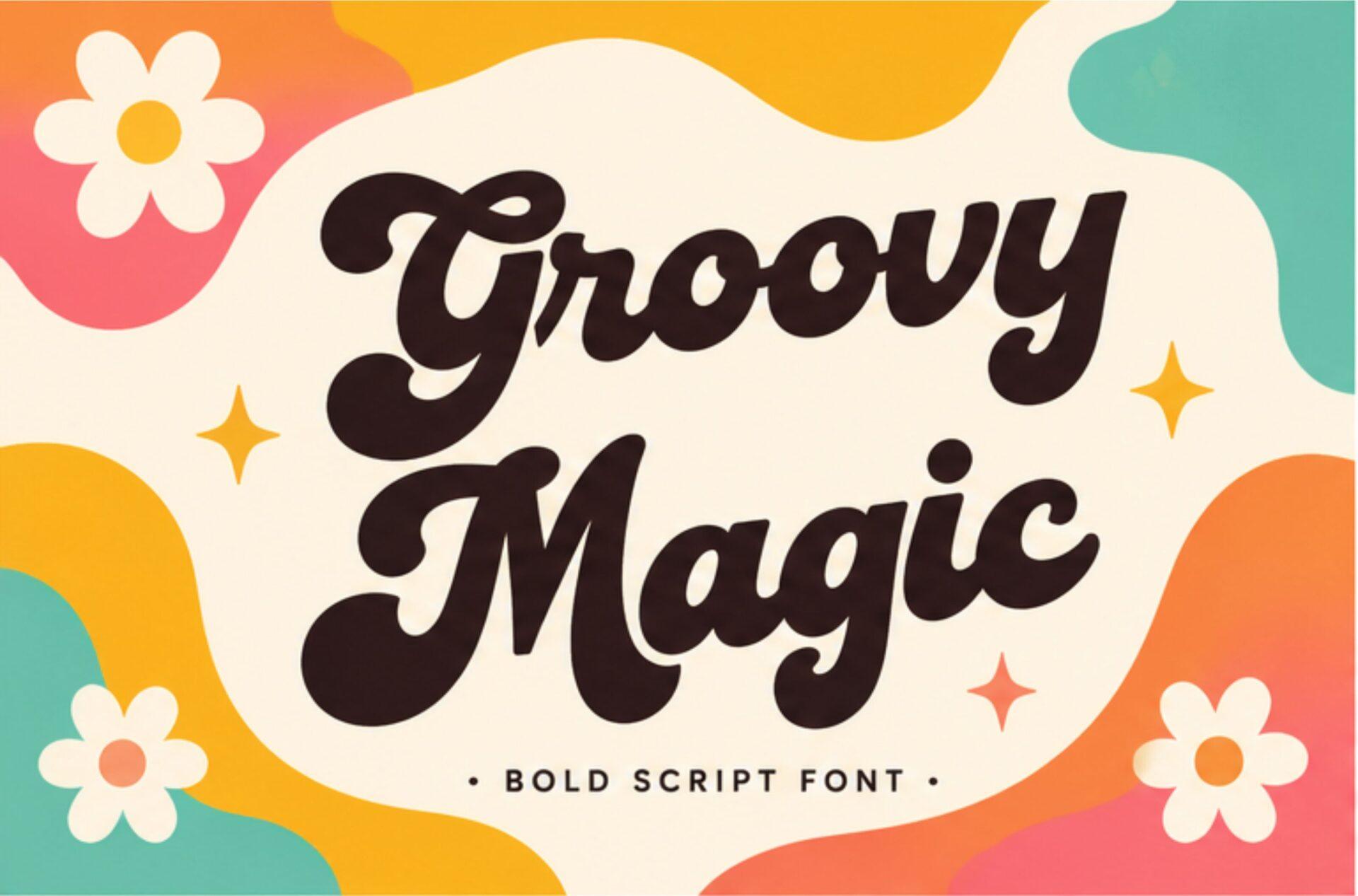
22. Groovy Magic Font by Kernova Fonts
Best For: Retro T-shirts, cafe signs, vintage-style posts
A bold script font, as the preview says, with heavy round strokes and a strong seventies feel. The letters connect smoothly and the capitals G and M are large and curvy.
It works on merch and signs where the word should feel warm and fun. Brown, mustard and orange like in the preview give the classic groovy palette.
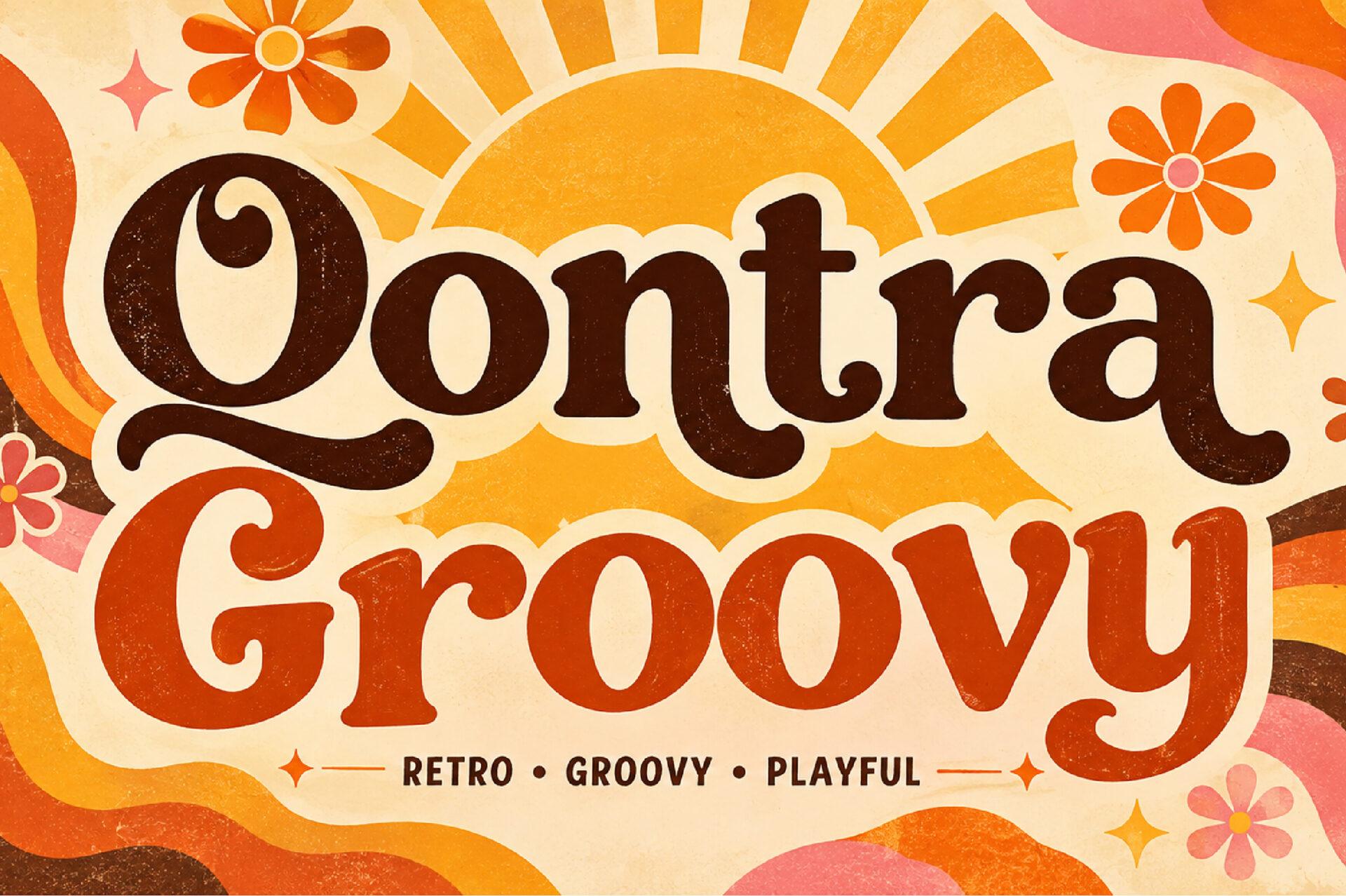
23. Qontra Groovy Font by DREAM
Best For: Record covers, coffee packaging, retro event posters
A soft, chunky retro serif with a big curly Q and round, bouncy letters. The preview tags it retro, groovy and playful and sets it in rust and brown over a sunburst.
It is heavier than a typical serif, so it holds a headline well. Combine it with Coffee Aesthetic Font for smaller text when you design a menu or a label.
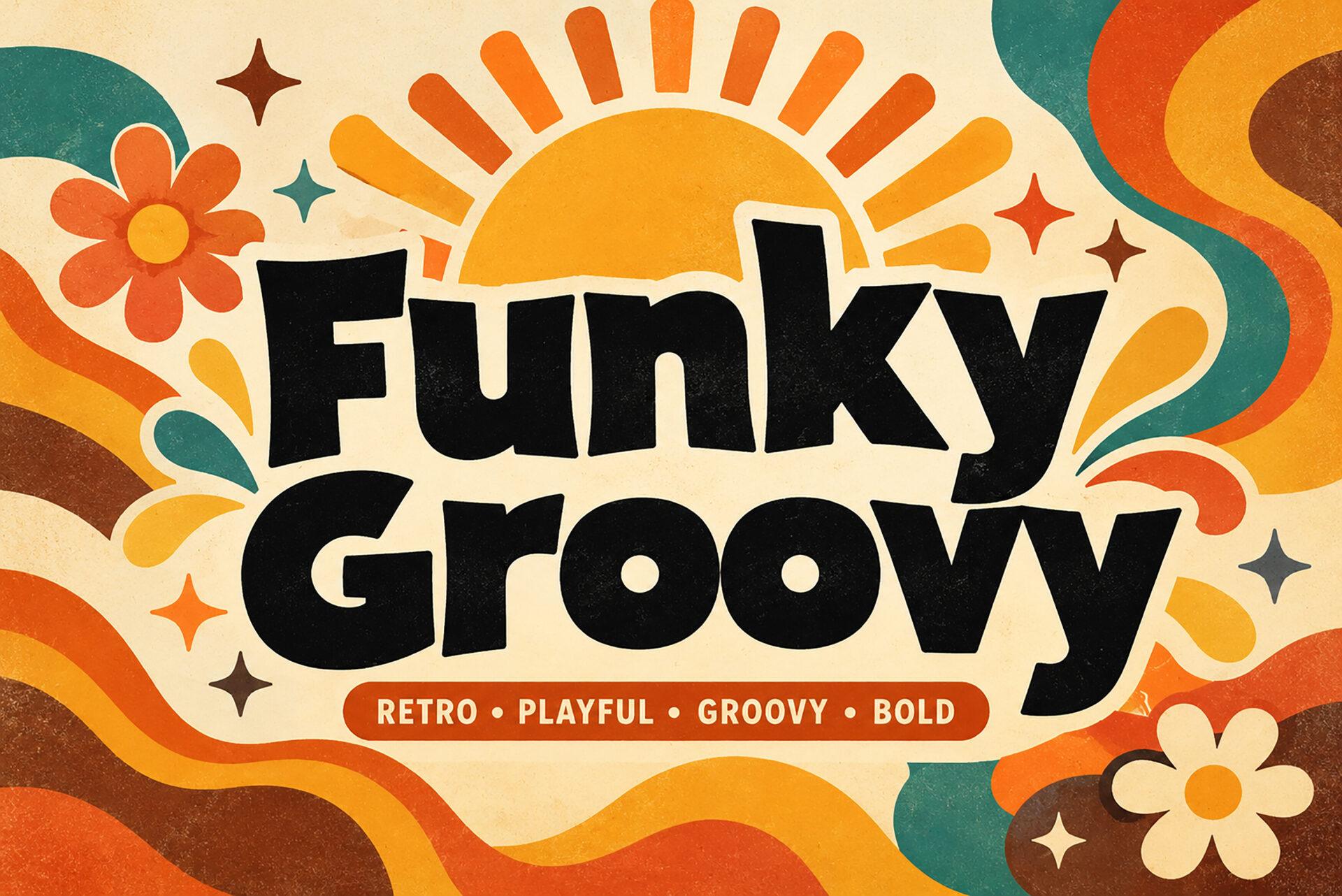
24. Funky Groovy Font by Wow Magic
Best For: Bold merch prints, sale posters, kids’ event flyers
A heavy, playful sans with lively, uneven letter shapes. The preview tags it retro, playful, groovy and bold, and sets it in black over a colorful seventies background.
Black on a bright background is the strongest use, as the preview shows. It is a good choice for a big sale or event word that should be readable from far away.
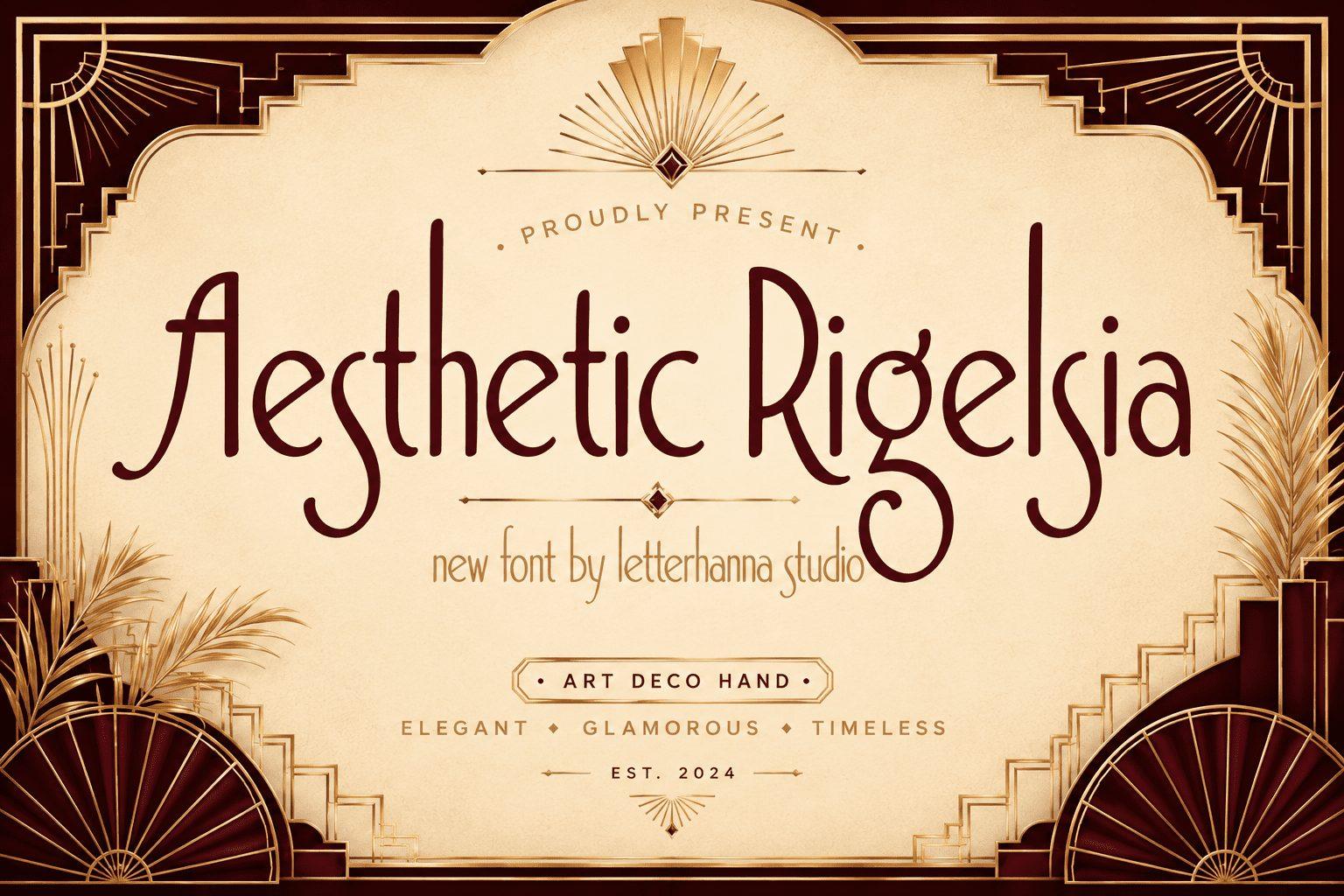
25. Aesthetic Rigelsia Font by letterhanna
Best For: Gatsby party invites, cocktail menus, vintage boutique logos
A slim art deco hand font with tall letters, high crossbars and long, elegant strokes. The preview calls it art deco hand and lists the mood as elegant, glamorous and timeless.
It brings a twenties feel without heavy ornament. Use it for a title in gold, cream or deep red, and add a simple deco frame in Canva, like the one in the preview.
Y2K Canva Fonts
Y2K means the look of the late 90s and early 2000s: bubbly letters, pixels and futuristic shapes. These four cover each of those directions.
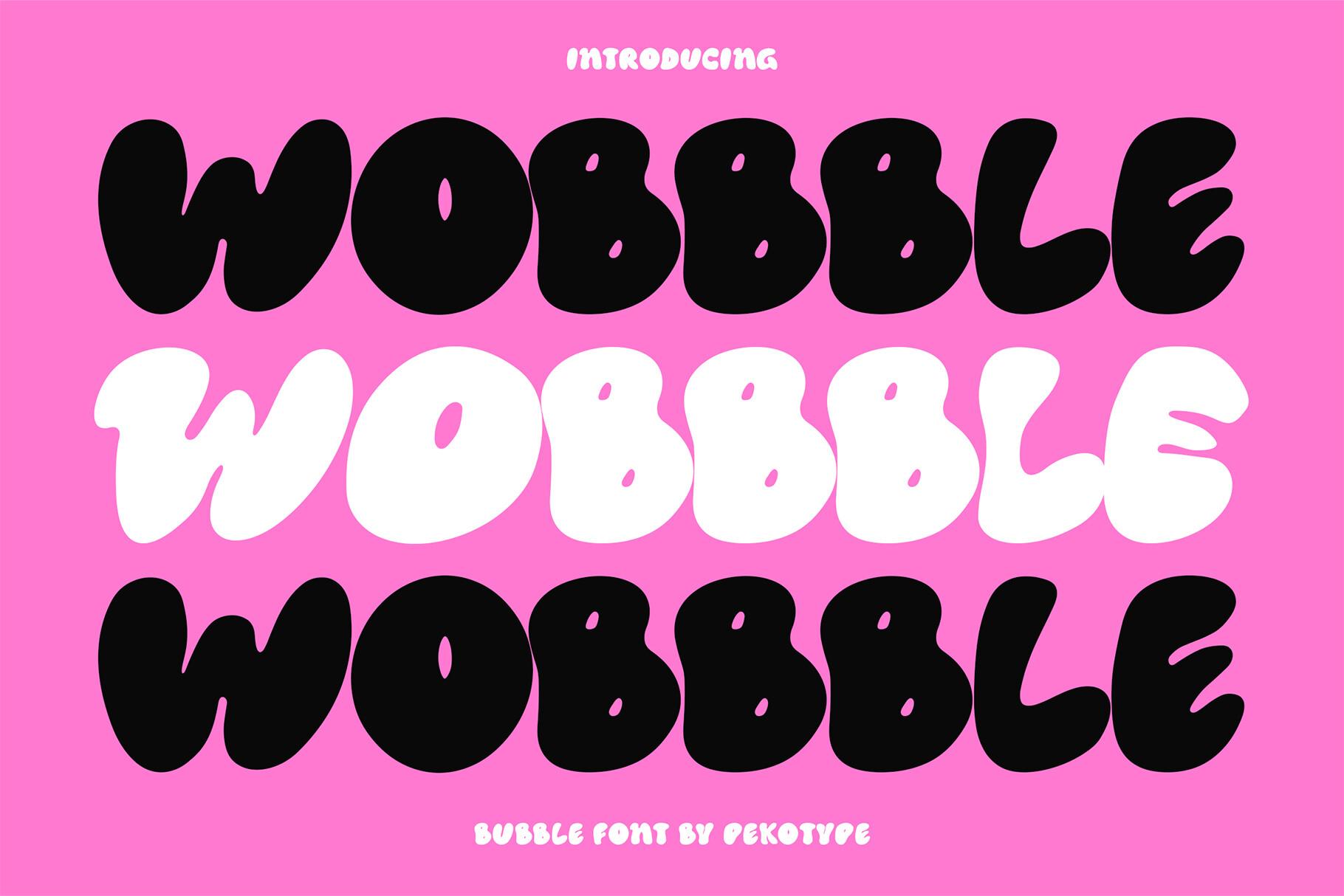
26. Wobbble Font by pekotype
Best For: Y2K posters, playlist covers, bold sticker designs
A puffy bubble font with very round, inflated letters that touch each other. The preview shows it in black and white on hot pink and calls it a bubble font.
It is pure display: one or two words, very large. Try it on a pink or chrome-style background for a strong Y2K post or a playlist cover.
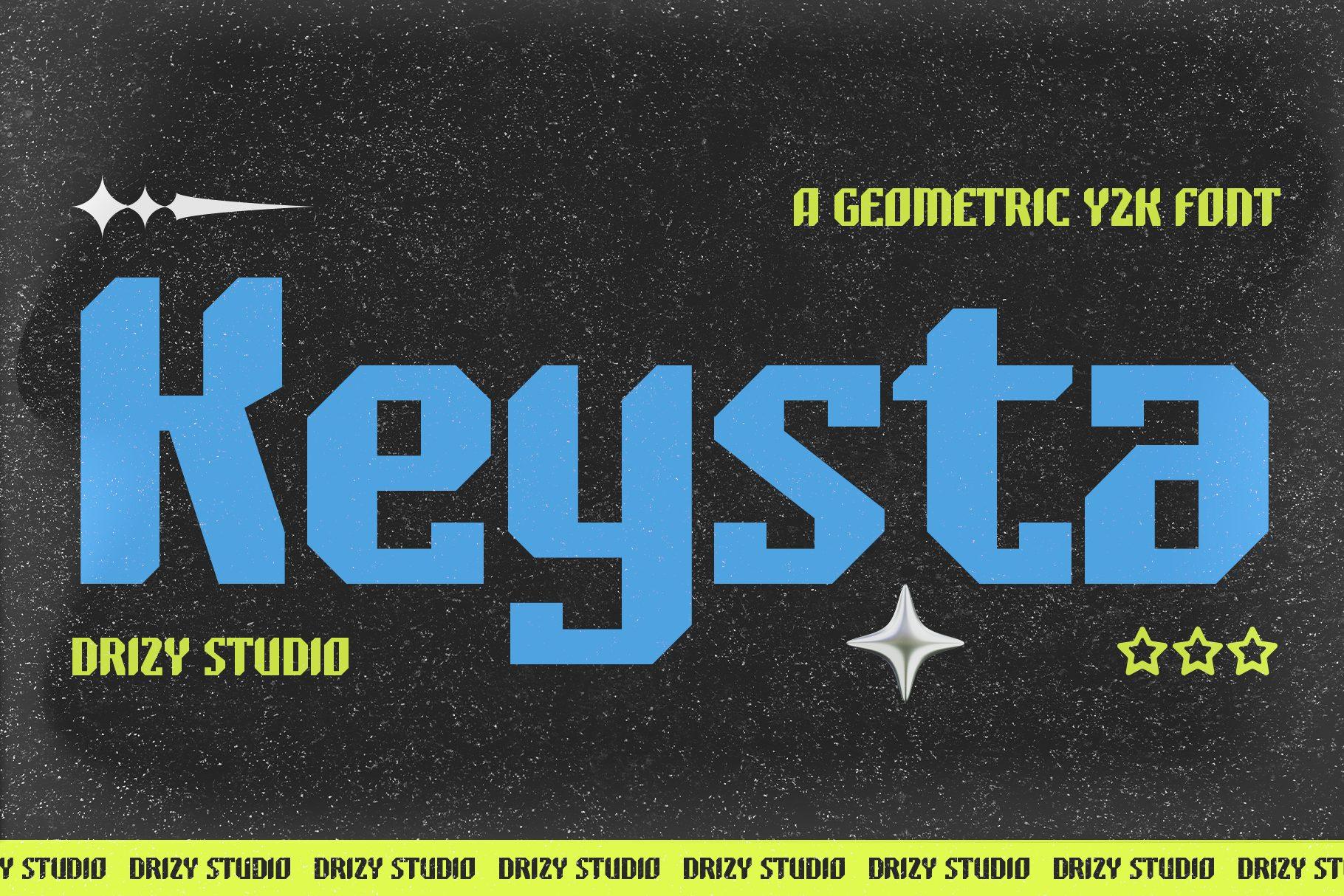
27. Keysta Font by Drizy Studio
Best For: Gaming graphics, streetwear posts, tech-style banners
A geometric Y2K font, as the preview says, with heavy letters, cut corners and sharp angles. The blue title on a dark speckled background gives it a futuristic look.
Its blocky shapes stay readable at small sizes, so it works for a stream banner or a short brand name. Neon colors on a dark background suit it best.
28. Pikabu Font by pekotype
Best For: Y2K social posts, playful logos, digital stickers
A wide, rounded geometric display font with Y2K vibes, as the preview puts it. The preview places it in an old computer window over a sky background, a typical early-2000s image.
Use the retro window idea in Canva: a simple frame with a title bar, the word in Pikabu Font and a lilac or pink accent. It is wide, so keep it to short words.

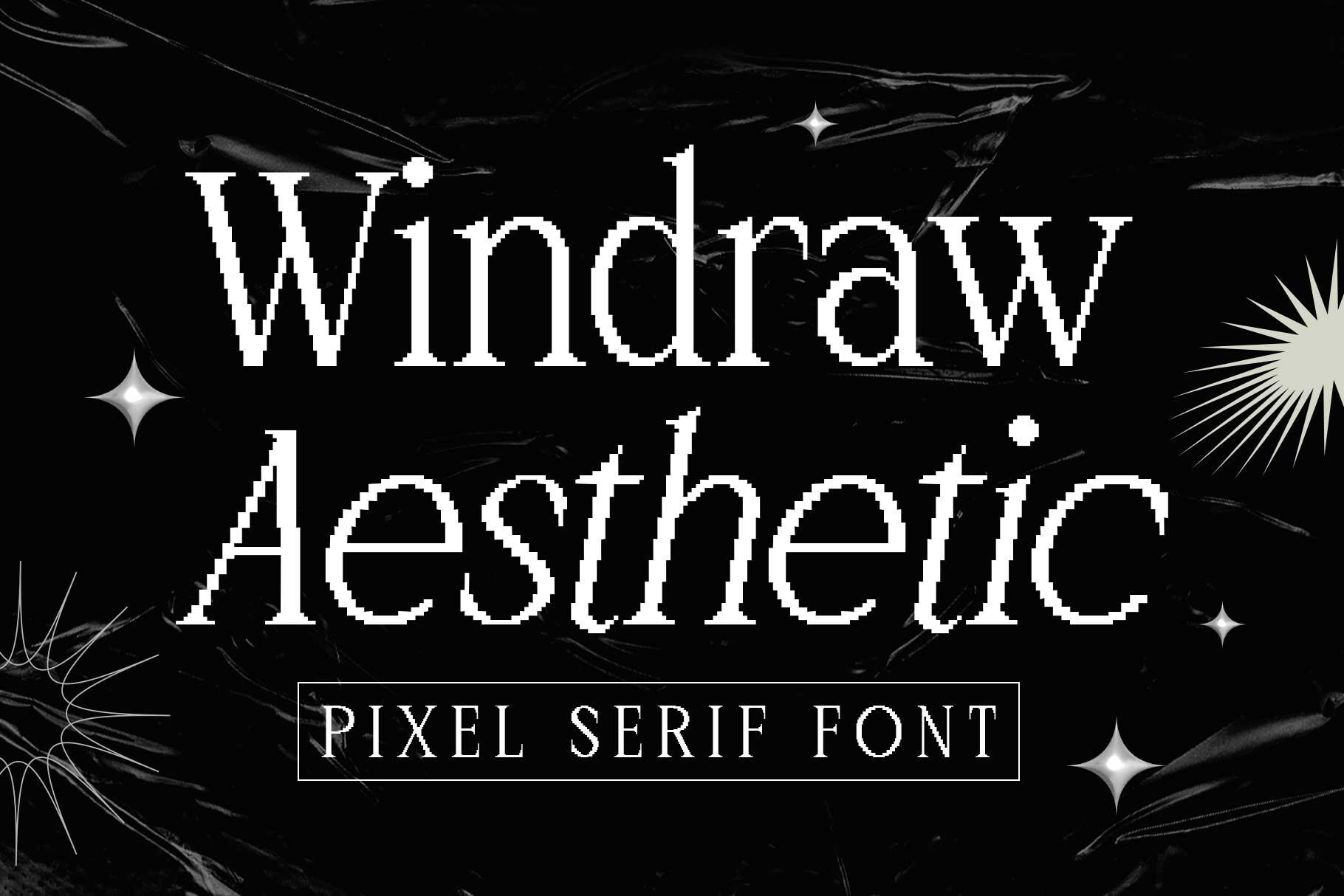
29. Windraw Aesthetic Font by Arterfak Project
Best For: Edgy Y2K posts, music covers, digital art captions
A pixel serif font: the shapes of a classic serif built from small square pixels. The preview shows an upright and an italic version in white on black with sparkle stars.
It mixes old screen graphics with an editorial serif, which makes it unusual for a quote or a cover. Use it large enough that the pixel steps are visible, and keep the background simple.
Canva Gothic Fonts
Gothic and blackletter fonts in Canva are popular for band merch, Halloween posts and edgy brand names. These four range from vintage to dark fantasy.
More gothic styles:
30 Gothic Fonts
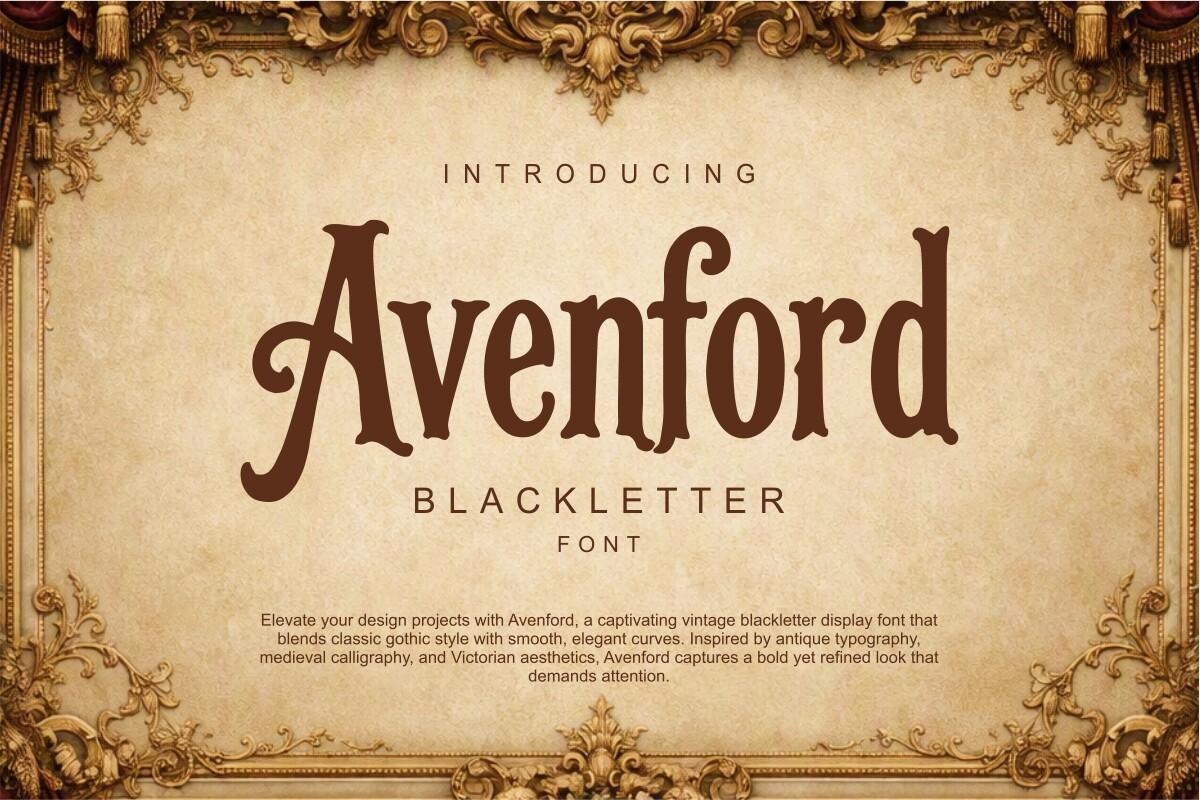
30. Avenford Font by Eko Kurniawan
Best For: Vintage labels, brewery and barber logos, antique-style posters
A vintage blackletter in warm brown, with smooth curves mixed into the gothic shapes. The text on the preview describes it as a blend of classic gothic style and elegant curves, inspired by antique typography and Victorian aesthetics.
It is softer than classic Old English, so it works for a friendly vintage brand. Use it for the brand name and pair it with a simple serif for the rest of the label.
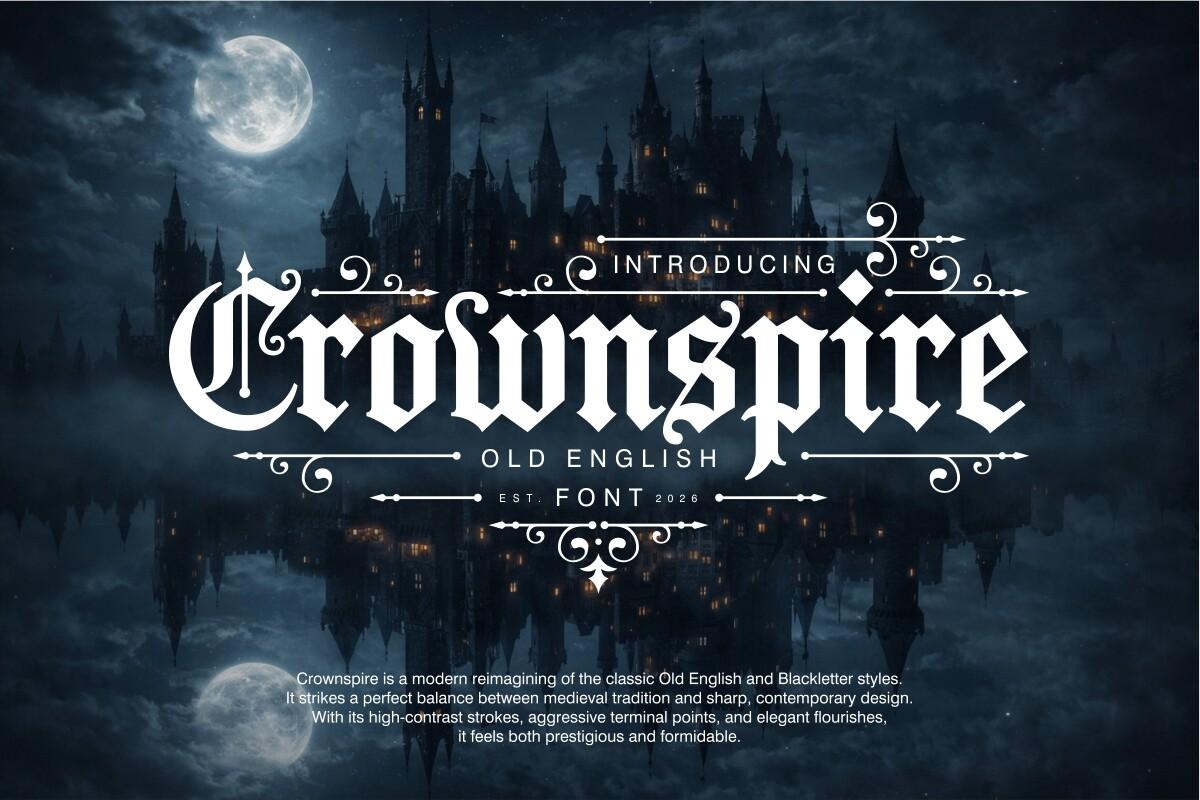
31. Crownspire Font by Eko Kurniawan
Best For: Band merch, dark fantasy covers, gothic event posters
An Old English font with high contrast, sharp terminals and decorative flourishes. The preview text calls it a modern take on classic Old English and blackletter styles.
The flourishes need space, so give it a dark background and a big size, like the moonlit castle in the preview. For a shirt print, set one word large and keep the rest minimal.
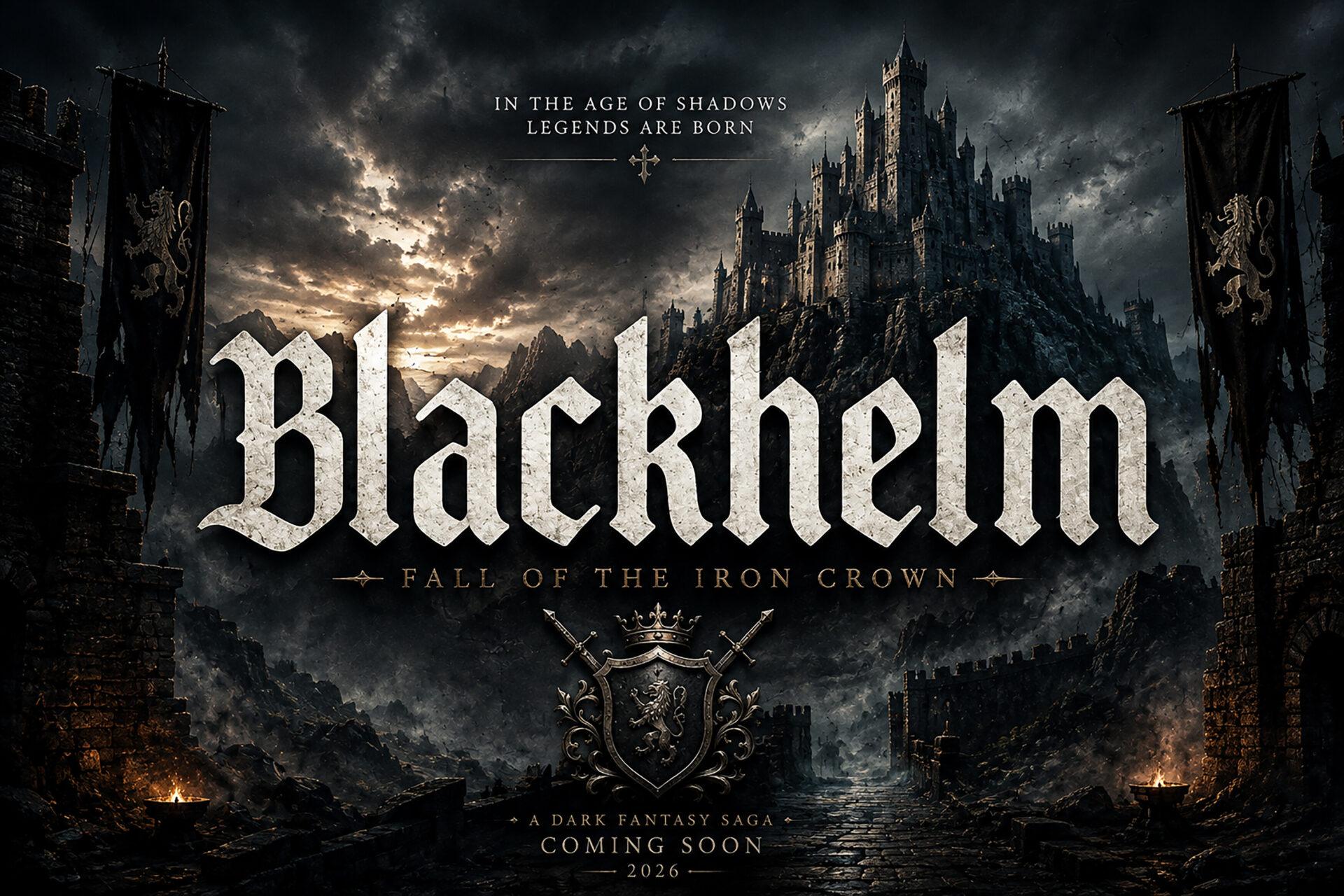
32. Blackhelm Font by BILLI
Best For: Metal band graphics, game titles, dark fantasy posts
A heavy, condensed blackletter with tall, dense letters and pointed details. The preview shows it with a stone texture as the title of a dark fantasy saga, with a castle and a crest behind it.
The stone look in the preview is a texture added to the image, not part of the letters, so plan your own effect in Canva. The dense shape makes a strong logo for a game or a band.
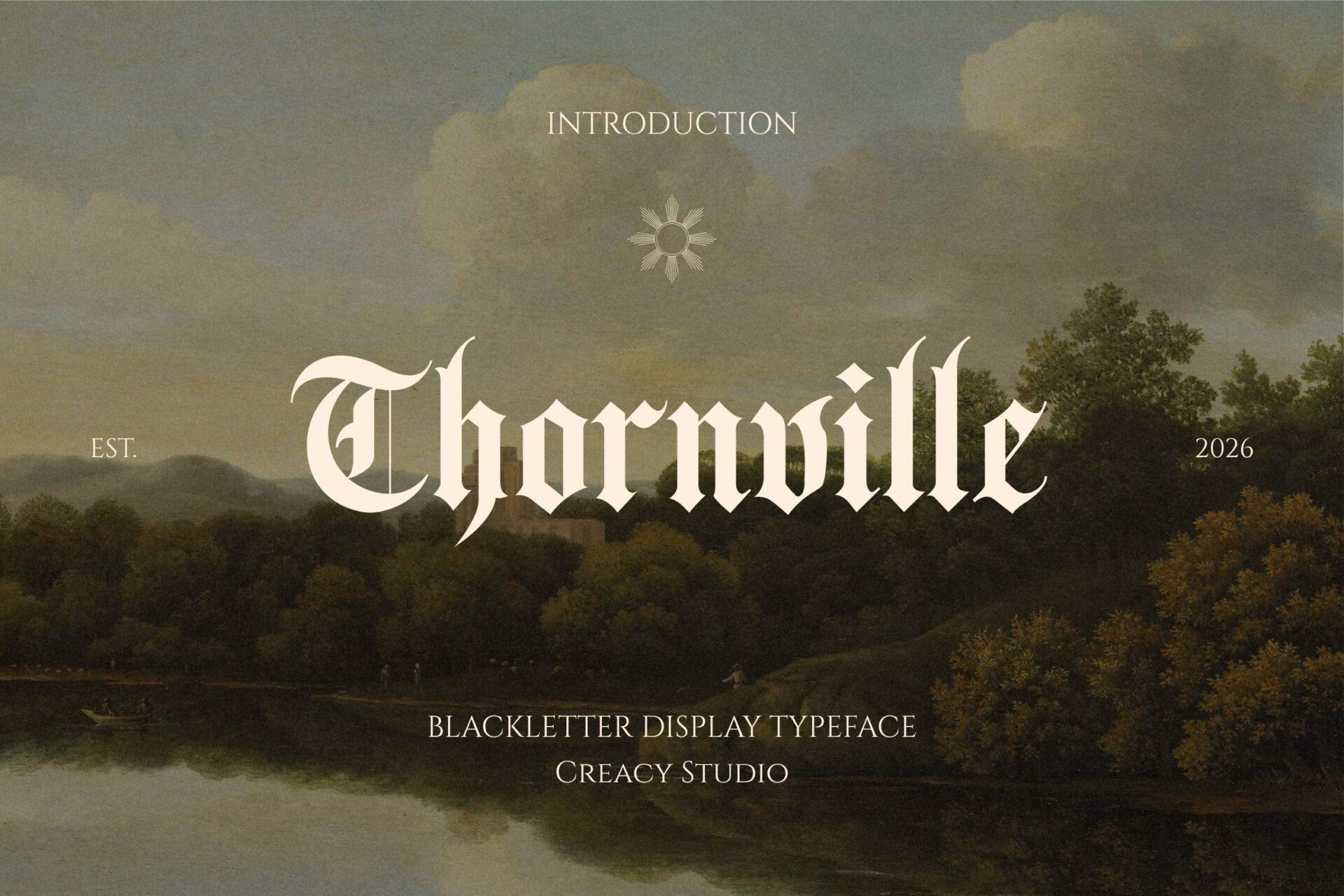
33. Thornville Font by Creacy Studio
Best For: Gothic brand names, book titles, autumn and Halloween posts
A blackletter display typeface, as the preview says, with sharp, compact letters and a few decorative strokes on the capital T. It is set in cream over a landscape painting.
Light blackletter on a painted or photo background, like the preview, feels more artistic than dark. It is a good choice for a gothic book title or a moody seasonal post.
How to Upload a Font to Canva
Canva’s help center describes the upload in a few steps. Custom fonts live in your Brand Kit, and once uploaded they work like any font from the Canva library.
- Download the font from Creative Fabrica and unzip the folder. Canva does not accept ZIP files, so you need the font file itself.
- In Canva, go to Fonts and select Add to category.
- Select Upload a font (or Choose files) and pick the .otf or .ttf file.
- Confirm and wait for the upload to finish. The font then appears under Uploaded fonts in the font list.
Who can upload. Font upload is available on Canva Pro, Canva Teams, Canva Business, Canva Education and Canva for Nonprofits. On a team account, only Brand Kit admins and owners can upload fonts.
Formats. Canva supports OTF, TTF and WOFF. It does not support ZIP, EOT, SVG or WOFF2 files. Each file must be under 15 MB, and one Brand Kit holds up to 500 uploaded fonts.
Bold, italic and other styles. If a font family has bold or italic versions, upload each file separately, including the regular one, so Canva can group them. Condensed styles are always uploaded separately, and variable fonts are not supported.
Why a Font Won’t Upload to Canva
According to Canva, an upload usually fails for one of a few reasons: the file is in an unsupported format, the font is not licensed for embedding, the file is corrupted, or the font is not fully compatible with Canva. Canva also notes that a font sometimes uploads but shows errors in a design. In that case, download a fresh copy and try again, or choose a different font.
If uploaded styles do not group into one family, the cause is often the font’s internal names, which Canva says is common with fonts from niche sources. Uploading the regular, bold and italic files together helps them group correctly.
Using These Fonts in Canva: License Notes
Creative Fabrica says its fonts come in OTF and TTF formats and work with Canva, and its own blog shows how to upload them. Canva asks you to upload only fonts you are licensed to use.
Read the Creative Fabrica license before sharing or selling anything built with these fonts. The subscription license covers one user on up to three devices, does not allow passing font files to other people, and lists installing or embedding on third-party platforms among the things that are not allowed. Keep this in mind if your Brand Kit is shared with a team, and check the rules for digital products before selling editable Canva templates that use a Creative Fabrica font.
Canva Font Combinations from This List
Canva font combinations are usually one display font with character and one simple font for everything else. A few pairs built from this list:
- Belgan Aesthetic Font + Minimalist Aesthetic Font: a high-contrast serif title over a light sans for beauty and wedding posts.
- Aesthetic Shine Font + Marquis Font: a signature name with a tall serif brand line, for photography and fashion.
- Qontra Groovy Font + Coffee Aesthetic Font: a chunky retro headline with handwritten details for menus and labels.
- Wobbble Font + Masa Friday Cute Font: puffy Y2K letters for the title and soft handwriting for the text.
- Crownspire Font + Reaste Elegant Font: an Old English logo with a slim sans for gothic brands and merch.
- Keysta Font + Windraw Aesthetic Font: blocky Y2K headlines with a pixel serif for captions.
Keep the display font for two to five words and let the second font carry anything longer.
FAQ
Can I upload fonts to Canva for free?
No. Canva lists font upload as a feature of Canva Pro, Canva Teams, Canva Business, Canva Education and Canva for Nonprofits. On the free plan you can only use the fonts already in Canva’s library.
Are these Canva’s built-in fonts?
No. All 33 fonts in this list are on Creative Fabrica. You download them, then upload the font file to Canva yourself.
Should I upload the OTF or the TTF file?
Canva supports both, along with WOFF. Choose one version of each font to avoid duplicates in your font list.
Why can’t I find a font I uploaded?
Uploaded fonts appear under Uploaded fonts in the font list. On a team account, check that you are in the right Brand Kit, and remember that only admins and owners can upload.
Can I sell Canva templates made with these fonts?
Check the Creative Fabrica license first. It does not allow passing font files to others, and it has separate rules for digital products, so read it before you sell editable templates.
Where to Start
For everyday posts and planners, start with one clean sans and one script: Minimalist Aesthetic Font with Aesthetic Shine Font or Coffee Aesthetic Font covers most layouts. Add one display font that matches your niche, such as Belgan Aesthetic Font for beauty, Qontra Groovy Font for retro, Wobbble Font for Y2K or Crownspire Font for gothic, and upload it next to the pair. Three fonts in a Brand Kit are enough to give your Canva designs a look of their own.