Best Canva Fonts: 22 Script, Serif, Cute and Vintage Display Styles to Upload for Creators, Teachers and Small Shops
Canva’s built-in font menu is huge, but after a while every flyer, story and planner page starts to look like everyone else’s. The quickest fix is to upload a few fonts of your own and build a small, reliable set you reach for again and again. This list gathers 22 of the best fonts for that job, sorted by style so you can pick one script, one serif, one cute hand and one display face and cover almost any design.
This post contains affiliate links. If you buy through them, I may earn a small commission at no extra cost to you.
All fonts in this list are on Creative Fabrica, and a single All Access subscription unlocks every one of them, so you can try several styles before committing to one. Canva Pro, Teams and Edu accounts can upload OTF and TTF files under Brand > Fonts.
More Canva font collections:
Canva Banner Fonts: 19 Bunting, Ribbon, Bold Block and Retro Styles
Free Canva Fonts: 25 Cute, Cartoon, Script and Serif Styles
Elegant Canva Fonts: 28 Luxury Serif, Romantic Script and Minimal Sans Styles
Handwriting Canva Fonts: 23 Cute Print, Everyday Notes and Script Styles
Bold Canva Fonts: 19 Chunky, Retro Groovy and Condensed Sans Styles
Fonts in This List
- 1. Ravely Belle Font
- 2. Bailora Font
- 3. Lesson Plan Script Font
- 4. Pinkie Promise Font
- 5. Orvelia Font
- 6. Halther Font
- 7. Imperia Crest Split Monogram Font
- 8. Easy Write Font
- 9. Love More Font
- 10. Minicute Font
- 11. Rovers Font
- 12. Chestnut Season Font
- 13. Howdy Brother Font
- 14. Blonde Season Font
- 15. Kinder Senior Font
- 16. My Boo Font
- 17. Pinky Bubble Font
- 18. Torvexon Font
- 19. Hatchborne Font
- 20. Asterique Font
- 21. Airfly Font
- 22. Oqygen Font
What You’ll Need to Print Your Canva Designs
Most designs made with these fonts end up printed: invitations, classroom posters, stickers and labels. These basics make the prints look as good as the screen.
- Neenah Bright White Cardstock – heavy paper for invitations, place cards and planner pages.
- Cricut Vinyl Sticker Paper – for cute font stickers and labels; works with Cricut Print Then Cut.
- Scotch Thermal Laminator – keeps classroom posters and reusable printables wipe-clean.
- 5×7 Envelopes – the standard size for printed invitations and cards.
- Cricut Premium Permanent Vinyl – for cutting monograms and names onto mugs, signs and decor.
As an Amazon Associate I earn from qualifying purchases.
Elegant Script Fonts
Scripts carry names, headlines and anything that should feel personal. These four range from wedding-soft to classroom-friendly.
1. Ravely Belle Font
by Whymore
Best For: wedding invitations, florist logos, romantic quote posts
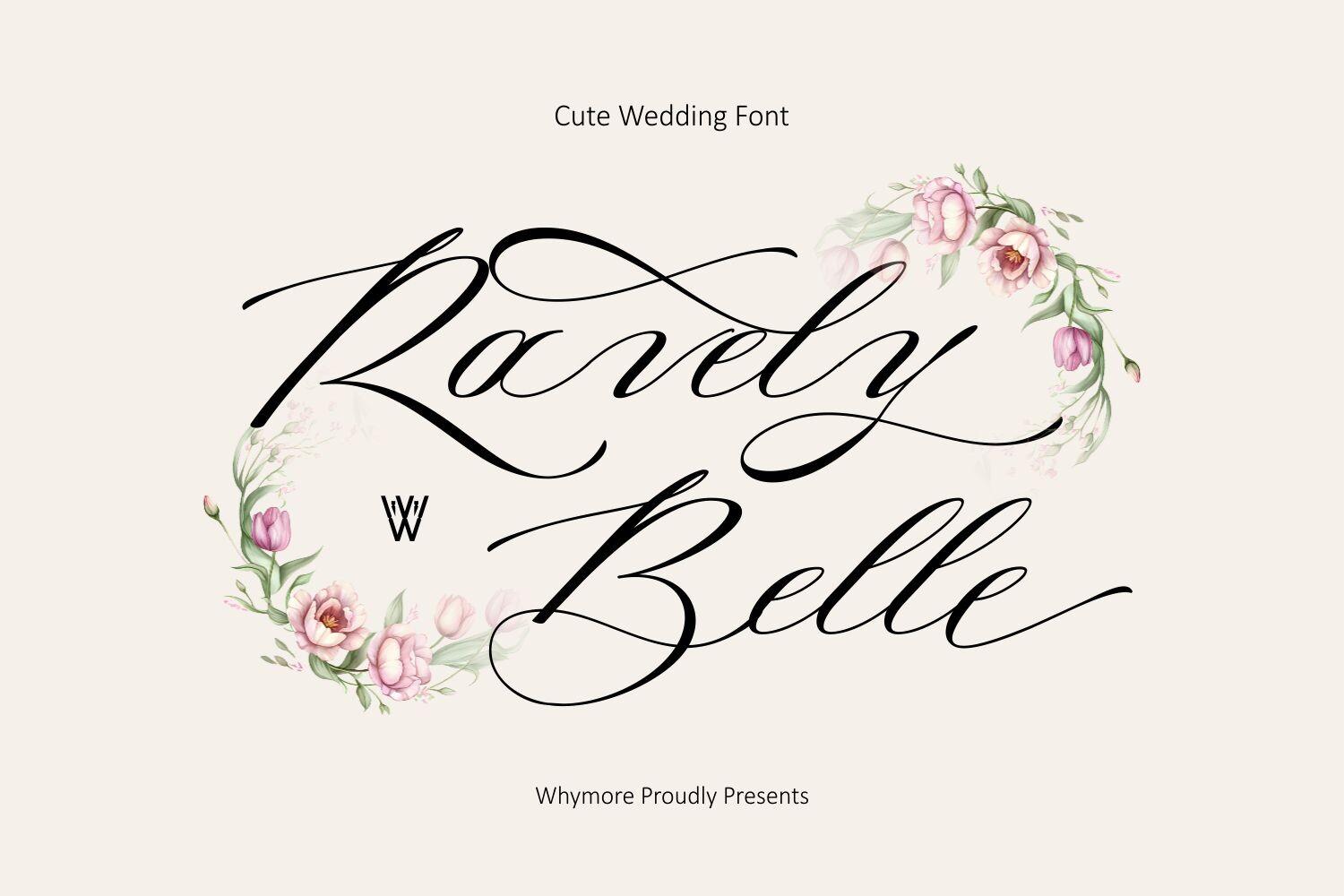
Ravely Belle is a slanted, high-contrast calligraphy script with long looping capitals that sweep into the next letter. The preview pairs it with a soft floral wreath, and that is the right setting: give it one or two words, a lot of air around them and a quiet serif for the details. For printed invitations, 5×7 envelopes make the set look complete.
View Ravely Belle Font & download options →
2. Bailora Font
by Bundle
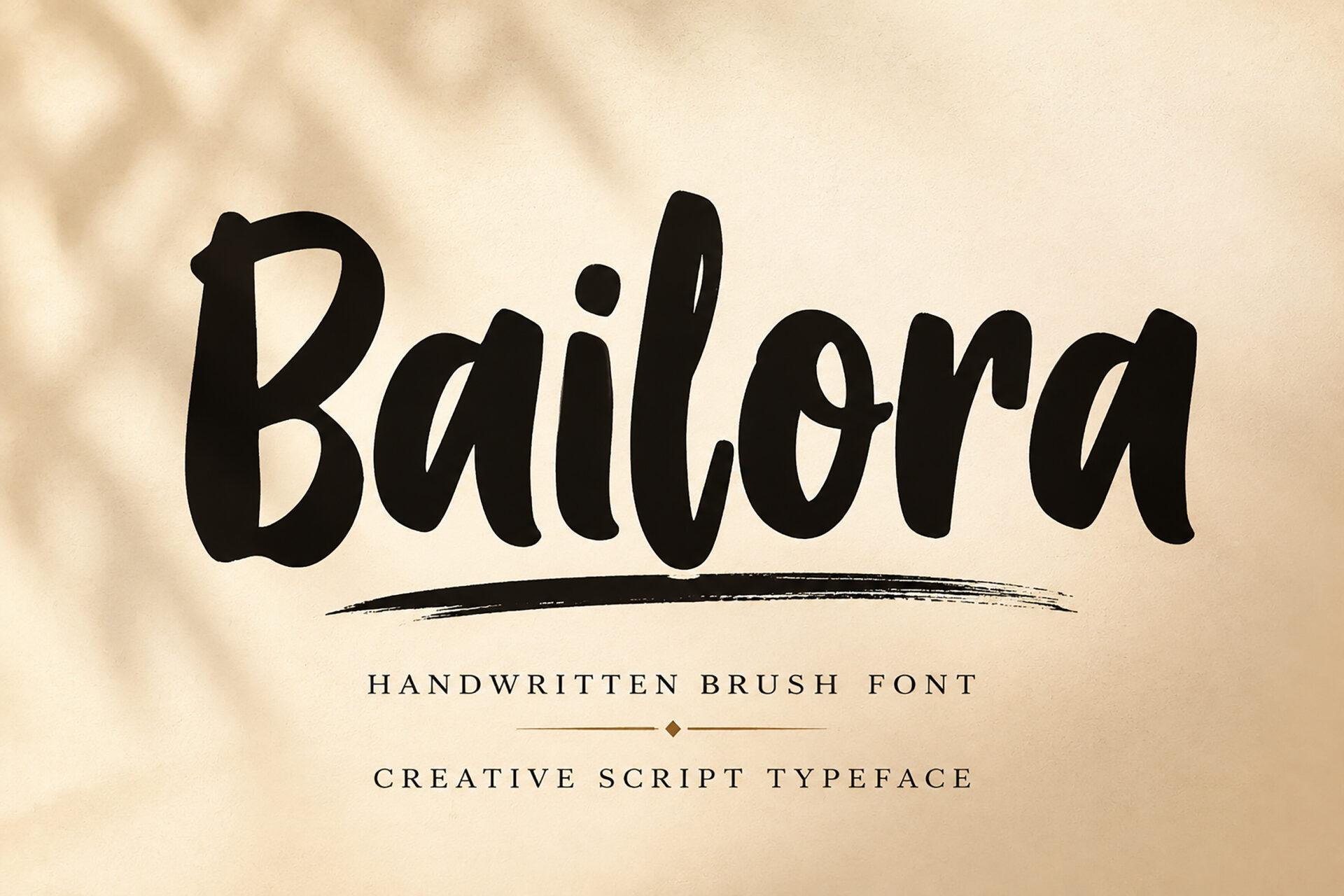
Best For: beauty brand posts, bold quote graphics, product titles
Bailora is a thick brush script with dry, slightly ragged edges, the kind of lettering that looks painted with a full marker. It reads well at large sizes on a plain cream or white background, so use it for one punchy word or a short brand name rather than a full sentence.
View Bailora Font & download options →
3. Lesson Plan Script Font
by Victoria Gates
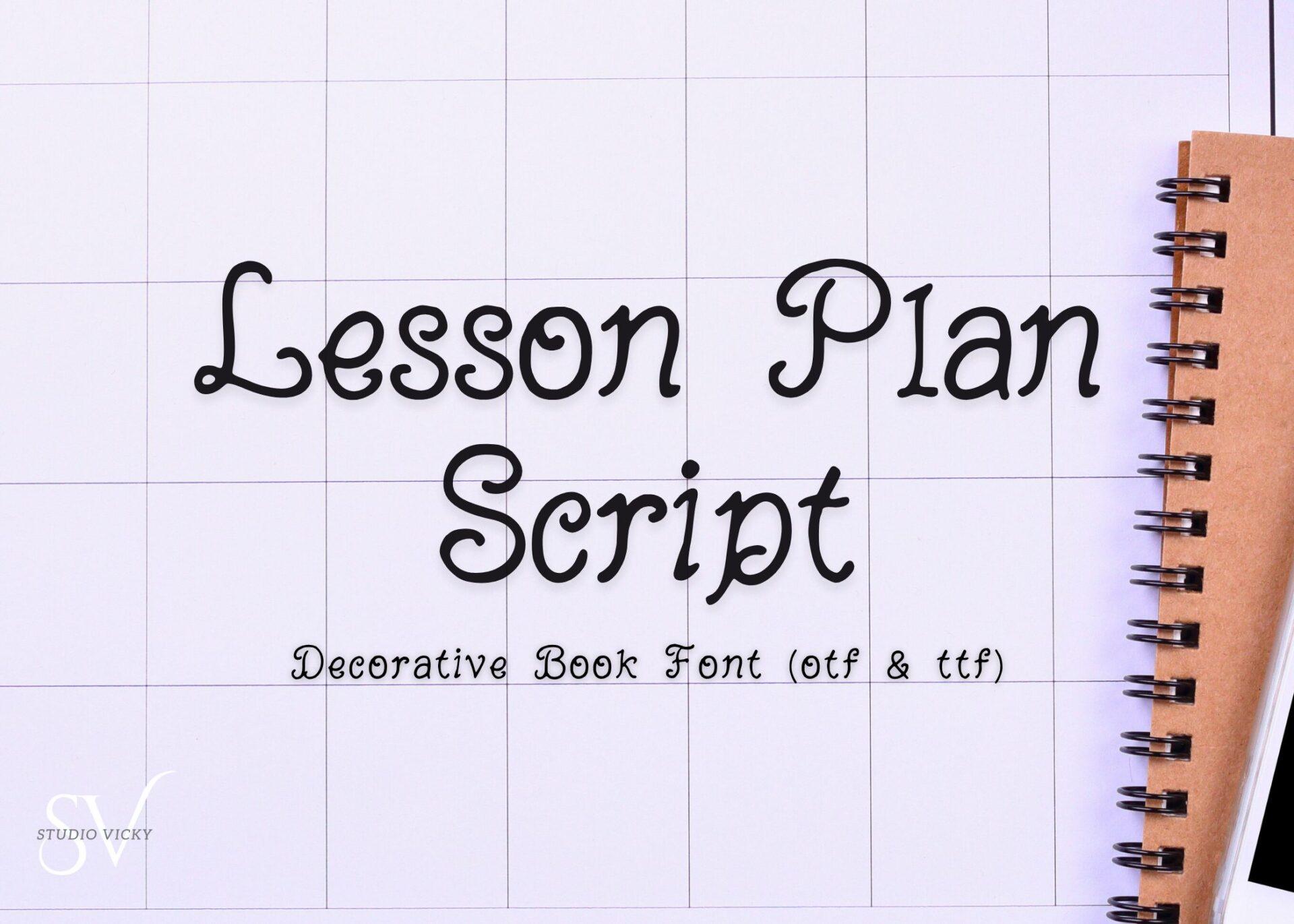
Best For: teacher printables, planner headers, notebook covers
Lesson Plan Script is a neat, joined school-style cursive with rounded loops, shown on lined notebook paper. It is calmer and easier to read than most wedding scripts, so it works for a few words in a row, like a page title or a weekly schedule heading. Classroom pieces last much longer with a thermal laminator.
View Lesson Plan Script Font & download options →
4. Pinkie Promise Font
by narinari32
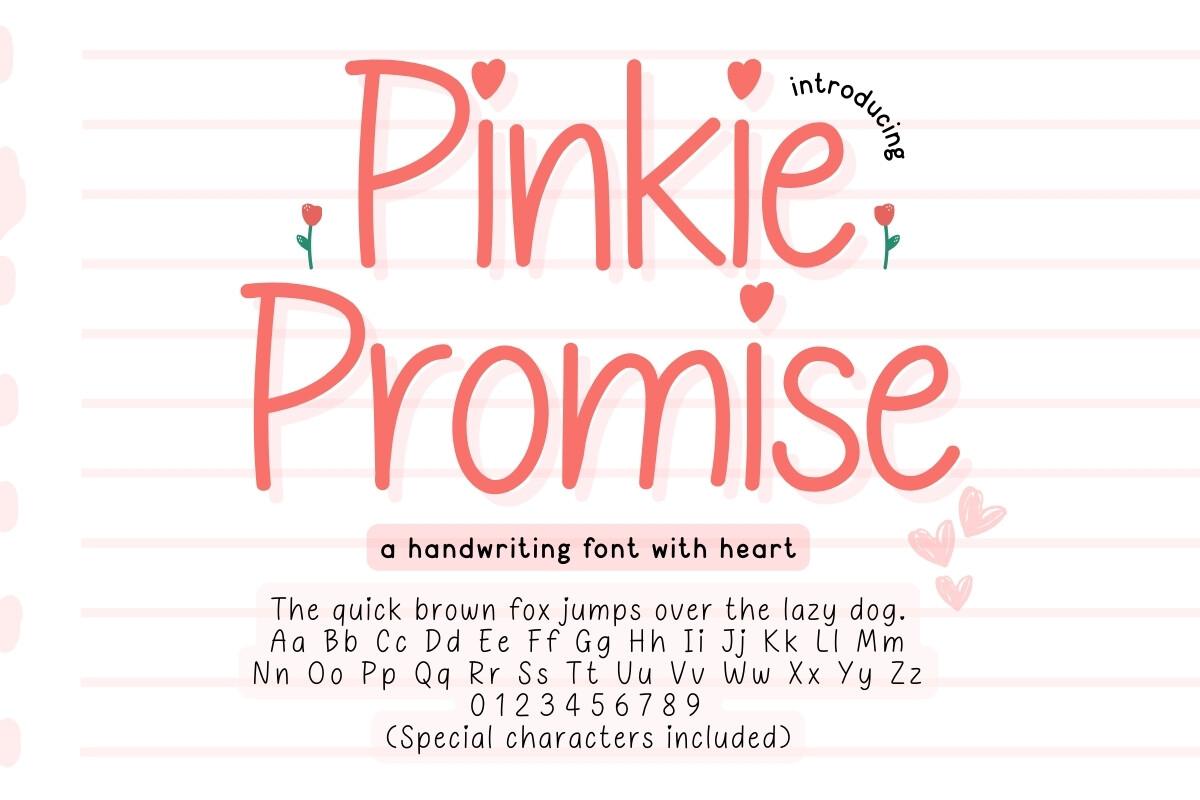
Best For: girly social posts, cute planner pages, kids’ party invites
Pinkie Promise is a light, bouncy handwriting with soft mixed-case letters and a small heart in the preview. The strokes are thin, so keep it big and on a pale background; it pairs naturally with pinks, lilacs and simple doodle elements.
View Pinkie Promise Font & download options →
Serif & Monogram Fonts
A serif makes a design look finished and grown-up. Use one of these for titles, brand names and initials.
5. Orvelia Font
by Colourful
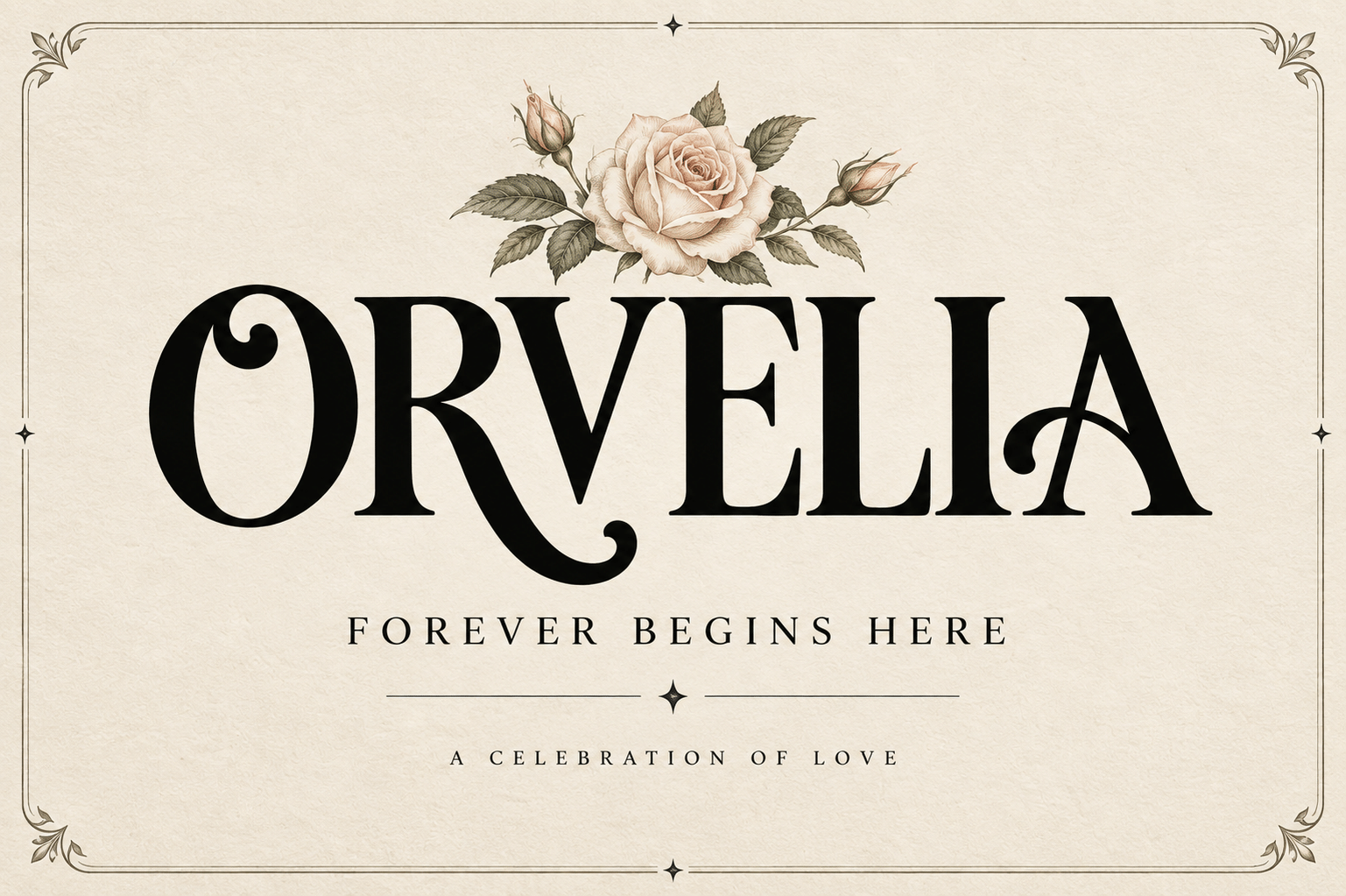
Best For: wedding signs, boutique logos, book-style titles
Orvelia is a high-contrast serif in tall capitals with sharp wedge serifs and thin hairlines, framed in the preview with a single vintage rose. Set it in all caps with slightly open letter spacing and it gives a Canva template an instant editorial, invitation-card feel.
View Orvelia Font & download options →
6. Halther Font
by ryan creative
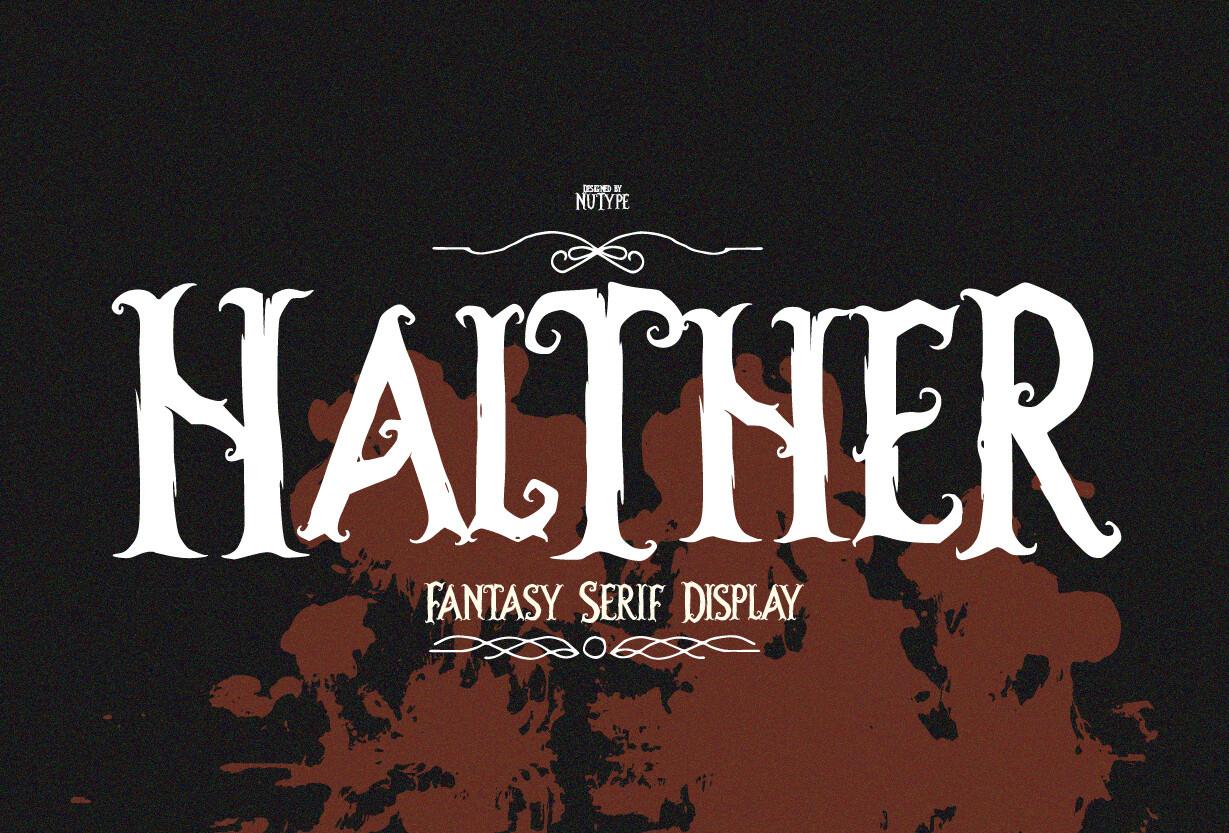
Best For: fantasy book covers, gaming thumbnails, dark-themed posters
Halther is a fantasy serif display with flared, slightly carved-looking strokes and pointed details, shown white on near-black. It needs a dark or textured background to shine and is best kept to titles; body text should go to a plain sans.
View Halther Font & download options →
7. Imperia Crest Split Monogram Font
by Sharon ( DmStudio )
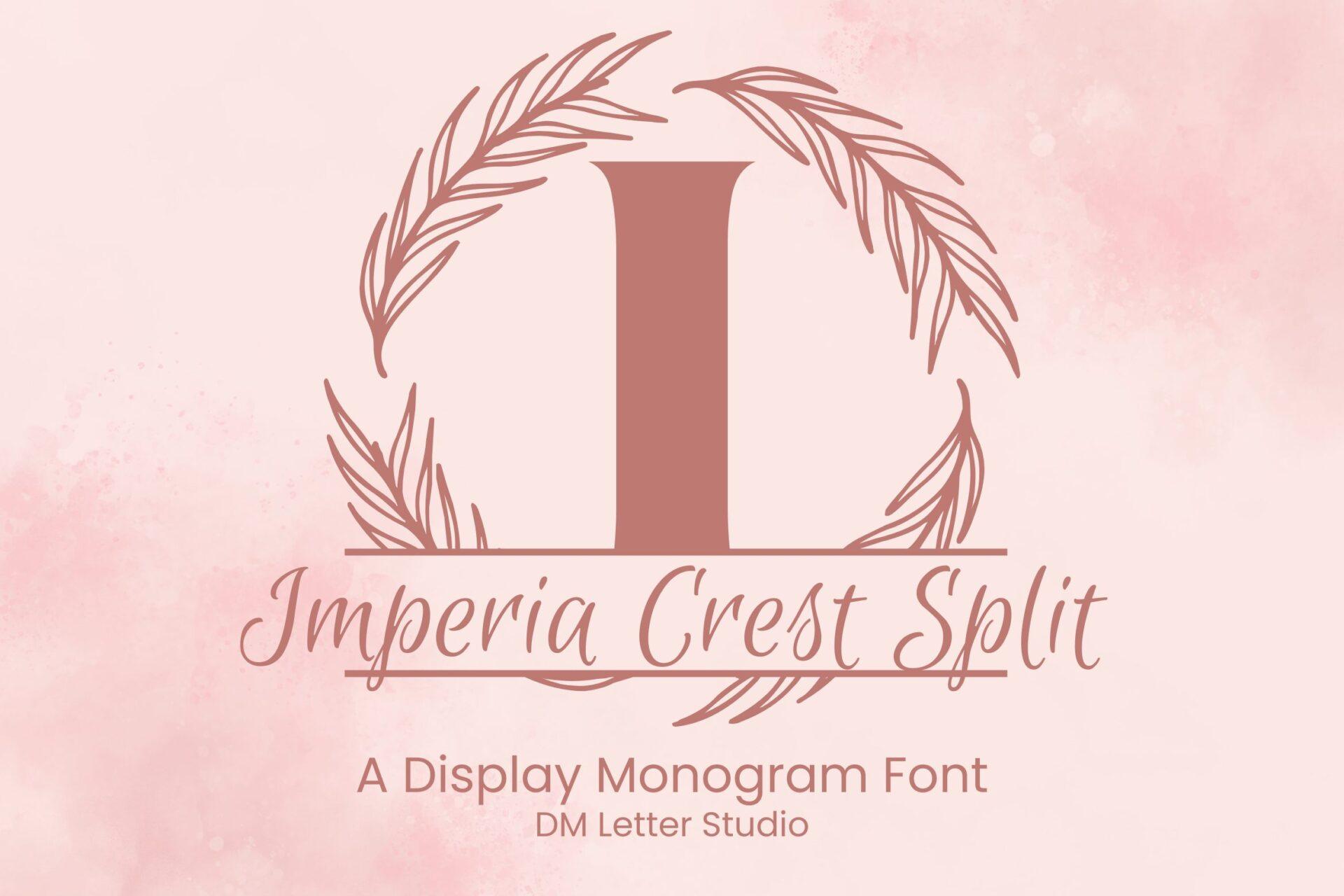
Best For: wedding monograms, family name signs, Cricut decals
Imperia Crest Split Monogram is a single tall serif capital split down the middle so you can drop a name or two initials inside, with a laurel wreath around it in the preview. In Canva, place the letter, then type the name in a small script over the gap. To cut it for a sign or mug, use permanent adhesive vinyl.
View Imperia Crest Split Monogram Font & download options →
Cute Handwriting Fonts
Friendly print handwriting is what makes a design feel made by a person. These four stay readable even in a full sentence.
8. Easy Write Font
by MyFontsShop
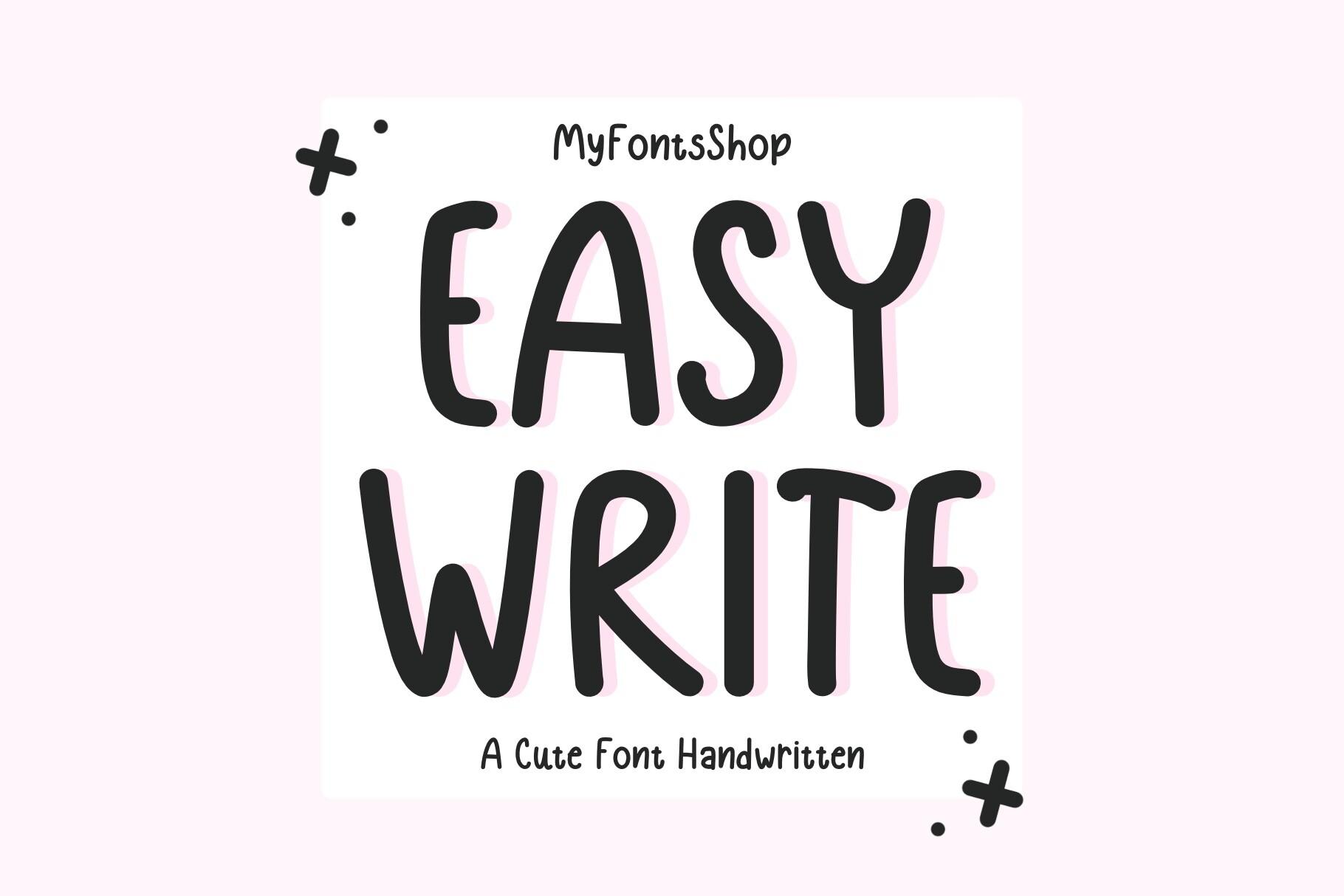
Best For: classroom posters, worksheet titles, cute labels
Easy Write is a tall, narrow hand-printed font with clean black strokes and slightly uneven letters, decorated with small sparkles in the preview. Because it is condensed, it fits longer words into a narrow column, which is handy on planner sidebars and labels.
View Easy Write Font & download options →
9. Love More Font
by MyFontsShop
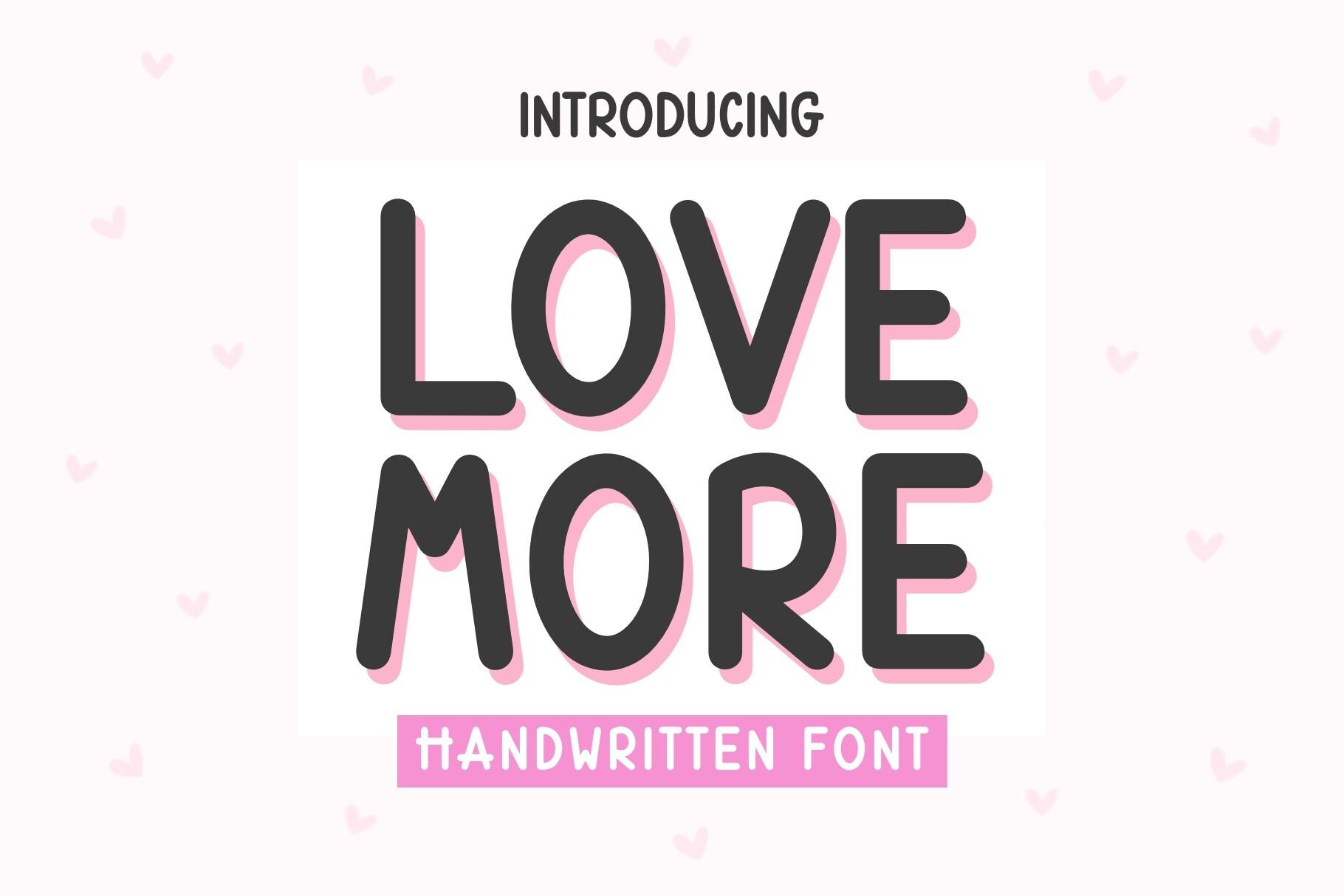
Best For: Valentine posts, sticker designs, cute shop banners
Love More is a rounded handwritten font in soft capitals, shown with a pink offset shadow that makes the letters look layered. Recreate that look in Canva by duplicating the text, colouring the bottom copy pink and nudging it down and to the right.
View Love More Font & download options →
10. Minicute Font
by MyFontsShop
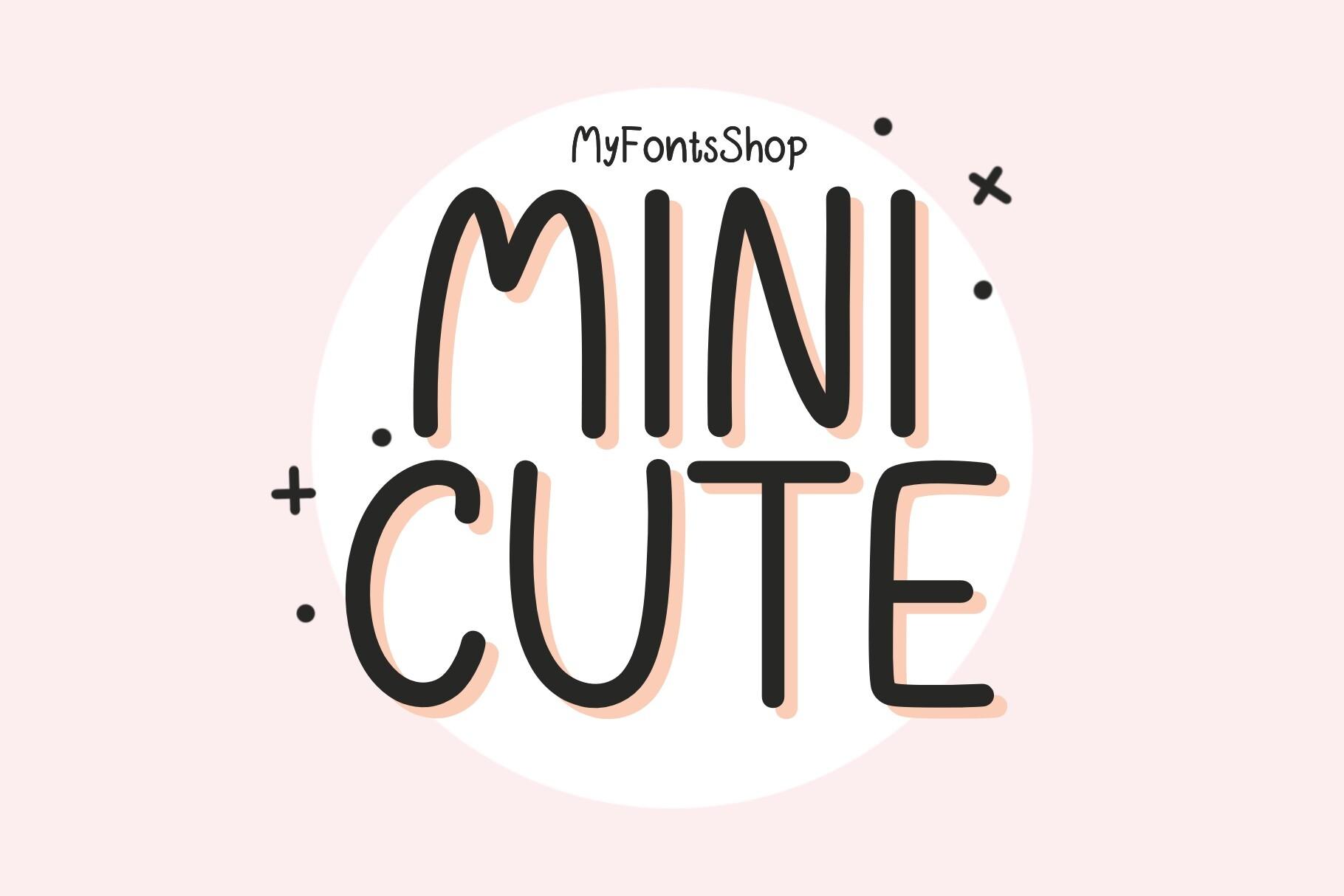
Best For: kids’ printables, bullet journal headers, minimal cute logos
Minicute is a thin, playful print with slightly wobbly lines and little stars and dots around it in the preview. It is lighter than most cute fonts, so it suits airy layouts with lots of white space and pastel accents.
View Minicute Font & download options →
11. Rovers Font
by ade studio
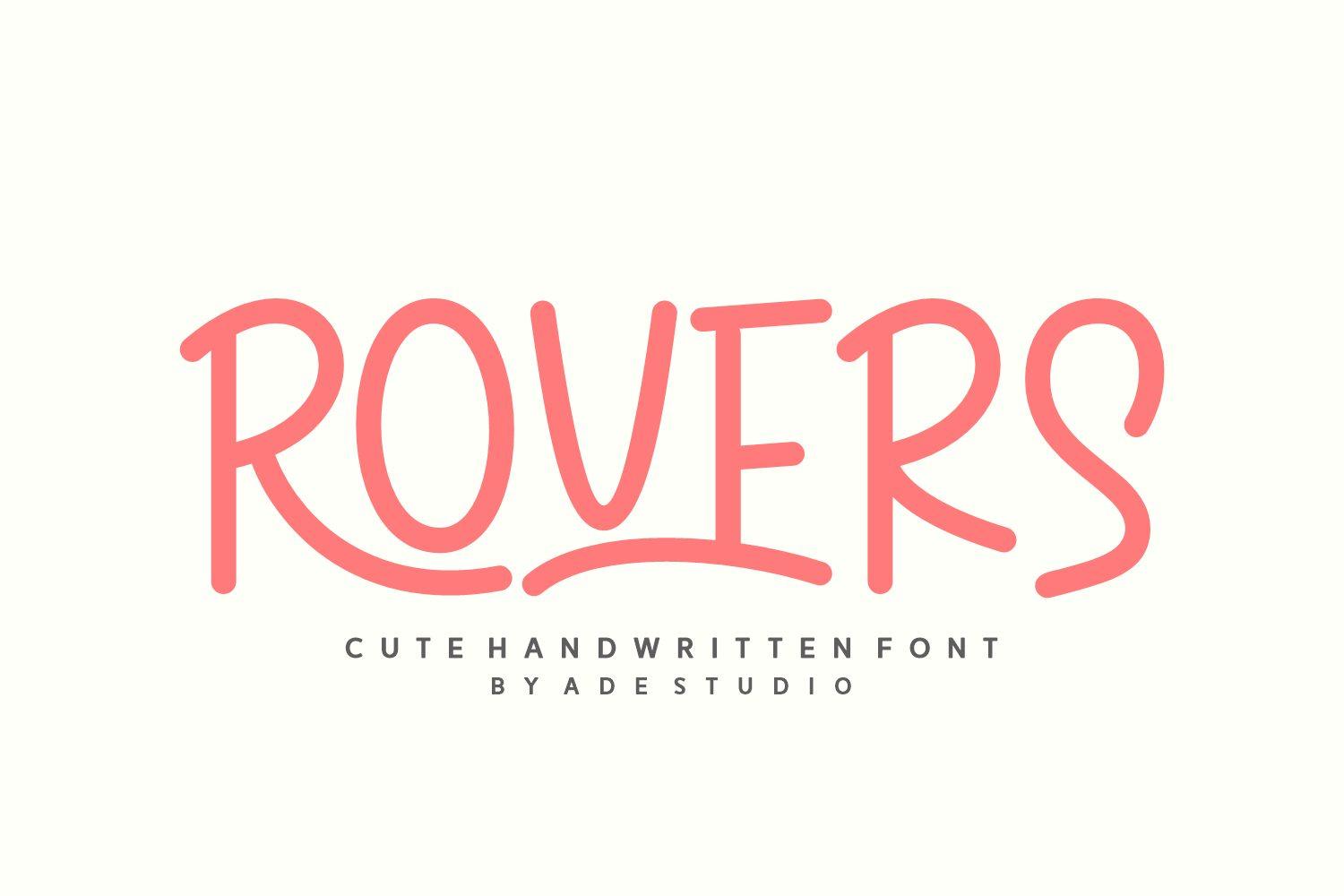
Best For: café menus, handmade shop tags, cheerful Instagram titles
Rovers is a rounded handwritten font in coral capitals with soft corners and a relaxed bounce. It sits between cute and clean, so it works for small business graphics that want warmth without looking childish.
View Rovers Font & download options →
Bold & Bubbly Display Fonts
Display fonts do the shouting on thumbnails, banners and party graphics. Pick one and let it carry the headline.
12. Chestnut Season Font
by blushfontco
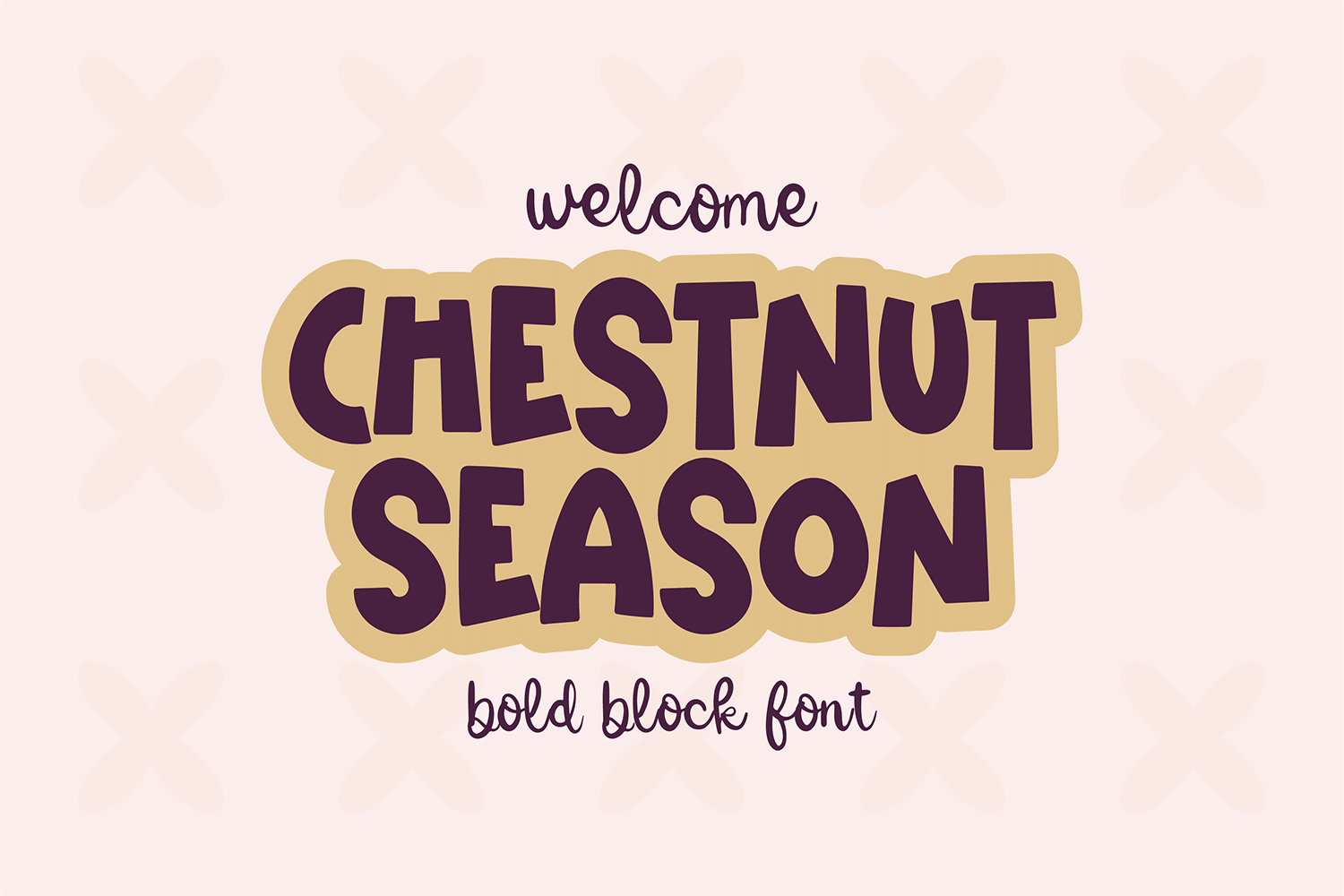
Best For: fall promos, harvest flyers, cosy café posts
Chestnut Season is a bold, rounded block font in a warm brown with a thick cream outline, set on a stacked layout in the preview. Give it a deep autumn palette and it carries a whole seasonal post on its own.
View Chestnut Season Font & download options →
13. Howdy Brother Font
by abg
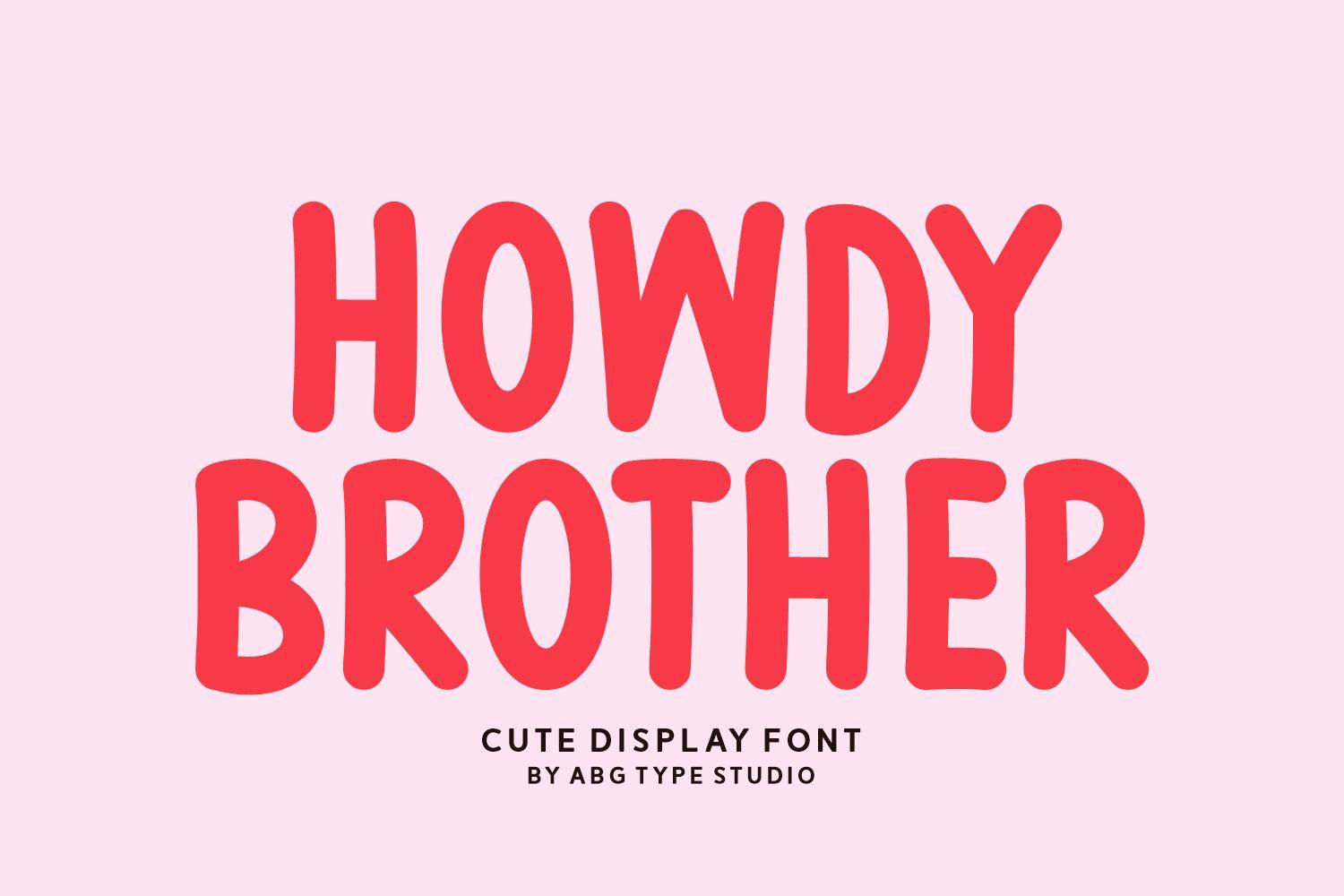
Best For: birthday invites, kids’ event posters, bright shop sale graphics
Howdy Brother is a chunky, slightly squished display font in bold red capitals with cute rounded joins. It reads instantly from a distance, so use it for one big headline and pair it with a simple sans for dates and details.
View Howdy Brother Font & download options →
14. Blonde Season Font
by Ade (7NTypes)
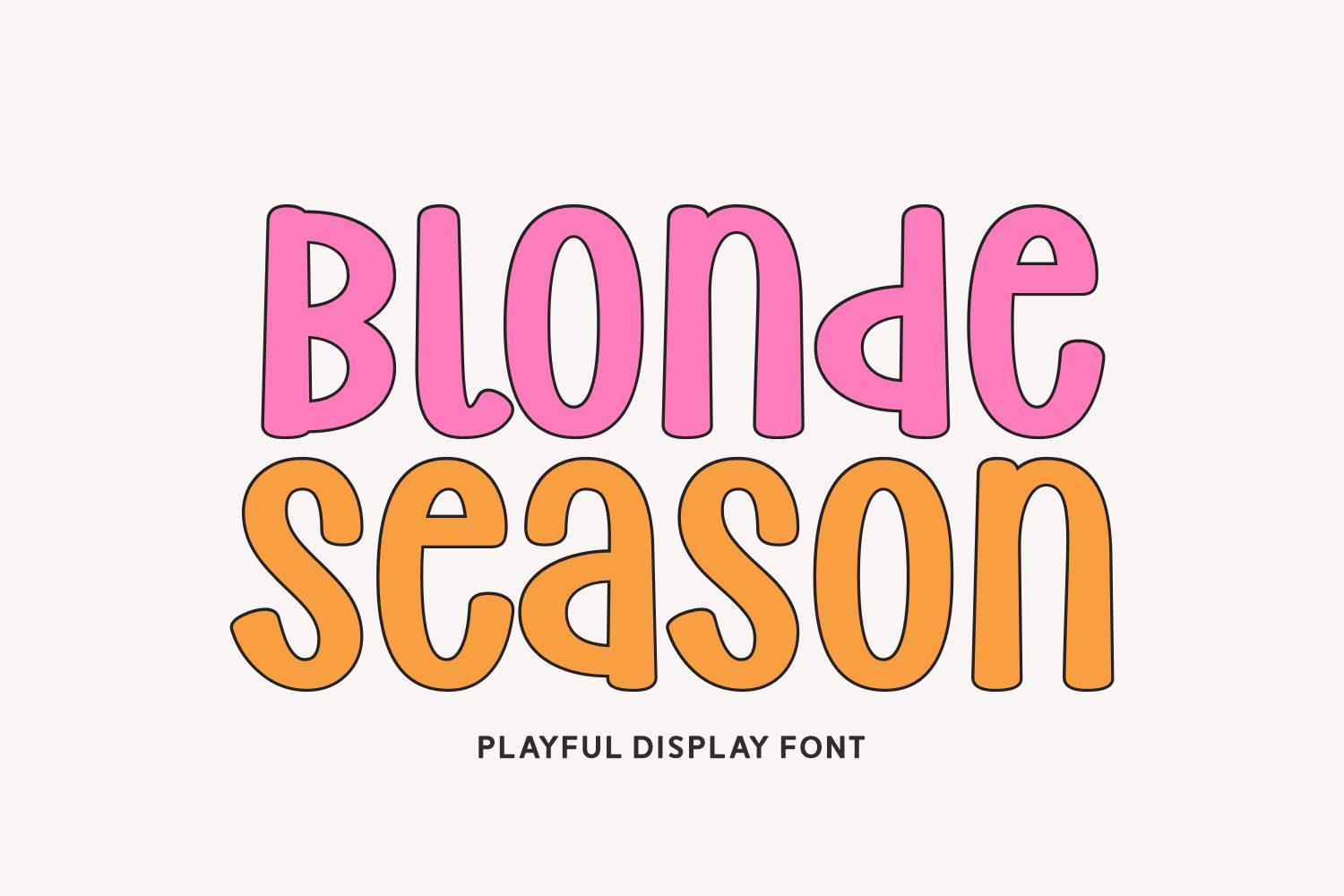
Best For: summer posts, beauty promos, fun brand headers
Blonde Season is a playful display font with tall, quirky letters in pink and orange, mixing rounded and pointed shapes. Two colours, like in the preview, make it look more designed than a single flat colour.
View Blonde Season Font & download options →
15. Kinder Senior Font
by ade studio
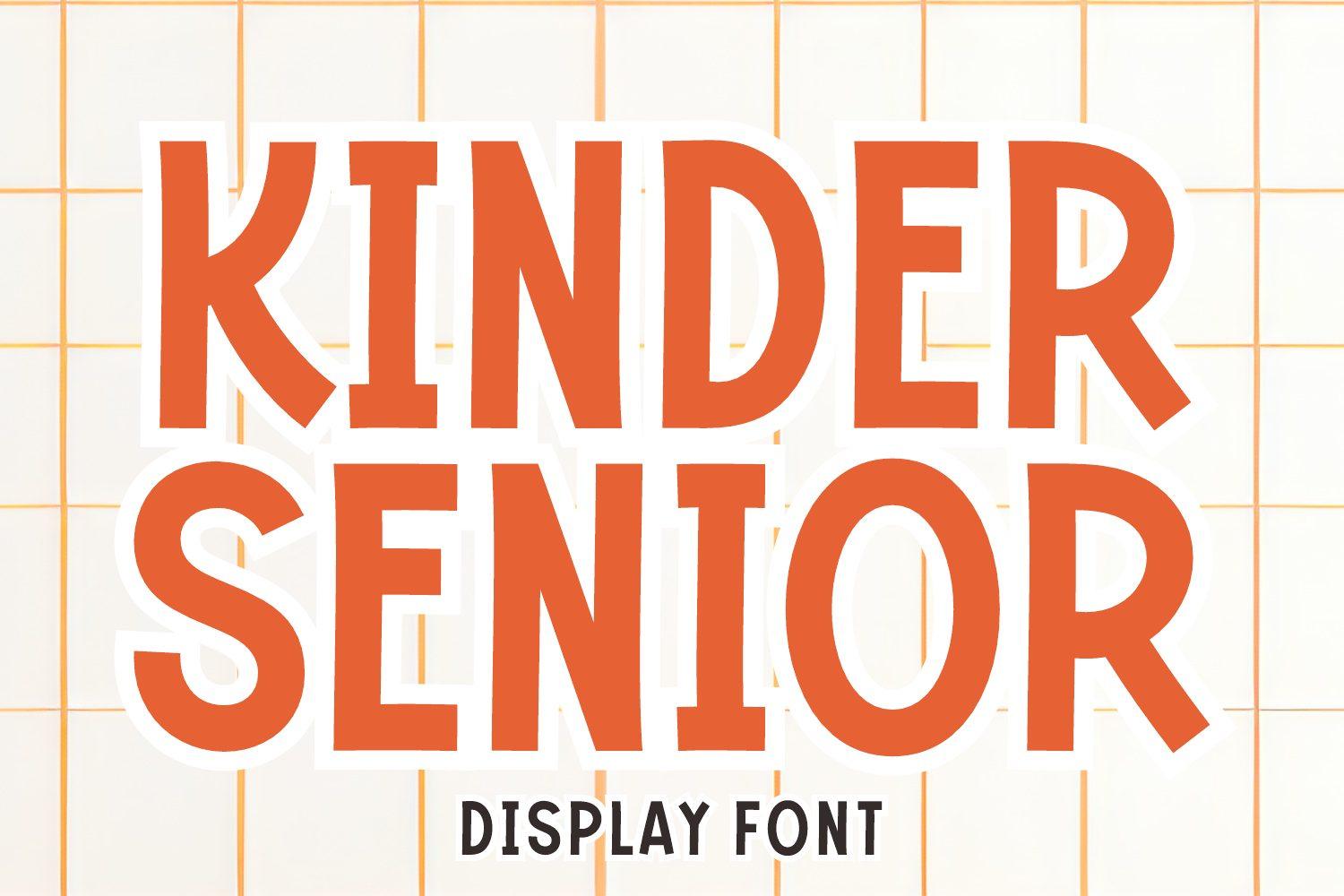
Best For: school event flyers, kids’ class posters, birthday banners
Kinder Senior is a heavy, friendly display font in orange capitals on a grid background, with soft rounded strokes. It holds up even small, so it works on name tags and slide titles as well as big posters.
View Kinder Senior Font & download options →
16. My Boo Font
by narinari32
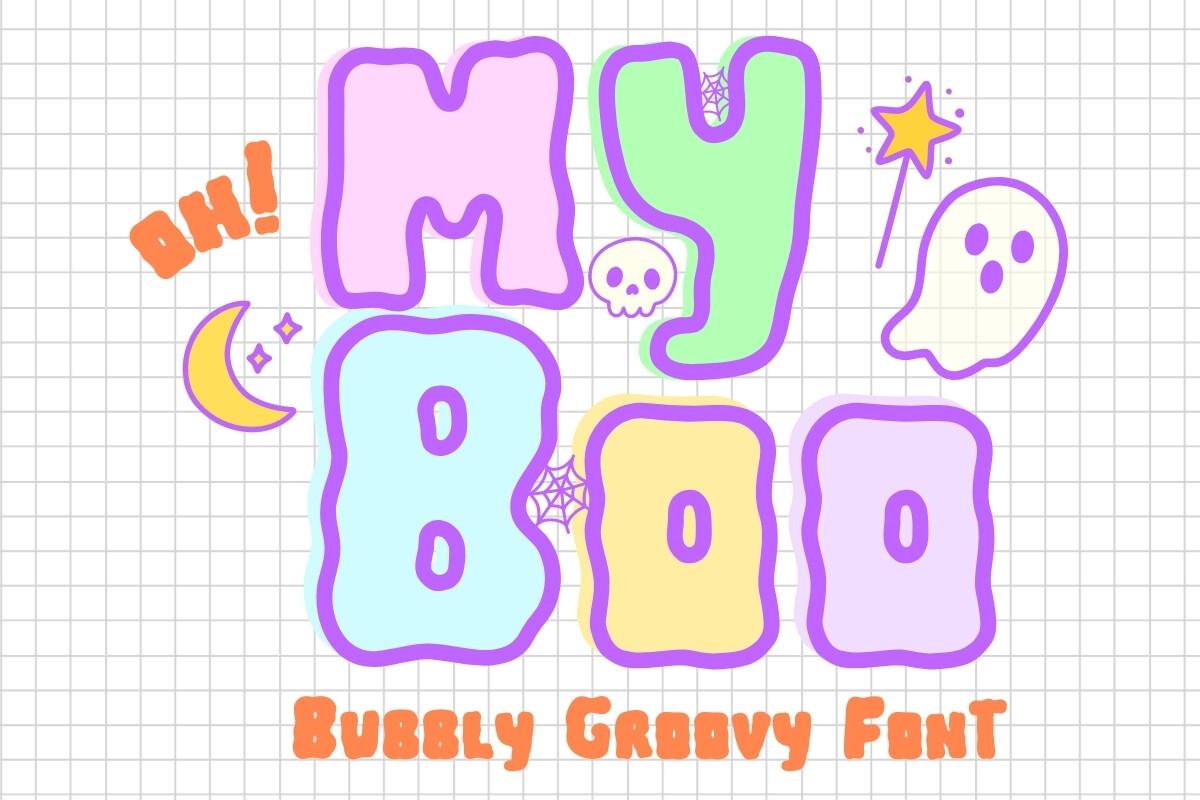
Best For: Halloween cute posts, sticker sheets, groovy party graphics
My Boo is a bubbly groovy font with fat, rounded letters outlined in black and filled with pastel colours, surrounded by tiny ghosts in the preview. Keep the background light so the outline stays the main feature.
View My Boo Font & download options →
17. Pinky Bubble Font
by Riman (7NTypes)
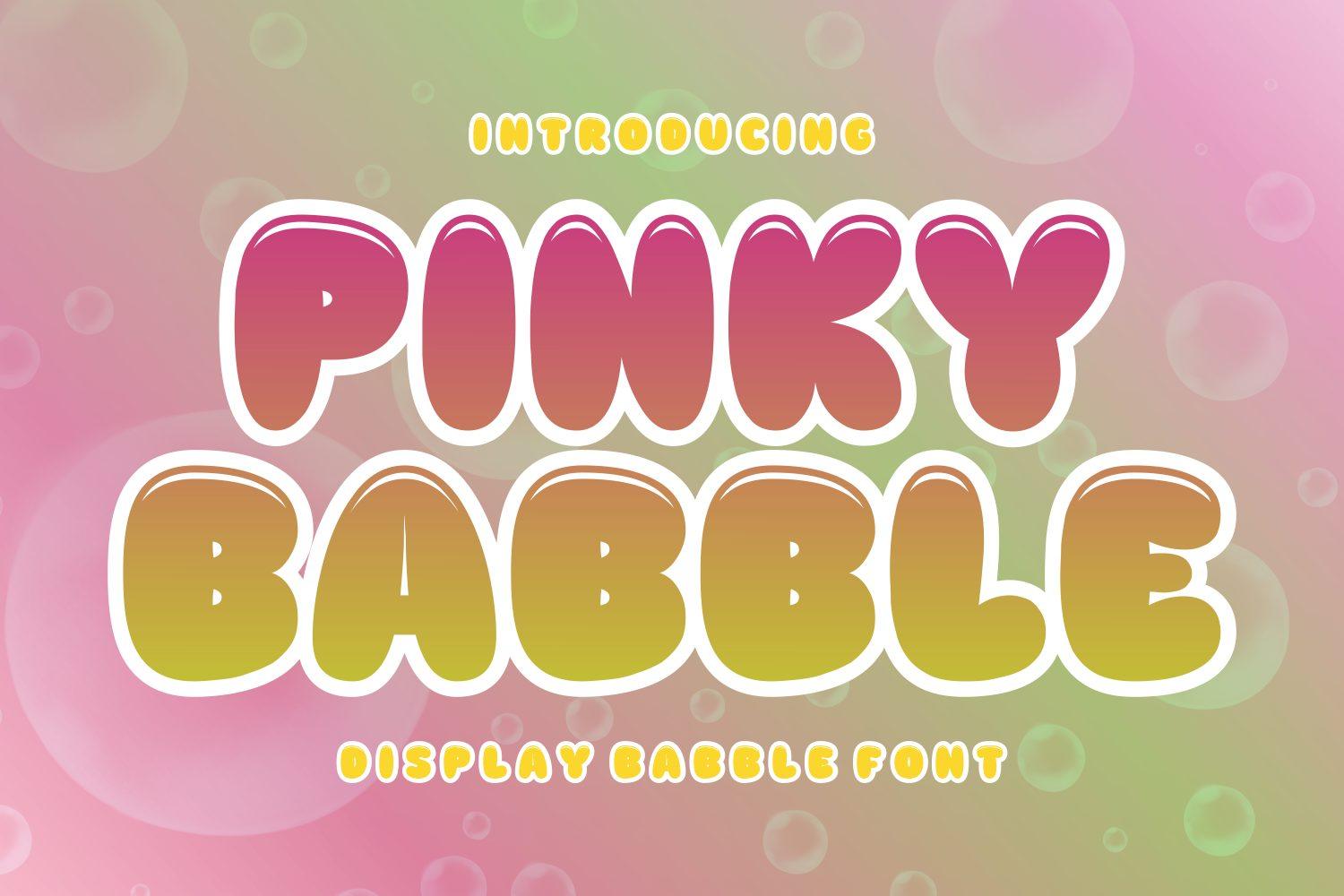
Best For: birthday invitations, kids’ YouTube thumbnails, sweet shop banners
Pinky Bubble is a classic puffy bubble font with soft highlights on the letters, shown in pink and yellow on a dreamy background. It is meant for short, happy words in large sizes, and it looks best with a light drop shadow. Printed on sticker paper, it makes great party stickers.
View Pinky Bubble Font & download options →
Vintage Poster Fonts
These three bring texture and age without any extra effects. They are perfect for posters, merch mockups and badge logos.
18. Torvexon Font
by Colourful
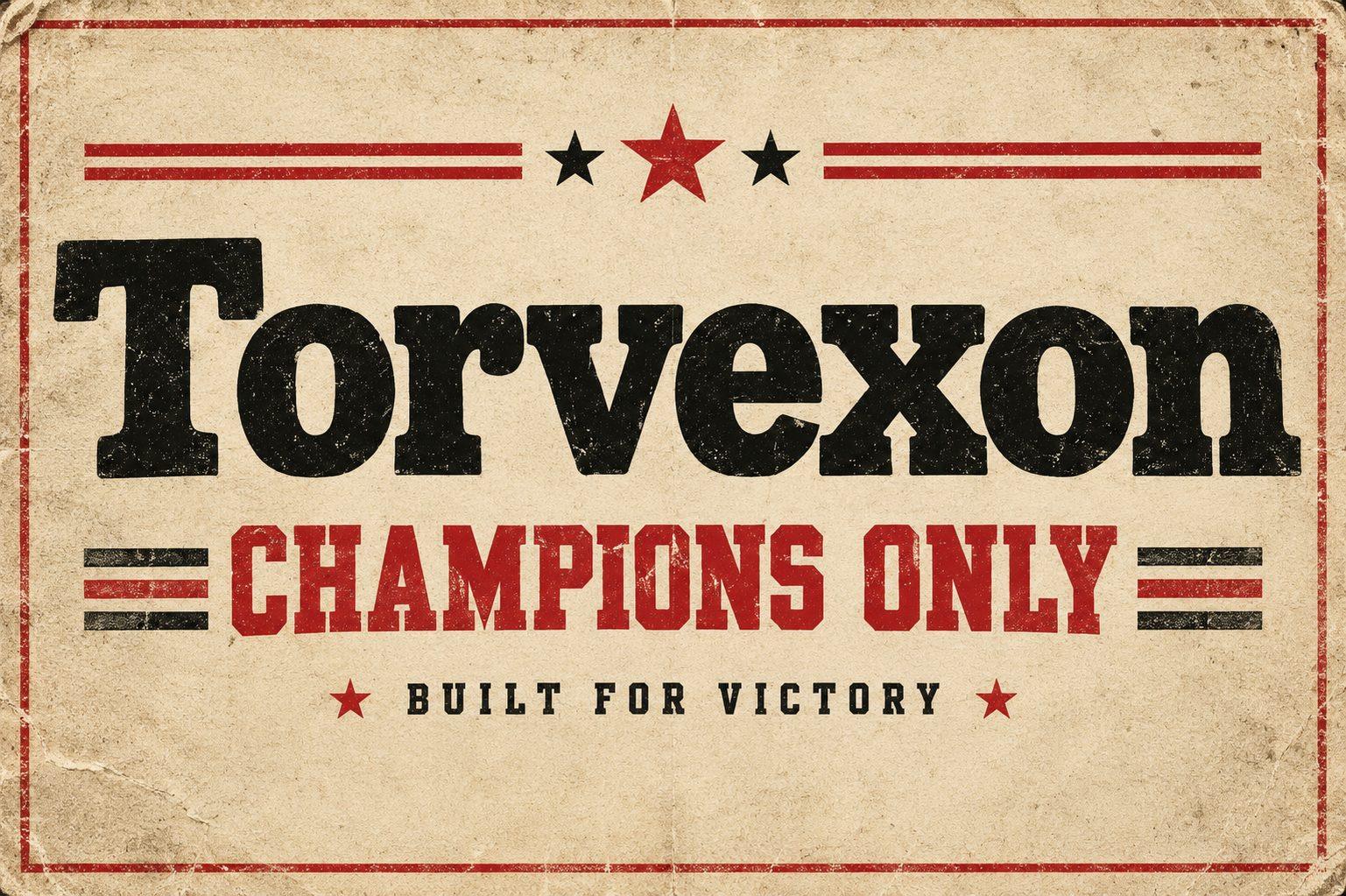
Best For: sports posters, retro event flyers, vintage T-shirt designs
Torvexon is a strong slab serif with worn, printed texture, shown in a ‘champions only’ sports-poster layout with stars and rules. Stack two lines in different sizes and add a thin border in Canva to recreate the look.
View Torvexon Font & download options →
19. Hatchborne Font
by Colourful
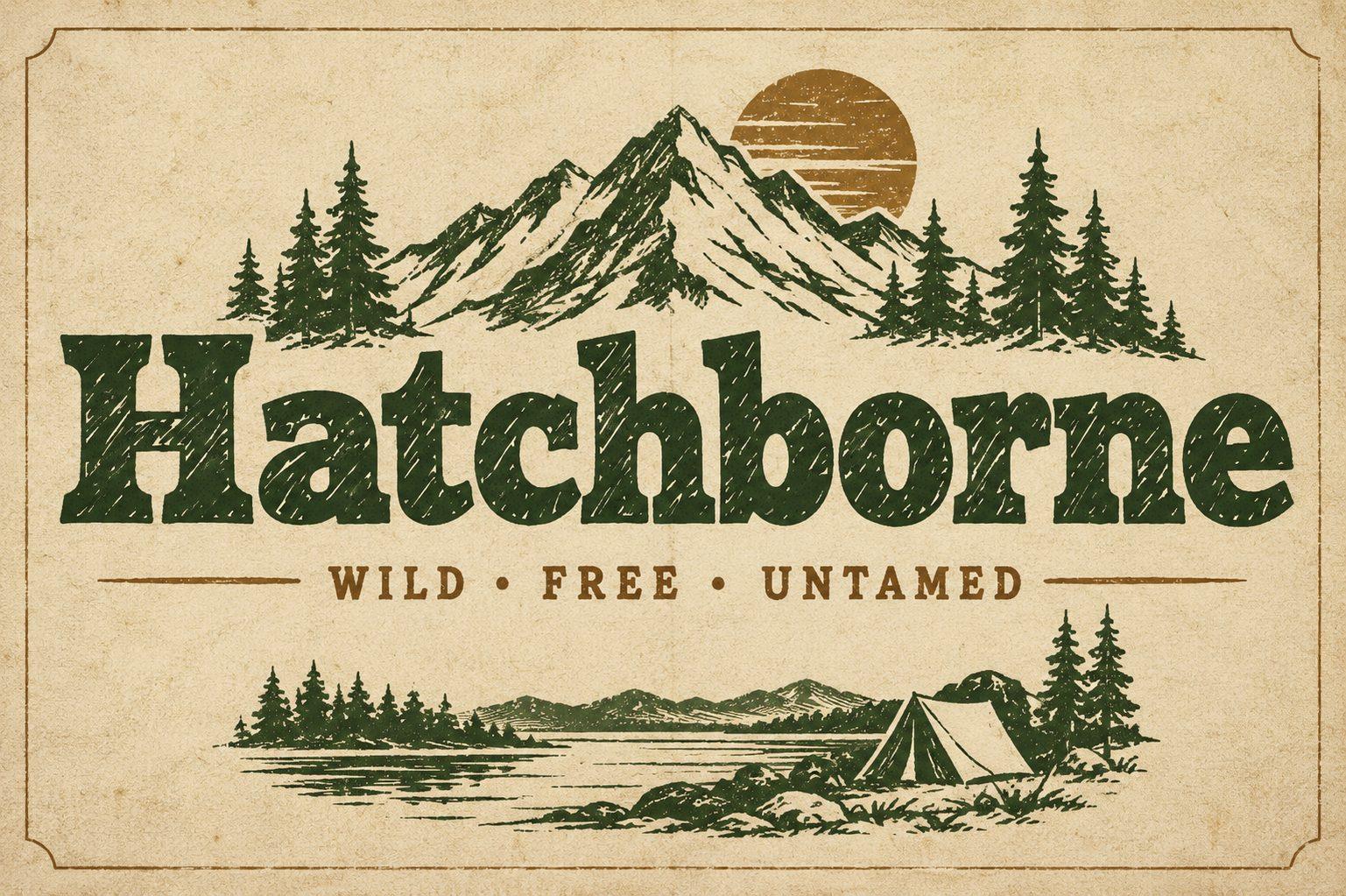
Best For: outdoor brand logos, camping merch, rustic labels
Hatchborne is a rugged serif with a slightly roughened outline, framed by a pine-and-mountain illustration in the preview. It suits anything ‘wild and untamed’, from trail café menus to adventure shop logos.
View Hatchborne Font & download options →
20. Asterique Font
by Retro
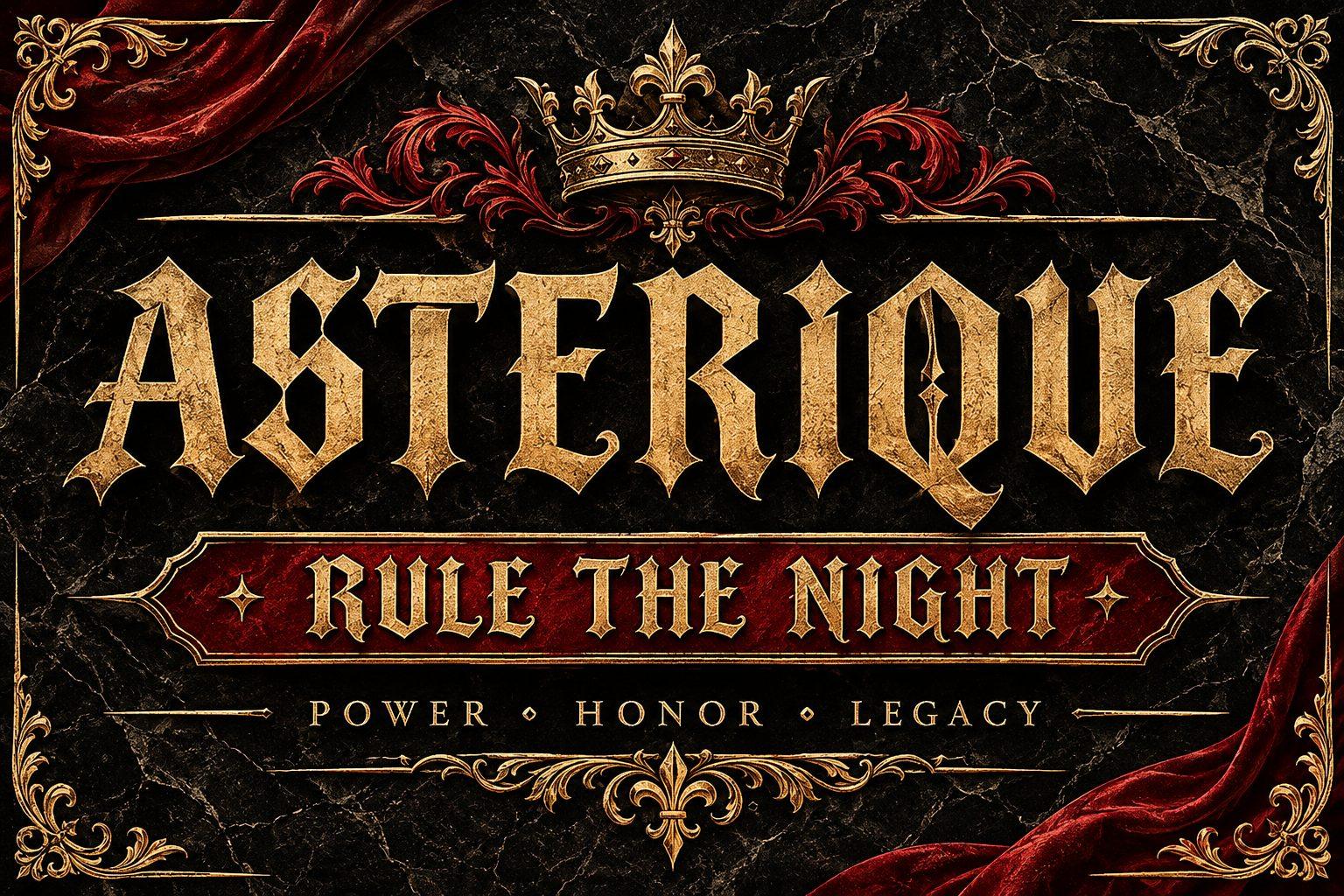
Best For: fantasy covers, gothic event posters, luxury dark branding
Asterique is an ornate serif in heavy capitals with sharp decorative cuts, shown in gold on a deep red-black background with a crown. It looks best with metallic or gradient fills and very little else on the canvas.
View Asterique Font & download options →
Modern Clean Fonts
Finally, two contemporary sans styles for tech, fitness and minimal brands.
21. Airfly Font
by Whymore
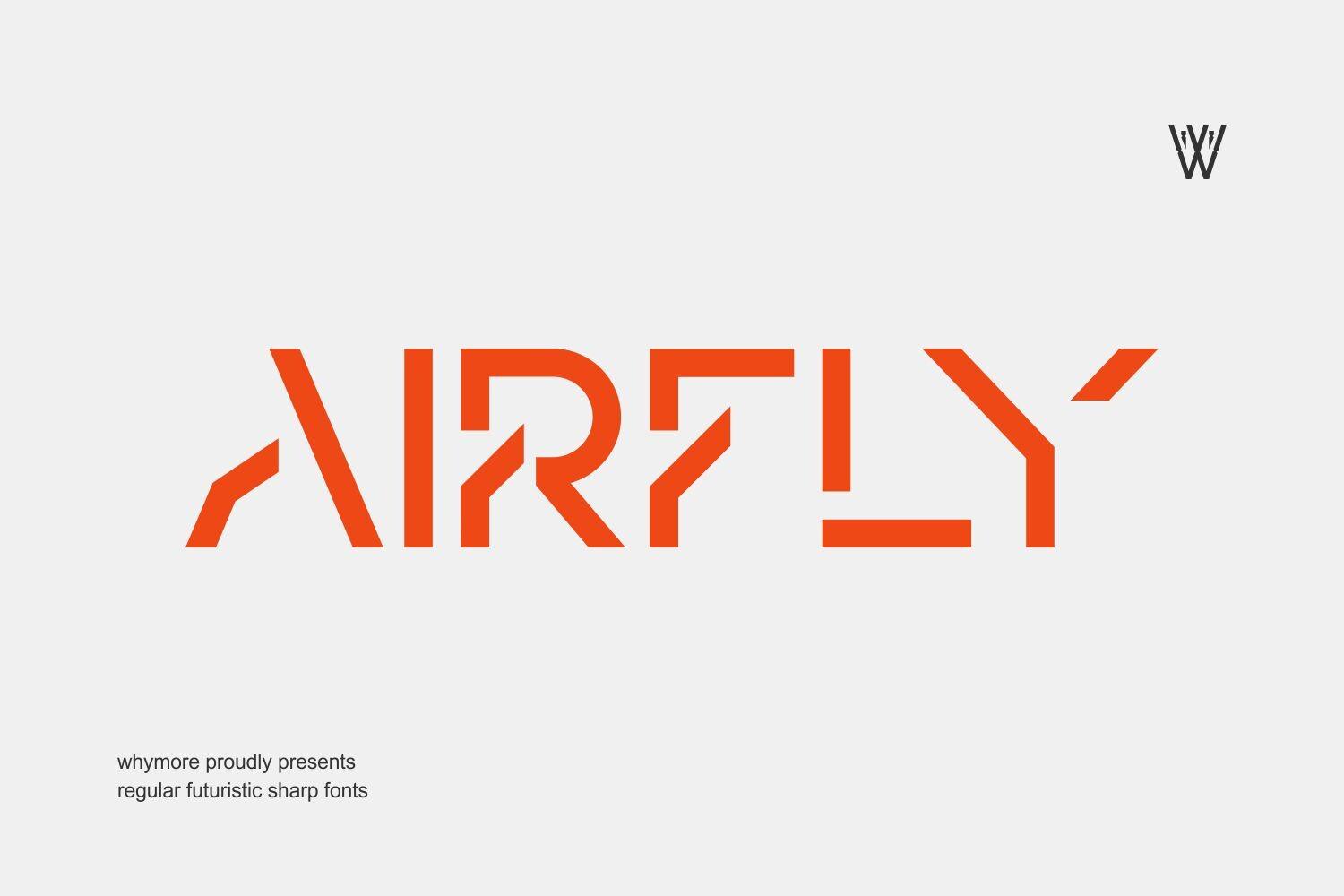
Best For: startup logos, sporty brands, clean presentation titles
Airfly is a modern geometric sans with angled cuts that give the capitals a fast, stencil-like feel, shown in orange on light grey. Use wide letter spacing for logos; it stays crisp at every size.
View Airfly Font & download options →
22. Oqygen Font
by Whymore
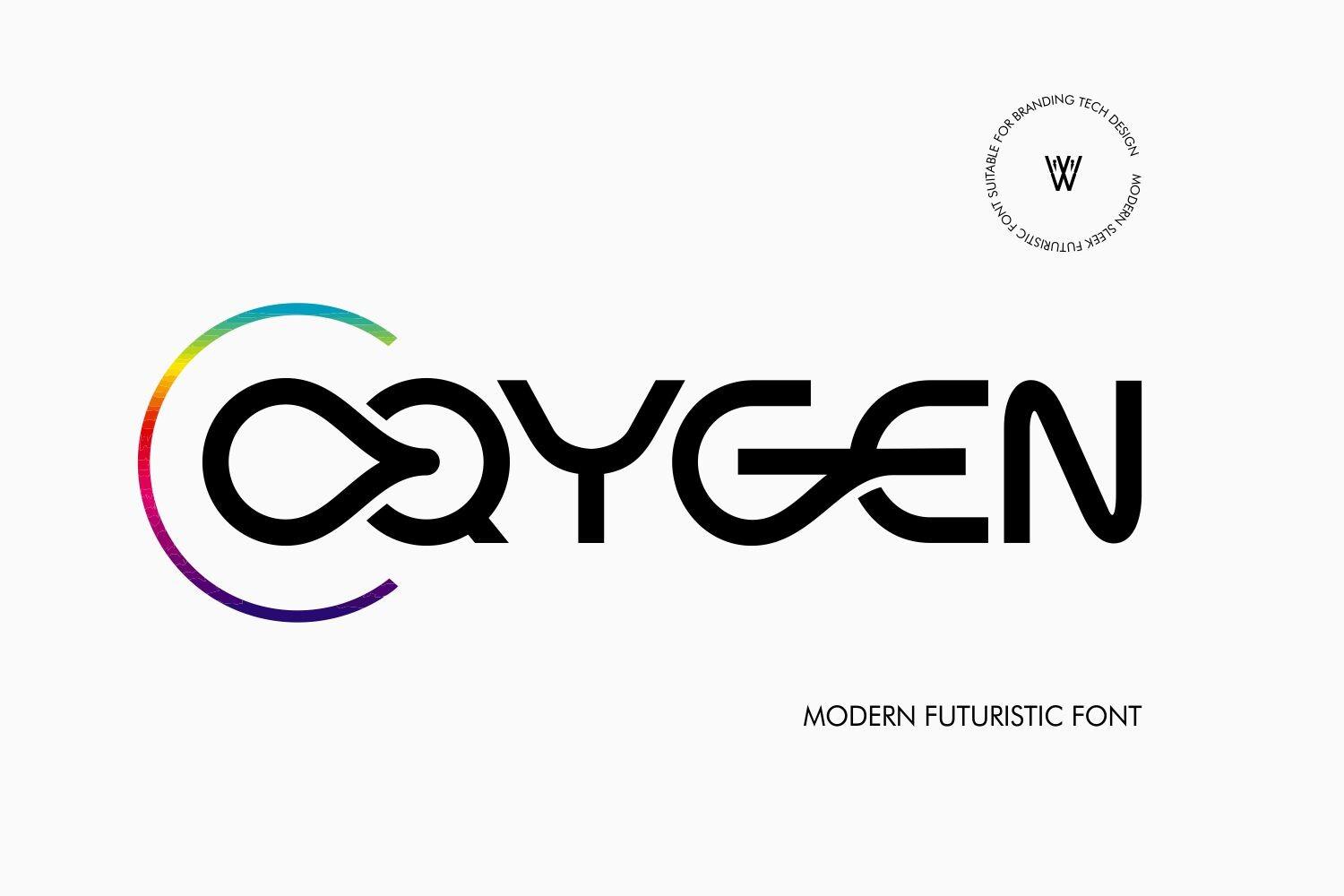
Best For: tech logos, gaming channels, futuristic event graphics
Oqygen is a futuristic rounded sans with a gradient-ring O in the preview and smooth, wide letters. Paired with dark backgrounds and neon gradients, it gives Canva designs a sleek tech look in minutes.
View Oqygen Font & download options →
How to Choose Your Canva Font Set
Start with the job, not the font. A wedding planner needs one script and one serif; a teacher needs one cute hand and one bold display; a small shop usually needs a display face for promos and a clean sans for prices. Three fonts are enough for most brands.
Then test readability. Type your real headline, not just the font name, and shrink it to the size it will appear on a phone screen. If you have to squint, keep that font for big titles only.
Finally, check contrast between your picks. A thin script next to a heavy display looks intentional; two thin scripts side by side usually look like a mistake.
How to Upload Fonts to Canva
Download the font, unzip it and look for the OTF or TTF file. In Canva, open Brand (or Brand Kit), choose Fonts, click Upload a font and select the file. It appears in the text font menu under Uploaded fonts in a few seconds.
Font uploads need Canva Pro, Teams or Edu. On a free account you can still use these fonts by designing the text as a PNG elsewhere and placing it as an image.
FAQ
Which font type is best for Canva beginners?
A clean handwriting or rounded display font is the easiest start: it reads well at any size and fits most templates without extra tweaks.
How many fonts should one design use?
Two is ideal, three at most. Use one for the headline and one for everything else, and keep any third font for a tiny accent like a signature.
Do uploaded fonts work in Canva on mobile?
Yes. Once a font is uploaded to your Brand Kit, it shows up in the font list on the Canva app as well.
Can I use these fonts for products I sell?
Each font has its own license on Creative Fabrica; check the license section on the font page before using it on items for sale.
Where to Start
If you only add three fonts from this list, take Ravely Belle for elegant titles, Easy Write for everyday cute text and Torvexon for posters with character. That trio covers invitations, printables and promo graphics, and you can add the rest as your projects grow.