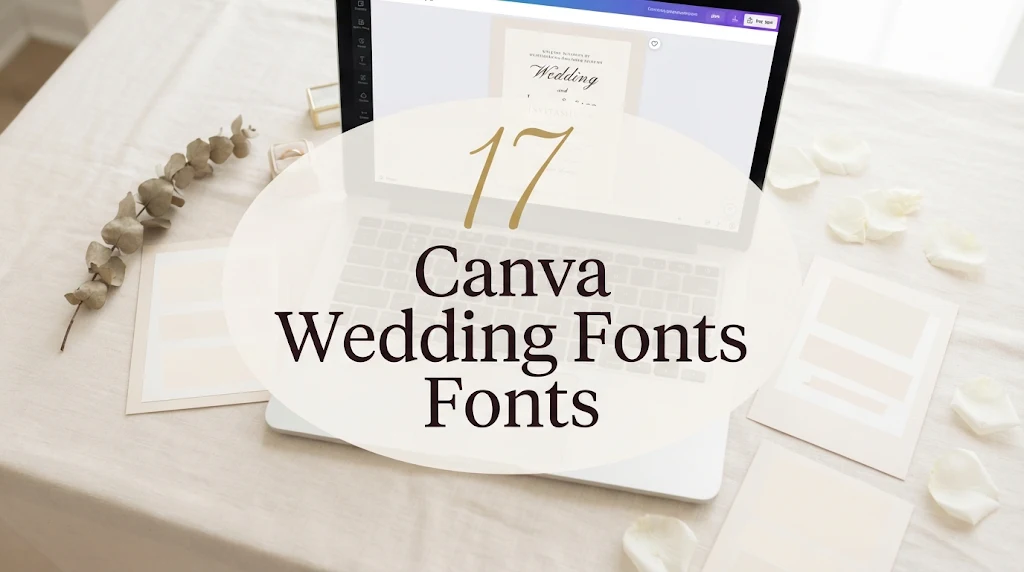
Canva Wedding Fonts: 17 Calligraphy, Romantic Serif and Monogram Styles for Invitations, Save the Dates and Welcome Signs
Wedding stationery is mostly done in Canva now: invitations, save the dates, welcome signs, menus and the little Instagram stories that announce all of it. Canva’s built-in library has a few nice scripts, but everyone else is using the same ones. Uploading your own font is the fastest way to make a wedding suite look like it belongs to one couple.
This post contains affiliate links. If you buy through them, I may earn a small commission at no extra cost to you.
Below are 17 wedding fonts you can upload to Canva, picked from the actual previews: thin calligraphy for names, softer handwritten scripts for casual parties, serifs and display caps for clean modern layouts, and two monogram fonts for crests and signs. Each one comes with what it does well and where it starts to struggle.
All fonts in this list are on Creative Fabrica, and a single All Access subscription unlocks every one of them, so you can try several styles before committing to one.
More wedding and Canva font collections:
27 Wedding Fonts: Script, Serif and Sign Styles
33 Canva Fonts: Aesthetic, Cursive and Y2K
15 Wedding Menu Fonts: Calligraphy and Serifs
23 Canva Font Combinations: Elegant and Wedding
Where to Start
- Classic calligraphy invitation: Hayland Font for the names and Orvelia Font for the details.
- Relaxed garden or barn wedding: Rustic Wedding Font or Wednesday Wedding Font.
- Modern minimal suite: Elanora Font or Neatline Font, with one script word for warmth.
- Big welcome sign seen from a distance: Bailora Font or Ruby Wedding Font.
- Text over photos and stories: Orchidia Font or Everything Sweetheart Font.
- Monogram crest or Cricut decor: Florencia Split Monogram Font or Botanica Box Font.
Calligraphy and Romantic Script Fonts
1. Hayland Font
by Black Cat Designs
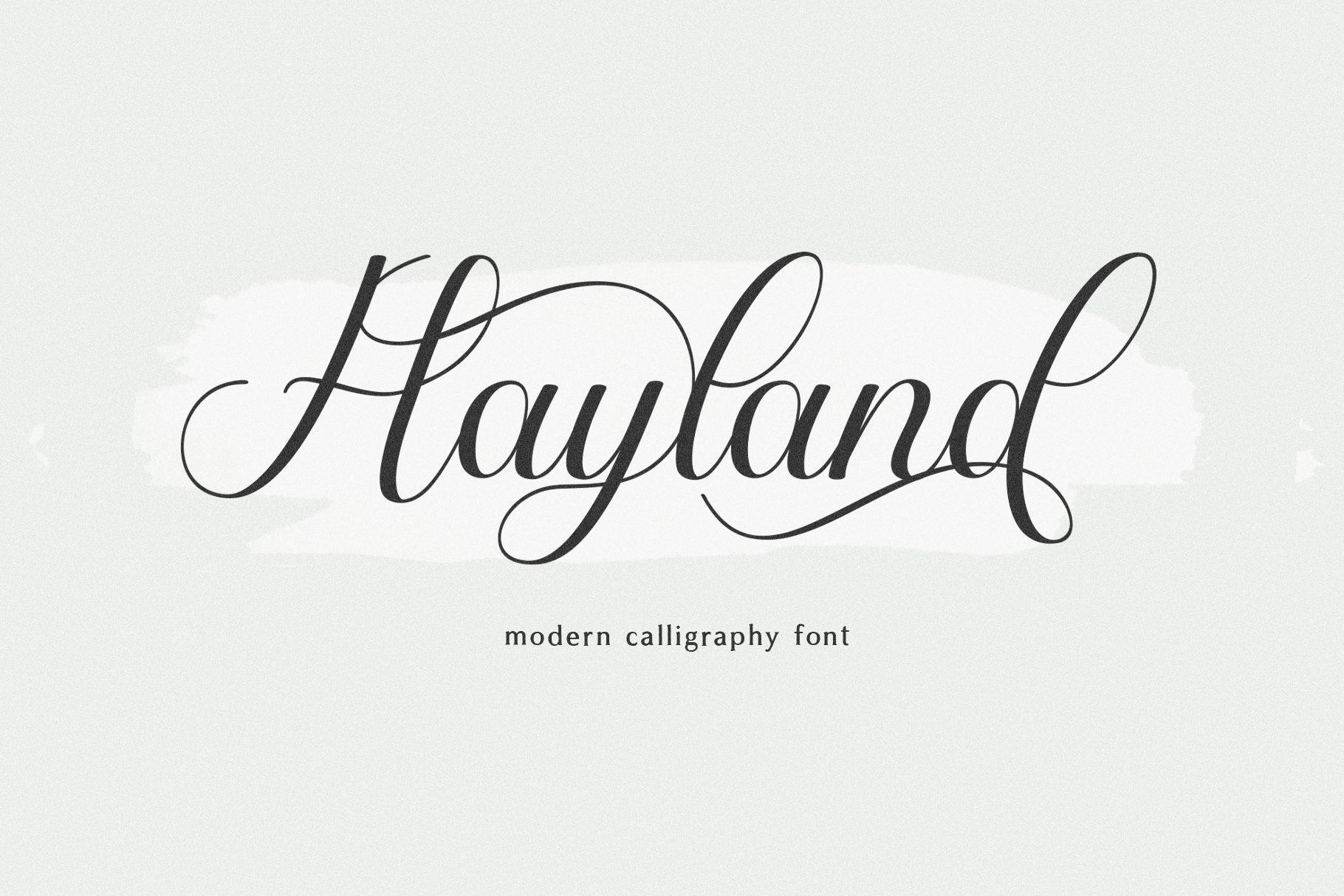
Best For: Invitation names, save-the-date headlines, vow cards
Hayland is a thin modern calligraphy with tall loops and long entry and exit strokes that sweep out past the word. The H and d stretch far above the x-height, so a two-word name gets a lot of air around it. Keep it big and give it a quiet serif underneath, because at small sizes the hairline strokes start to fade.
2. Wednesday Wedding Font
by K_IN Studio
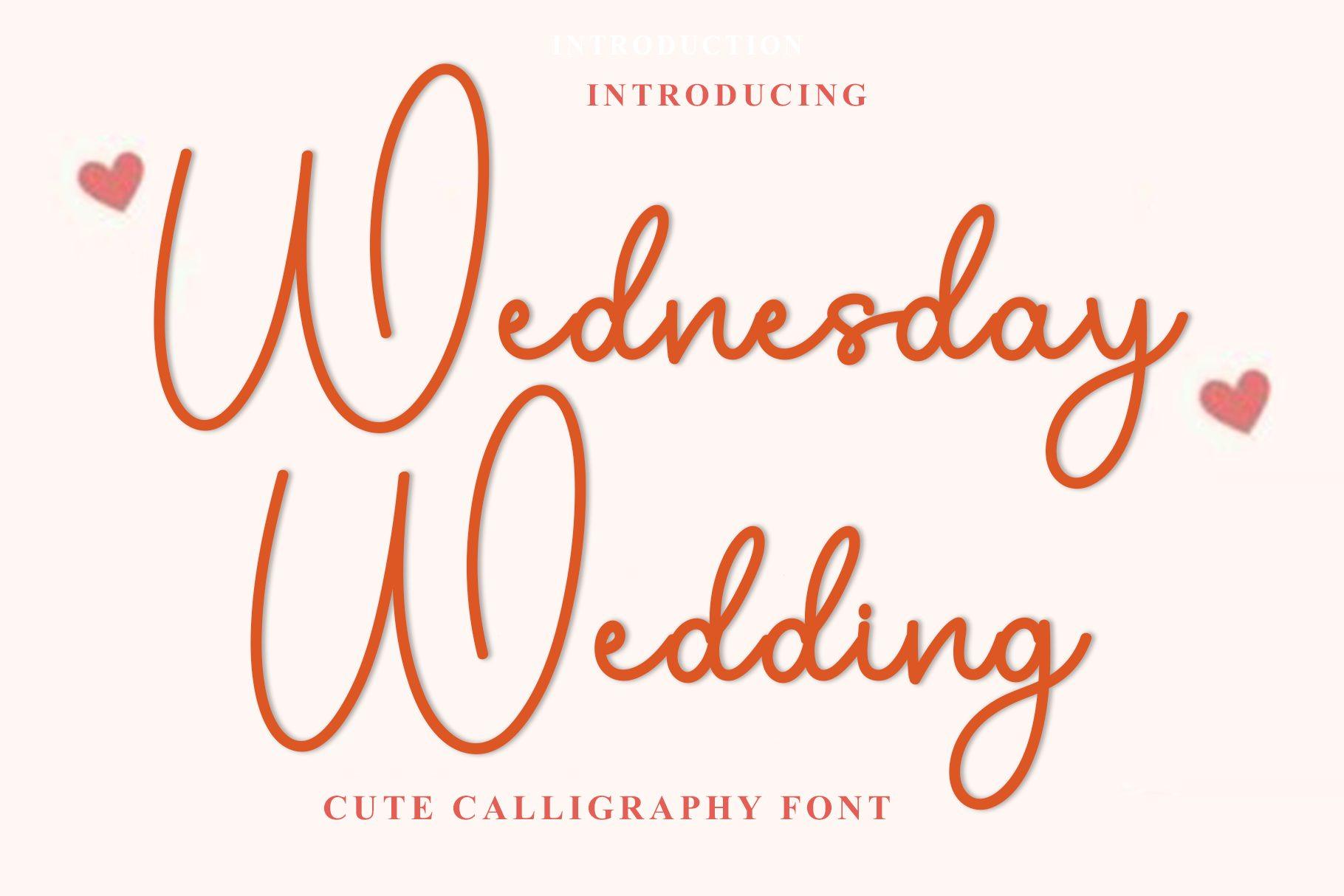
Best For: Bridal shower invites, welcome signs, playful save the dates
Wednesday Wedding is a bouncy monoline script with oversized looped capitals: the W in both words is almost as tall as the rest of the line. The even stroke keeps it friendly rather than formal, so it suits a garden party or a shower more than a black-tie card. Set one or two words and let the capital lead.
3. Rustic Wedding Font
by K_IN Studio
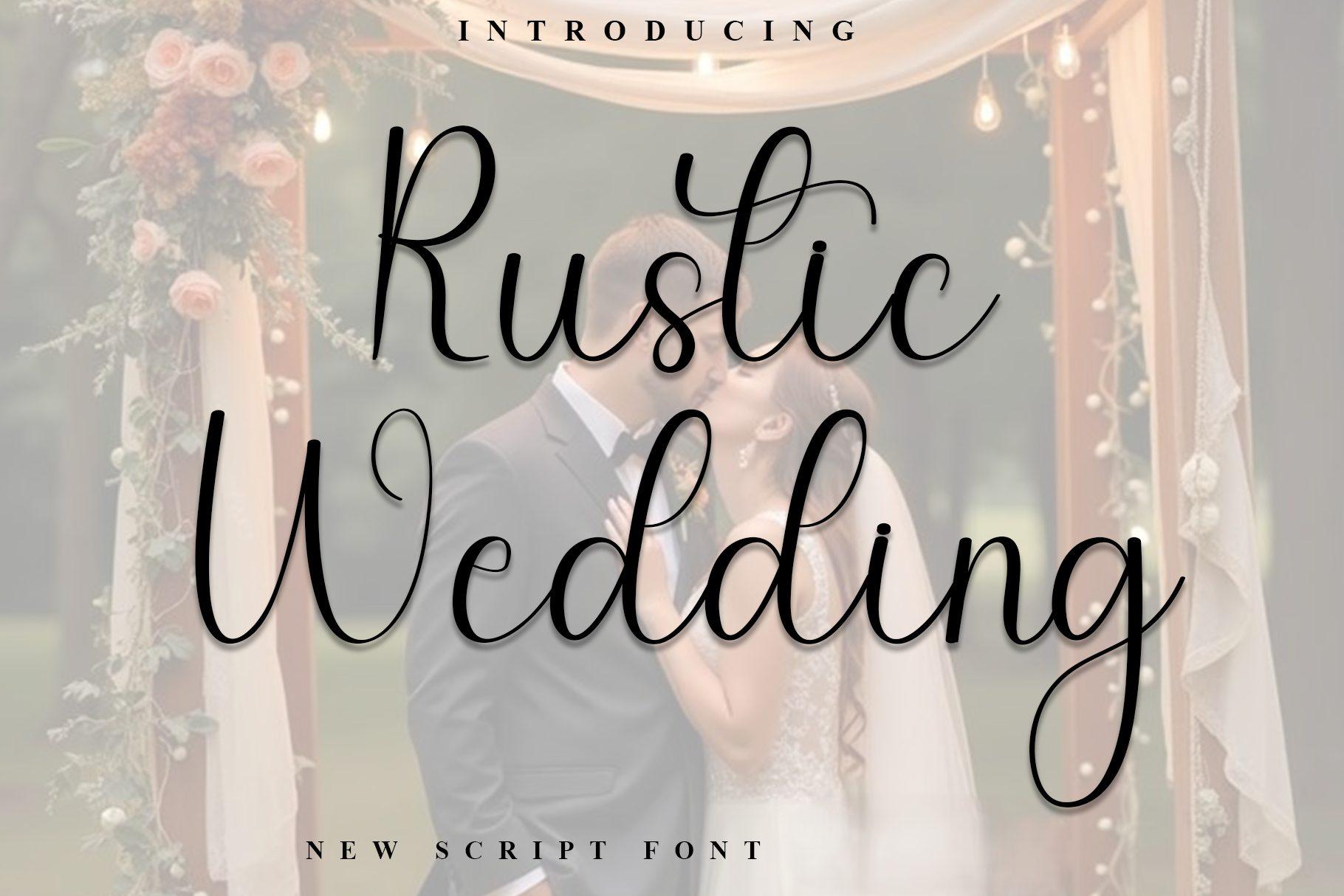
Best For: Barn and garden weddings, chalkboard-style signs, menu titles
Rustic Wedding has a classic pointed-pen look with a light thick-and-thin contrast and rounded, open loops. The letters sit upright and stay easy to read, which makes it one of the safer scripts here for longer lines like a couple’s full names. It works on kraft, linen and wood textures without looking too delicate.
4. Bela Love Font
by MJB Letters
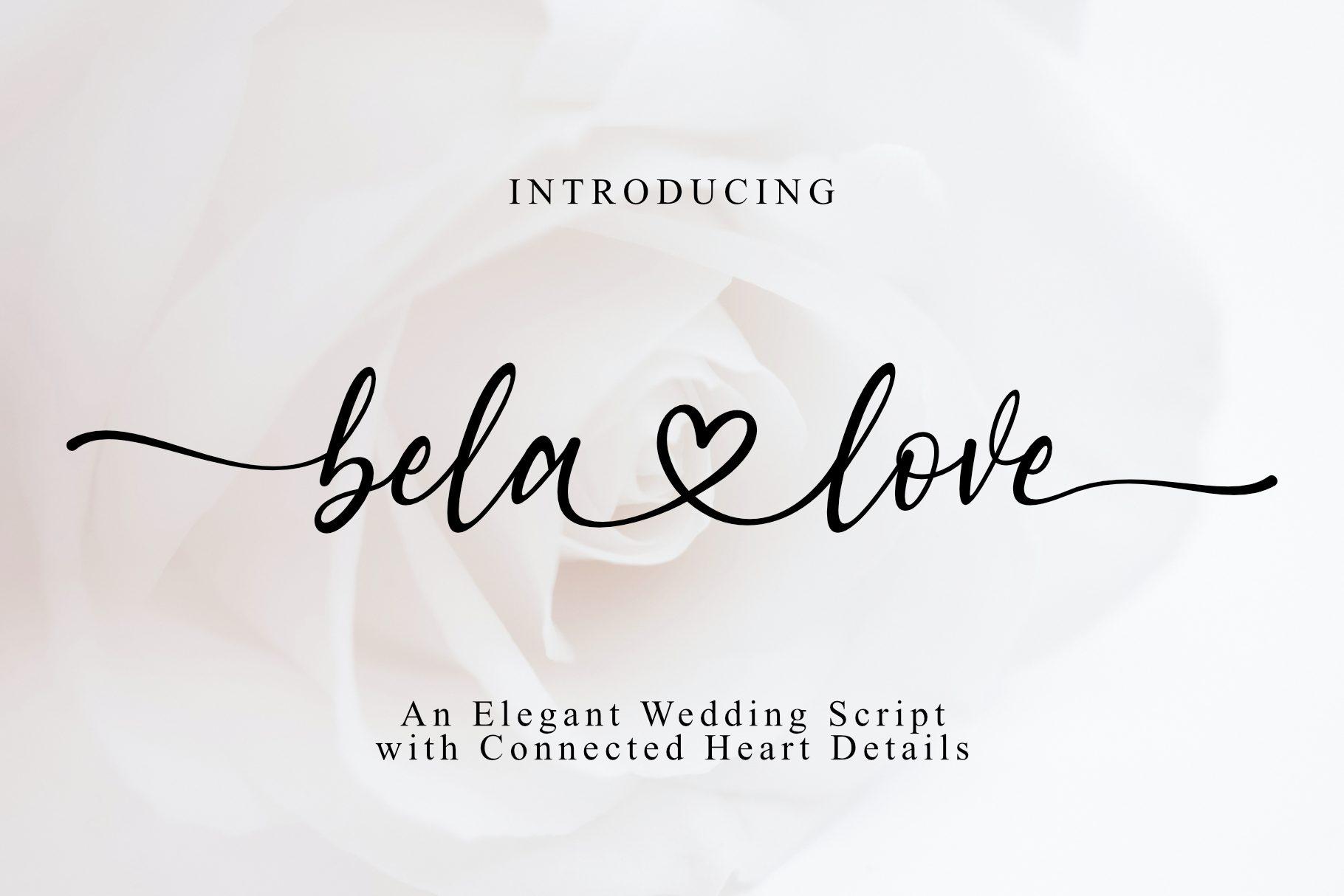
Best For: Name-and-heart monograms, cake toppers, Instagram wedding stories
Bela Love is a slanted handwritten script whose preview joins two words with a small heart and long horizontal swashes at both ends. The swash lines make a ready-made frame for a short phrase like a couple’s first names. Use it for one line only; the tails need clear space to the left and right.
5. Orchidia Font
by Sharon (DmStudio)
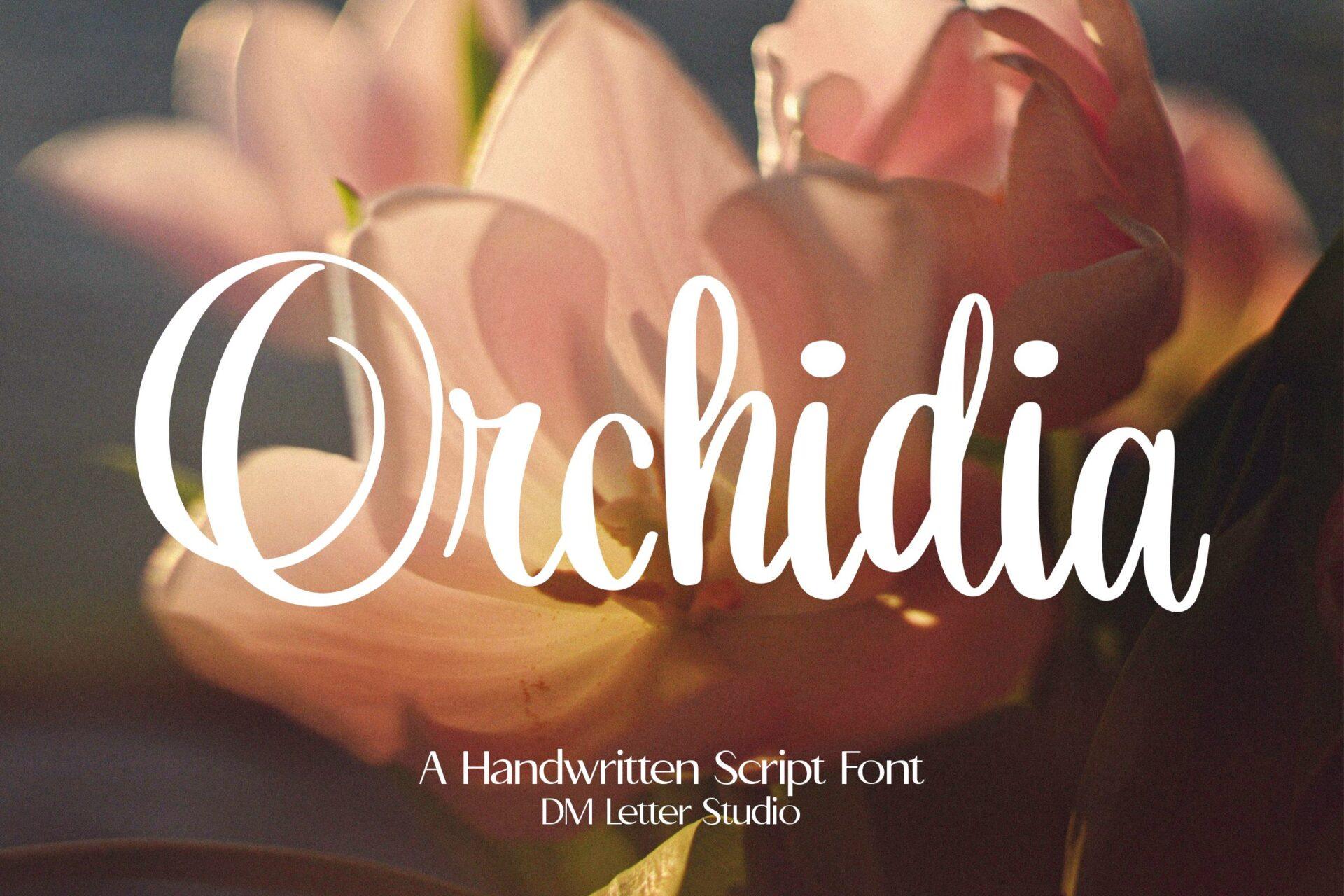
Best For: Invitation headings over photos, engagement announcements
Orchidia has big, rounded capitals with curled entry strokes and fairly heavy downstrokes for a script. That weight lets it sit in white over a dark or floral photo, as the preview shows, without disappearing. It reads as romantic but not fragile, so it holds up on a phone-sized save the date.
6. Merelya Font
by Sharon (DmStudio)
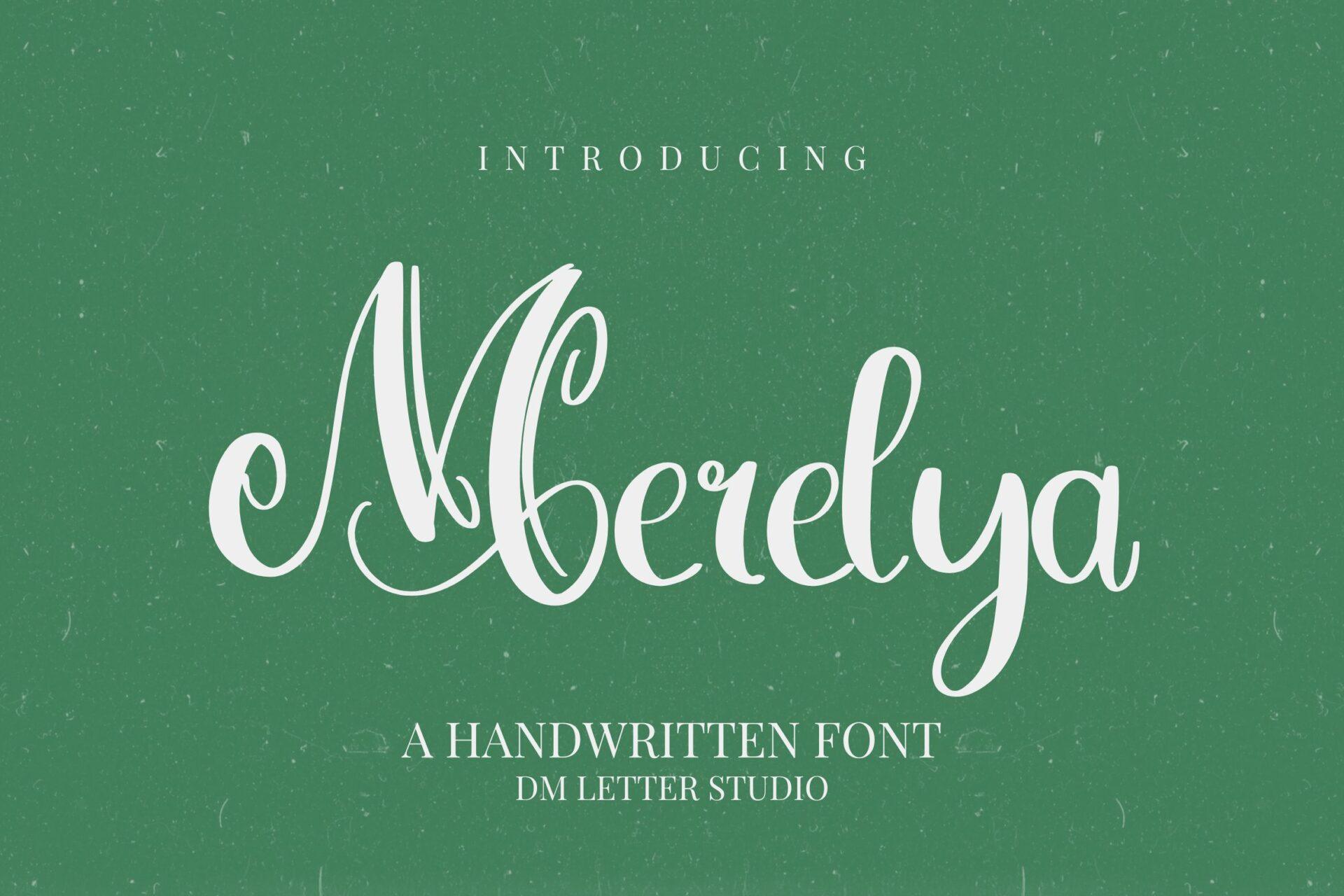
Best For: Wedding welcome signs, table numbers, place cards
Merelya pairs a large swashy capital, like the doubled loop on the M, with a compact lowercase that keeps the word tight. The capital does the decorating, so the rest of the layout can stay plain. Try it on sage or dusty-blue backgrounds in white, as in its preview.
7. Angelina Outline Font
by Shape Studio
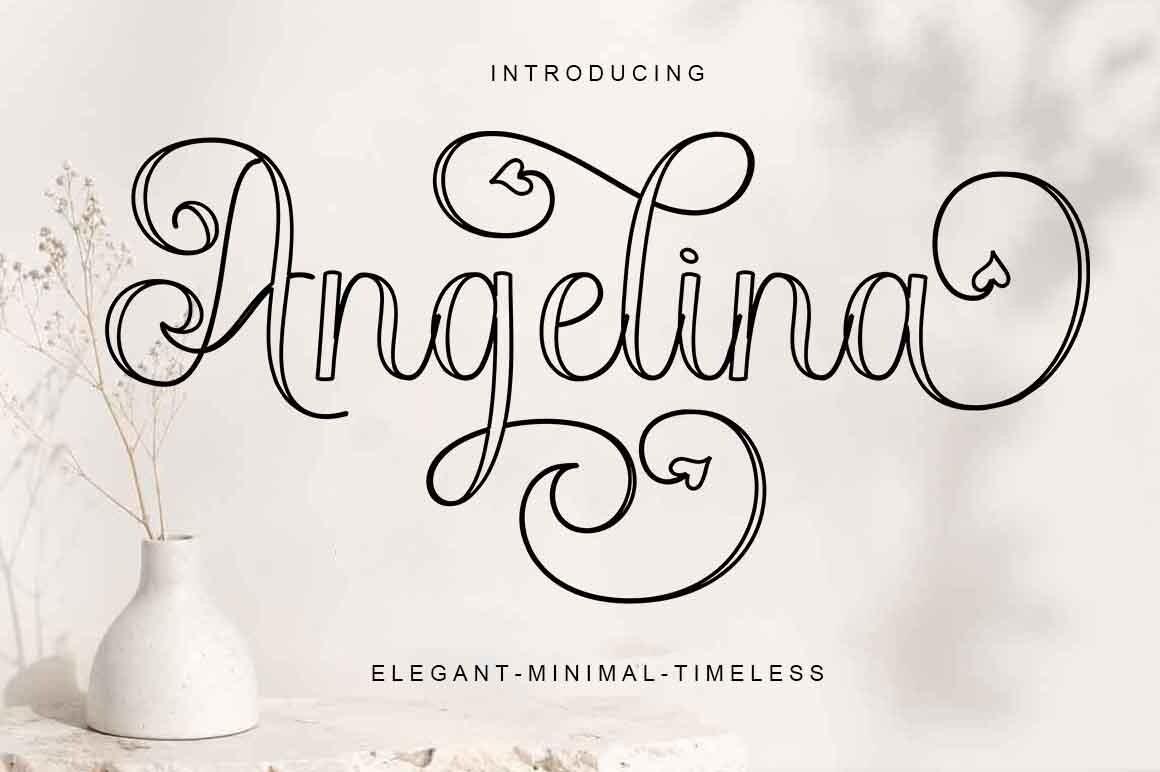
Best For: Large monogram names, Cricut cake toppers, minimalist invites
Angelina Outline is a curly script drawn as a hollow outline, with small heart shapes tucked into the loops of the A and the tails. Because the letters are open, it needs size to work: think a couple’s names across the top of a card or a cut acrylic sign. At small sizes the double lines blur together.
Soft Handwritten and Brush Fonts
8. Bailora Font
by Bundle
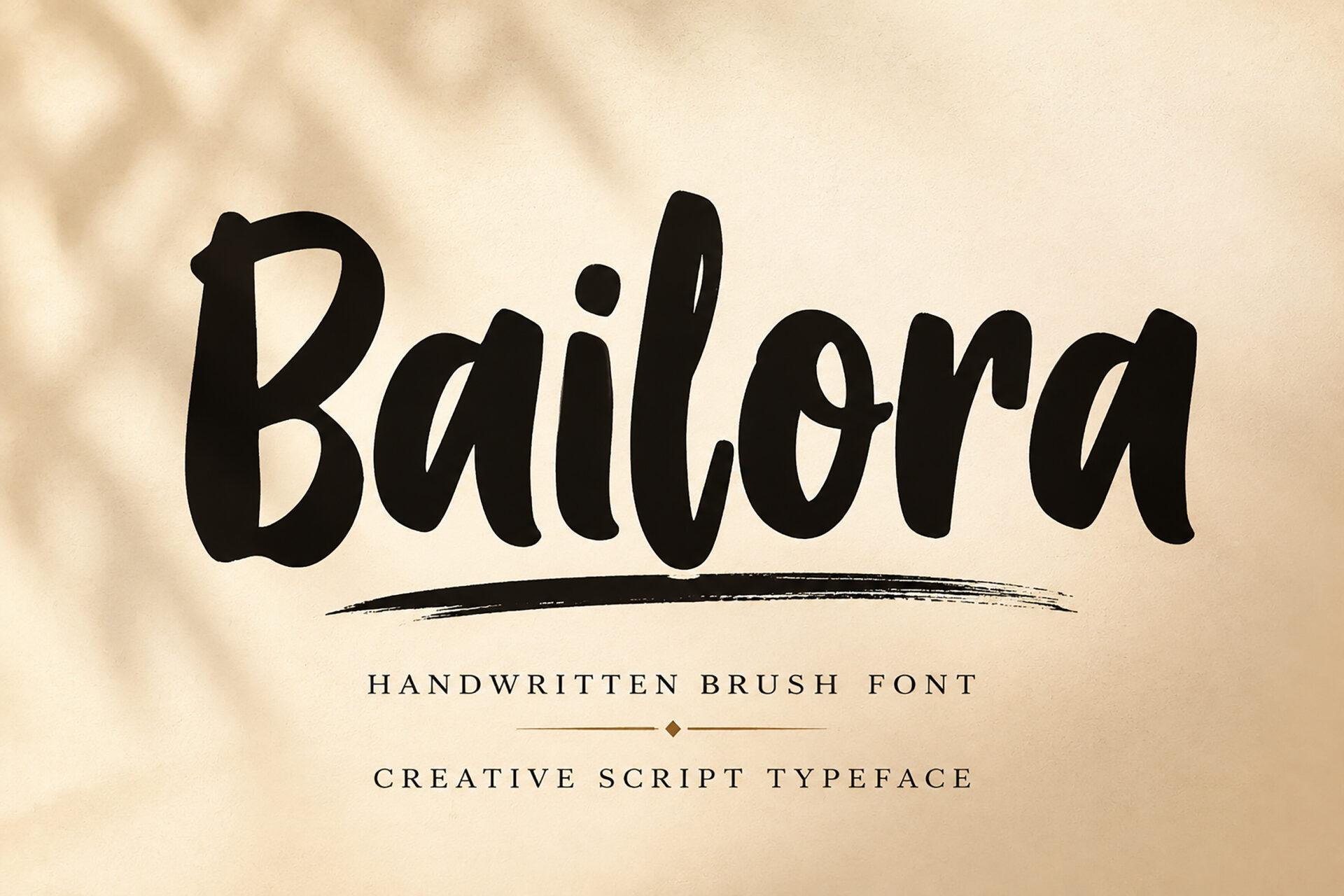
Best For: Casual save the dates, wedding hashtag signs, rehearsal dinner invites
Bailora is a heavy brush script with dry, slightly rough edges and short connecting strokes. It is the boldest script in this list and stays readable at a distance, which helps on signs. Pair it with a spaced-out serif in small caps, the way the preview does, to keep it from feeling too loud.
9. Ruby Wedding Font
by K_IN Studio
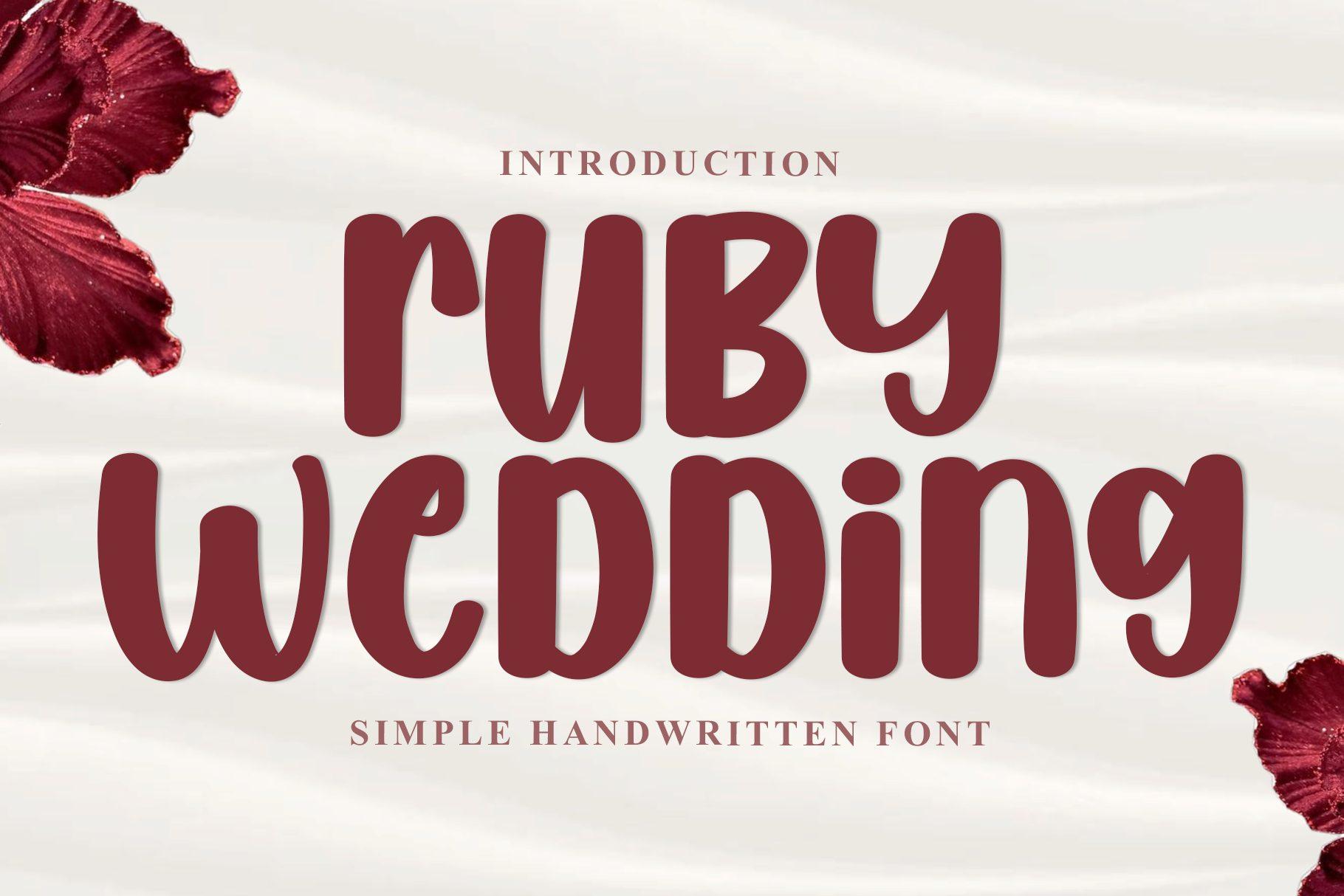
Best For: Bold welcome signs, favor tags, fun wedding party shirts
Ruby Wedding is a chunky handwritten print with rounded ends and letters that bounce slightly above and below the line. It looks soft and warm rather than elegant, which suits a relaxed reception or a bachelorette rather than a formal invite. A deep wine or terracotta color, like the preview, fits it well.
10. Everything Sweetheart Font
by Nox Studio
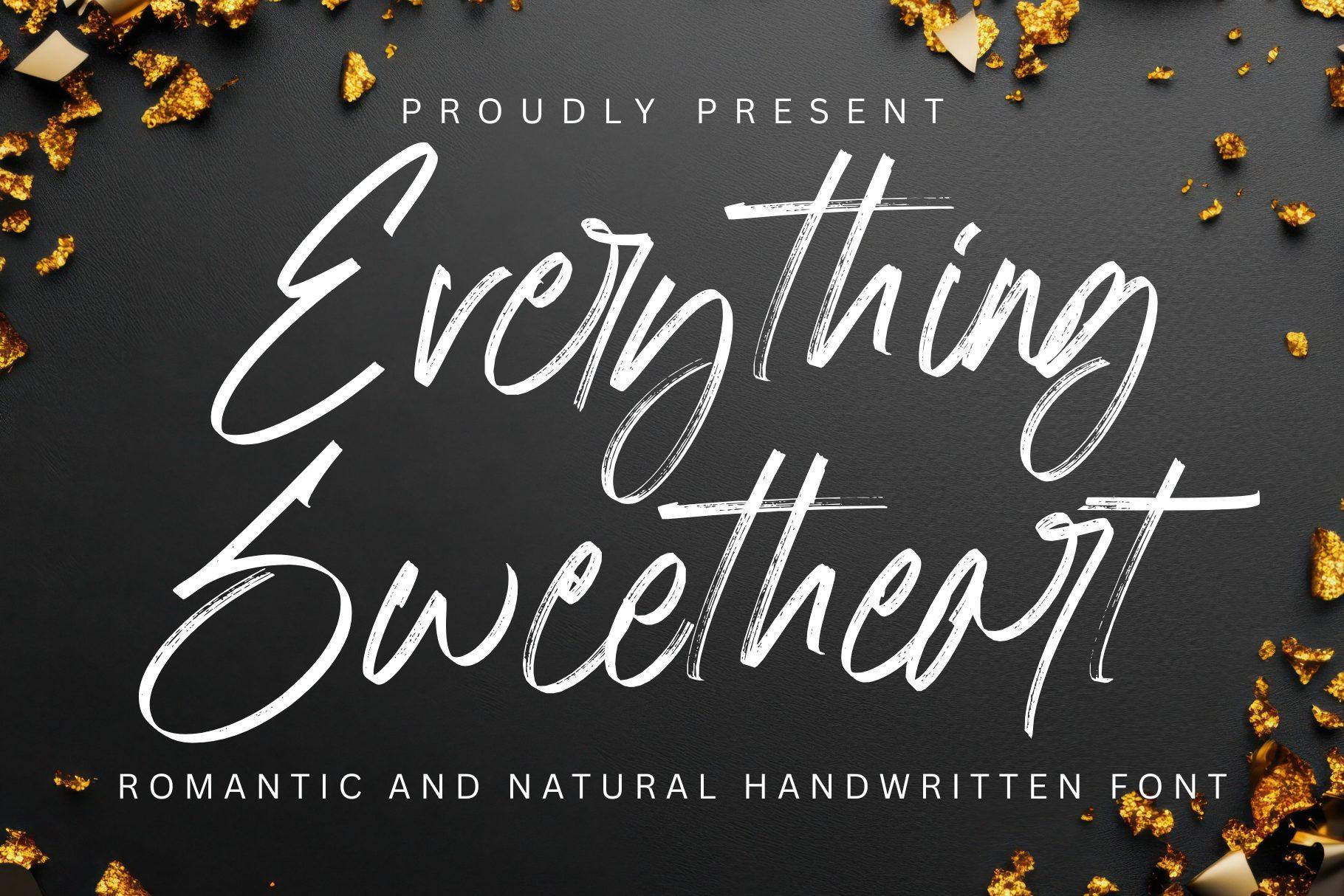
Best For: Dark and moody invites, photo overlays, vow keepsakes
Everything Sweetheart is a fast, narrow handwritten script with a dry-pen texture inside the strokes and very tall ascenders. It feels personal, like a note signed in marker. Set it in white or gold on dark photos and keep the word count low, since the tight spacing gets busy in long lines.
11. WK Quade Font
by Waris Studio
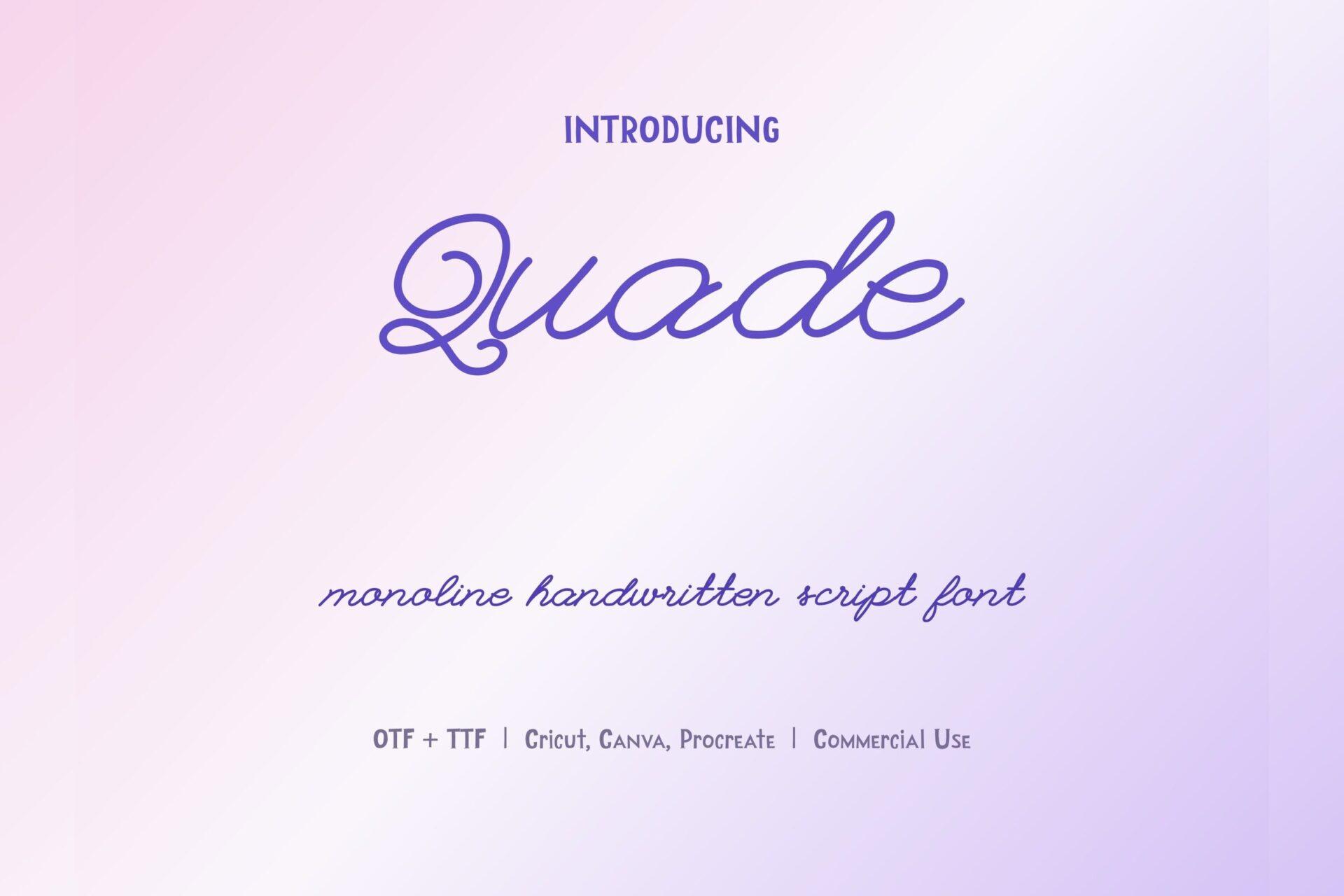
Best For: Thin-line invitations, hand-signed thank-you cards, Cricut pen projects
WK Quade is a monoline handwritten script with a single even stroke and a loose, slightly wobbly rhythm. The preview itself lists Cricut, Canva and Procreate as the intended uses, and the single-weight line suits pen and foil work. It is light, so use it at larger sizes or in a darker ink.
Elegant Serif and Display Fonts
12. Orvelia Font
by Colourful
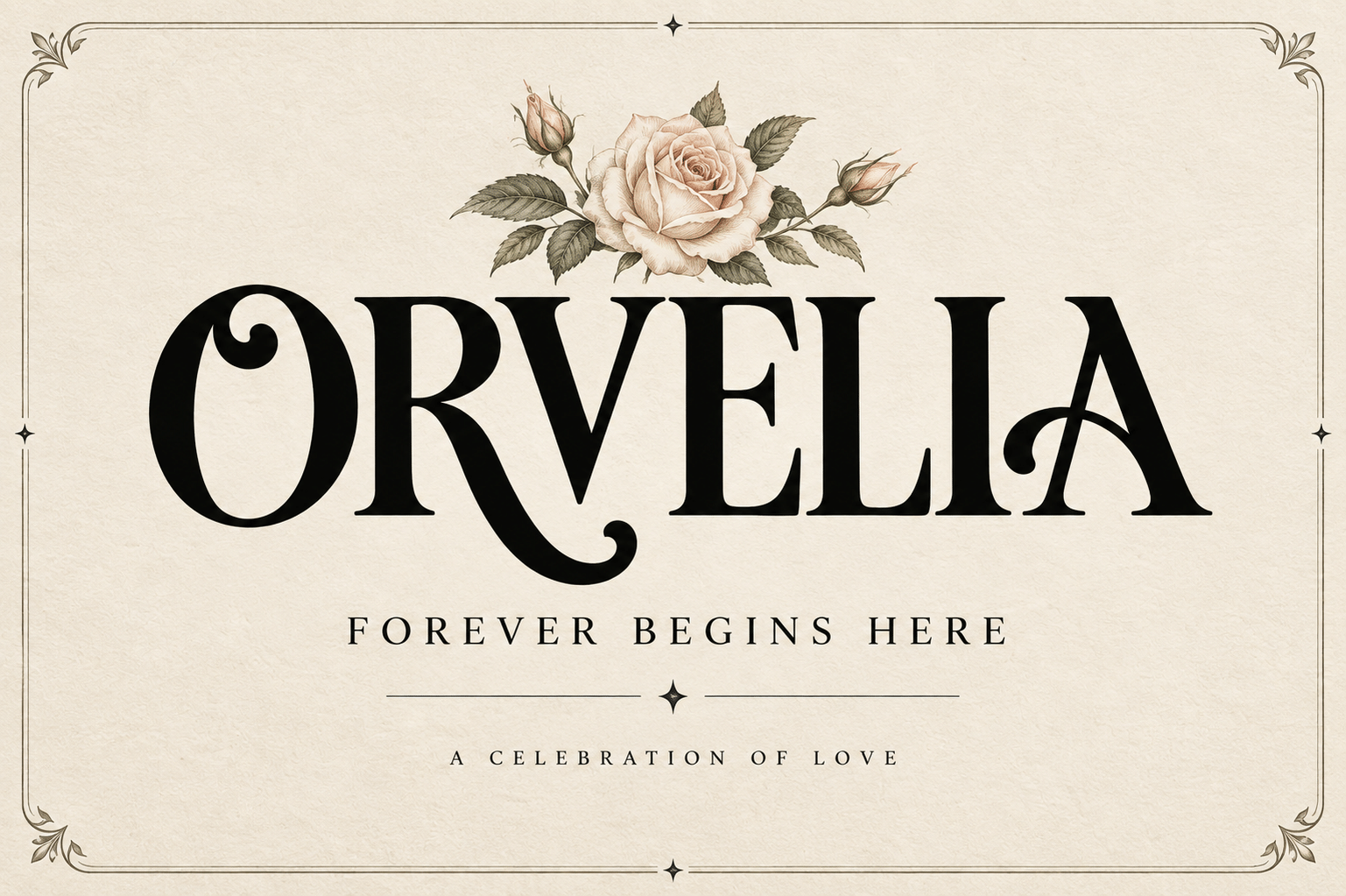
Best For: Classic invitation names, ceremony programs, framed wedding signs
Orvelia is a high-contrast display serif with curly ball terminals and a swashy R and A in its uppercase. It gives a vintage, storybook formality to a single word or a couple’s names set in caps. The preview pairs it with a spaced serif line below, which is a good template for a full invitation.
13. Elanora Font
by Wow Magic
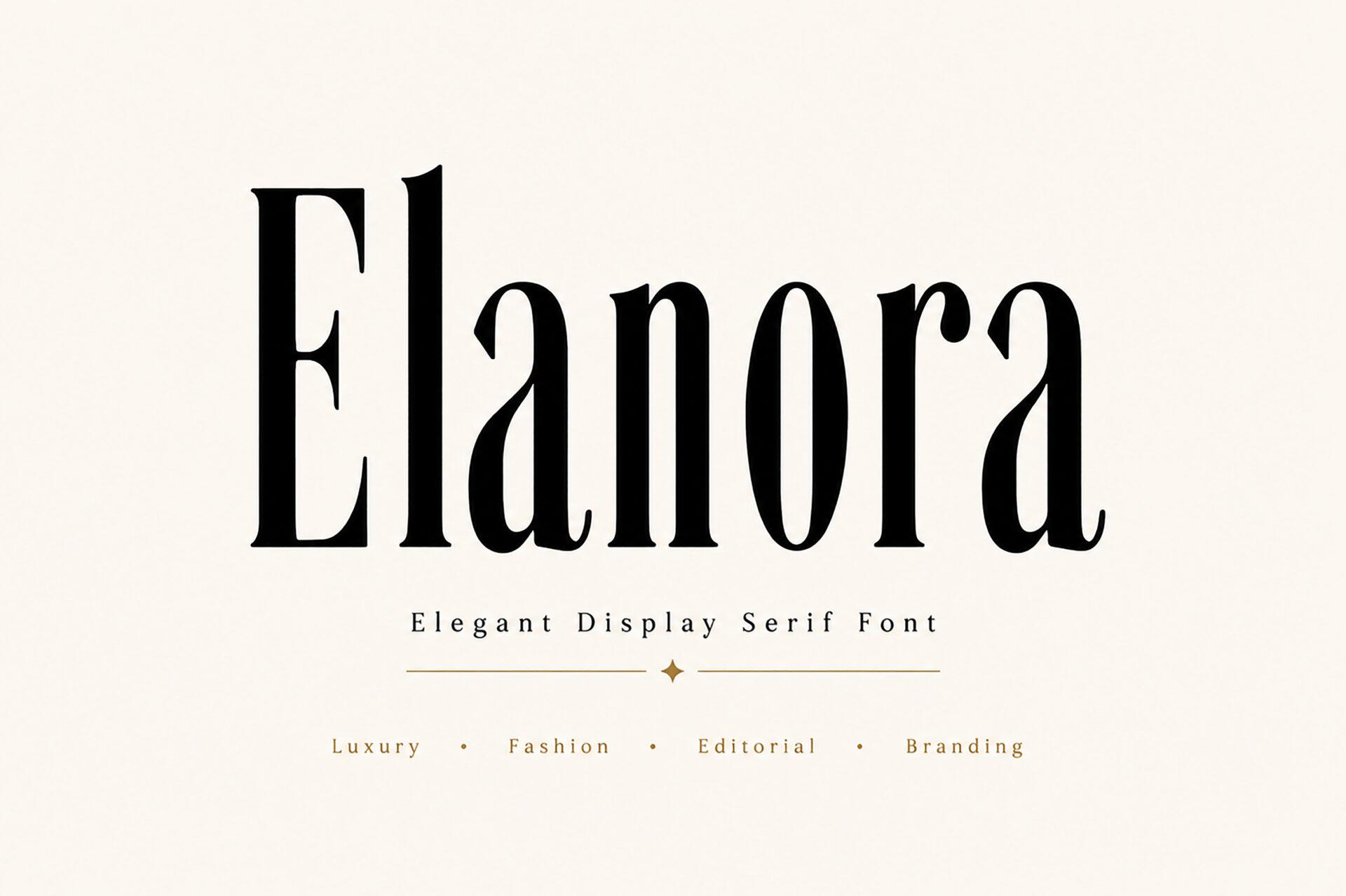
Best For: Modern minimal invites, menu headers, editorial-style programs
Elanora is a very condensed serif with sharp contrast and tall, narrow capitals. It fits long names into a small space and looks clean next to a script. Use it in black on a cream card with plenty of margin; it is the most fashion-leaning serif in this group.
14. Vonque Font
by Ceeskiiw
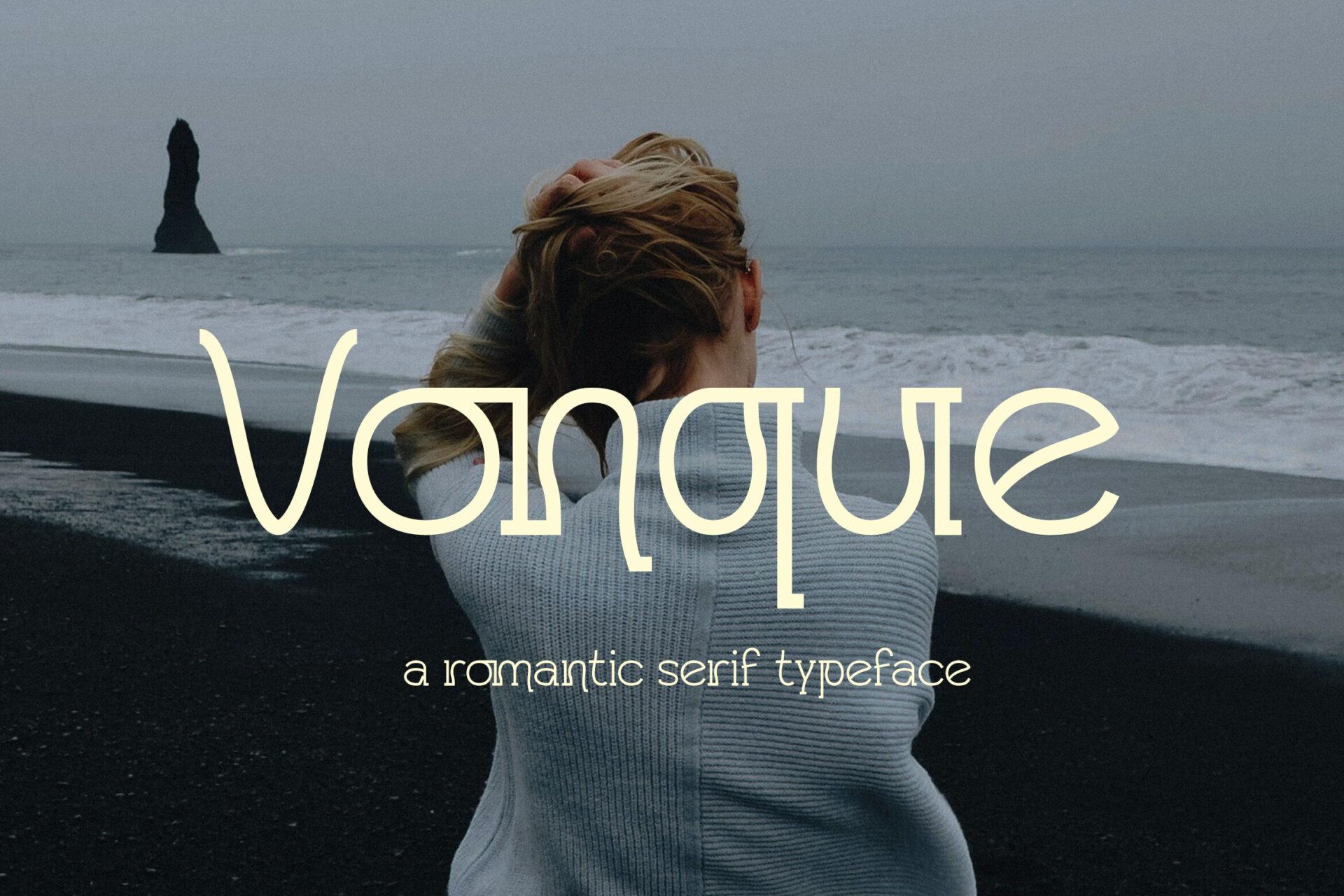
Best For: Boho invitations, elopement announcements, photo overlays
Vonque is a romantic serif with soft, rounded curves and unusual letter shapes, like the hooked q and the loop inside the e. It looks gentle and a little retro, especially in a cream color over photos as in its preview. Keep it to headlines; the quirky shapes are the point.
15. Neatline Font
by Topolearner
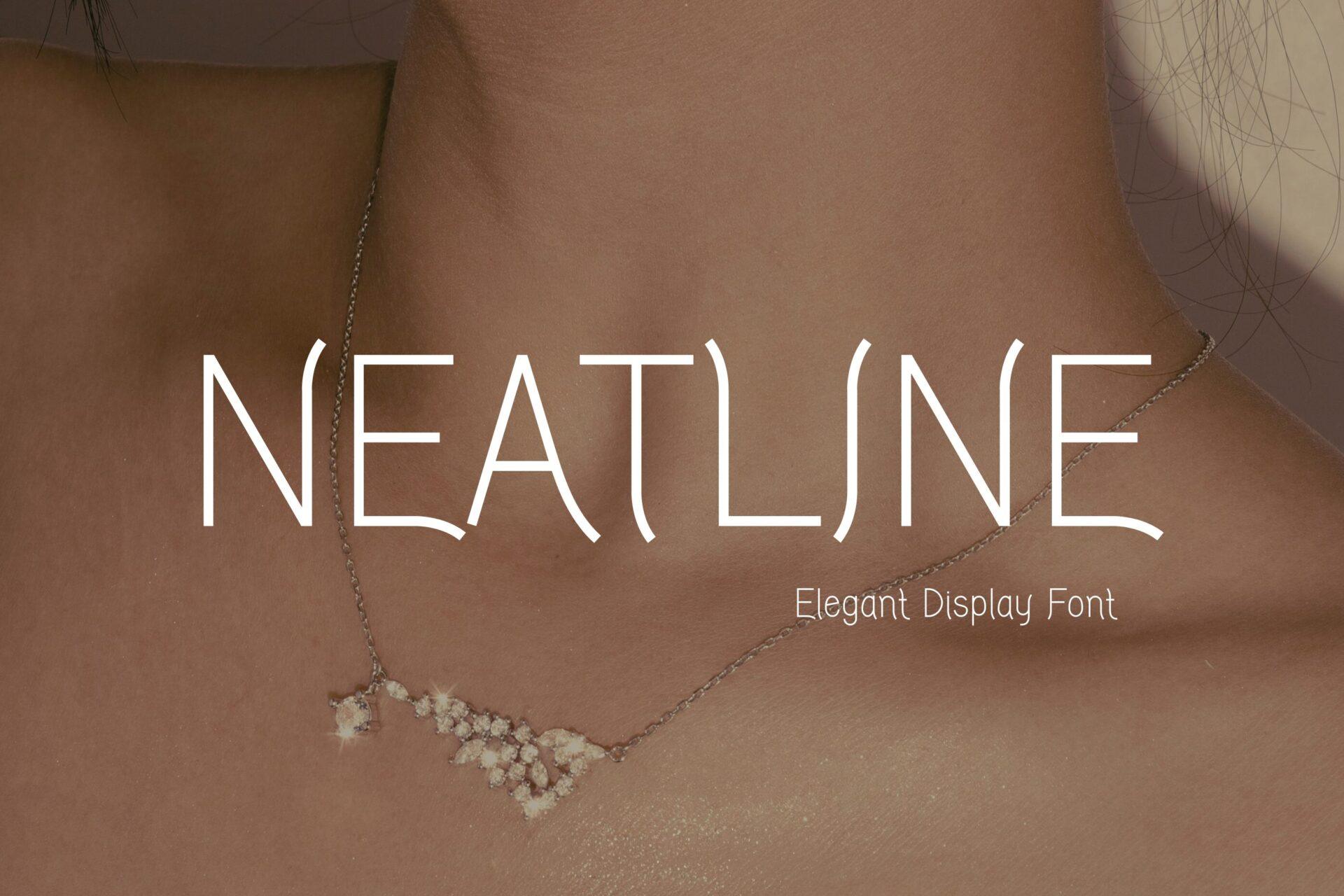
Best For: Minimalist save the dates, seating chart headers, modern signage
Neatline is a thin, all-caps display sans with small flicks at the ends of strokes and a raised crossbar on the A. It adds an elegant, airy touch without any script. Set it with wide letter spacing and pair it with a calligraphy name for contrast.
Wedding Monogram Fonts
16. Botanica Box Font
by The Kazis Kraft
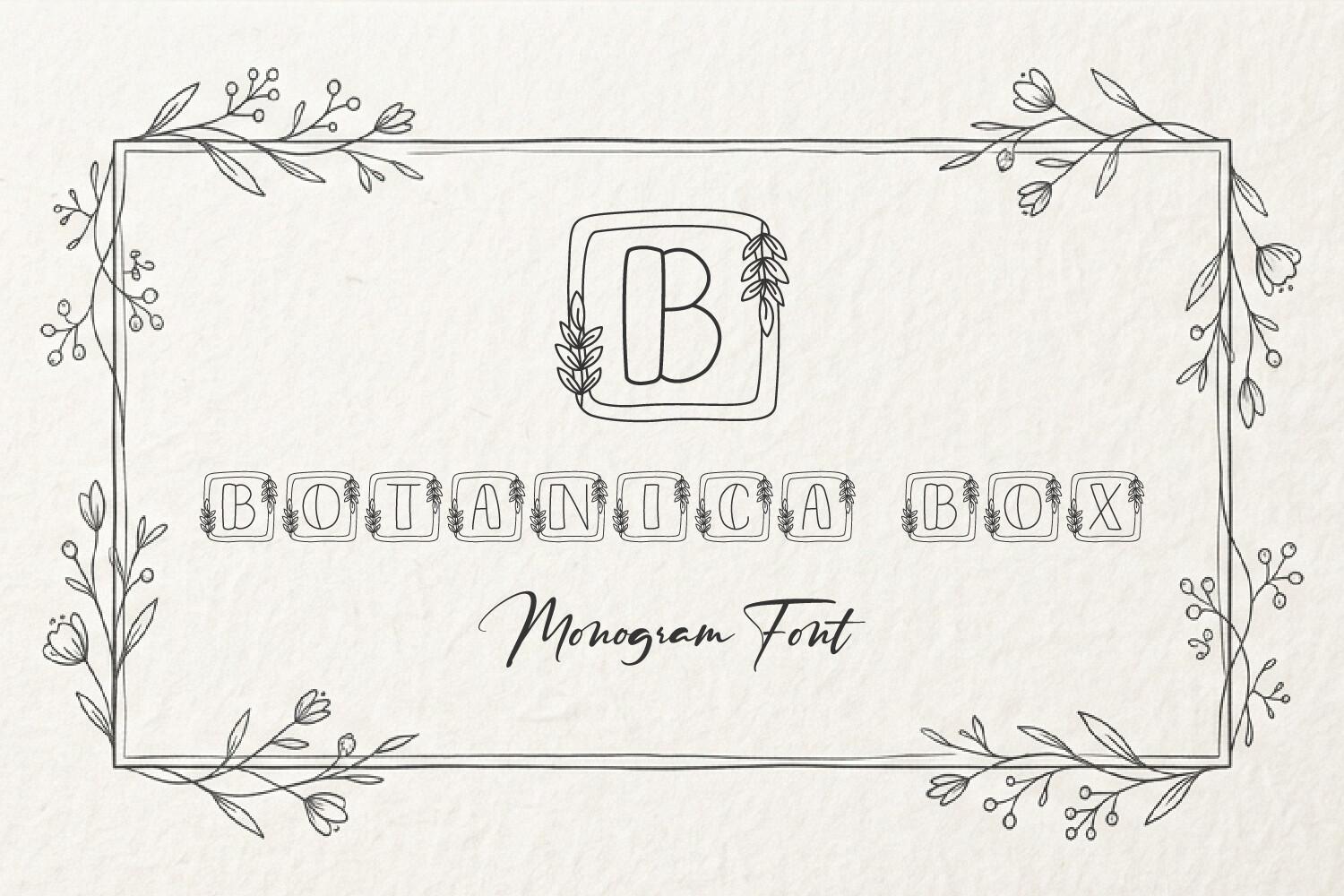
Best For: Botanical monogram crests, stamped favor tags, envelope seals
Botanica Box puts each outlined capital inside a square frame decorated with leaves and small flowers. It reads like a set of tiny stamps, so one or two initials are enough. Line art this thin works best printed dark on white or cut as a vinyl decal.
17. Florencia Split Monogram Font
by Sharon (DmStudio)
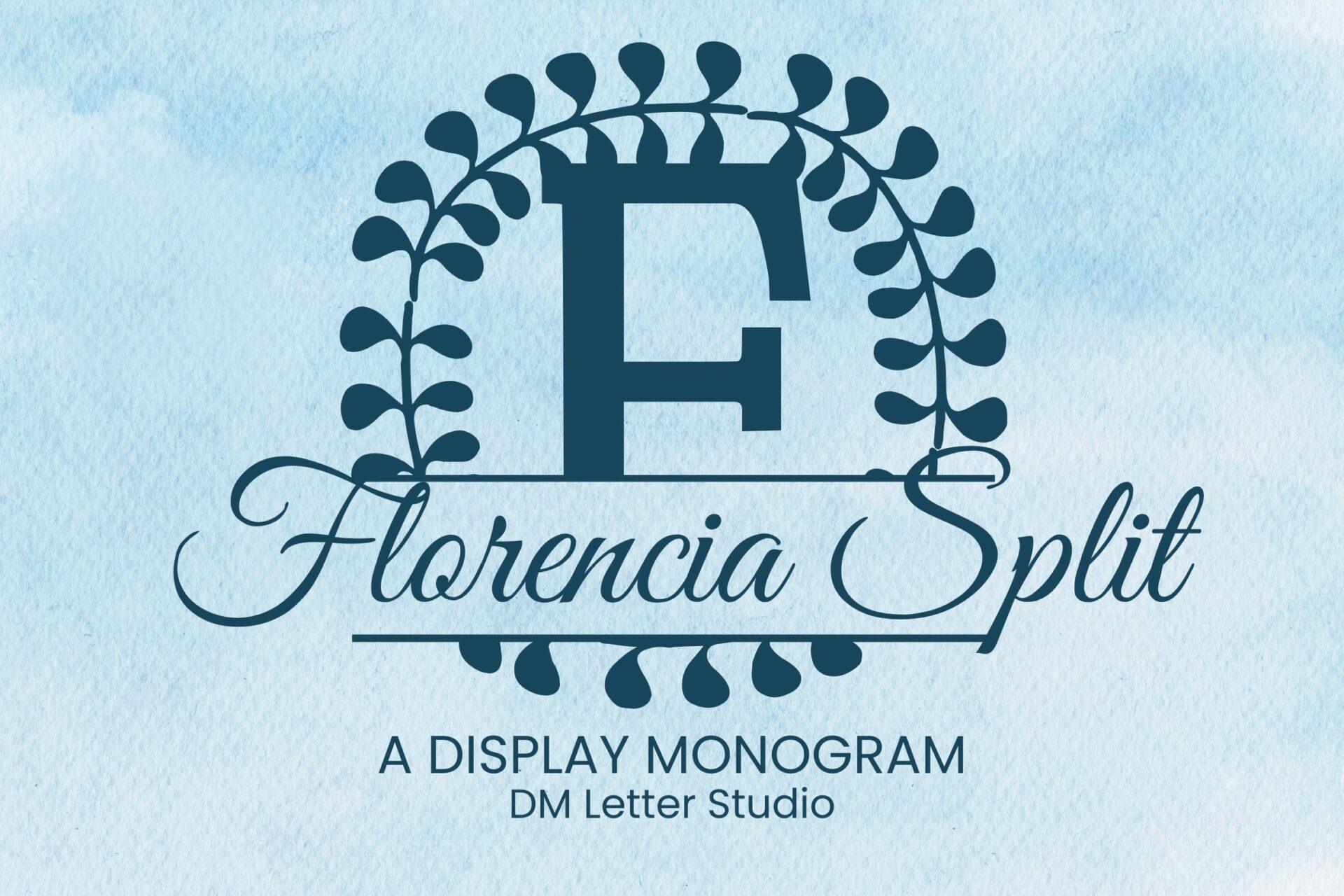
Best For: Split monogram signs, Cricut wedding decor, door hangers
Florencia Split Monogram builds a large capital into a leafy wreath that is split across the middle so a surname can sit inside. The preview shows a bold slab F with a script name over the split, which is the easiest way to use it. It is made for big pieces like a welcome sign or a wreath decal, not small print.
How to Upload a Font to Canva
- Download the font and unzip the folder. You need the OTF or TTF file.
- In Canva, open Brand (Brand Kit) and find the Fonts section, then click Upload a font.
- Pick the file and confirm you have the right to use it.
- Open your design: the font now shows under Uploaded fonts in the font menu.
Font uploads need a paid Canva plan (Pro, Teams or Education). On a free plan, you can still design with the fonts in your desktop software and bring the finished artwork into Canva as an image.
How to Pair Wedding Fonts in Canva
Most good wedding layouts use two fonts: one script for names and one plain font for everything else. Let the script take the biggest line and keep it to one or two words, then set dates, venue and RSVP details in a serif or a spaced-out sans.
- Romantic: Hayland Font + Orvelia Font
- Modern: Merelya Font + Neatline Font
- Editorial: Orchidia Font + Elanora Font
- Relaxed: Bailora Font + Vonque Font
Avoid two scripts on the same card: they compete for attention and the names stop standing out. If a script’s tails crash into the line below, increase the line spacing in Canva instead of shrinking the font.
FAQ
Can I use these fonts in Canva for free?
Uploading a custom font needs a Canva Pro, Teams or Education plan. The fonts themselves come from Creative Fabrica, where All Access covers all 17 in this list.
Which font is best for wedding invitation names?
For a formal card, a thin calligraphy such as Hayland Font or Rustic Wedding Font. For a bold modern card, Orvelia Font set in capitals.
What font should I use for a wedding welcome sign?
Signs are read from a distance, so choose something heavier: Bailora Font, Ruby Wedding Font or Orchidia Font hold up better than hairline scripts.
Can I cut these fonts with Cricut?
Script and monogram fonts like Florencia Split Monogram Font and Angelina Outline Font are popular for Cricut wedding decor; weld connected scripts before cutting so the letters stay in one piece.
Pick one script you love for the names, one calm font for the details, and use the same pair on every piece from the save the date to the table numbers. That consistency is what makes a DIY wedding suite look designed.